3CX: An Overview
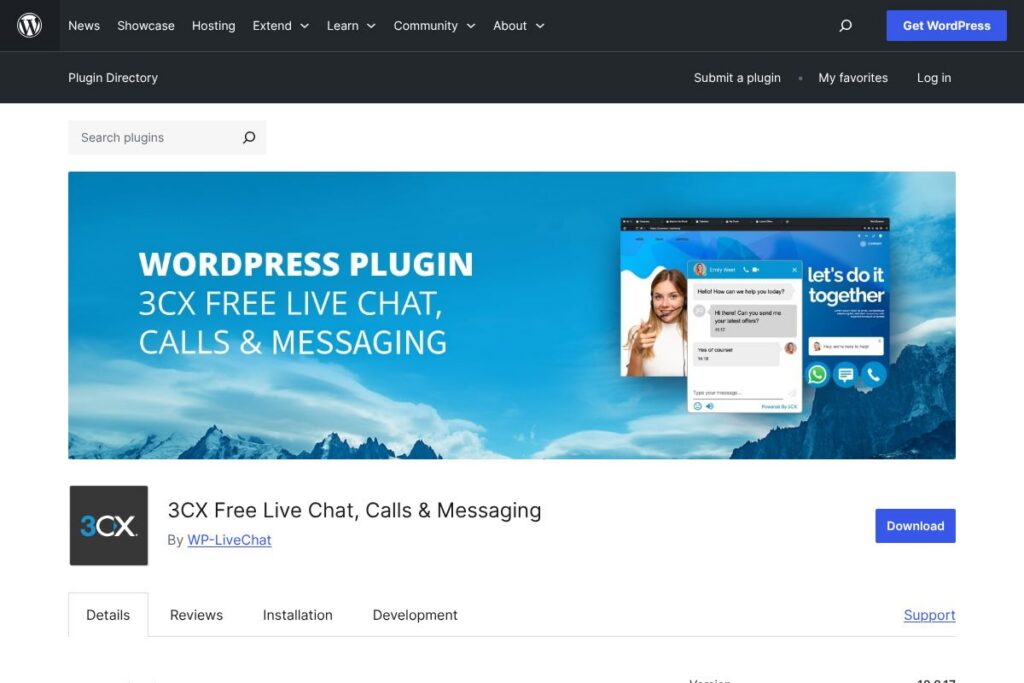
3CX is a communications platform provided as a free WordPress plugin that embeds live chat, browser voice calls, and unified messaging into a website. The plugin links your site to a 3CX account so visits can be answered from a web client, mobile app or desktop app while also routing inbound WhatsApp, Facebook Messenger and SMS into the same dashboard.
Compared with competitors the positioning is different. Tawk.to focuses on a lightweight, chat-first experience and is broadly free but lacks integrated browser calling and built-in PBX features. LiveChat and Zendesk provide richer enterprise workflow and analytics but are paid products with per-seat fees; 3CX aims to provide core telephony and unified messaging functionality at no charge for smaller teams.
Where 3CX stands out is its blend of telephony and web chat in a single, WordPress-native plugin. It is best for businesses that want free, integrated voice and messaging options without adopting multiple vendor dashboards, and for teams that plan to expand into SIP trunks, cloud phone systems or hosted deployments in the future.
How 3CX Works
The plugin installs on WordPress and places a chat/call widget on your site that connects to a 3CX account. Once you sign up for a 3CX account and link the plugin using the credentials provided, chats and calls are routed to the 3CX Web Client or mobile and desktop apps, where agents can answer, transfer, and resolve queries.
Workflows commonly used include: a visitor clicks the widget to start a chat, the chat is assigned to available agents or a ring group, and if needed the visitor is escalated to a browser call or video conference without leaving the chat window. Incoming WhatsApp, Facebook and SMS messages are also surfaced in the same interface, so agents handle multiple channels from one place.
3CX features
3CX combines live chat with voice, video and unified messaging. Core capabilities include a website chat and call widget, browser calling via WebRTC, inbound WhatsApp and Facebook messaging, video conferencing, mobile and desktop clients, and telephony features such as ring groups and auto attendants. Over time the plugin has added UI improvements, chat operating hours, and stability fixes for mobile and multi-window usage.
Let’s talk 3CX’s Features
Website Live Chat and Call Widget
The widget supports text chat and an optional call button so visitors can initiate browser-based voice calls. This reduces friction for visitors who prefer to speak instead of type and allows agents to switch between chat and voice on the same session, which is useful for sales and complex support interactions.
Unified Inbox for WhatsApp, Facebook and SMS
Inbound messages from WhatsApp, Facebook Messenger and SMS can be routed into the same agent console as live chats. That centralization reduces context switching for agents and ensures messages from multiple channels are visible and actionable from one place.
Browser Calling and WebRTC
Calls can be placed and received directly in the browser without additional plugins, using WebRTC. This enables quick voice interactions from web pages and simplifies remote support and sales calls, with call controls available inside the web client or mobile apps.
Video Conferencing and 3CX Meet
Built-in video conferencing lets teams escalate chats to video meetings, share links, and run online sessions from the same platform. This feature is useful for demos, remote troubleshooting and small group collaboration without a separate conferencing subscription.
Mobile and Desktop Apps
Native mobile and desktop apps let agents answer chats and calls from smartphones and workstations, keeping teams connected when they are away from the web client. Push notifications and app-based call handling make it practical for distributed teams.
Telephony Features: SIP Trunks, Ring Groups, Auto Attendant
3CX integrates with SIP trunks and supports standard PBX features such as ring groups, auto attendants and call transfers. That makes it possible to move from simple web chat to a full cloud phone system and connect to external numbers when needed.
Customization, Offline Forms and Operating Hours
The plugin includes customization for the chat bubble, greetings for online and offline modes, and operating hours so the site displays offline forms or messages when no agents are available. These controls help shape visitor expectations and capture leads outside business hours.
With these features, 3CX provides a communications hub that covers chat, voice and messaging, making it a practical choice for sites that need an integrated approach to customer contact.
3CX pricing
3CX is offered as a free WordPress plugin and the core plugin is free to install and use. The plugin itself is distributed from the WordPress repository as open source, and 3CX advertises a free tier that covers live chat along with browser calling and other basic features.
For teams that require more capacity or dedicated hosting, 3CX also offers hosted and self-managed editions that may carry costs for hosting, SIP trunks, or commercial licensing; those deployments remove the 10-user free limit and add enterprise features. For account signup and plan details, see the 3CX Free sign-up page and the 3CX website for options that fit hosted or dedicated needs.
What is 3CX Used For?
3CX is commonly used for website customer support and lead capture where teams want immediate, live engagement. E-commerce sites use it to answer product questions and speed conversions, while service businesses use it to triage support requests and book appointments through chat or quick calls.
It is also used as a lightweight cloud phone system for small and medium businesses that want to consolidate voice, messaging and conferencing without adopting multiple platforms. The unified inbox and mobile apps make it suitable for remote teams that need to field customer messages across channels from a single interface.
Pros and Cons of 3CX
Pros
- Free tier with telephony: The plugin provides live chat and browser calling without an initial subscription, so small teams can try voice and messaging integration at no cost.
- Unified messaging: Incoming WhatsApp, Facebook and SMS messages appear in the same agent console as live chats, reducing tool switching for agents.
- WebRTC calling and video: Native browser calls and integrated video conferencing allow agents to escalate chats to richer interactions without separate conferencing software.
- WordPress-native and widely installed: The plugin installs through WordPress and is widely adopted, making setup straightforward for WordPress sites.
Cons
- Free tier limits: The free offering is limited to a number of users and basic functionality; larger teams will need hosted or self-managed editions which can introduce costs for hosting and SIP trunks.
- Mobile bubble placement: Several users report the chat bubble on mobile can sit too close to screen corners and may require custom CSS to adjust margins for some themes and browsers.
- Configuration complexity: Full feature use often requires configuration in the 3CX admin and may involve telephony settings that are more complex than simple chat-only plugins.
Does 3CX Offer a Free Trial?
3CX offers a free plan and does not require a paid trial. The WordPress plugin is free to install and use; the 3CX Free tier handles live chat and browser calling with limits on concurrent agents. For larger teams or dedicated hosting you can evaluate hosted or self-managed editions by signing up on the 3CX Free sign-up page and reviewing hosted options on the 3CX website.
3CX API and Integrations
3CX provides developer resources and APIs for telephony and webhooks that let organizations automate call flows, export logs and integrate with external systems. The 3CX developer documentation describes available endpoints, webhooks and integration patterns for PBX and web interactions.
The plugin itself supports integrations with messaging channels like WhatsApp and Facebook, and it can be connected to CRMs or analytics platforms using available connectors or custom API work. For setup instructions and channel configuration see the 3CX documentation on live chat and messaging.
10 3CX alternatives
Paid alternatives to 3CX
- LiveChat — A chat-first commercial product focused on sales and support workflows, with built-in reporting and multiple add-ons for automation.
- Intercom — A paid customer messaging platform that emphasizes product messaging, in-app support and business workflows with automation and bots.
- Zendesk — A customer service platform with paid plans that combine chat, ticketing, and knowledge base features for larger support teams.
- Drift — A conversational marketing and sales chat platform with paid features for lead routing and B2B workflows.
- Olark — A simple paid chat solution for websites with integrations and basic automation for small teams.
- Freshdesk Messaging (Freshchat) — A modern messaging product from Freshworks that combines chat, bots and team inboxes under paid plans.
Open source alternatives to 3CX
- Rocket.Chat — An open source team chat and messaging platform that can be embedded and self-hosted; good for organizations that need full control over data.
- Chatwoot — An open source customer messaging platform that supports multiple channels and can be deployed on-premises or in the cloud.
- Live Helper Chat — A self-hosted live chat solution with visitor tracking and basic automation for developers who prefer on-site hosting.
- Mibew Messenger — A lightweight open source live support application you can self-host for simple chat requirements.
Frequently asked questions about 3CX
What is 3CX used for?
3CX is used for live website chat, browser calling and unified messaging across WhatsApp, Facebook and SMS. It connects site visitors to agents via a WordPress plugin and the 3CX Web Client or apps.
Does 3CX cost money to use?
The 3CX WordPress plugin and 3CX Free tier are provided at no charge. For unlimited users, hosted deployments or advanced telephony features you may choose hosted or self-managed editions that can incur hosting or carrier costs.
Can I receive WhatsApp messages with 3CX?
Yes, 3CX surfaces WhatsApp messages in the same agent console as live chats. WhatsApp channel setup requires configuration in the 3CX admin and appropriate WhatsApp channel credentials.
Is 3CX suitable for small businesses?
Yes, 3CX is well suited to small and medium businesses that need a free, integrated chat and call solution. It provides a path to grow into hosted PBX or dedicated deployments as requirements expand.
Does 3CX integrate with CRM systems?
3CX supports integrations and developer APIs that enable CRM connections. Integrations can be implemented via built-in connectors, API calls or third-party middleware depending on the CRM.
Final Verdict: 3CX
3CX delivers a rare combination of live chat, browser calling, video conferencing and unified messaging as a free WordPress plugin, which makes it a strong option for small businesses that want consolidated communications without multiple subscriptions. The unified inbox for WhatsApp, Facebook and SMS plus WebRTC calling means teams can handle multiple channels from a single interface.
Compared with a direct alternative like Tawk.to, which is also free and chat-focused, 3CX adds native voice and conferencing and deeper telephony features that let you migrate toward a cloud phone system. For organizations that require only basic chat and lightweight overhead, a pure chat provider may be simpler; for teams that value integrated calling and multi-channel messaging without immediate licensing costs, 3CX is a practical choice.
For setup, sign-up and technical details consult the 3CX website and the 3CX developer documentation for deployment guidance and channel configuration.