Brightspace: An Overview
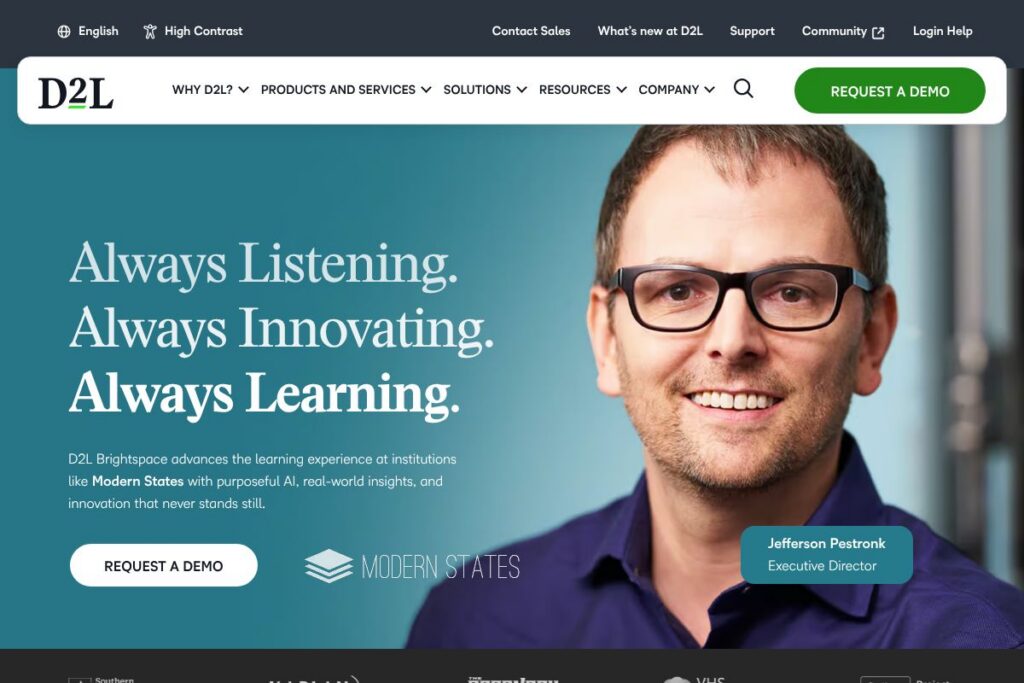
Brightspace is a learning management system from D2L built to support course delivery, competency-based learning, assessments, and learning analytics across K-12, higher education, and enterprise training. The platform emphasizes accessibility, configurable workflows, and data-driven reporting to help institutions measure engagement and outcomes.
Compared with Canvas, Blackboard, and Moodle, Brightspace places stronger emphasis on analytics and accessibility tools out of the box. Canvas tends to be known for a broad third-party app ecosystem and a streamlined instructor experience, Blackboard emphasizes enterprise feature breadth and migration tools, and Moodle is an open source choice for heavy customization at lower licensing cost.
Brightspace is best suited to organizations that need a scalable, accessible LMS with deep reporting, configurable learner experiences, and support for standards such as LTI and xAPI. The platform is commonly selected by districts, universities, and training organizations that require enterprise support, custom services, and vendor-managed deployments. Explore the Brightspace product page for official product descriptions and use-case pages.
How Brightspace Works
Brightspace is delivered as a cloud-hosted LMS where administrators configure organizational structure, user roles, authentication, and integration points, then instructors create courses using integrated authoring and resource tools. Learners access courses through a responsive web interface or mobile apps, complete activities and assessments, and receive automated feedback and progress tracking.
Implementation workflows typically combine an initial configuration phase with course migration, instructor training, and optional professional services for instructional design. Integrations with identity providers, SIS systems, video conferencing, and content repositories let teams automate provisioning and reporting, while the platform’s analytics dashboards surface engagement and competency data to curriculum owners.
Brightspace features
Brightspace groups core LMS capabilities around content creation, assessments, learner analytics, accessibility, integrations, and administrative automation. Recent platform developments highlight expanded AI-assisted workflows, stronger reporting tools, and improvements to accessibility and teacher authoring interfaces.
Personalized and adaptive learning
The platform supports differentiated pathways and competency-based progression, letting instructors set mastery criteria, adaptive release rules, and personalized learning paths. These capabilities help instructors tailor content sequencing and assessments to individual learner needs, improving retention and completion rates.
Course authoring and content management
Brightspace includes WYSIWYG and template-based authoring, reusable content objects, and content libraries for rapid course assembly and updates. Authors can embed multimedia, set release conditions, and reuse modules across courses to reduce repetitive work and maintain consistency.
Assessment, grading, and feedback
Assessment tools cover quizzes, rubrics, gradebooks, and secure testing options with proctoring integrations. Gradebook automation, flexible weighting, and integrated rubrics simplify evaluation workflows and provide detailed learner feedback at scale.
Analytics and reporting
Built-in analytics surface engagement, progress, and outcome metrics through dashboards and reports for instructors, administrators, and learning designers. Data can be exported or connected to BI tools to analyze retention trends, activity patterns, and program performance.
Accessibility and compliance
Brightspace includes accessibility-focused features such as screen-reader friendly interfaces, keyboard navigation, and tools to support accommodations and universal design. Organizations can consult the D2L accessibility resources to align deployments with institutional compliance requirements.
Integrations and APIs
The platform supports LTI, xAPI, and a developer-oriented API surface that enables SSO, grade passback, and custom integrations with SIS, HR systems, and content providers. Developers can review the Brightspace Valence API documentation for endpoints and integration patterns.
With these capabilities, Brightspace is strongest as an LMS for organizations that need configurable learning paths, comprehensive analytics, and accessibility-first design. The system supports both instructor-led and blended learning models while offering integration points for broader enterprise systems.
Brightspace pricing
Brightspace uses institution-level licensing and custom enterprise pricing rather than public per-user plans; organizations typically receive quotes based on deployment size, required modules, integrations, and support options. For tailored pricing, contact D2L sales or request a demonstration via the D2L contact page.
What is Brightspace Used For?
Brightspace is used to deliver fully online courses, blended and hybrid learning programs, and corporate training curricula that require tracking, assessment, and reporting. Institutions use it for onboarding, professional development, certification programs, and scalable program delivery where visibility into learner progress matters.
Organizations that require accessibility features, competency-based learning, or deep integration with student information systems commonly select Brightspace to centralize course workflows, compliance reporting, and learner analytics. Training organizations and associations also use the platform to sell courses through integrated storefront and e-commerce features while measuring program ROI.
Pros and Cons of Brightspace
Pros
- Strong analytics and reporting: Brightspace provides detailed dashboards and exportable reports that help administrators and instructors measure engagement, retention, and learning outcomes across programs.
- Accessibility-first design: The platform includes built-in accessibility support and compliance tooling that reduce the work required to meet institutional accommodation needs.
- Flexible course models and personalization: Competency-based learning, adaptive paths, and conditional release rules enable differentiated instruction and mastery tracking.
Cons
- Enterprise pricing model: Licensing and deployment are typically negotiated at the institution level, which can be a barrier for very small organizations that prefer transparent per-seat pricing.
- Implementation and change management: Full feature adoption often requires professional services for migration and instructor training, which adds time and cost to deployments.
- Ecosystem maturity versus competitors: While rich in analytics and accessibility, Brightspace has a different third-party app ecosystem than competitors like Canvas, so specific plugin availability may vary.
Does Brightspace Offer a Free Trial?
Brightspace offers custom demos and pilot programs rather than a standardized free trial. Institutions and training organizations can arrange guided demonstrations, proof-of-concept pilots, or short-term trials through D2L sales and services to evaluate features, integrations, and instructor workflows.
Brightspace API and Integrations
Brightspace provides developer APIs and supports LTI and xAPI standards for integrations with SIS, HR systems, video conferencing, and third-party content providers. The Brightspace Valence API documentation describes endpoints for user provisioning, course data, and gradebook interactions.
Common integrations include single sign-on with enterprise identity providers, content partnerships, analytics exports to BI platforms, and connectors for Microsoft 365 and Google Workspace productivity tools. For enterprise projects, D2L’s professional services help design integration and migration plans; learn more on the D2L services page.
10 Brightspace alternatives
Paid alternatives to Brightspace
- Canvas — A widely used LMS with a strong third-party app ecosystem, intuitive instructor UI, and institution-level licensing options. Canvas is popular in higher education for its integrations and marketplace.
- Blackboard — An enterprise LMS with extensive enterprise features, migration tools, and an emphasis on security and compliance for large institutions and consortia.
- Cornerstone OnDemand — Focused on corporate learning and talent management, with strong compliance, content catalogs, and talent development features for enterprises.
- Schoology — Offers K-12 focused workflows combined with LMS features and integration into district systems, with an emphasis on classroom collaboration.
- SAP Litmos — A corporate LMS geared to training and compliance, with rapid course deployment, content libraries, and e-commerce capabilities.
- Coursera for Business — Provides an enterprise learning platform with curated external content and professional certificates for workforce skill development.
- Google Classroom — Lightweight classroom management integrated with Google Workspace, often used by K-12 schools and small programs for low-cost deployments.
Open source alternatives to Brightspace
- Moodle — A mature open source LMS with extensive plugins, customizable course structures, and a large community; suitable for institutions that want self-hosting control and customization.
- Open edX — An open source platform focused on MOOC-style delivery and large-scale course offers, often used by universities and institutions building large online programs.
- Sakai — A community-driven open source LMS used by some higher education consortia, with standard academic features and a collaborative governance model.
- Chamilo — A lighter-weight open source LMS that supports course creation, assessments, and competency tracking for smaller institutions with limited hosting budgets.
Frequently asked questions about Brightspace
What is Brightspace used for?
Brightspace is used as a learning management system for delivering online, blended, and corporate training programs. It handles course delivery, assessments, analytics, and integration with institutional systems.
Does Brightspace integrate with third-party tools like Microsoft 365?
Yes, Brightspace supports integrations with productivity suites and third-party tools. The platform supports SSO, LTI, xAPI, and custom API integrations for Microsoft 365, Google Workspace, video conferencing, and content providers.
Can Brightspace support competency-based learning and mastery tracking?
Yes, Brightspace supports competency-based learning models and mastery tracking. Instructors can create competencies, set mastery conditions, and report on learner progress against those standards.
Is Brightspace accessible for learners with disabilities?
Yes, Brightspace includes accessibility features and compliance tooling. D2L maintains accessibility resources and implements design patterns that improve screen reader and keyboard navigation support.
How do organizations get pricing for Brightspace?
Brightspace uses custom enterprise licensing based on deployment size and required modules. For a quote or to discuss pilots, contact D2L through the D2L contact page.
Final verdict: Brightspace
Brightspace is a mature, enterprise-grade LMS that excels at analytics, accessibility, and configurable learning models; it is particularly well suited to institutions and organizations that need detailed reporting and inclusive design. Its strengths are strongest where measurable learner outcomes, competency frameworks, and accommodations are priorities.
Compared with Canvas, Brightspace tends to focus more on built-in analytics and accessibility tooling, while Canvas emphasizes a broad app marketplace and a streamlined instructor experience. Both platforms use institution-level pricing and custom quotes, so cost comparisons come down to required modules, scale, and service levels. For organizations that prioritize accessibility, competency-based learning, and data-driven program management, Brightspace is a solid option with extensive professional services and integration support.