Collectchat Explained
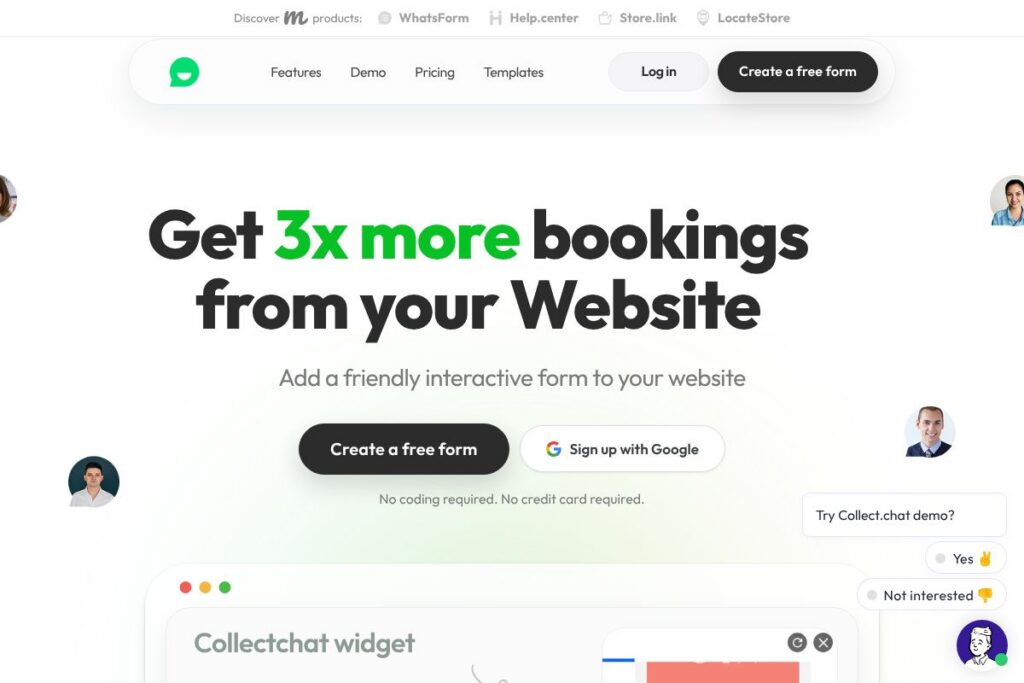
Collectchat is a no-code platform that replaces static forms with interactive chat-style widgets and standalone pages. It focuses on short, conversational flows that qualify visitors, collect contact data, and schedule appointments while running continuously on your site.
Compared with Typeform, Collectchat emphasizes chat-style interactions and on-site widgets rather than long survey flows and form embedding. Compared with Intercom, Collectchat focuses on structured data capture and lead qualification rather than full customer messaging and in-app support. Compared with Jotform, Collectchat trades highly customizable form fields for a guided conversational experience that typically drives higher conversion on landing pages and popups.
Collectchat performs particularly well when the goal is to increase lead capture conversion without changing page design or adding development work. It is best suited to marketing teams, small businesses, and agencies that want a lightweight, always-on tool for lead collection, appointment booking, and simple automations.
How Collectchat Works
Create a conversational flow using the drag-and-drop builder or generate an initial flow with the AI-assisted form builder, then edit questions, validation rules, and branching logic visually. The builder supports multiple question types including text, email, choice, file upload, and calendar booking fields.
Deploy the conversation as a corner chat widget, a shareable full-page link, or an embedded inline form. When visitors interact, responses are stored in the Collectchat dashboard and routed to you via email, instant notifications, or your existing tools through integrations and webhooks.
Operationally, forms run asynchronously on your pages to minimize impact on page load, and you can configure notifications, follow-up emails, and calendar syncing so leads are moved into your workflow automatically. The platform records metrics such as completion rate and time to conversion so you can optimize flows over time.
What does Collectchat do?
Collectchat centers on conversational lead capture and lightweight automation. Core capabilities include an AI-assisted builder, drag-and-drop flow editor, multiple deployment options (widget, link, embed), appointment scheduling, prebuilt templates, instant notifications, and integrations with common CRM and marketing tools.
AI Form Builder
Generate an initial conversational flow automatically using the built-in AI assistant, then refine questions and branching. This speeds up setup for common scenarios like lead capture, recruitment, and onboarding, and reduces manual configuration for non-technical users.
Drag-and-Drop Editor
Visually arrange questions, add conditional logic, and preview the visitor experience without coding. The editor supports validation rules and localizations so teams can adapt flows quickly to campaign needs.
Multiple Deployment Modes
Deploy conversations as a corner chat widget, a standalone shareable link, or an inline embedded form in any page. This flexibility lets you use the same flow for campaign links, landing pages, or inline contact sections.
Appointment Booking and Calendar Sync
Collectchat supports date and time inputs and can integrate with calendar tools to book appointments directly from the chat flow. That removes the need for a separate booking page and reduces friction for scheduling.
Integrations and Webhooks
Connect responses to CRMs, email platforms, and messaging tools through native integrations or Zapier, and push data to custom endpoints via webhooks. This makes it straightforward to forward leads to systems like Salesforce or HubSpot for follow-up.
Templates and Bot Library
Start from templates tailored to common use cases such as lead capture, recruitment, onboarding, and customer feedback, then customize copy and flow. Templates shorten time to launch and provide proven question sequences that improve completion rates.
Notifications and Exports
Receive instant email or dashboard notifications for new responses and export collected data as CSV for offline analysis. Notifications can be routed to Slack channels or integrated systems so teams respond promptly.
Analytics and Conversion Tracking
Track completion rates, drop-off points, and response volumes within the dashboard to iterate on question order and messaging. Simple conversion metrics make it easier to A/B test conversational copy and measure impact on campaign KPIs.
Collectchat’s biggest strength is lowering the barrier to deploying interactive, conversion-focused forms across a website. The conversational format, combined with integrations and templates, lets non-technical teams iterate quickly while preserving data flow into existing tools.
Collectchat pricing
Collectchat uses a subscription-based SaaS pricing model with a free tier and paid plans that scale by response volume and advanced features. Plans typically cover individuals, growing teams, and enterprise use cases with additional integrations and seat management for larger organizations.
For current plan details and to compare features across tiers, check the Collectchat homepage for the latest pricing options and available upgrades.
What is Collectchat Used For?
Collectchat is commonly used for lead capture on landing pages, contact forms, and marketing campaigns where higher conversion is a priority. Teams use conversational forms to pre-qualify leads, gather contact information, and route prospects into CRMs or email sequences.
It is also used to book meetings and appointments directly from the website, run short surveys or feedback flows, and build lightweight internal bots such as anonymous employee feedback or simple knowledge-check chats. The low-code approach makes it practical for campaign landing pages, recruitment funnels, and support contact points.
Pros and Cons of Collectchat
Pros
- Higher conversion through conversation: The chat-style experience reduces friction and typically increases form completion compared to long static forms. Many users report improved response rates when questions are asked conversationally.
- No-code setup and AI-assisted flows: Non-technical teams can build and launch interactive forms using drag-and-drop tools and the AI builder, cutting reliance on developers for typical campaigns.
- Flexible deployment options: Offerings include a widget, a standalone link, and embedded forms so the same flow can be reused across landing pages, social campaigns, and inline site content.
- Integrations and automation: Native integrations, Zapier connectors, and webhooks let you forward responses to CRMs, email tools, and messaging platforms to preserve existing workflows.
Cons
- Limited advanced chatbot functionality: While strong for structured data capture, it is not a full conversational AI platform for complex natural language interactions and multi-turn customer support scenarios.
- Feature depth vs larger platforms: Larger customer messaging platforms provide broader capabilities such as in-app messaging, product analytics, and support routing that Collectchat does not aim to replace.
- Pricing transparency for large volumes: Public pricing focuses on tiers; very large response volumes or enterprise-level requirements may require contacting sales for custom plans and service agreements.
Does Collectchat Offer a Free Trial?
Collectchat offers a free plan that lets you build and deploy interactive forms without a credit card; paid plans are available for higher response volumes, extra features, and integrations. You can upgrade or cancel at any time through the dashboard.
Collectchat API and Integrations
Collectchat integrates with major CRMs and marketing tools either natively or through Zapier and webhooks, making it easy to push data to systems like Salesforce, HubSpot, Mailchimp, Slack, Google Sheets, and Calendly. Use the integrations to automate lead routing, calendar invites, and campaign tagging.
For developer automation, Collectchat provides webhook support and documented integration points for forwarding responses to custom endpoints; check the Collectchat homepage or the integrations section for implementation details and connection guides. You can also use Zapier to connect to hundreds of other apps without coding by visiting Zapier’s integration platform.
10 Collectchat alternatives
Paid alternatives to Collectchat
- Typeform — Focuses on conversational surveys and forms with rich design options and conditional logic suitable for surveys, quizzes, and lead capture.
- Jotform — Offers highly customizable form fields, templates, and integrations with a strong library of widgets for complex form needs.
- Intercom — A broader customer messaging platform that includes chat, product tours, and helpdesk features for support-driven interactions.
- Drift — Conversational marketing and sales chat platform focused on real-time chat and account-based marketing workflows.
- Tidio — Combines live chat with chatbot automation for sales and support on small business websites.
- Landbot — Visual chatbot builder designed for no-code flow creation with a focus on lead capture and conversational landing pages.
Open source alternatives to Collectchat
- Botpress — Open source conversational AI platform for building custom chatbots and flows with developer extensibility.
- Rasa — A developer-focused open source framework for building contextual AI assistants and chatbots with on-premise deployment options.
- Form.io — Self-hosted form and API platform that provides form rendering and submission APIs for teams wanting full control over data flow.
Frequently asked questions about Collectchat
What is Collectchat used for?
Collectchat is used to replace static forms with conversational chat-style forms for lead capture, appointment booking, and visitor engagement. It helps convert more visitors by asking questions in a guided, interactive flow.
Does Collectchat integrate with Salesforce and HubSpot?
Yes, Collectchat integrates with Salesforce, HubSpot, and other CRMs via native connectors, Zapier, or webhooks. Integrations allow you to push leads and form responses directly into your sales and marketing systems.
Can I build Collectchat forms without coding?
Yes, Collectchat is a no-code platform with a drag-and-drop editor and AI-assisted form creation. You can create, customize, and deploy flows without developer resources.
Is Collectchat suitable for booking appointments?
Yes, Collectchat supports date and time inputs and calendar integrations for scheduling appointments directly from the chat flow. That makes it useful for demos, consultations, and service bookings.
How does Collectchat send collected data to my team?
Collectchat sends responses via email, dashboard notifications, and integrations such as Zapier or webhooks. You can configure real-time notifications and export data as CSV for offline processing.
Final Verdict: Collectchat
Collectchat is a practical choice when you need higher conversion from website forms without adding development work. Its conversational format, AI-assisted builder, and flexible deployment modes make it easy for marketing and growth teams to launch lead capture and booking flows quickly while keeping responses flowing into CRMs and automation tools.
Compared with Typeform, Collectchat leans more toward on-site chat widgets and appointment booking rather than long-form surveys. In terms of pricing, Collectchat provides a free tier and scalable paid plans suitable for teams that value widget-style lead capture; Typeform targets broader survey and form use cases with a different pricing structure and design emphasis.
If you need a lightweight, no-code solution to convert website visitors into qualified leads and scheduled meetings, Collectchat strikes a useful balance between simplicity and integration capability. For full conversational AI or enterprise messaging, consider pairing it with a larger platform or selecting a competitor that focuses on those specific needs.