What is Customer Feedback (formerly SmileBack)?
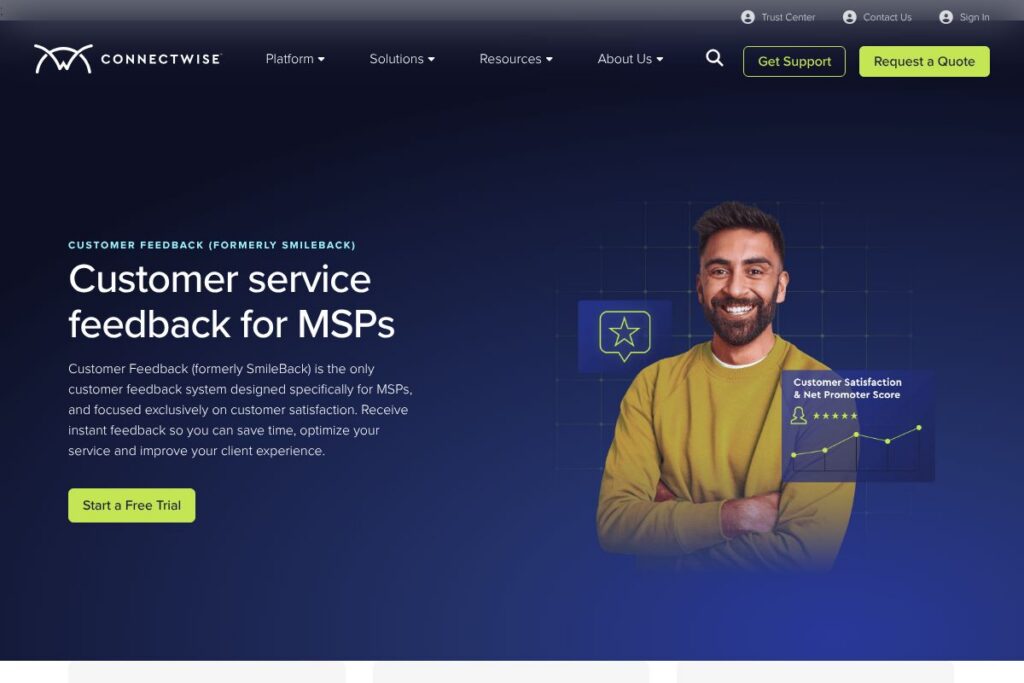
Customer Feedback (formerly SmileBack) is a satisfaction measurement platform designed specifically for managed service providers. It captures customer satisfaction at the moment tickets close, collects Net Promoter Score data for account-level insights, and runs project surveys to measure client satisfaction during or after projects. The product emphasizes high response rates from end users and direct ties between feedback and PSA data.
Compared with general survey platforms like SurveyMonkey and Typeform, Customer Feedback focuses on ticket-level triggers and PSA integration which reduces manual follow up and improves response relevance. Against help-desk platforms with built-in CSAT such as Zendesk, Customer Feedback offers deeper MSP-focused workflows and templated reports tuned for quarterly business reviews and MSP KPIs. Compared with NPS specialists like AskNicely, it pairs NPS with per-ticket CSAT and tighter PSA automation, which helps link sentiment back to service operations.
All of this makes Customer Feedback a practical choice for MSPs who need fast, actionable feedback from end users and the ability to connect those signals to billing, SLAs, and reporting. It works well for service desks, NOC teams, and account managers who want measurable ways to improve retention and referrals.
How Customer Feedback (formerly SmileBack) Works
The platform connects to your PSA so surveys are triggered automatically when a ticket is closed or a project milestone is reached, requiring minimal manual setup. Surveys are one-click, mobile-friendly, and routed to the end user who experienced the service, which drives higher response rates and faster insight.
Responses feed into real-time dashboards and templated reports where you can segment by tag, technician, client, or ticket type. Automated actions let you create workflows that notify teams in Microsoft Teams or Slack, escalate low scores to account managers, or update PSA records, so feedback becomes part of your operational loop rather than a separate dataset.
Customer Feedback (formerly SmileBack) features
Customer Feedback centers on CSAT and NPS collection, real-time dashboards, templated reporting, and integrations with the MSP toolchain. Key capabilities include automated ticket-triggered surveys, NPS tracking, project feedback, and a feedback widget to publish scores, along with connectors to PSAs, Microsoft Teams, Zapier, and reporting platforms like BrightGauge.
One-click surveys
Surveys are delivered at ticket closure or project milestones and require a single click or tap from the responder. This design maximizes response rates and reduces friction, making it easier to collect representative feedback from end users after individual service interactions.
Customer Satisfaction (CSAT)
CSAT lets you measure satisfaction at the interaction level so you can identify specific tickets, technicians, or service types that cause friction. These scores are searchable and filterable alongside PSA metadata for root cause analysis.
Net Promoter Score (NPS)
NPS provides account-level insights into customer relationships and referral potential over time. Combined with ticket-level CSAT, it helps separate transactional issues from broader relationship trends.
Project surveys
Project surveys can be sent during or after project delivery to capture staged feedback and post-project reflections. These responses help surface scope, communication, or timeline issues while a project is still in progress or immediately after completion.
Real-time dashboards
Dashboards show aggregated CSAT and NPS trends, distributions, and response rates in real time. Teams can monitor sentiment trends and drill down on underperforming segments to prioritize improvements.
Automated actions and workflows
You can configure actions to notify teams in tools like Microsoft Teams, create follow-up tickets, or tag accounts for review based on score thresholds. Automation reduces manual triage and speeds up resolution of service-quality issues.
Feedback widget
A public feedback widget displays live CSAT and NPS scores or positive reviews on your website or client portal to support credibility and marketing efforts. The widget updates as new responses come in so displayed scores stay current.
Templated reports
Prebuilt report templates for QBRs and client-facing summaries make it faster to present results and propose service improvements. Reports can combine CSAT, NPS, and PSA metrics so conversations with clients are data driven.
Integrations and API
The product includes built-in connectors for common MSP tools and an API for custom automation. Integrations include PSAs, Microsoft Teams, BrightGauge for reports, Dropbox for storage, CloudRadial, Zapier, and connectors to financial and marketing metrics platforms.
Customer Feedback is focused on making feedback actionable. The platform ties ticket-level responses to PSA data, sends alerts and workflows automatically, and packages results into reports that support client conversations and internal process improvements.
Customer Feedback (formerly SmileBack) pricing
Customer Feedback uses a subscription model tailored to MSPs and typically offers tiered plans rather than a strict per-response fee model. Pricing is not published on a dedicated pricing page in the source material, and plans are commonly sized by seat count or number of tracked clients, with enterprise options available for larger MSPs.
For the most accurate, up-to-date plan details and to discuss volume or enterprise needs, view the product page and contact the vendor for a tailored quote. You can also request a demo or ask about integrations when speaking with sales.
What is Customer Feedback (formerly SmileBack) Used For?
Customer Feedback is used to measure satisfaction after individual service interactions, track NPS at the account level, and collect structured feedback on projects. Its ticket-triggered surveys are designed to capture end-user sentiment immediately after support work, which helps MSPs identify recurring issues and technician training needs.
Teams use the platform to power client-facing reporting, drive service improvement workflows, and inform QBRs with objective metrics. Account managers, service delivery managers, and operations leads all rely on the data to prioritize remediation, spot churn risk, and validate value delivered to clients.
Pros and Cons of Customer Feedback (formerly SmileBack)
Pros
- MSP-focused design: The product maps surveys and reports to PSA workflows and MSP KPIs so feedback is actionable and aligned with service operations.
- High response rates: One-click surveys triggered at ticket closure increase end-user participation, producing more reliable sample sizes for CSAT and NPS analysis.
- Integrated automation: Automated notifications and workflows reduce manual follow-up and ensure low scores are routed to appropriate teams quickly.
- Comprehensive integrations: Native connectors to PSAs, Microsoft Teams, BrightGauge, and Zapier help embed feedback into existing reporting and collaboration tools.
Cons
- PSA dependency for full value: Customers miss some automation benefits if their PSA is not supported or not fully integrated, which can limit ticket-level automation.
- Limited public pricing detail: Pricing is typically provided via quote or sales conversation so self-serve comparison can require direct vendor contact.
- Narrow focus: The platform is specialized for CSAT and NPS rather than a full survey suite, so organizations that need broader market research capabilities may need additional tools.
Does Customer Feedback (formerly SmileBack) Offer a Free Trial?
Customer Feedback (formerly SmileBack) offers a free trial and demo options for new accounts so MSPs can validate integrations and response workflows before committing. Trials typically include access to ticket-triggered surveys, dashboards, and key integrations; contact the vendor via the product page to schedule a demo or start a trial.
Customer Feedback (formerly SmileBack) API and Integrations
The platform provides an API and a set of prebuilt integrations to connect survey events and responses with PSA records and collaboration tools. The integration set includes ConnectWise PSA connectors, Microsoft Teams notifications, BrightGauge reporting integration, Dropbox syncing, CloudRadial, and Zapier for custom app links.
Developers can extend workflows and automate custom actions using the platform API; view the integration and automation options to see connector specifics and common integration patterns.
10 Customer Feedback (formerly SmileBack) alternatives
Paid alternatives to Customer Feedback (formerly SmileBack)
- AskNicely — A feedback platform focused on NPS with automation and CRM integrations aimed at customer success and account growth.
- Promoter.io — NPS-first platform that includes automation and segmentation tools for tracking promoter and detractor behavior across accounts.
- SurveyMonkey — General-purpose survey platform that supports CSAT and NPS surveys with extensive question logic and distribution options.
- Zendesk — Customer service platform with built-in satisfaction ratings and reporting that ties surveys to support workflows and ticket metrics.
- Typeform — Flexible survey builder with conversational forms suitable for CSAT and project feedback when a more branded experience is required.
Open source alternatives to Customer Feedback (formerly SmileBack)
- LimeSurvey — A self-hosted survey platform that supports complex survey logic and can be used to collect CSAT and NPS responses if you manage hosting and integrations.
- Nextcloud Forms — Part of Nextcloud, Forms offers basic survey functionality suitable for simple CSAT collection in environments that prefer self-hosting and privacy control.
- OhMyForm — Open-source form builder that can be deployed on your infrastructure to capture feedback and integrate with other systems using webhooks.
Frequently asked questions about Customer Feedback (formerly SmileBack)
What is Customer Feedback (formerly SmileBack) best used for?
Customer Feedback (formerly SmileBack) is best used for collecting CSAT and NPS from end users after support tickets and projects. It focuses on high response rates from ticket closures and integrates with PSAs to make feedback actionable.
Does Customer Feedback (formerly SmileBack) integrate with ConnectWise?
Yes, Customer Feedback integrates with ConnectWise and other PSAs. The integration lets you trigger surveys from ticket closures and push feedback data back into your PSA for reporting and automation.
Can Customer Feedback (formerly SmileBack) send alerts to Microsoft Teams?
Yes, the platform supports Microsoft Teams notifications. You can route low scores or specific feedback into channels or direct messages for immediate action by your team.
How does Customer Feedback (formerly SmileBack) handle reporting for QBRs?
Customer Feedback provides templated reports and dashboards designed for client-facing QBRs. Reports combine CSAT, NPS, and PSA metrics so you can present clear, data-driven summaries to clients.
Is there an API for Customer Feedback (formerly SmileBack)?
Yes, Customer Feedback provides an API and webhooks for automation. The API enables custom integrations, automated workflows, and data extraction for use in external BI or reporting systems.
Final verdict: Customer Feedback (formerly SmileBack)
Customer Feedback is a focused CSAT and NPS platform built for MSP workflows, with ticket-triggered one-click surveys, real-time dashboards, templated reporting for QBRs, and automation that connects feedback to PSA data. Its emphasis on end-user response rates and service-level automation makes it a practical tool for MSPs aiming to monitor service quality and reduce churn.
Compared with competitors like AskNicely, which centers on NPS programs, Customer Feedback provides stronger ticket-level CSAT integration and PSA automation that ties feedback directly to service delivery. Pricing for MSP-focused feedback platforms is usually subscription based and quoted according to seats, clients, or volume; contact the vendor through the product page to get a quote that matches your MSP size and integration needs.