Document360: An Overview
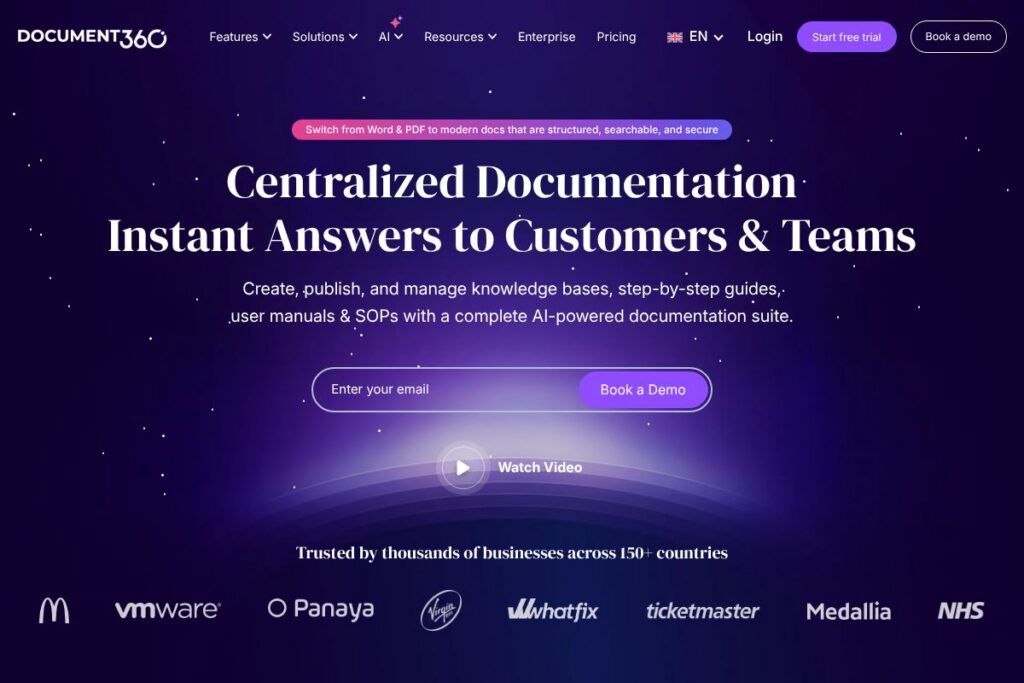
Document360 is a documentation platform designed to replace Word and PDF based manuals with structured, web-native knowledge bases that are searchable and secure. The product focuses on authoring, organizing, and publishing technical documentation, product help centers, SOPs, and internal process guides, with features aimed at teams that maintain evolving documentation and need customer-facing knowledge portals.
Compared with Confluence, which is oriented around team wiki collaboration and integrates tightly with other Atlassian tools, Document360 puts more emphasis on public knowledge bases and search relevance for end users. Against Zendesk Guide, Document360 is more documentation-first rather than ticket-first, so it tends to offer richer authoring and category management for large knowledge sets. Compared with Helpjuice, Document360 competes closely on search, versioning, and analytics, but differentiates with a stronger focus on structure and enterprise access controls.
Document360 works well for product teams, support organizations, and operations groups that need a centralized, searchable documentation hub. Its combination of role-based access, structured categories, and publish controls makes it suitable for both customer-facing help centers and internal documentation libraries for medium and large teams.
How teams use Document360
Authors create content inside a rich editor that supports structured topics, markdown input, and media embedding, then organize topics into categories and versions for release management. Teams frequently use the platform to produce step-by-step guides, API documentation, and SOPs that must be kept current while preserving revision history and rollback ability.
Once content is published, Document360 indexes it for full-text search and instant answers, enabling support teams and customers to find solutions without raising tickets. Typical workflows include draft review cycles with role-based permissions, scheduled publishing for product releases, and linking documentation to support systems and developer portals via integrations and the platform API. For details on the editor and authoring flow, see the editor features and documentation.
Document360 features
Document360’s feature set centers on authoring, search, governance, and delivery for knowledge bases. Core capabilities include a structured editor, content versioning, role and team permissions, analytics, and integrations with support and collaboration tools. Recent updates have focused on AI-assisted authoring and improved search relevance for customer-facing portals.
Rich Editor and Content Authoring
The editor supports markdown and WYSIWYG input, reusable content blocks, code snippets, and embedded media to create step-by-step guides and technical articles. This helps teams maintain consistent formatting and re-use sections across multiple topics, which is useful for sequence-driven SOPs and developer documentation.
AI-Assisted Authoring
Document360 includes AI features that help generate drafts, suggest summaries, and clean up content for clarity and consistency. These capabilities speed up initial writing and editing cycles, particularly for routine guides and FAQ generation.
Full-Text Search and Instant Answers
Search is optimized for relevance and supports instant answer experiences so users can find solutions without navigating deep topic trees. Improved search reduces ticket volume by surfacing exact-match articles, suggested topics, and related content inline.
Versioning and Rollback
Built-in version control lets teams snapshot documentation at release points and roll back to prior versions if needed. This is valuable for product documentation tied to specific software versions or regulatory procedures that require auditability.
Access Controls and SSO
Granular role-based permissions, single sign-on through SAML/SSO providers, and public/private scopes let organizations control who sees which content. This supports mixed usage scenarios where some content is customer-facing and other material remains internal.
Multilingual Publishing and Localization
Document360 supports multiple languages and localized content structures so teams can maintain translated knowledge bases. Language management and localized topic linking make it easier to serve global users and reduce duplication of effort.
Analytics and Feedback
Built-in analytics track article views, search queries, and user feedback to highlight content gaps and high-impact pages. These insights help prioritize updates and measure the effect of documentation on support load.
Integrations and API
Document360 integrates with common tools such as Slack and Microsoft Teams for notifications, and with ticketing systems to link articles to support workflows. An API and webhooks allow automation and programmatic access for publishing and search indexing.
With these capabilities, Document360 is primarily valuable for teams that need a documentation-first platform with strong search, governance, and delivery features for both internal and customer-facing knowledge.
Document360 pricing
Document360 uses a tiered SaaS pricing approach tailored to documentation and knowledge base use cases; specific plan details are not listed here. For current plan tiers, seat counts, and any trial or onboarding fees, view the current pricing options on Document360’s official site.
What is Document360 Used For?
Document360 is used to create and publish help centers, product documentation, user manuals, and standard operating procedures that need to be organized, searchable, and versioned. Product and support teams use it to reduce support tickets by publishing clear how-to articles and searchable troubleshooting steps.
Operations and compliance teams use Document360 to maintain internal playbooks and SOPs with controlled access and audit history. Development teams also use it to publish API docs or developer guides that require structured topics and code examples.
Pros and Cons of Document360
Pros
- Structured content model: The platform enforces a topic and category structure that improves discoverability and makes large documentation sets easier to manage. This helps teams scale their knowledge base without content sprawl.
- Search and instant answers: Strong search relevance and instant answer features reduce time-to-resolution for end users and lower support volume. This directly impacts customer self-service success.
- Versioning and governance: Built-in version control, role-based permissions, and SSO support provide the governance needed for enterprise documentation and compliance requirements.
- Integrations and API: Native integrations and a developer-facing API allow documentation to be connected to ticketing, analytics, and CI workflows, enabling automation of publishing and notifications.
Cons
- Learning curve for structure: The structured authoring model requires more upfront setup compared with free-form wikis, which can slow initial adoption for small teams. Teams must design categories and version strategies before scaling.
- Enterprise features are tiered: Advanced features such as SSO, audit logs, and high-availability options are typically tied to higher tiers, which means smaller teams may need to evaluate trade-offs for budget-sensitive projects.
- Customization limits for complex portals: While customization is broad, teams with highly bespoke UX requirements for public help centers may need additional front-end engineering or an external CMS.
Does Document360 Offer a Free Trial?
Document360 offers a free trial for new users; check the signup and trial terms on the official site for exact duration and included features. The trial commonly provides access to authoring, publishing, and search features so teams can evaluate fit before committing to a plan.
Document360 API and Integrations
Document360 provides an API for programmatic access to content, search, and publishing workflows, and publishes developer documentation for those endpoints. See the API documentation and developer guides for available endpoints and examples.
The platform also lists integrations with collaboration and support tools to connect knowledge into existing workflows, including Slack, Microsoft Teams, popular ticketing systems, and analytics platforms. For a full list, review the integration gallery.
10 Document360 alternatives
Paid alternatives to Document360
- Confluence — Team wiki and documentation platform integrated with Atlassian tools, good for internal collaboration and knowledge sharing.
- Zendesk Guide — Knowledge base focused on customer support workflows and integration with Zendesk ticketing for self-service help centers.
- Helpjuice — Dedicated knowledge base software with advanced analytics and search customization for customer-facing documentation.
- Guru — Knowledge management with cards and in-context suggestions aimed at sales and support teams for quick access to verified answers.
- ReadMe — Developer-focused documentation platform with API docs, interactive examples, and versioned guides for public developer portals.
- Help Scout Docs — Simple help center solution tightly integrated with Help Scout’s inbox and customer communication tools.
- Document360 Enterprise alternatives (custom portals) — Several enterprise CMS vendors offer managed documentation portals for large-scale, branded help centers.
Open source alternatives to Document360
- BookStack — Open source platform for documentation and wikis that emphasizes books, chapters, and pages with a simple editor.
- MediaWiki — The software behind Wikipedia, suitable for large collaborative knowledge bases with extensive customization and extensions.
- DokuWiki — Lightweight file-based wiki ideal for technical documentation and teams that prefer a simple setup and full control over hosting.
- GitBook (self-hosted options) — Originally an open toolset for documentation with options to self-host documentation sites using version-controlled content.
Frequently asked questions about Document360
What is Document360 used for?
Document360 is used to author and publish searchable knowledge bases, help centers, and internal SOPs. Teams use it to centralize documentation, manage versions, and deliver self-service content to customers and employees.
Does Document360 integrate with support ticketing systems?
Yes, Document360 integrates with popular support and collaboration tools. Integrations enable linking articles to tickets, pushing updates to channels, and reducing ticket volume through contextual article suggestions.
Can Document360 handle multiple languages?
Document360 supports multilingual documentation and localized content management. Teams can create language-specific topics and manage translations for global documentation needs.
Is there an API for automating Document360 tasks?
Yes, Document360 provides an API for content and publishing automation. The API documentation outlines endpoints for creating, updating, and indexing content programmatically.
How does Document360 help reduce support volume?
Document360 improves self-service by providing structured articles, strong search, and instant answers. Better documentation discoverability and analytics-driven content improvements reduce the number of repetitive support tickets.
Final verdict: Document360
Document360 is a focused documentation platform that excels at making large knowledge bases manageable, searchable, and secure. Its strengths are the structured authoring model, versioning and governance features, and search-driven delivery that serves both internal and customer-facing documentation needs.
Compared with Confluence, which is priced and organized around per-user collaboration, Document360 concentrates on knowledge base features and search relevance that are often a better match for support and product documentation. For teams that prioritize a documentation-first approach and want analytics, version control, and integrations with support tools, Document360 is a strong choice; organizations requiring an integrated team wiki with deep project management links may still prefer Confluence depending on pricing and seat-based economics.