Front: An Overview
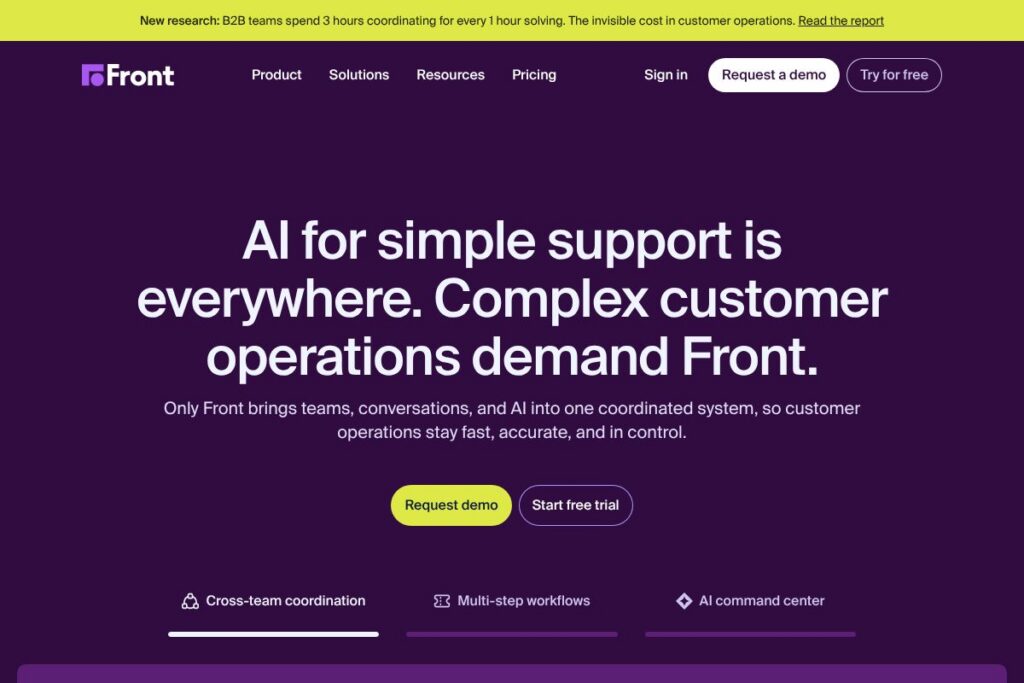
Front is a collaborative customer service platform that brings email, SMS, chat, and social messages into shared inboxes so teams can manage conversations together with context. The platform combines routing rules, workflow automation, and reporting to help customer support, sales, and operations teams resolve issues without losing visibility.
Compared with Zendesk, which focuses on traditional ticketing and a full agent interface for large help centers, Front emphasizes conversational workflows and shared visibility across departments. Against Intercom, which centers on in-product messaging and bot-driven conversations, Front prioritizes multi-channel inboxes and human collaboration for high-touch support. Compared to Help Scout, Front leans more into automation and routing at scale while Help Scout focuses on a simpler mailbox experience.
Front excels at providing shared context and cross-team visibility for complex tickets that span departments, making it well suited for product support teams, operations, and businesses that require human-led, multi-channel customer engagement. Its strength is in collaborative workflows and automation that keep issues from falling through the cracks, which makes it a fit for mid-market and enterprise teams handling high-volume or high-stakes conversations.
How Front Works
Teams connect their communication channels to Front, then route incoming messages into shared inboxes or private queues. Conversations can be assigned, tagged, or escalated, while internal notes and mentions keep sensitive context out of customer threads.
Automation rules and templates reduce repetitive work by applying tags, assigning owners, and triggering follow-up actions. Agents can draft replies with suggested snippets, loop in other teams, and see customer history inline so every reply includes relevant context.
Supervisors use frontline analytics and SLA monitoring to track response times, backlog, and team workload, while custom workflows and escalations ensure critical issues route to the right specialists quickly. Front integrates with CRMs, ticketing systems, and chat tools so it can sit at the center of a broader support stack.
What does Front do?
Front centers on shared inboxes, automated routing, collaboration tools, and analytics to help teams manage multi-channel customer conversations. Recent product emphasis has included AI-assisted drafting, advanced automation workflows, and deeper analytics to measure team performance across channels.
The platform includes several powerful capabilities worth highlighting:
Shared Inboxes
Shared inboxes aggregate email, SMS, chat, and social messages into team spaces with assignment, tags, and status tracking. This reduces duplicated replies and gives any team member the context needed to pick up a conversation where another left off.
Automation and Rules
Automation lets teams create rules that apply tags, route messages, assign owners, and trigger notifications based on keywords, sender, or channel. Rules reduce manual triage and speed response times by keeping common workflows consistent.
Routing and Escalation
Routing supports conditional assignment and escalation paths so complex tickets can move between departments without losing visibility. Routing works alongside SLA policies to ensure time-sensitive issues surface to supervisors or specialists.
AI Assist and Drafting
AI-assisted drafting suggests reply drafts and subject-line improvements to help agents craft consistent, faster responses. These suggestions speed handling of common queries while preserving human review for sensitive conversations.
Analytics and Reporting
Reporting dashboards cover response time, backlog, workload distribution, and channel performance to help managers spot trends and capacity issues. Custom reports and exports enable deeper analysis tied to business KPIs.
Integrations and API
Front connects with CRMs, help desk tools, Slack, and productivity apps so customer context travels across systems. The platform also exposes APIs for custom integrations and automation when off-the-shelf connectors are insufficient.
Collaboration Tools
Internal notes, private comments, and mentions let teams collaborate on a conversation without sending extra messages to the customer. Templates and shared drafts maintain consistency across responses while preserving agent flexibility.
Security and Compliance
Front supports role-based access, SSO, and enterprise-grade security features to protect customer data and meet corporate policies. Security controls let admins restrict access to sensitive conversations and audit user activity.
With these capabilities, Front helps teams reduce response time, maintain context across channels, and coordinate cross-functional resolution for complex customer issues.
Front pricing
Front uses a SaaS subscription model with customized tiers for teams and enterprises rather than a publicly documented single pricing page. Pricing typically varies by team size, feature needs, and add-on services such as advanced security and dedicated support.
For current plan options and quotes, check Front’s available plans on Front’s homepage and reach out to sales for tailored pricing and deployment details via Front’s contact channels.
What is Front Used For?
Front is commonly used for high-touch customer support where conversations need human attention and cross-team visibility, such as product escalations, account management, and refunds. Teams that handle multi-step, cross-department workflows use Front to keep ownership clear and reduce handoff errors.
It is also used by sales operations and revenue teams for managing inbound leads and multi-channel outreach, and by operations teams for vendor and partner communication that requires shared visibility. Organizations that need to combine human judgment with automation choose Front to balance scale with personal service.
Pros and Cons of Front
Pros
- Shared inbox collaboration: Shared views, internal notes, and mentions keep teams coordinated without sending extra messages to customers. This reduces duplicate work and promotes faster handoffs between specialists.
- Flexible automation: Automation rules and templates automate routine triage and responses, freeing agents to focus on complex issues that require human judgment. Rules can be combined to match real-world workflows.
- Multi-channel support: Email, SMS, chat, and social messages live in the same workspace, allowing teams to manage conversations across channels with consistent processes and reporting.
- Detailed analytics: Reporting on response times, backlog, and workload helps managers identify bottlenecks and measure SLA compliance for continuous improvement.
Cons
- Enterprise orientation: Pricing and packaging tend to favor mid-size and large teams, so smaller teams may find the onboarding and contract process heavier than lighter help-desk alternatives. This can slow initial adoption for very small teams.
- Learning curve for complex workflows: Teams that implement advanced routing and automation will need time to design, test, and refine rules and escalations. Complexity can grow if rules are not regularly reviewed.
- Limited out-of-the-box self-service features: Front focuses on conversations and collaboration rather than embedded self-service and knowledge base tools, so organizations that need a combined knowledge portal may require a complementary product.
Does Front Offer a Free Trial?
Front offers paid plans with demos and trial options for teams interested in testing the platform; trial terms and availability are arranged through Front’s sales and onboarding channels. To request a demo or trial access, visit Front’s homepage and connect with their team for options that match your use case.
Front API and Integrations
Front provides an API for programmatic access and custom integrations; the Front developer site documents endpoints, authentication, and sample workflows in detail. See the Front API documentation for developer guides and endpoint references.
The platform also offers an integrations gallery covering CRMs, Slack, Zapier, and other productivity tools so teams can connect Front to existing systems. Explore Front’s integrations gallery to see supported apps and connectors.
10 Front alternatives
Paid alternatives to Front
- Zendesk: A full-featured support platform centered on ticketing, knowledge base, and omnichannel support for enterprise help centers. Zendesk provides tiered plans and a broad app marketplace.
- Intercom: Focused on conversational relationships with in-product messaging, bots, and customer engagement tools for marketing and support teams. Intercom pairs chat-first workflows with automation features.
- Help Scout: A simpler shared inbox and help desk that emphasizes a clean agent experience and customer-centric workflows for small to mid-size teams. Help Scout includes an embeddable knowledge base.
- Freshdesk: Provides omnichannel ticketing, automation, and an integrated support portal with scalable plans for growing support teams. Freshdesk includes built-in reporting and AI tools.
- Salesforce Service Cloud: An enterprise-grade customer service platform tightly integrated with Salesforce CRM, suitable for organizations that need deep CRM workflows and case management.
- Zoho Desk: A cost-conscious help desk with multi-channel ticketing, automation, and native integrations across the Zoho suite for teams already using Zoho products.
- Microsoft Dynamics 365 Customer Service: Enterprise-focused service management with strong CRM integration and analytics for organizations invested in the Microsoft ecosystem.
Open source alternatives to Front
- Zammad: An open source ticketing system with web-based agent interfaces, support for multiple channels, and self-hosting options for teams needing control over data. Zammad includes automation and role-based access.
- osTicket: A long-standing open source support ticket system for email-based ticketing, customizable forms, and basic workflow automation suitable for smaller teams or self-hosted deployments.
- FreeScout: A lightweight open source shared inbox and help desk that can be self-hosted, offering mailbox delegation, automation rules, and integrations with popular tools. FreeScout is designed for teams looking for a minimal, privacy-focused option.
- Helpy: A community-driven help desk with self-hosted and hosted options, combining ticketing and knowledge base features for teams that want an open platform.
Frequently asked questions about Front
What is Front used for?
Front is used to manage multi-channel customer conversations in shared inboxes. Teams use it to centralize email, chat, SMS, and social messages for collaborative handling, routing, and analytics.
Does Front have an API?
Yes, Front provides an API for integrations and automation. Developers can consult the Front API documentation for endpoints, authentication, and examples to build custom connectors.
Can Front integrate with CRMs like Salesforce?
Yes, Front integrates with CRMs and other business tools. The integrations gallery includes connectors for major CRMs, Slack, Zapier, and many third-party apps to sync customer context across systems.
Is Front suitable for enterprise security and compliance?
Front offers enterprise-grade security controls and SSO options. Role-based access, audit logs, and enterprise support features help larger organizations meet security and compliance requirements.
How does Front handle team collaboration on tickets?
Front uses shared inboxes, internal notes, and mentions for collaboration. These features let agents coordinate on replies without exposing internal discussion to customers and keep ownership transparent during handoffs.
Final verdict: Front
Front is a solid choice when your support workload requires human-led, cross-team collaboration across multiple channels. Its shared inbox model, routing rules, and analytics help teams coordinate on complex tickets while automation reduces repetitive tasks.
Compared to Zendesk, which uses tiered public pricing and a traditional ticketing model, Front favors a collaborative inbox approach with customized pricing for teams and enterprises. If you need conversational workflows and cross-department visibility rather than a pure ticketing system, Front provides capabilities that better match those needs; if you require a full help center and self-service ecosystem with public pricing tiers, Zendesk may be the more straightforward option.
For demos, technical details, and to evaluate pricing for your team, visit Front’s homepage and explore their integration and developer resources to see how the platform would fit into your support stack.