What is Groove
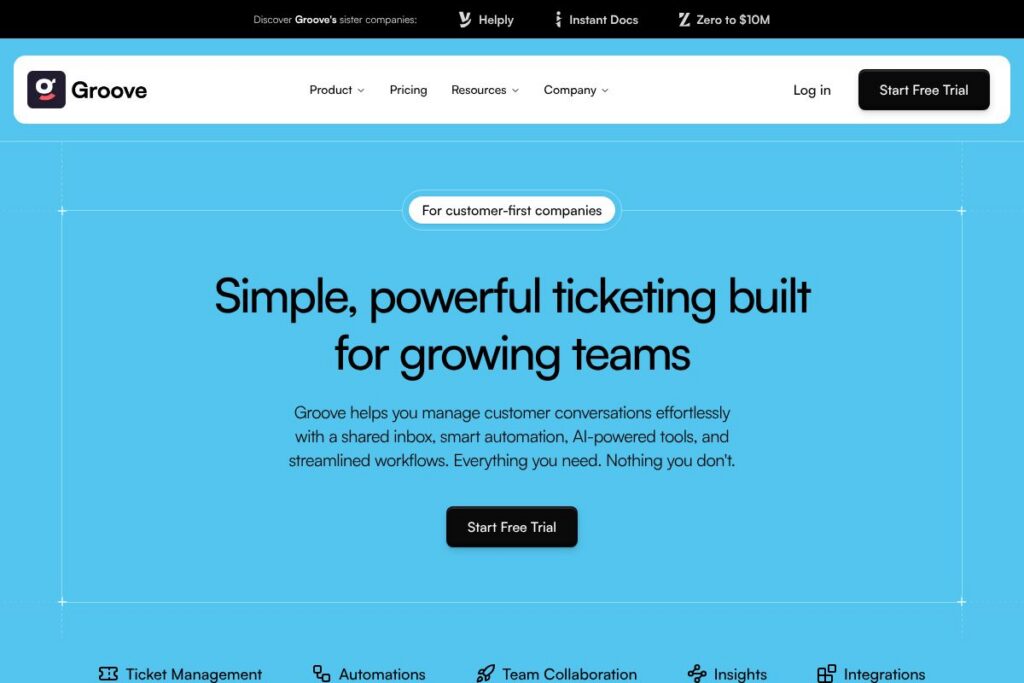
Groove is a customer support platform built around a shared inbox, ticketing tools, simple automation rules, and embedded AI features for faster replies and ticket routing. It consolidates email and messaging into one workspace where teams can assign, tag, and resolve conversations together while tracking SLAs and custom fields.
Compared with larger incumbents like Zendesk and Freshdesk, Groove favors a simpler interface and more opinionated workflows that reduce setup time and configuration overhead. Compared with conversational-first tools such as Intercom, Groove focuses more on traditional ticketing and predictable SLA management rather than full product messaging and in-app support.
Groove does well at balancing usability and functionality, offering essentials like saved replies, custom fields, and automations in a compact package. This makes it a practical option for customer-first companies and growing teams that want reliable ticket management without enterprise complexity.
How Groove Works
Groove centralizes customer messages into a single, shared inbox where agents read, assign, and reply from a conversation view. Conversations can be converted into tickets, tagged, and routed using rules, keeping context attached to every interaction.
Agents use saved replies and AI-generated suggestions to speed responses, while managers set Smart Folders and SLA rules to prioritize work. Automations run in the background to assign tickets, add tags, and escalate issues based on conditions, so teams spend less time on repetitive tasks.
A typical workflow starts with incoming email or form submissions arriving in the shared inbox, automation applying tags and routing, an agent picking the ticket and using suggested replies, and the ticket being tracked through Smart Folders until resolution. Integrations with tools like Slack and CRMs send updates to other systems and keep customer data synchronized across the stack.
Groove features
Groove focuses on ticketing essentials plus time-saving automations and AI assistance. Core capabilities include a shared inbox for team collaboration, ticket organization with Smart Folders and tags, a rules engine for automations, AI-powered summaries and suggested replies, and integrations with major SaaS tools.
What Groove Brings to the Table
Shared Inbox
All customer messages appear in a unified inbox that supports collaboration, internal notes, and assignment. The layout reduces duplication by showing conversation history and agent activity, letting teams split work cleanly and hand off tickets without losing context.
Ticket Management
Tickets can be organized with tags, custom fields, priorities, and Smart Folders to create predictable workflows as volume grows. These tools help managers monitor backlog, filter for specific issue types, and prepare reports without complex setup.
Automations
Groove’s rules engine automates common tasks like routing, tagging, status updates, and priority changes based on ticket attributes. Automations reduce manual triage, free agents for higher-value work, and ensure consistent handling of routine cases.
AI-Powered Ticketing
Built-in AI provides conversation summaries, suggested replies, sentiment detection, and tag suggestions to accelerate agent decisions. AI help shortens response time and keeps reply tone consistent across multiple agents.
Suggested Replies
AI and saved reply templates let agents respond quickly with pre-approved language for common questions. This improves response consistency and reduces average handling time for repetitive inquiries.
Sentiment Analysis
Automatic sentiment signals surface tickets that may need faster or different handling based on customer tone. Teams can prioritize negative sentiment for escalations and protect customer satisfaction proactively.
Smart Routing
Rules and routing options assign tickets to the right agent or team based on keywords, tags, or customer attributes. Smart routing helps reduce reassignment and speeds up first response time.
Integrations
Groove connects to external systems to keep customer context in sync, including support for major platforms such as Slack, Salesforce, HubSpot, and Stripe. Integrations enable webhook triggers, data enrichment, and cross-platform notifications.
SLA Management
SLA settings let teams define response and resolution targets and monitor compliance across queues. SLA tracking provides visibility into team performance and helps enforce service commitments.
With these capabilities, Groove aims to reduce the administrative burden of running support while preserving flexible workflows for growing teams. The biggest benefit is combining simple, predictable ticketing with practical automation and AI assistance so teams can handle more volume with fewer manual steps.
Groove pricing
Groove uses a subscription SaaS model with tiered plans tailored to team size and required features. The company publishes plan options and billing details on its site and offers both monthly and annual billing choices for teams that need cost savings.
For the most accurate breakdown of plan features and current rates, refer to Groove’s homepage where you can view the available billing options and plan comparisons. For enterprise needs or custom seat bundles, contact Groove sales through the resources listed on their site to get a tailored quote.
What is Groove Used For?
Groove is used to manage customer support conversations across email and connected channels, providing a shared workspace where teams can collaborate on responses and track ticket progress. It handles typical support tasks such as triage, routing, escalation, and SLA monitoring.
Ideal users include product-led startups, small to mid-size support teams, and companies that prefer a straightforward ticketing system with essential automations and AI assistance. Teams that need tight integrations with CRMs and communication platforms will find Groove useful for keeping customer context synchronized.
Pros and Cons of Groove
Pros
- Simple shared inbox: The inbox consolidates messages into one clean view, which reduces duplication and improves team collaboration.
- Practical automation: The rules engine automates routine work like tagging and routing, saving time without complex configuration.
- Built-in AI tools: AI features such as suggested replies and sentiment detection speed up agent responses and improve consistency.
- Integrations with major platforms: Connects to tools like Slack, Salesforce, HubSpot, and Stripe to keep customer data aligned across systems.
Cons
- Limited enterprise features: Larger organizations that need advanced reporting, multi-brand support, or deep customizations may find Groove less feature-rich than enterprise suites.
- No public detailed pricing page: Pricing is presented on the site but can require contacting sales for enterprise or custom needs, which can slow procurement for some buyers.
- Fewer omni-channel messaging features than conversational platforms: Teams that need in-app messaging or product-led chat flows may need a complementary tool alongside Groove.
Does Groove Offer a Free Trial?
Groove offers a free trial that lets new users test core ticketing, automation, and AI features before committing to a paid plan; sign up directly through Groove’s homepage to start a trial and evaluate the platform with your team’s workflows.
Groove API and Integrations
Groove provides integrations with common tools to extend workflows and synchronize customer data; examples include connections to Slack, Salesforce, HubSpot, and Stripe. These integrations enable notifications, customer lookups, and automated ticket creation from external systems.
Groove also exposes developer-facing endpoints and webhooks for automation and custom integrations. Developers can extend workflows and connect Groove to internal systems using the platform’s API and webhook capabilities; check Groove’s developer resources from the links on their site for technical details and authentication guidance.
10 Groove alternatives
Paid alternatives to Groove
- Zendesk — Comprehensive support suite with advanced reporting, multi-channel routing, and enterprise-grade features suitable for large teams.
- Freshdesk — Ticketing and automation focused platform that includes AI assistants and omnichannel support for growing customer service teams.
- Intercom — Conversation-first platform with in-app messaging, product tours, and a strong focus on proactive customer engagement.
- Help Scout — Simpler shared inbox and knowledge base combination built for small teams and email-first support workflows.
- Front — Shared inbox that emphasizes collaboration across email, SMS, and chat with strong routing and analytics capabilities.
- Gorgias — Ecommerce-focused helpdesk with tight integrations to platforms like Shopify and automation targeted at online merchants.
- Zoho Desk — Part of the Zoho suite, offering ticketing, automation, and CRM integrations for teams already in the Zoho ecosystem.
Open source alternatives to Groove
- Zammad — Open source helpdesk with ticketing, automation, and reporting that you can self-host and customize.
- osTicket — Lightweight support ticket system that is easy to install and extend for basic self-hosted helpdesk needs.
- UVdesk — Open source helpdesk built for ecommerce and developer extensibility, with options for self-hosting or managed plans.
Frequently asked questions about Groove
What is Groove used for?
Groove is used to centralize customer support conversations into a shared inbox and ticketing workflow. Teams rely on it for triage, routing, automation, and SLA management across email and connected channels.
Does Groove integrate with Slack and CRMs?
Yes, Groove integrates with Slack, Salesforce, HubSpot, and other common tools. These integrations enable notifications, customer data lookups, and cross-system ticket creation to keep the support flow connected.
Does Groove have an API for custom integrations?
Yes, Groove provides API access and webhook support for developers. The developer endpoints allow automation, custom workflows, and integration with internal systems through standard API authentication.
How does Groove’s AI help support teams?
Groove’s AI offers conversation summaries, suggested replies, and sentiment tagging. These features reduce response time, improve reply consistency, and help agents triage tickets more effectively.
Can small teams use Groove effectively?
Yes, Groove is designed for small and mid-size teams that need a simple, powerful ticketing system. Its shared inbox, automations, and saved replies make it easy for small teams to maintain consistent support without heavy administration.
Final verdict: Groove
Groove is a practical support platform that prioritizes clarity and efficiency over feature bloat. It combines a well-designed shared inbox, actionable automations, and helpful AI assistance in a package that is easier to adopt than many enterprise-grade helpdesks.
Compared with Zendesk, Groove is lighter weight and often faster to deploy, while Zendesk offers broader enterprise features and deeper customization at scale. For teams that want straightforward ticketing with automation and AI for faster responses, Groove provides strong value without the complexity of a full-service enterprise suite. For organizations that need advanced analytics or multi-brand enterprise management, evaluating Zendesk or Freshdesk alongside Groove will clarify trade-offs in pricing and capabilities.