Helpshift: An Overview
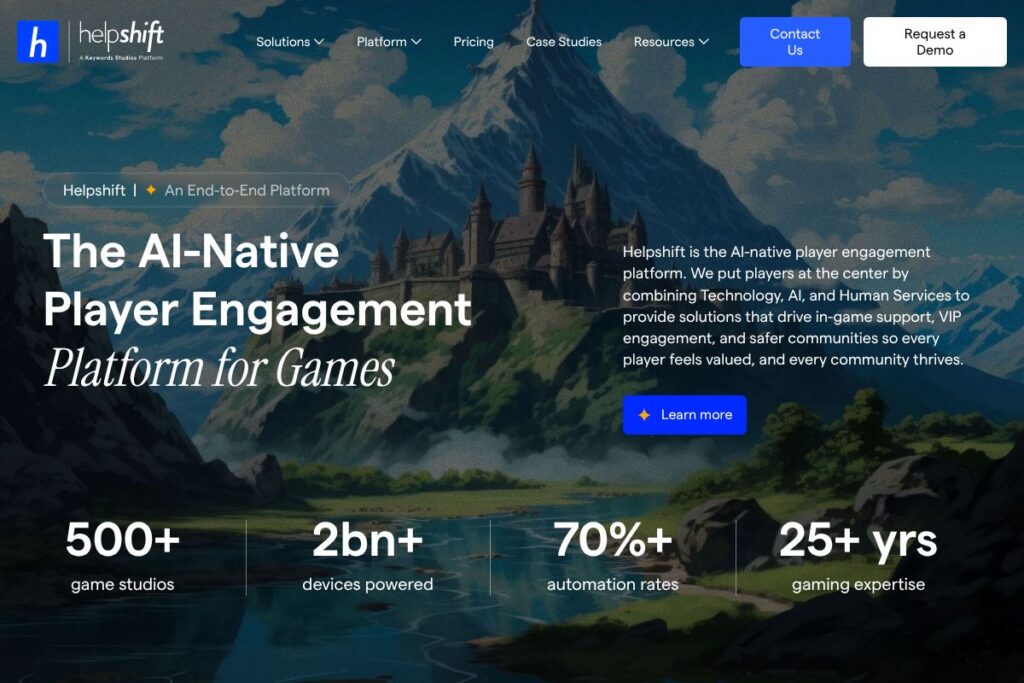
Helpshift is an AI-native player engagement platform built specifically for games and interactive entertainment. It combines in-game SDKs, automation, AI-driven workflows, and human services to handle support, VIP care, trust and safety, and community operations from a single platform. This approach reduces the need to stitch together multiple vendors and centralizes player data for a consistent experience.
Compared with traditional customer service platforms such as Zendesk and Intercom, Helpshift focuses on in-game integration and player lifecycle use cases rather than general ticketing or marketing automation. Where Zendesk centers on configurable ticket workflows and multi-channel support, Helpshift emphasizes SDK-based in-app messaging, AI deflection, and moderation workflows designed for live games. Compared with backend player services like PlayFab, Helpshift concentrates on player-facing engagement and moderation rather than core game telemetry and backend services.
All of this makes Helpshift well suited to mid-size and enterprise game studios that need a single platform for support, VIP programs, and trust and safety operations. It is particularly useful for teams that require deep mobile and in-game integration, AI-enabled automation, and an option to combine automated responses with human agents for complex cases.
How Helpshift Works
Helpshift installs via platform-specific SDKs that embed support and messaging directly into mobile and PC game clients. The SDK routes player issues, logs device context, and allows players to submit tickets or start chat sessions without leaving the game client. Collected telemetry and conversation context are visible to support agents to speed resolution.
Automation and AI are applied at multiple points in the workflow, including automated ticket categorization, AI-first deflection with in-app bots, and proactive engagement triggers for VIPs or players showing churn signals. Human agents can escalate, take over conversations, or apply moderation actions, and all interactions feed into analytics and reporting to refine routing and automation rules.
Operational teams typically implement Helpshift alongside analytics and backend services; common workflows include using in-game triggers to open support flows, routing VIP issues to a specialized queue, and running moderation pipelines that combine AI classifiers with human review. Helpshift also supports case management, SLA controls, and integrations that push data into broader CRM or analytics systems.
Helpshift features
Helpshift’s feature set centers on in-game support, automation, and trust and safety capabilities. Core capabilities include mobile and desktop SDKs, AI-driven deflection and routing, human escalation and managed services, moderation workflows for player safety, VIP engagement, and analytics for player experience. Recent product emphasis has been on expanding AI automation and integrating trust and safety controls into support and community workflows.
The platform includes several powerful capabilities worth highlighting:
In-game SDKs and messaging
SDKs allow developers to embed a full support experience directly inside mobile, console, and PC games, capturing device context, logs, and player metadata automatically. This reduces friction for players reporting issues and provides agents with the technical context needed to diagnose and resolve problems faster.
AI-driven deflection and bots
AI-powered bots handle common queries inside the game via in-app messaging to deflect repetitive tickets and reduce agent load. These bots can pull from knowledge bases, suggest troubleshooting steps, and hand off to human agents when queries are complex or sensitive.
Case management and routing
A unified agent workspace organizes player issues into cases with priority, SLA tracking, and customizable routing rules. Teams can create VIP queues, tag cases by issue type, and automate escalations to ensure timely handling of critical player concerns.
Trust and safety moderation
Tools for trust and safety include content moderation pipelines, automated detection of abusive behavior, and workflows for human review and enforcement actions. These features help protect player communities while keeping moderation records and audit trails for compliance.
VIP engagement and proactive outreach
Helpshift supports proactive campaigns and VIP care workflows that identify high-value players and deliver personalized outreach or faster support paths. This capability helps studios preserve high-value revenue streams and retain engaged players.
Analytics and insights
Built-in dashboards surface automation rates, CSAT, ticket volumes, deflection metrics, and moderation outcomes to measure the impact of support and trust & safety programs. Teams use these insights to tune bots, routing, and staffing.
Managed human services
For studios that need additional capacity, Helpshift offers human services to augment in-house teams for 24/7 coverage, localized support, and complex case handling. This hybrid model combines automation with trained agents to maintain quality while scaling operations.
With these features combined, the biggest benefit is a single platform that supports the full player lifecycle from in-game issue resolution to long-term community health, reducing operational complexity and consolidating player data for better decision making.
Helpshift pricing
Helpshift uses an enterprise SaaS pricing model with custom plans tailored to studio size, required modules, and support volumes rather than public, fixed plans. Pricing typically varies based on SDK usage, number of active players, volume of automated AI interactions, and whether managed human services are included.
For specific plan tiers and to discuss requirements, contact Helpshift through their platform pages or request a demo via the Helpshift contact page. Sales teams can provide tailored quotes and deployment options for integrations, compliance needs, and managed services.
What is Helpshift Used For?
Helpshift is used to provide in-game support workflows, combining automated responses with human escalation to resolve technical issues, billing questions, and account problems without forcing players to leave the game client. Studios use it to reduce friction, speed resolution, and capture contextual troubleshooting data automatically.
Beyond reactive support, Helpshift is commonly used for proactive VIP engagement, running outreach campaigns, and managing trust and safety operations such as moderation and abuse detection. Teams deploy Helpshift when they need a single vendor to handle support, engagement, and safety across multiple titles.
Pros and Cons of Helpshift
Pros
- Deep in-game integration: SDKs capture device and session context automatically, which shortens investigation time and improves first-contact resolution. This is especially useful for mobile and live-service games where technical context matters.
- AI-first automation: AI-driven deflection and routing reduce ticket volume and save agent time; studios report high automation rates when knowledge bases and bot flows are well constructed. Automation reduces repetitive work while preserving human oversight for complex cases.
- Combined human services: The option to add managed agents provides capacity and localized support without hiring spikes, making it easier to scale during launches or events. This hybrid approach balances automation with service quality.
- Trust and safety tooling: Integrated moderation pipelines and enforcement workflows help maintain healthy communities and provide audit trails for compliance and legal needs.
Cons
- Enterprise-focused pricing and contracts: Custom pricing can be a barrier for very small studios or indie developers that prefer predictable public plans, making initial evaluation require sales engagement. Smaller teams may need to budget for pilot or contract setup costs.
- Implementation effort for deep integrations: Embedding SDKs and configuring AI/workflow rules requires engineering and product time to get the most value; rapid out-of-the-box setups are possible but advanced automation requires tuning. Teams should plan for integration and knowledge base development.
- Platform learning curve: Agent workspaces and moderation tools are feature-rich, which can require training for support and trust teams to adopt best practices and governance models.
Does Helpshift Offer a Free Trial?
Helpshift offers enterprise trials, demos, and pilot engagements that let studios test in-game SDKs, bot deflection, and moderation workflows before committing to a full deployment. Trials are typically arranged via the Helpshift contact page so teams can scope a pilot that matches their titles and player volumes.
Helpshift API and Integrations
Helpshift provides developer APIs and platform SDKs for mobile and desktop clients; the Helpshift developer documentation outlines SDK setup, API endpoints, and integration patterns for telemetry and user context. The API enables ticket creation, status updates, and retrieval of analytics for custom reporting.
Common integrations include CRM systems, analytics platforms, and messaging channels so studios can forward cases, synchronize player profiles, or push support events into data warehouses. Integration points help link Helpshift with a studio’s existing backend services and customer data pipelines.
10 Helpshift alternatives
Paid alternatives to Helpshift
- Zendesk — Ticketing and multi-channel support with a strong ecosystem of apps and public pricing for small to enterprise teams. Good for teams that need a mature, general-purpose service desk.
- Intercom — Conversational support and product messaging with in-app chat and bots, often used for customer engagement and onboarding workflows. Focused on product-led growth and messaging automation.
- Freshdesk — Cloud help desk offering ticketing, automation, and omnichannel support with a range of plans for SMBs and enterprises. Includes in-app messaging extensions via SDKs.
- PlayFab — Backend services for games with player management and analytics; complements support platforms by handling player data and events. Useful when you need backend player services alongside support tooling.
- Braze — Customer engagement and messaging platform for lifecycle campaigns; useful for proactive outreach and VIP programs when combined with a support tool.
Open source alternatives to Helpshift
- Chatwoot — Open source customer engagement platform with conversational inboxes and chat widgets that can be adapted for in-game or web-based support. Good for teams that want self-hosted control.
- Rocket.Chat — Self-hosted chat platform that can be extended for community moderation and support channels; suited for studios that want ownership of data and customization.
- Discourse — Open source forum software for building community hubs and structured discussions, often used alongside support tooling to offload FAQs and community moderation.
- Mattermost — Self-hosted messaging and collaboration platform that can be integrated into support and ops workflows for internal coordination and incident response.
Frequently asked questions about Helpshift
What is Helpshift used for?
Helpshift is used to deliver in-game support, VIP engagement, and trust and safety workflows for game studios. Teams use it to embed support into game clients, automate common issues, and manage moderation and community enforcement.
Does Helpshift have an API for developers?
Yes, Helpshift provides SDKs and developer APIs for in-game integration and automation. The Helpshift developer documentation describes endpoints, SDK setup, and best practices for capturing player context.
How does Helpshift handle trust and safety?
Helpshift combines AI classifiers with human review workflows to detect abusive behavior and manage enforcement. Tools include moderation pipelines, case logging, and audit trails to support consistent enforcement and compliance.
How much does Helpshift cost?
Helpshift uses custom enterprise pricing tailored to studio size, feature needs, and support volumes. To get a quote and discuss pilot options, contact the team via the Helpshift contact page.
Can Helpshift support VIP player programs?
Yes, Helpshift supports VIP engagement with dedicated routing, proactive outreach, and escalated service workflows. Studios can create VIP queues, personalized messaging, and faster SLAs for high-value players.
Final Verdict: Helpshift
Helpshift excels at embedding player support and engagement directly into game clients while combining AI automation and human services to cover complex or sensitive cases. Its strength is the consolidated approach to support, trust and safety, and VIP care, which reduces vendor sprawl and keeps player context centralized for faster resolution.
Compared with a general-purpose help desk such as Zendesk, which offers published per-agent plans and broad app integrations, Helpshift targets gaming use cases with SDK-based in-game experiences and specialized moderation workflows; this often means Helpshift uses custom enterprise pricing while Zendesk offers more predictable self-serve plans. For studios that need deep in-game integration and combined AI plus human services for trust and safety, Helpshift is a strong option to evaluate via a pilot or demo.