HelpSpot: An Overview
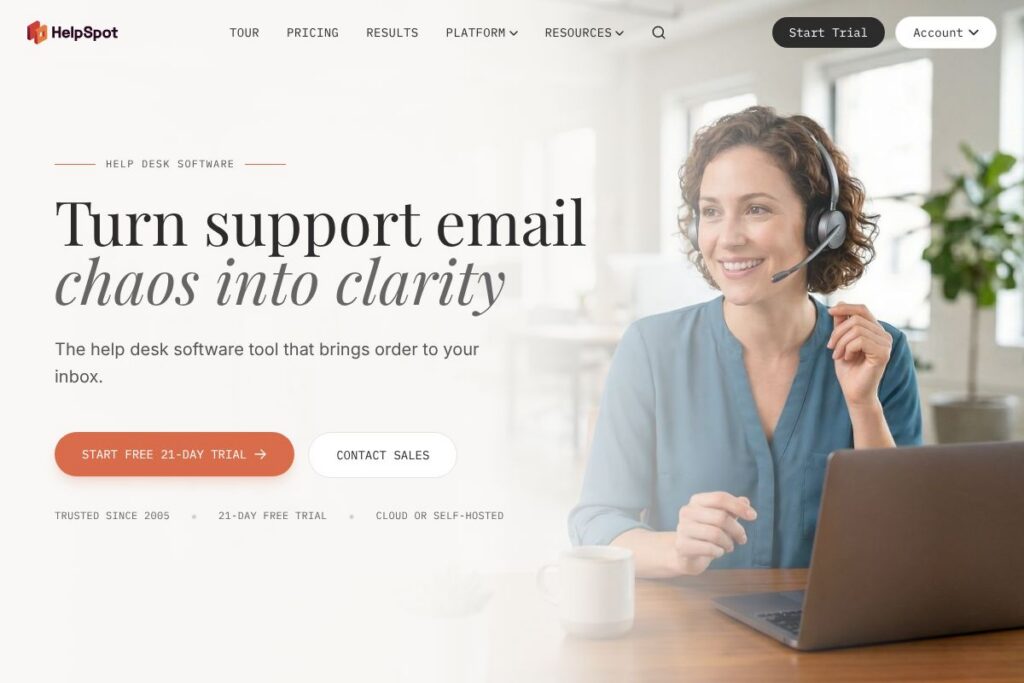
HelpSpot is an email-first help desk that turns incoming messages into trackable tickets, with options to run the software in the cloud or on your own servers. It focuses on straightforward ticketing, automation rules, collision detection, and a centralized threaded interface that looks and feels like email while adding ticket ownership, reporting, and SLA tracking.
Compared with larger omnichannel platforms like Zendesk, HelpSpot intentionally narrows scope to prioritize fast email handling, on-premise hosting, and simpler administration. Against Freshdesk, HelpSpot trades some advanced omnichannel features for easier self-hosting and a lower operational complexity. Compared with Help Scout, HelpSpot matches Help Scout on email-first workflows but adds more explicit SLA controls and optional self-hosted deployment for teams that need on-site data control.
All of this makes HelpSpot a practical choice for teams that need reliable email-based support with strong automation, clear ownership, and the option to host internally. It works well for IT and HR service desks, B2B support teams that require SLA tracking and CRM lookups, and organizations that prefer a single, predictable help desk product for multiple departments.
How HelpSpot Works
HelpSpot captures email, portal submissions, and API calls and converts each into a ticket that appears in a threaded, email-like interface. Incoming messages can be auto-routed using Power Rules, assigned to specific agents or teams, and enriched with custom fields and CRM lookups so agents see relevant customer context alongside the ticket.
Agents work inside a shared mailbox model that prevents reply collisions by showing ownership and real-time editing alerts. When needed, agents use saved replies, smart variables, and templates to reply quickly; escalations and SLA alerts run in the background according to rules you define. For outages or ticket surges, bulk actions let teams update or respond to hundreds of tickets at once, reducing manual effort and response time.
What does HelpSpot do?
HelpSpot organizes support around an email-centric ticketing model, automation rules, SLA enforcement, and reporting. Core capabilities include unified inbox management for Office 365, Gmail, or IMAP accounts, collision detection and ownership controls, a response library with smart variables, and a customer portal with a searchable knowledge base.
Here are some key features worth highlighting:
Unified Email Management
Connect unlimited inboxes and manage them from a single threaded interface that preserves email context while adding ticket metadata. This reduces the friction of shared mailboxes by making each message a ticket with owner, status, and history.
Power Rules (Automation)
Power Rules let you automate routing, escalations, auto-replies, and tagging based on conditions you define. Automation reduces repetitive tasks and helps keep high-volume queues organized without manual triage.
Collision Detection and Ownership
Collision detection prevents two agents from replying to the same ticket simultaneously and shows clear ownership for each ticket. This prevents duplicate replies and clarifies accountability in shared queues.
SLAs and Deadline Monitoring
Define response and resolution targets per queue or customer, then monitor performance with alerts that trigger before SLA breaches occur. SLA tracking helps prioritize urgent work and maintain contractual response times.
Response Library and Smart Variables
Build a library of saved replies with smart variables that auto-insert customer names, order numbers, and custom fields. Templates can be shared across teams and inserted via keyboard autocompletion to improve consistency and speed.
Customer Portal and Knowledge Base
Publish articles and let users submit and track tickets through a portal that reduces inbound volume. The portal shows ticket history and self-service content to help customers resolve common issues without contacting support.
Reporting and Analytics
Pre-built and exportable reports cover response times, resolution rates, agent performance, and SLA adherence. Reporting provides the data needed to identify bottlenecks, staffing needs, and recurring issues.
Built-in AI Capabilities
HelpSpot includes basic AI features to summarize long emails, auto-categorize tickets, translate messages into 40+ languages, and suggest reply drafts. AI is embedded in the product so teams can use it without separate API keys or third-party billing.
API and Integrations
A REST API lets you pull ticket data, create tickets, and integrate HelpSpot with CRM, HR, or project management systems. HelpSpot also connects to hundreds of apps via automation platforms, and supports direct integrations with Office 365, Gmail, and IMAP accounts.
With these features combined, HelpSpot focuses on fast, reliable email-driven support that scales across teams while keeping data and workflow control simple.
HelpSpot pricing
HelpSpot uses a subscription pricing approach that covers both cloud and self-hosted deployments, with plan tiers and enterprise options tailored to team size and deployment preference. Commercial pricing is not presented in the product summary here, but the company offers the same core features across hosting options and emphasizes predictable licensing for on-premise and cloud customers.
For current plan details, trial eligibility, and deployment options, review HelpSpot’s plans and deployment options on the HelpSpot website. That page explains their cloud subscriptions, self-hosted licensing, and any enterprise add-ons.
What is HelpSpot Used For?
HelpSpot is commonly used to manage email-based customer support, internal IT tickets, and HR service requests where a single threaded inbox is the starting point for work. Teams use it when they want a familiar email experience combined with ticket ownership, SLA enforcement, and reporting.
Typical users include IT service desks that need asset and incident tracking, HR teams handling confidential employee inquiries with access controls, B2B account teams that require SLA and CRM context, and maintenance departments that convert emails into work orders with custom fields.
Pros and Cons of HelpSpot
Pros
- Email-first simplicity: Makes shared inboxes manageable by converting messages into tickets with ownership, avoiding complicated configuration while preserving email workflows.
- Flexible deployment: Offers both cloud hosting and self-hosting so organizations that require on-site data control or a predictable single-license model can host internally.
- Powerful automation: Rule-based automations handle routing, escalations, and bulk updates, which reduces manual triage during ticket surges.
- Built-in AI and translations: AI features like summarization, auto-categorization, and translation are included to speed agent work and support global customers.
- Strong reporting and SLA controls: Actionable reports and preemptive SLA alerts provide visibility into team performance and compliance with service targets.
Cons
- Limited omnichannel messaging: Focuses on email and portal workflows more than chat and social channels, so teams needing full omnichannel support may need additional tools.
- Smaller app ecosystem: While integrations exist and Zapier expands connectivity, HelpSpot does not offer the same marketplace scale as larger competitors with native apps for every niche.
- Learning curve for self-hosting: Organizations choosing the on-premise option should plan for installation, backups, and updates, which adds administrative overhead compared with fully managed SaaS.
Does HelpSpot Offer a Free Trial?
HelpSpot offers a 21-day free trial for new users, with access to core ticketing, automation, SLAs, reporting, and the knowledge base. The trial supports cloud deployment and gives teams a hands-on way to test routing rules, saved replies, and integrations before committing to a subscription.
HelpSpot API and Integrations
HelpSpot provides a REST API for ticket creation, retrieval, updates, and searching; developers can consult the HelpSpot API documentation for endpoint details and authentication methods. Integrations include direct connections to Office 365, Gmail, and IMAP mailboxes, plus broader connectivity through automation platforms.
For no-code connections and syncing with CRMs or chat tools, see HelpSpot integrations on Zapier to link HelpSpot with thousands of apps. These options let teams surface CRM data in tickets, push ticket events to project tools, or enrich tickets with external account information.
10 HelpSpot alternatives
Paid alternatives to HelpSpot
- Zendesk — A full-featured, omnichannel support platform with a large app marketplace and per-agent subscription pricing suitable for teams that need extensive channel coverage.
- Freshdesk — Cloud-based help desk with ticketing, automation, and customer-facing portals, positioned for teams that want rapid onboarding and broader channel support.
- Help Scout — Email-first help desk with emphasis on shared inbox collaboration and simplicity, aimed at small to mid-sized customer support teams.
- ServiceNow — Enterprise-grade IT service management platform with deep ITSM features and workflow automation for large organizations.
- Zoho Desk — Cost-conscious help desk with multichannel support, native CRM integration, and extensive configuration options.
- Intercom — Conversation-driven support with live chat, messaging, and product-led engagement tools, suited to SaaS product teams and proactive support strategies.
- Kayako — Customer service platform that blends shared inboxes, live chat, and customer journey context for mid-sized teams.
Open source alternatives to HelpSpot
- osTicket — A widely used open source ticketing system for email-based support that can be self-hosted and customized by IT teams.
- Zammad — Open source help desk with modern UI, ticketing, and support for multiple channels, suitable for teams wanting self-hosted control.
- UVdesk — Open source support platform focused on e-commerce workflows and customizable ticketing for self-hosted deployments.
- OTRS (Community Edition) — Traditional ticketing system with workflows and automation options for organizations preferring open source on-premise solutions.
Frequently asked questions about HelpSpot
What is HelpSpot best used for?
HelpSpot is best used for email-driven customer and internal support where teams need ticket ownership, automation, and SLA enforcement without excessive complexity. It is especially useful when self-hosting or predictable licensing is required.
Does HelpSpot include a knowledge base and customer portal?
Yes, HelpSpot includes a customer portal and knowledge base. Teams can publish articles, allow customers to search content, and reduce ticket volume through self-service resources.
Can HelpSpot be self-hosted and used on-premise?
Yes, HelpSpot offers both cloud and self-hosted deployment options. The self-hosted option includes the same core features and requires internal administration for installation and updates.
Does HelpSpot provide an API for integrations?
Yes, HelpSpot provides a REST API for ticketing and data access. Developers can use the API to integrate with CRMs, HR systems, or project tools and consult the HelpSpot API documentation for details.
Is HelpSpot suitable for enterprise SLA tracking?
Yes, HelpSpot supports SLA definition and monitoring across queues and accounts. It generates alerts before breaches and includes reporting to track compliance and agent performance.
Final verdict: HelpSpot
HelpSpot excels when your support model is centered on email and you want a straightforward, reliable system that converts messages into tickets with clear ownership, automation, and reporting. Its option to self-host makes it attractive for organizations that need on-premise control or predictable licensing, and the built-in AI and translation features add practical efficiencies without extra configuration.
Compared with Zendesk, HelpSpot is narrower in channel scope but stronger on self-hosting and simple, email-first administration. Zendesk is broader and has a larger marketplace and clear per-agent subscription tiers, while HelpSpot focuses on straightforward deployments, predictable licensing, and operational simplicity for email-centric teams.
If your primary requirement is dependable, email-driven support with good automation and the choice to self-host, HelpSpot is a sensible choice. For organizations that need extensive omnichannel messaging and a large third-party app ecosystem, a broader platform like Zendesk may be more appropriate.