What is HubSpot
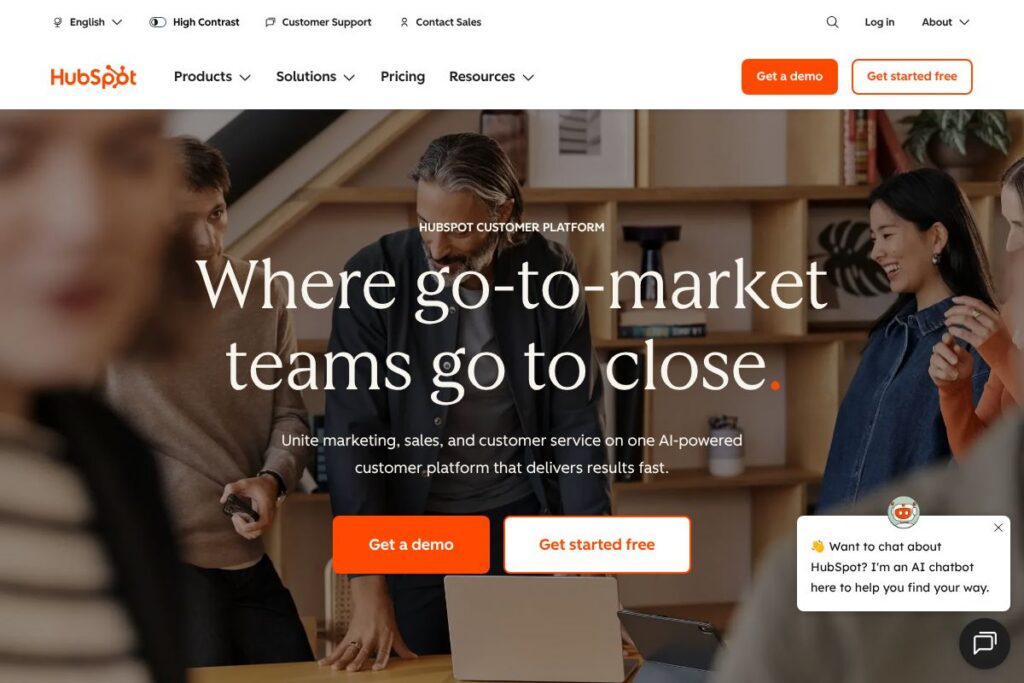
HubSpot is a cloud-based customer platform built around a free CRM and modular product suites for marketing, sales, service, content management, and operations. The platform centralizes contact and company records, activity history, and work automation so teams can coordinate across channels from one place.
HubSpot competes with larger CRM suites such as Salesforce for enterprise sales automation and customer data management, with marketing automation tools such as Marketo and Mailchimp, and with customer support platforms like Zendesk. Compared with Salesforce, HubSpot emphasizes built-in usability and an integrated set of marketing and service features rather than a heavy focus on platform customization. Compared with Mailchimp, HubSpot provides deeper CRM integration and advanced lead management. Compared with Zendesk, HubSpot combines support ticketing with marketing and sales context rather than offering purely support-focused tooling.
What HubSpot does particularly well is unite contact-level data, automation, and reporting across marketing, sales, and service teams while offering a clear upgrade path from free tools to paid hubs. This makes it a practical choice for teams that want a single, cohesive platform without stitching together a long list of separate point products. It is well suited to SMBs scaling toward enterprise use, and to enterprises that prefer a packaged set of hubs rather than a highly customized platform implementation.
How HubSpot Works
HubSpot stores contacts and companies in a central CRM that acts as the system of record for all communication, deals, tickets, and custom properties. Marketing activities such as forms, email campaigns, landing pages, and ads are tied directly to contact records so attribution and lead scoring work from the same dataset used by sales and support.
Automation is organized into workflows that can run across hubs to manage lead nurturing, sales sequences, ticket routing, and data syncs. Teams typically implement HubSpot by starting with the free CRM, adding a single paid hub for a specific need, and gradually enabling additional hubs or integrations as requirements grow.
HubSpot features
HubSpot organizes functionality into hubs around CRM, marketing, sales, service, CMS, and operations, with a marketplace of integrations and developer tools. Core capabilities include contact and company records, workflow automation, email marketing, landing pages, sales pipelines, ticketing, chat and knowledge base, analytics, and a developer-friendly API. The platform has expanded its AI-assisted capabilities to help with content generation, conversation summarization, and predictive lead scoring.
CRM Core
The CRM stores contacts, companies, deals, tickets, calls, and custom properties so every team works from the same customer data. Centralized activity timelines and association rules reduce duplicate records and make handoffs between marketing, sales, and service more transparent.
Marketing Hub
Marketing Hub covers email marketing, forms, landing pages, ad management, and campaign reporting with native attribution to contacts. It includes workflow automation for lead nurturing and segmentation, which helps marketing teams move leads through the funnel with rule-driven actions.
Sales Hub
Sales Hub provides deal pipelines, sequences, meetings scheduling, templates, and sales automation that reduce manual tasks for reps. It also offers revenue-focused analytics to track pipeline health and forecast outcomes with CRM data baked into reports.
Service Hub
Service Hub handles ticketing, shared inboxes, knowledge base content, live chat, and customer feedback collection to manage support at scale. Service automation routes tickets and triggers follow-ups, while reporting surfaces SLAs and response times for continuous improvement.
CMS Hub
CMS Hub supports website hosting, content editing, and personalization that connect to CRM data for targeted content delivery. Built-in SEO tools, serverless functions, and developer features let teams manage content with both marketers and engineers contributing.
Operations Hub
Operations Hub focuses on data sync, programmable automation, data quality tools, and custom activities to keep CRM records reliable across systems. It includes connectors and a visual data-mapping interface to reduce manual ETL work.
Integrations and Marketplace
HubSpot offers a broad integrations directory covering email, analytics, e-commerce, customer support, and productivity apps so you can extend functionality without custom code. Common integrations include Google Workspace, Microsoft 365, Salesforce bi-directional sync, Slack, Shopify, and Zapier connectors.
Reporting and Analytics
Reporting pulls from CRM objects and marketing metrics to create dashboards for funnel analysis, campaign ROI, and revenue attribution. Custom reports can combine contacts, deals, and activity to answer cross-functional performance questions.
With these features, the biggest benefit of HubSpot is the breadth of capabilities tied to a single CRM foundation. Teams gain easier cross-team visibility, fewer integration gaps, and coherent attribution across marketing, sales, and support activities.
HubSpot pricing
HubSpot uses a modular subscription pricing model where a free CRM is available alongside paid product suites called hubs; pricing varies by hub, feature level, and scale. Plans are organized into tiers such as Starter, Professional, and Enterprise for each hub, and larger organizations commonly engage sales for custom enterprise quotes.
Pricing model
HubSpot offers a free CRM and free versions of several tools alongside subscription tiers for individual hubs. Prices scale based on chosen hub, feature tier, and contact counts or seats; higher-tiered plans add advanced automation, reporting, and security features.
Enterprise and custom quotes
Enterprise-level needs are typically handled through custom pricing that factors in required modules, contact volume, API usage, and support level. For tailored plan comparisons and current subscription options, see the HubSpot homepage’s plan overview for up-to-date details and contact options.
What is HubSpot Used For?
HubSpot is commonly used for inbound marketing, lead management, and customer lifecycle management where marketing, sales, and service teams need shared context. Marketing teams use it for campaign execution, content publishing, and lead scoring; sales teams use it for pipeline management and meeting scheduling; support teams use it for ticketing, knowledge base, and customer feedback.
Organizations also use HubSpot to centralize reporting across functions, automate repetitive workflows, and maintain a single source of customer truth that reduces data silos. It is useful for SMBs that want packaged tools with predictable upgrades and for enterprise teams that need a faster time to value than a heavy platform customization project.
Pros and Cons of HubSpot
Pros
- Unified CRM foundation: The CRM brings marketing, sales, and service data together so teams share a single customer record and activity timeline, reducing context switching.
- Modular product suites: You can enable individual hubs for marketing, sales, service, CMS, or operations and scale features as needs change without replacing the whole platform.
- Strong onboarding and resources: HubSpot provides extensive training materials, certifications, and partner support which help teams implement and use features effectively.
- Extensive integrations: A large marketplace and native connectors make it straightforward to connect common business systems and extend functionality.
Cons
- Cost at scale: The modular tier system can become costly as you add Professional or Enterprise hubs and increase contact or seat counts, requiring careful licensing planning.
- Advanced customization limits: For deeply custom workflows or complex data models, HubSpot is less flexible than a highly customizable CRM platform and may require workarounds.
- Reporting complexity at high scale: While reporting is broad, very large organizations sometimes need external BI tools for advanced cross-system analytics and custom data transformations.
Does HubSpot Offer a Free Trial?
HubSpot offers a free CRM and a set of free tools, with paid plans available for individual hubs. The free CRM includes contact management and basic marketing, sales, and service tools; paid hubs typically offer trial periods or demo access through HubSpot sales for higher tiers. For specifics on what is included in each hub tier, review the HubSpot product pages.
HubSpot API and Integrations
HubSpot provides a public REST API and developer platform that supports CRM object management, forms, events, webhooks, and CMS functions. The HubSpot developer documentation contains API reference, SDKs, and guides for building integrations and apps.
In addition to the API, HubSpot maintains an integrations directory with connectors for major platforms such as Google Workspace, Microsoft 365, Salesforce, Slack, Shopify, and Zapier to streamline data flows without custom development. Explore the HubSpot integrations directory to find specific connectors and marketplace apps.
10 HubSpot alternatives
Paid alternatives to HubSpot
- Salesforce — Enterprise-grade CRM platform with deep customization, advanced automation, and a large partner ecosystem suited for complex implementations.
- Zoho CRM — A broadly featured CRM with flexible pricing tiers, configurable modules, and integrated office productivity apps for cost-conscious teams.
- Marketo — Marketing automation focused on lead management and B2B demand generation, commonly used by enterprises with complex marketing stacks.
- ActiveCampaign — Combines email marketing, automation, and CRM features aimed at SMBs that need strong automation and messaging capabilities.
- Zendesk — Customer support platform focused on ticketing, self-service, and contact center features, often paired with separate marketing tools.
- Pardot — Salesforce-owned B2B marketing automation with native Salesforce alignment for organizations already committed to that CRM.
- Mailchimp — Email marketing and basic CRM features for small businesses and ecommerce teams that need straightforward campaign tools.
Open source alternatives to HubSpot
- Mautic — Open source marketing automation for email campaigns, forms, and workflows that can be self-hosted and extended through plugins.
- SuiteCRM — A self-hosted CRM forked from SugarCRM offering sales and service modules for organizations that prefer full control over data.
- OroCRM — Open source CRM focused on B2B and ecommerce scenarios, with flexibility for custom integrations and data models.
- EspoCRM — Lightweight open source CRM for managing contacts, sales, and workflows with a usable interface and extension options.
Frequently asked questions about HubSpot
What is HubSpot used for?
HubSpot is used to manage CRM, marketing, sales, and customer service workflows from a single platform. Teams use it to centralize contact data, run campaigns, manage deals, and support customers with consistent context.
Does HubSpot have a free plan?
Yes, HubSpot provides a free CRM and free-tier tools for marketing, sales, and service. The free offering includes contact management, basic email marketing, ticketing, and live chat with limits compared to paid hubs.
Can HubSpot integrate with Salesforce?
Yes, HubSpot offers integrations and syncs with Salesforce to exchange contacts, leads, and other CRM objects. The integration supports configurable field mappings and sync rules to align records between systems.
Does HubSpot provide an API for developers?
Yes, HubSpot exposes a public API and developer platform. The HubSpot developer documentation includes endpoint references, SDKs, and guides for building custom integrations and apps.
Is HubSpot suitable for small businesses?
HubSpot works well for small businesses looking for an all-in-one CRM and marketing solution. The free CRM lowers the barrier to entry, and Starter tiers give a path to additional automation and features as needs grow.
Final verdict: HubSpot
HubSpot excels at providing a single CRM foundation with modular hubs for marketing, sales, service, CMS, and operations so teams can adopt capabilities incrementally. Its combination of a generous free CRM, extensive integrations, and a broad marketplace makes it a practical choice for organizations that want to keep customer data unified while adding capabilities over time.
Compared with Salesforce, HubSpot is generally easier to adopt and manage for cross-functional teams, while Salesforce is more configurable for complex enterprise requirements. Pricing approaches differ as well: HubSpot centers on hub-based subscriptions with a free entry point and add-on scaling, whereas Salesforce often relies on per-user licenses and a larger ecosystem of paid extensions, which can increase total cost for comparable enterprise feature sets.
Overall, HubSpot is a strong option for growth-oriented teams that need a consolidated toolset across marketing, sales, and service without an extensive implementation project. For enterprise organizations with heavy customization needs, evaluating Salesforce in parallel will clarify trade-offs in flexibility and long-term cost.