Interact: An Overview
Interact is a web-based quiz builder aimed at marketers, e-commerce teams, and small businesses that want to convert site traffic into qualified leads and product recommendations. It focuses on interactive quizzes that collect first-party data, segment users, and deliver personalized results that feed into email lists and CRMs.
Interact competes with tools such as Typeform, which emphasizes conversational forms and flexible logic, and Outgrow, which positions itself around calculators and interactive content for lead generation. Compared with SurveyMonkey, Interact is more focused on conversion and product recommendation rather than broad survey research. All of this makes Interact particularly well suited for marketing teams and online stores that need an accessible way to recommend offers and collect segmented leads.
How Interact Helps Marketing Teams
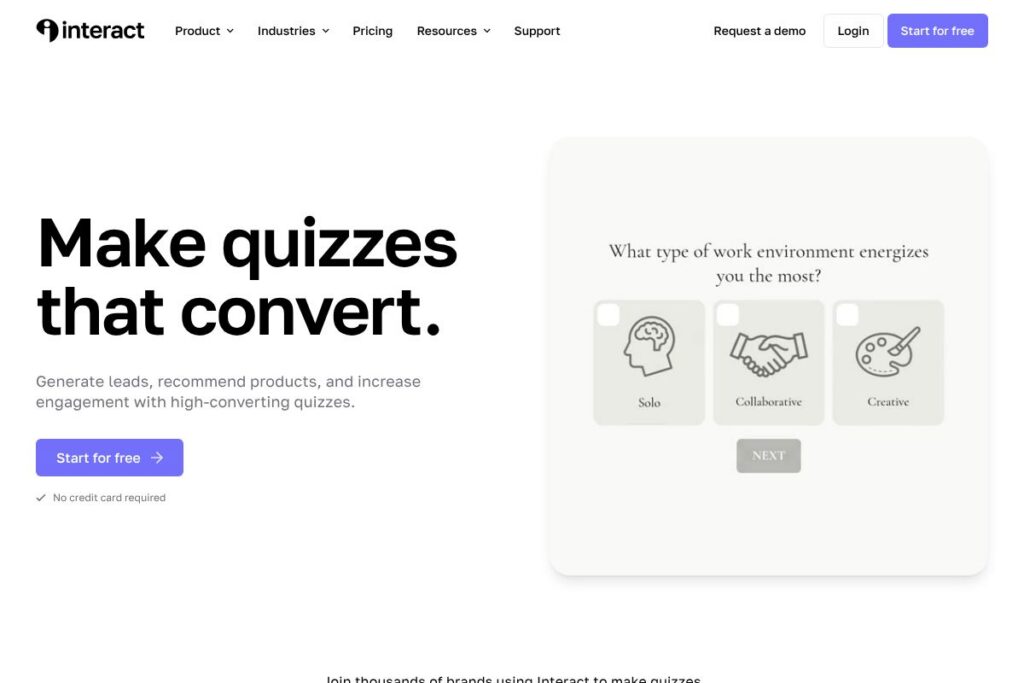
Interact provides a visual quiz editor where non-technical users build result-based quizzes using templates, branching logic, and conditional outcomes. You design questions, map answers to result outcomes, and attach lead capture forms that push respondents into existing email lists or CRMs.
Practical workflows include embedding quizzes on landing pages to act as a lead magnet, using product-recommendation quizzes on e-commerce category pages to surface targeted SKUs, and running assessment quizzes to segment new subscribers before they enter an onboarding sequence. The platform supports A/B testing of quiz variants and analytics to iterate on question wording and result funnels.
What does Interact do?
The platform centers on building result-driven quizzes that convert visitors into leads, guide product recommendations, and segment audiences for targeted follow-up. Core capabilities include a drag-and-drop editor, prebuilt templates for common uses, integrations to push leads into marketing stacks, and analytics to measure completion and conversion rates.
Quiz Builder and Templates
The visual editor lets you create scored, personality, and assessment quizzes quickly using templates for lead magnets, product finders, and customer assessments. Templates reduce setup time and provide proven question/result structures that improve completion rates.
Lead Capture and Form Integration
Quizzes include built-in lead capture elements that can be required or optional, and respondents can be routed into email lists or CRMs based on their answers. This reduces manual data entry and helps marketing teams keep lead context when importing into platforms like Mailchimp or HubSpot.
Product Recommendation Logic
You can map answers to recommended products or service bundles so each quiz outcome delivers a tailored suggestion for the respondent. That makes Interact useful for e-commerce sites that want to present a personalized storefront experience based on user responses.
Segmentation and Scoring
The scoring system and result tagging let teams segment respondents by persona, readiness to buy, or product fit, enabling automated follow-up workflows and targeted campaigns. Segments can feed into lifecycle emails, retargeting lists, or sales handoff processes.
Branching Logic and Personalization
Conditional paths and logic rules let quizzes adapt to user answers so respondents see questions that are relevant to them and receive personalized results. This keeps quizzes short and increases completion and conversion rates.
Analytics and A/B Testing
Built-in analytics track completion, drop-off, conversion to leads, and result distribution so marketers can iterate on quiz copy and structure. A/B testing support allows teams to compare different question orders, CTAs, and lead forms to find the best-performing configuration.
Embeds, Popups, and Share Options
Quizzes can be embedded in pages, used as popups, or shared via link and social channels, giving flexible placement across landing pages, blogs, and product pages. Embeds are responsive and designed to preserve completion rates on mobile.
White-labeling and Custom Styling
Customization options allow quizzes to match brand colors, fonts, and messaging so the experience looks native on your site. White-label options are useful for agencies or businesses that need quizzes to appear as part of their primary brand presence.
With these features, Interact primarily helps teams capture higher-quality leads and automate product recommendations so marketing and e-commerce teams spend less time qualifying prospects manually.
Interact pricing
Interact uses a subscription SaaS pricing model with tiered plans tailored to individuals, small teams, and agencies. Public, detailed pricing was not available in the source material for this directory entry, so visit Interact’s official site for the most current pricing and plan comparisons.
For up-to-date information on plan tiers, billing cycles, and enterprise options, see Interact’s pricing and plans on their homepage.
What is Interact Used For?
Interact is commonly used to create lead magnets that convert website visitors into subscribers by offering a quick, interactive experience instead of a static form. Marketers place quizzes on blogs, landing pages, and product pages to capture attention and collect email addresses with context from quiz answers.
It is also used for product recommendation engines where quiz outcomes map directly to SKUs or services that match a respondent’s needs. Customer support teams use assessment quizzes to answer frequently asked questions with tailored guidance, reducing repetitive support workload.
Pros and Cons of Interact
Pros
- Easy quiz creation: The drag-and-drop editor and templates let non-technical users build conversion-focused quizzes quickly, reducing development overhead.
- Strong lead capture workflows: Native lead forms and integrations make it straightforward to push segmented leads into email platforms and CRMs for automated follow-up.
- Product recommendation capabilities: Mapping answers to product results is useful for e-commerce teams that need simple, guided selling experiences.
- Good analytics for optimization: Built-in metrics for completion, conversion, and result distribution support data-driven improvements.
Cons
- Limited advanced survey research features: For organizations that need deep survey analysis, complex sampling, or statistical reporting, Interact focuses more on conversion than research depth.
- Customization may require CSS: Some advanced visual or interaction tweaks can require custom CSS, which adds work for teams without front-end resources.
- Enterprise-level controls vary by plan: Larger organizations typically need to confirm availability of SSO, SLAs, or multi-account management at higher tiers.
Does Interact Offer a Free Trial?
Interact offers a free plan. You can start building quizzes without providing payment details and explore core functionality; to compare feature limits and trial durations for paid tiers, check Interact’s signup and getting started options.
Interact API and Integrations
Interact provides integrations to send quiz leads to common email and CRM tools, and it supports automation platforms to extend workflows. Browse Interact’s integrations directory for connectors to platforms like Mailchimp, HubSpot, ConvertKit, Klaviyo, Shopify, and Zapier.
If you require programmatic access, check the Interact integration resources for developer options and webhook support that enable pushing quiz events to custom endpoints and automation systems.
10 Interact alternatives
Paid alternatives to Interact
- Typeform — A conversational form and survey platform with flexible logic and a polished respondent experience that works for lead capture and feedback; see Typeform’s product page.
- Outgrow — Focuses on calculators, quizzes, and interactive content for lead generation and personalization; explore Outgrow’s feature overview.
- SurveyMonkey — A long-standing survey platform suitable for research and customer feedback with advanced reporting and sampling; review SurveyMonkey’s offerings.
- LeadQuizzes — Built for marketers to create quizzes and popups that drive leads and list growth with landing page integrations; check LeadQuizzes’ capabilities.
- Qzzr — A quiz platform aimed at publishers and marketers for engagement and audience capture, with social sharing features; view Qzzr’s product information.
- Riddle — Interactive content tool for quizzes and polls with an emphasis on viral sharing and lead capture; see Riddle’s tools.
- Jotform — A versatile form builder that can be configured for quiz-style lead capture and comes with many integrations and widgets; learn more on Jotform’s site.
Open source alternatives to Interact
- LimeSurvey — A mature open source survey system for complex questionnaires and research-focused data collection; project details are on the LimeSurvey website.
- OhMyForm — An open source, self-hosted alternative for creating forms and quizzes with a Typeform-like interface; see OhMyForm’s project page.
- KoboToolbox — An open source suite for data collection with strong offline and survey capabilities, often used in humanitarian and field research; explore KoboToolbox’s platform.
Frequently asked questions about Interact
What is Interact used for?
Interact is used to create quizzes that capture leads, recommend products, and segment respondents. Marketers and e-commerce teams use those quizzes as lead magnets and personalized recommendation tools.
Does Interact integrate with email marketing platforms?
Yes, Interact supports integrations with major email platforms and CRMs. You can connect quiz leads to services like Mailchimp, HubSpot, ConvertKit, and automation tools such as Zapier through the Interact integrations directory.
Is Interact free to use?
Interact offers a free plan so you can start building quizzes without a credit card. Paid plans are available for higher limits and advanced features; review Interact’s signup page to compare plans.
Can Interact recommend products for e-commerce stores?
Yes, Interact can map quiz answers to product recommendations. That mapping helps surface tailored product suggestions and send qualified leads into commerce workflows or abandoned-cart sequences.
Does Interact provide an API for developers?
Interact supports integrations and webhook-based automation for developer use. For custom use cases, consult Interact’s integration resources to set up webhooks or connect through middleware like Zapier.
Final verdict: Interact
Interact excels at turning website traffic into segmented, actionable leads and at delivering personalized product recommendations with minimal technical effort. Its template library, branching logic, and lead capture workflows make it a practical choice for marketing teams and online stores that need higher-converting lead magnets than static forms.
Compared with Typeform, Interact is more explicitly geared toward conversion and product recommendation, while Typeform emphasizes conversational forms and broad survey uses. Typeform follows a freemium approach with entry-level paid tiers for additional responses and features, whereas Interact promotes a free starting tier plus paid plans for higher-volume and agency features; review each vendor’s plan pages to match limits and pricing to your needs.
Overall, Interact is a focused tool for businesses that want to use quizzes as part of a conversion and segmentation strategy, especially when integrated with email marketing and e-commerce platforms. For teams measuring lead quality and product fit, it provides a faster path from visitor engagement to targeted follow-up than generic form or survey tools.