InvoiceBerry: An Overview
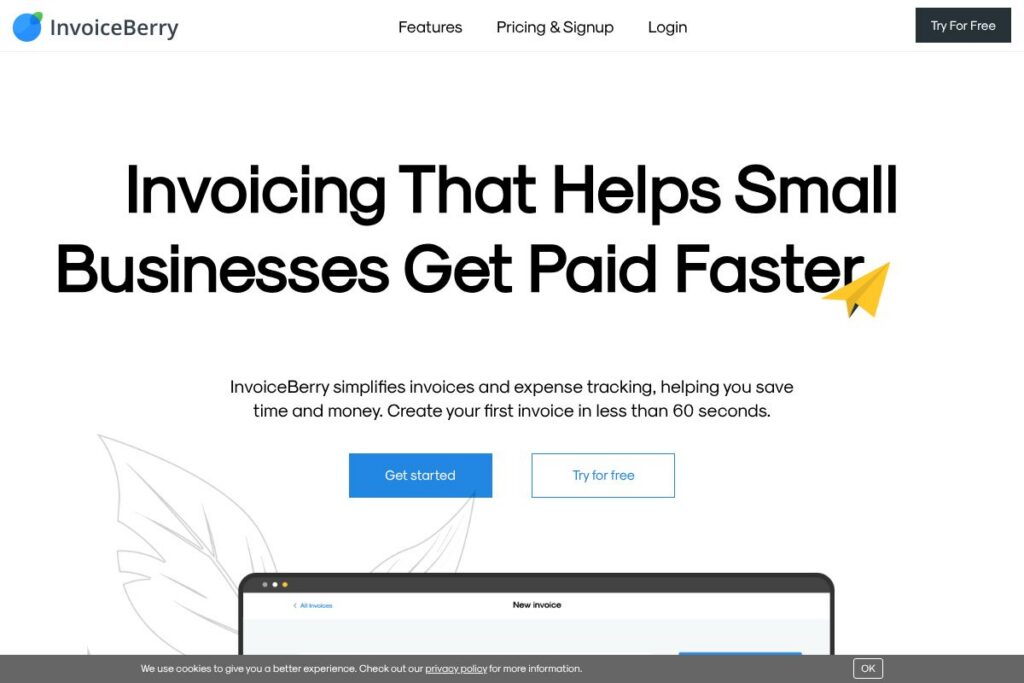
InvoiceBerry is a lightweight online invoicing and expense tracking tool built for small businesses, freelancers, and sole traders. It focuses on fast invoice creation, email delivery of invoices, automated reminders, and basic expense and payment tracking rather than full double-entry accounting. This makes it a practical choice for users who need to bill clients quickly and keep simple financial records without learning a complex accounting system.
Compared with broader accounting suites like QuickBooks Online and Xero, InvoiceBerry offers a narrower, invoice-first feature set and lower complexity. Both QuickBooks Online and Xero provide deeper bookkeeping, payroll, and tax reporting features that larger SMBs may need, while InvoiceBerry focuses on invoice templates, reminders, and payment gateway integrations for faster client billing. Against dedicated invoicing competitors such as FreshBooks, InvoiceBerry competes on simplicity and low friction rather than on advanced project and time-tracking features.
All of this makes InvoiceBerry a good fit for freelancers and micro businesses that need to create professional-looking invoices quickly, accept online payments, and manage recurring invoices without the overhead of a full accounting package. It is especially useful when the priority is getting invoices out fast and tracking unpaid clients from a single dashboard.
How InvoiceBerry Works
InvoiceBerry centers the workflow on invoice creation, delivery, and payment reconciliation. Users set up company details and upload a logo, select from a template, add line items and customer information, then send the invoice by email or download a PDF; the interface is designed so you can create your first invoice in under 60 seconds. For immediate testing and signup, see the InvoiceBerry signup page.
Once invoices are sent, the dashboard prioritizes unpaid invoices so you can follow up quickly; built-in one-click reminders let you send polite notices to late-paying customers. For payments, connect a payment provider such as Stripe’s payment platform, PayPal’s merchant solutions, Square’s online payments, or WePay’s payment services to allow customers to pay directly from the invoice. InvoiceBerry records incoming payments in real time and updates invoice status automatically.
What does InvoiceBerry do?
InvoiceBerry’s main capabilities focus on creating and sending invoices, managing quotes, tracking expenses, and reconciling payments. The platform includes professional templates, logo upload, PDF export, email delivery, automated reminders, recurring invoices, quote conversion, and basic reporting for revenue and outstanding balances. The product has been positioned to reduce time spent on billing tasks and make follow-up on unpaid invoices straightforward.
Top Features of InvoiceBerry
Professional invoice templates
Choose from a set of clean invoice templates, upload your company logo, and produce a branded PDF or email-ready invoice. Templates save time and provide consistent presentation to clients, which is helpful for freelancers who need to look professional without design work.
Email delivery and PDF export
Send invoices directly to client email addresses from the app and provide a downloadable PDF for records. Invoice emails are routed via integrated email services to improve deliverability and remove the need to print and mail invoices.
Payment gateway integrations
Accept card and online payments by connecting to payment providers. Integrations with Stripe, PayPal, Square, and WePay let customers pay from the invoice, and InvoiceBerry records payments automatically to update invoice status.
Recurring invoices
Schedule automatic recurring invoices for subscription clients or retainer arrangements. Recurring billing reduces manual work for repeat customers and ensures regular cash flow without repeated invoice creation.
Quotes and one-click conversion
Create quotes and proposals, then convert an approved quote to an invoice with a single click. This preserves line items and pricing so you do not have to re-enter data once a sale is confirmed.
Automated payment reminders
Send templated reminders to late-paying clients with one click or configure scheduled reminders to run automatically. This reduces the time you spend chasing unpaid invoices and improves collections.
Expense tracking and basic reports
Record and categorize expenses alongside invoices, and generate simple reports for income, outstanding invoices, and expense summaries. These basic reports help small businesses monitor cash flow and prepare figures for tax time or an accountant.
Client and item management
Store client contact details and commonly used line items to accelerate invoice creation. Reusing client and item records speeds up billing for repeat work and long-term customers.
InvoiceBerry’s biggest benefit is reducing the time from completed work to invoice delivery and payment. Its features are tuned for rapid invoicing, automated reminders, and straightforward payment reconciliation so users can focus on running the business rather than billing tasks.
InvoiceBerry pricing
InvoiceBerry uses a subscription pricing model with a free trial followed by paid monthly plans. The vendor positions the product as low-cost invoicing for freelancers and small companies, with tiered plans that unlock more clients, templates, and unbranded invoices.
Monthly Billing:
SOLO – $15/month (core invoicing, limited clients, branded invoices, email support)
PRO – $30/month (more clients, unbranded invoices, additional templates, premium support)
Annual Billing:
InvoiceBerry offers annual billing options that typically reduce the monthly equivalent price for subscribers; check the InvoiceBerry homepage for the latest annual discounts and billing details. For account-level questions or enterprise needs, contact InvoiceBerry through their site to discuss options.
What is InvoiceBerry Used For?
InvoiceBerry is commonly used for client billing, sending proposals and quotes, and tracking which customers have outstanding payments. Freelancers, consultants, designers, and service providers use it to replace manual invoice PDFs and to reduce the administrative time between finishing work and requesting payment.
Small businesses use InvoiceBerry to manage recurring revenue from retainers and to keep simple expense records tied to invoices. It works well when you need quick invoicing, clear visibility on late payers, and reliable payment recording without a full accounting suite.
Pros and Cons of InvoiceBerry
Pros
- Fast invoice creation: The interface is optimized for speed so users can create and send an invoice in under a minute, which reduces billing lag and improves cash flow.
- Easy payment acceptance: Integrations with major payment processors allow customers to pay directly from the invoice, and payments are reconciled automatically. This reduces manual bookkeeping work.
- Simple recurring billing: Built-in recurring invoices and one-click quote conversion save time for repeat clients and subscription-like services.
- Affordable plans: Low-cost monthly plans make the product accessible to solo freelancers and micro businesses with modest billing needs.
Cons
- Limited accounting depth: The platform focuses on invoicing and expense tracking rather than full accounting features such as payroll, multi-currency advanced tax management, or complex reporting. This may require moving data to a full accounting package for tax filing.
- Smaller template library: With about 15 invoice templates available on paid plans, there is less design variety compared with some competitors that offer larger template libraries.
- No public developer API advertised: InvoiceBerry emphasizes built-in payment integrations but does not prominently promote a public developer API for extensive automation or custom integrations.
Does InvoiceBerry Offer a Free Trial?
InvoiceBerry offers a 30-day free trial. The trial provides access to core invoicing, quotes, reminders, and expense tracking so you can evaluate the workflow; after 30 days you can choose a paid plan such as SOLO at $15/month or PRO at $30/month to continue using the service.
InvoiceBerry API and Integrations
InvoiceBerry focuses on direct integrations with payment gateways rather than exposing a broad public developer API. You can connect to payment providers including Stripe’s payment platform, PayPal’s merchant solutions, Square’s online payments, and WePay’s payment services to accept online payments from invoices.
For automation needs beyond payment processing, users typically rely on CSV exports and manual data transfer or contact InvoiceBerry support via the InvoiceBerry homepage to discuss integration options.
10 InvoiceBerry alternatives
Paid alternatives to InvoiceBerry
- FreshBooks – Cloud invoicing and time-tracking with client portals and stronger project billing features.
- QuickBooks Online – Full bookkeeping, invoicing, and tax reporting for growing small businesses that need comprehensive accounting.
- Xero – Accounting-first platform with invoicing, bank reconciliation, and robust reporting for multi-user businesses.
- Zoho Invoice – Affordable invoicing with automation rules and integrations within the Zoho product family.
- Wave – Free invoicing and accounting tools aimed at freelancers and very small businesses with optional paid services for payroll and payments.
- Square Invoices – Simple invoicing tightly integrated with Square payments and point-of-sale hardware.
- PayPal Invoicing – Fast invoice creation tied directly to PayPal payment processing for easy client payments.
Open source alternatives to InvoiceBerry
- InvoicePlane – Self-hosted invoicing application that supports custom templates, recurring invoices, and client management.
- Siwapp – Open source invoicing system with a lightweight interface and core invoicing features for small deployments.
- ERPNext – Full open-source ERP that includes invoicing, accounting, inventory, and CRM modules for organizations that want an integrated system.
Frequently asked questions about InvoiceBerry
What is InvoiceBerry used for?
InvoiceBerry is used for online invoicing, sending quotes, tracking expenses, and recording client payments. It helps freelancers and small businesses speed up billing and follow-up on unpaid invoices.
Does InvoiceBerry offer a free trial?
Yes, InvoiceBerry provides a 30-day free trial. The trial includes core invoicing features so you can test templates, reminders, and payment integrations before subscribing.
Can InvoiceBerry accept online payments?
Yes, InvoiceBerry supports online payments via major providers. You can connect Stripe, PayPal, Square, or WePay so customers can pay directly from the invoice.
How much does InvoiceBerry cost per month?
InvoiceBerry’s paid plans start at $15/month for the SOLO plan and $30/month for the PRO plan. Each plan increases client limits, template access, and support levels.
Does InvoiceBerry integrate with accounting software?
InvoiceBerry focuses on invoicing and payment integrations and provides CSV export for transfers to accounting software. For deep bookkeeping integration, users typically export data or use a separate accounting product alongside InvoiceBerry.
Final verdict: InvoiceBerry
InvoiceBerry excels at straightforward, fast invoicing and basic expense tracking for freelancers and very small businesses. It reduces the time between completing work and requesting payment with easy invoice templates, email delivery, recurring billing, and built-in payment gateway connections. If your main need is low-friction billing and clear visibility on unpaid invoices, InvoiceBerry is a practical, cost-conscious choice.
Compared with Wave, which offers free invoicing services, InvoiceBerry’s $15/month SOLO plan adds unbranded invoices, more templates, and premium support for users willing to pay a small monthly fee. For businesses that need comprehensive bookkeeping, payroll, or advanced reporting, an accounting suite such as QuickBooks Online or Xero will be a better fit, but InvoiceBerry remains a strong option when invoicing speed and simplicity are the priority.