What is JivoChat
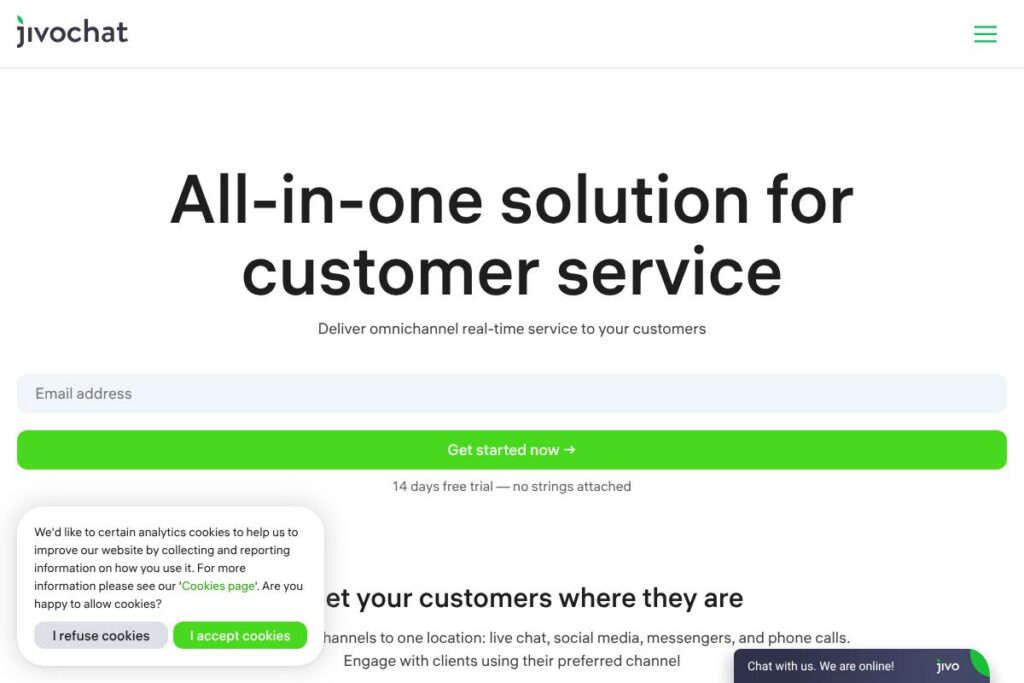
JivoChat is a live chat and omnichannel customer service platform that helps websites convert visitors into customers by centralizing conversations from live chat, messengers, social networks, email, and phone. It is built for sales teams and customer support teams that need a single inbox to manage incoming requests across channels while keeping visitor context and conversation history.
Compared with Intercom and Drift, JivoChat focuses on a compact, channel-rich inbox and integrations with messengers like WhatsApp and Telegram rather than deep product analytics or full marketing automation stacks. Against Zendesk, JivoChat is more chat-forward and often easier to deploy for small to mid-sized teams, while Zendesk provides a broader enterprise support suite. Compared to LiveChat, JivoChat emphasizes bundled messenger integrations and built-in automation at competitive entry-level terms.
All of this makes JivoChat a practical option for businesses that need a single place to handle chats, social messages, and calls with minimal setup. It is especially well suited to e-commerce sites, service businesses, and any team that wants to run sales conversations and support from one shared workspace.
How JivoChat Works
JivoChat installs on a website using a small widget script or a CMS/plugin and connects external channels into a shared agent application. Visitors see the chat widget on your site and agents handle messages from the desktop or mobile app, with visitor context, pre-written responses, and routing rules available.
Agents manage conversations from multiple channels in a single workspace: web chat, WhatsApp, Facebook Messenger, Instagram DMs, Telegram, email, and phone calls. Automation options include chatbots for FAQ handling, automated greetings, and AI-assisted reply suggestions so live agents can focus on higher-value conversations.
Operational workflows typically follow: capture visitor info from the widget or channel, route to an available agent or bot, escalate to voice or video when needed, and log conversations for quality review and reporting. The platform includes monitoring tools so supervisors can review response times, agent activity, and conversion metrics.
JivoChat features
JivoChat bundles live chat with built-in messenger, telephony, and automation features to support both sales and support teams. Core capabilities include an omnichannel inbox, native WhatsApp integration, chatbots, AI-assisted responses, video calls, and telephony management. The platform has recently expanded AI support and added deeper integrations for social channels.
Let’s talk JivoChat’s Features
Omnichannel Inbox
The inbox consolidates web chat, WhatsApp, Facebook Messenger, Instagram DMs, Telegram, email, and calls into a single agent view. Agents see visitor context and history across channels which reduces repeated questions and speeds resolution.
WhatsApp Business Integration
Connect a WhatsApp Business profile natively to send and receive messages inside JivoChat, manage templates, and use broadcasts for updates. This keeps WhatsApp conversations organized alongside other channels and supports sales follow-ups inside the same workspace. View the WhatsApp Business integration for integration details.
Chatbots and Automation
JivoChat supports chatbots that answer frequent questions, route requests, and collect lead information before handing off to a human agent. Automations reduce agent load by resolving routine requests and improving first response time across high-volume channels.
AI Assistant and AI Agent
Integrated OpenAI-based features assist agents with reply suggestions, message drafting, and automated responses to common queries. The AI assistant helps produce faster, more consistent replies while the AI Agent can handle simple interactions when agents are unavailable.
Telephony and Call Management
Telephony Plus lets teams connect a phone number to handle inbound and outbound calls, record conversations, and monitor call quality. Phone interactions are stored in the same conversation history, enabling agents to switch between chat and calls with full context.
Video Calls in Chat
Agents can start video calls directly inside a chat to demonstrate products or provide guided support, reducing the need for third-party meeting tools and keeping the conversation in one place.
Desktop and Mobile Apps
Native desktop apps include error handling, suggested phrases, and full visitor profiles; mobile apps allow agents to respond on the go. Notifications and offline handling ensure teams do not miss requests when away from the primary workstation.
API and Developer Options
An available Web API lets developers embed the chat widget, query chat history, and extend workflows with custom integrations. Developers can use the Web API documentation to connect JivoChat to internal systems and CRM platforms.
With these features, JivoChat provides a practical, channel-first platform that helps teams reduce response times, keep conversations centralized, and automate routine tasks.
JivoChat pricing
JivoChat uses a subscription model with a freemium tier and paid plans for teams and enterprise customers, and it offers trial access for paid features. There is a free option for small teams and several paid tiers that expand agent counts, channels, and advanced features; annual billing typically includes discounted rates.
Monthly Billing:
Free Plan – Free (Up to 5 agents, basic chat widget, core inbox features)
Team / Business Plans – Pricing varies by feature set and agent seats; monthly subscriptions add advanced channels, bots, and telephony management.
Annual Billing:
Team / Business Plans – Annual billing is offered with reduced per-month costs compared with monthly billing, and enterprise agreements provide volume discounts and custom SLAs.
Enterprise
Enterprise – Custom pricing and deployment options for large organizations, including SSO, dedicated onboarding, and enterprise-level support. For the most current plan details and to compare feature tiers, view the current pricing options.
What is JivoChat Used For?
JivoChat is commonly used to provide real-time customer support and to capture sales leads directly from website visitors using chat, messengers, and calls in one place. Teams use the widget to greet visitors, answer product questions, and escalate promising leads to phone or video calls for closing.
It is also used to centralize social inboxes and messenger conversations so marketing, sales, and support teams can respond from a single application. Typical users include e-commerce stores, service providers, travel companies, and SMBs that rely on fast response times to convert traffic into revenue.
Pros and Cons of JivoChat
Pros
- Omnichannel consolidation: The inbox brings web chat, WhatsApp, Facebook, Instagram, Telegram, email, and calls into one workspace which reduces tool switching and centralizes conversation history.
- Accessible deployment: Easy widget installation and ready-made CMS plugins allow quick setup and live operation without heavy engineering effort.
- Built-in automation and AI: Chatbots and AI-assisted reply tools reduce repetitive work and help maintain consistent responses across channels.
- Rich agent tooling: Desktop and mobile apps, canned responses, visitor profiles, and video calls support high agent productivity and flexibility.
Cons
- Limited deep analytics compared to enterprise suites: Reporting is geared toward operational metrics; teams needing advanced analytics or custom reporting may require additional tools or integrations.
- Channel feature parity varies: Some advanced messenger features and template management may require higher-tier plans or additional setup for compliance with channel rules.
- Enterprise customization may require vendor engagement: Large deployments with complex telephony, SSO, or custom SLAs typically go through enterprise negotiation rather than self-service configuration.
Does JivoChat Offer a Free Trial?
JivoChat offers a free plan for small teams and a 14-day free trial for paid features. The free tier supports up to five agents with core chat and inbox features, while the trial unlocks paid channels and advanced automation so you can test features like telephony and AI before upgrading.
JivoChat API and Integrations
JivoChat provides a developer Web API for embedding the chat widget, retrieving conversation data, and connecting JivoChat to CRM or backend systems. You can consult the Web API documentation for endpoint details, authentication, and sample code.
The platform also offers built-in integrations with major channels and tools including WhatsApp, Facebook, Instagram, Telegram, common CRM systems, and telephony providers, enabling cross-channel workflows without custom development. See the integrations overview to explore supported connectors.
10 JivoChat alternatives
Paid alternatives to JivoChat
- Intercom — A customer messaging platform focused on product-led growth, combining chat, bots, and help center features for onboarding and support.
- Zendesk — An enterprise support suite with ticketing, multi-channel support, and deep reporting for large customer service operations.
- LiveChat — A chat-first solution with a polished widget, agent apps, and integrations aimed at sales-driven chat workflows.
- Drift — Conversational marketing and sales platform that emphasizes lead routing, playbooks, and account-based engagement.
- Tidio — A combined live chat and chatbot platform with marketing tools and CRM integrations for small businesses.
- Freshdesk — Freshworks customer support product that pairs ticketing, messaging, and knowledge base functionality.
- Olark — Simple live chat with real-time reporting and team collaboration features for smaller support teams.
Open source alternatives to JivoChat
- Chatwoot — Open source customer engagement platform with multi-channel inbox and self-hosting options for full data control.
- Rocket.Chat — A developer-friendly chat platform that can be self-hosted and extended into customer-facing channels with integrations.
- Zammad — Open source helpdesk and ticketing system with web chat and email support for teams preferring self-hosting.
- Mibew — A lightweight open source live chat application for embedding on websites with basic chat functionality.
- LiveHelperChat — Self-hosted live chat system with widgets, visitor tracking, and some automation features.
Frequently asked questions about JivoChat
What is JivoChat used for?
JivoChat is used for live customer support and sales conversations across web chat, messengers, email, and phone. Businesses use it to centralize incoming messages, qualify leads, and respond faster to visitors.
Does JivoChat offer a free plan?
Yes, JivoChat has a free plan that supports up to five agents. The free tier includes the core chat widget and inbox features, while paid plans add channels, telephony, and automation.
Can JivoChat connect to WhatsApp?
Yes, JivoChat provides native WhatsApp Business integration. You can manage WhatsApp messages inside the JivoChat inbox and use templates and broadcasts where supported.
Does JivoChat have an API for developers?
Yes, JivoChat exposes a Web API for embedding the widget and accessing conversation data. Developers can reference the Web API documentation for endpoints and examples.
Is JivoChat suitable for small e-commerce sites?
Yes, JivoChat is well suited to small and medium e-commerce sites that need real-time chat and messenger support. The free tier and inbox features make it easy to start, and paid plans add channels and automation for growth.
Final verdict: JivoChat
JivoChat is a practical omnichannel chat platform that brings web chat, messengers, email, and telephony into a single agent workspace, making it a solid choice for businesses that need to manage customer conversations without a large integration effort. Its strengths are fast deployment, channel coverage including WhatsApp and Instagram, and built-in automation that reduces routine workload for agents.
Compared with LiveChat, JivoChat typically offers broader native messenger connections and a more accessible free tier, while LiveChat focuses on a refined chat experience and enterprise add-ons. For organizations evaluating cost and channels, JivoChat’s free plan and trial let teams validate channel support before committing to higher tiers; for full enterprise deployments, compare feature needs and pricing with solutions like Zendesk that provide deeper analytics and workflow customization.
Overall, JivoChat suits businesses that want a unified, chat-first support environment with native messenger integrations and practical automation, particularly for e-commerce and service teams looking to reduce response times and keep all conversations in one place.