Kaltura Explained
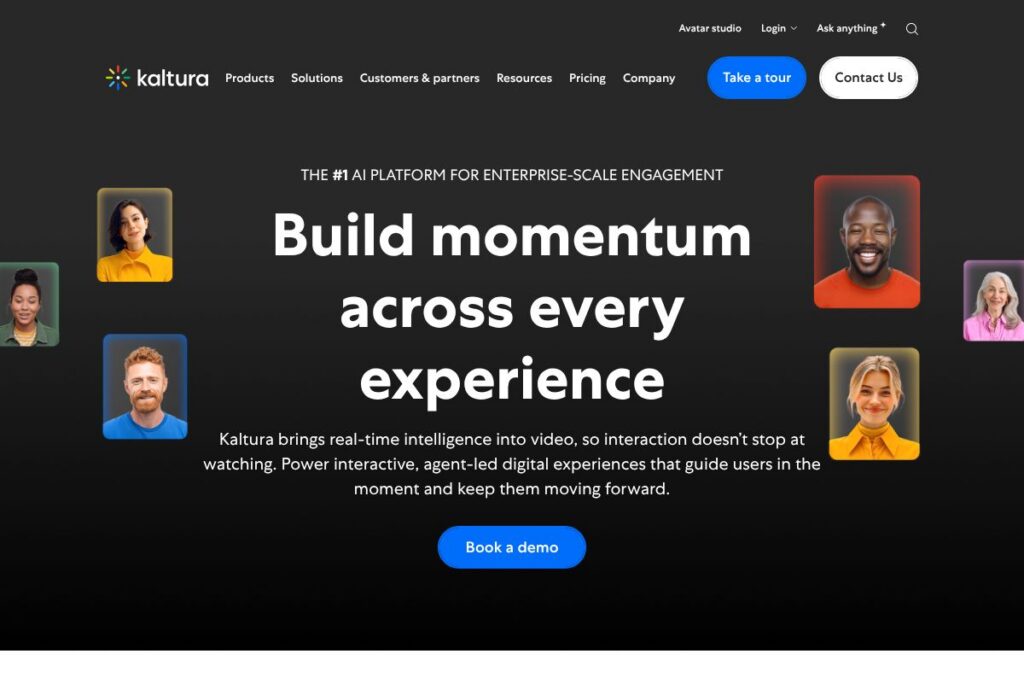
Kaltura is an enterprise-grade video platform that combines live event and webinar hosting, video content management, AI-powered discovery, and interactive agent technology to build branded video experiences. Organizations use it to run virtual events, create searchable video hubs, deliver large-scale internal communications, and power video-first learning programs.
Compared with Brightcove and Vimeo Enterprise, Kaltura emphasizes deeper content management and education-focused integrations rather than exclusively streaming or marketing workflows. Against platforms such as Panopto, Kaltura offers broader event staging and agentic AI features for real-time interaction, making it a stronger fit when you need both large-scale live events and long-term content governance.
What Kaltura does particularly well is combine enterprise video management with AI-driven engagement: search and discovery, automatic enrichment, and interactive avatars that guide users through content. That combination makes it well suited for universities, global corporate communications, training teams, media operators, and any organization that needs branded, measurable video experiences at scale.
How Kaltura Works
Kaltura organizes video capabilities into complementary modules you can deploy together or separately: event and webinar production, a video portal for curated hubs, content management for workflows and security, and AI agents for in-experience guidance. Live events and webinars are produced and streamed from the Events Platform, then archived and indexed by the Video Content Management system for reuse and analytics.
AI features operate across the video lifecycle: automated transcription and captioning, topic extraction, and personalized recommendations that surface relevant clips in portals. Agentic Avatars run on top of that content layer to answer viewer questions in real time, generate context-aware multimodal responses, and guide viewers toward next steps without exposing underlying enterprise knowledge to third parties.
Day-to-day implementation typically starts with a pilot event or a course rollout, connecting Kaltura to identity systems and an LMS or CMS, configuring publishing workflows, and training the AI enrichment settings. Teams then measure engagement and iterate using built-in analytics and agent interaction data to improve discoverability and conversion over time.
What does Kaltura do?
Kaltura’s platform centers on delivering, enriching, and governing video at enterprise scale. Core capabilities include live streaming and webinar production, a searchable video portal, automated metadata and captioning, interactive AI avatars, single-sign-on and rights management, and analytics for engagement and ROI.
The platform recently increased its emphasis on agentic experiences that couple large language and multimodal models with enterprise knowledge so avatars can respond accurately in context. Kaltura also expanded capabilities for personalized discovery and audience retention across long-running content hubs.
Agentic Avatars
Real-time AI agents that can answer questions about on-screen content, generate personalized follow-up resources, and guide users through journeys. They operate using your organization’s indexed content and workflows, enabling contextual responses while staying within enterprise governance rules.
Video Portal
AI-powered video hubs that surface the right content to each viewer through recommendations, topic clustering, and metadata enrichment. Portals can be branded and structured for marketing, internal communications, or learning catalogs to reduce search friction and increase content reuse.
Events Platform
A production-grade system for webinars and virtual events with interactive features such as polls, Q&A, multi-language support, and integrated agentic guidance. The platform supports live-to-VOD workflows so events can be quickly repurposed into on-demand learning or marketing assets.
Video Content Management
Enterprise content management for video that covers ingestion, transcoding, metadata enrichment, access controls, and publishing pipelines. It enables federated workflows, audit trails, and role-based permissions for secure content governance across distributed teams.
Automated Enrichment & Accessibility
Automated transcription, captioning, and topic extraction that reduce manual editing and improve accessibility. These features make content easier to index and comply with accessibility standards while improving search and repurposing.
Analytics & Reporting
Granular engagement analytics that track viewer behavior during live and on-demand playback, interaction with avatars, and conversion outcomes. Teams use these insights to optimize event formats, content placement, and follow-up workflows.
With these capabilities, the biggest benefit is a single platform that spans production, discovery, interaction, and governance, helping organizations run repeatable, measurable video programs that tie back to business objectives. Explore the Kaltura products overview to see how these modules fit together.
Kaltura pricing
Kaltura uses an enterprise pricing model with custom plans tailored to organizational scale, feature needs, and deployment preferences rather than fixed public tiers. Pricing depends on factors such as user counts, streaming and storage volume, required AI agent usage, and support or managed services.
For current pricing options and to discuss a plan that fits your team, review Kaltura’s enterprise solutions and contact channels to request a demo or a tailored quote. Sales can provide pricing scenarios for marketing & events, corporate communications, higher education, and media workloads.
What is Kaltura Used For?
Kaltura is commonly used for virtual events, webinars, and marketing funnels that need interactive, measurable audience engagement. Marketing and demand-gen teams rely on integrated interactivity and avatar-driven follow-ups to convert interest into qualified pipeline.
In education and training, Kaltura supports course video upload, LMS integration, live lectures, and on-demand study hubs that include automated captioning and grading workflows. Corporations use Kaltura for town halls, leadership messages, and continuous learning programs where retention and follow-up are critical.
Pros and Cons of Kaltura
Pros
- Comprehensive enterprise feature set: Kaltura combines live streaming, content management, AI enrichment, and interactive avatars in a single platform, reducing the need for many point solutions.
- Strong support for education and training: Built-in LMS integrations, captioning, and assessment workflows make it especially useful for universities and corporate learning teams.
- Powerful discovery and personalization: Automated metadata and recommendation engines surface content that users would otherwise miss, improving long-term engagement and reuse.
Cons
- Enterprise implementation complexity: Deploying Kaltura at scale typically requires configuration, integrations, and professional services to tune workflows and governance.
- Custom pricing and procurement: Because pricing is tailored, smaller teams may face a longer procurement cycle to compare costs against focused streaming providers.
Does Kaltura Offer a Free Trial?
Kaltura offers enterprise engagement through demos and customized trials rather than a public freemium plan. Prospective customers can request a demo or pilot through Kaltura’s sales channels to evaluate event capabilities, portal configuration, and agentic avatar interactions before committing to a full deployment.
Kaltura API and Integrations
Kaltura provides developer APIs and SDKs for embedding playback, managing content, and automating workflows; the Kaltura developer documentation details available endpoints and SDKs. Developers can use APIs to integrate with LMS platforms, SSO providers, and analytics systems for seamless workflows.
Common integrations include learning management systems such as Canvas and Blackboard, single-sign-on and identity providers, CRM systems for webinar lead capture, and monetization tools for paywalled streaming. The platform supports standard protocols and extensible connectors for common enterprise ecosystems.
10 Kaltura alternatives
Paid alternatives to Kaltura
- Brightcove — A cloud video platform focused on live streaming, OTT distribution, and marketing analytics for media and enterprise teams.
- Vimeo Enterprise — Enterprise streaming and video hosting with marketing and monetization features plus global CDN support.
- Vidyard — Video platform optimized for sales and marketing teams, with strong integrations into CRMs and personalized video workflows.
- Panopto — Education and enterprise-focused video platform with deep lecture capture and LMS integrations for universities and training teams.
- Wowza Streaming Cloud — Flexible streaming infrastructure for live and low-latency workflows with global delivery options.
- IBM Watson Media — Scalable streaming and media management with advanced AI analytics and enterprise security.
Open source alternatives to Kaltura
- Opencast — An open-source video capture and distribution platform commonly used in higher education for lecture capture and course media management.
- PeerTube — A federated, open-source video hosting platform that focuses on decentralization and community-hosted instances.
- MediaGoblin — A free and open-source media hosting platform for communities wanting to self-host video with extensibility.
- Plumi — A publishing system built on Plone that supports video publishing and community features for small-scale deployments.
Frequently asked questions about Kaltura
What is Kaltura used for?
Kaltura is used for enterprise live events, video portals, and video-powered learning and communications. Organizations use it to run webinars, build searchable video hubs, and deliver interactive, branded streaming experiences.
Does Kaltura support integrations with LMS platforms?
Yes, Kaltura integrates with major LMSs such as Canvas and Blackboard. Those integrations streamline content delivery, grading workflows, and single-sign-on for learners and educators.
Can Kaltura’s Agentic Avatars be customized for my brand?
Yes, Agentic Avatars can be branded and configured to use your organization’s knowledge and tone. They operate on indexed content and can be trained to respond appropriately within governed parameters.
Is Kaltura suitable for large-scale live events?
Yes, Kaltura is designed to support large-scale live events and webinars with production tools and global delivery. The platform includes interactivity, moderation, and post-event publishing workflows to convert live sessions into on-demand assets.
How does Kaltura handle security and compliance?
Kaltura provides enterprise-grade access controls, role-based permissions, and workflow governance. The platform supports secure content hosting, SSO, and configurable publishing pipelines to meet organizational compliance needs.
Final Verdict: Kaltura
Kaltura stands out as a broad, enterprise-focused video platform that spans production, discovery, interaction, and governance. Its strengths are deep content management, AI-driven enrichment, and agentic avatars that turn passive video into guided, outcome-oriented experiences, which is especially valuable for education, communications, and large-scale events.
Compared with Brightcove, which is often priced and positioned around streaming and OTT use cases, Kaltura delivers more integrated content management and learning workflows for organizations that need long-term content governance. Because Kaltura uses a custom enterprise pricing model, teams evaluating options should request a demo to compare feature coverage and total cost against alternatives; see Kaltura’s enterprise solutions to start that conversation.