Lucky Orange: An Overview
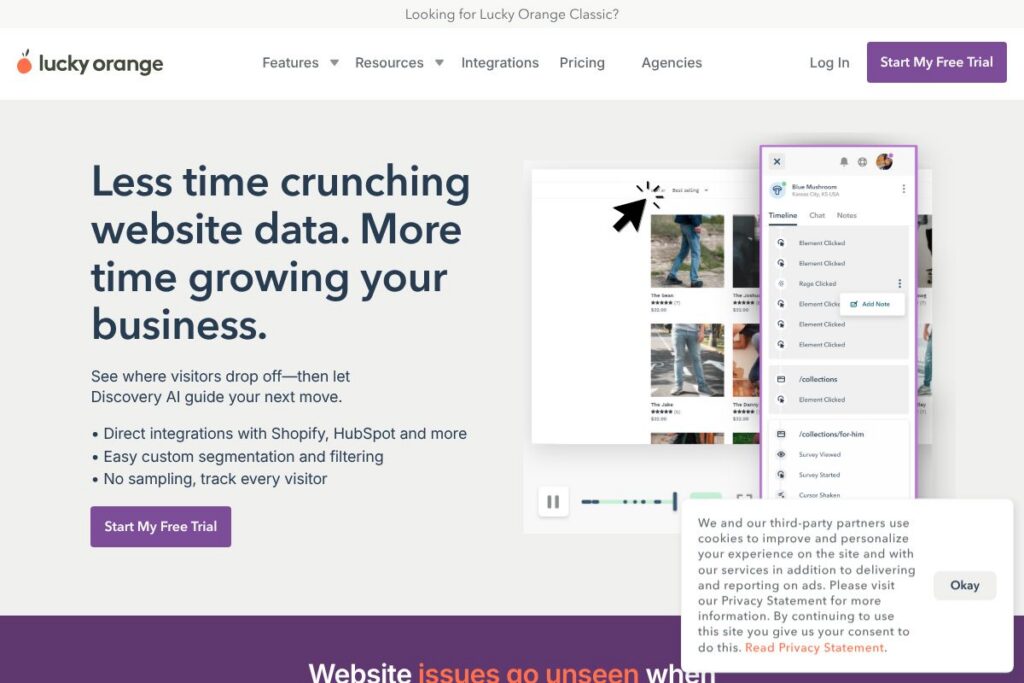
Lucky Orange is a website optimization suite that combines heatmaps, session recordings, conversion funnels, and onsite surveys to help teams identify usability problems and conversion blockers. It collects visitor interaction data and turns it into visual reports so teams can diagnose issues without guessing why metrics moved.
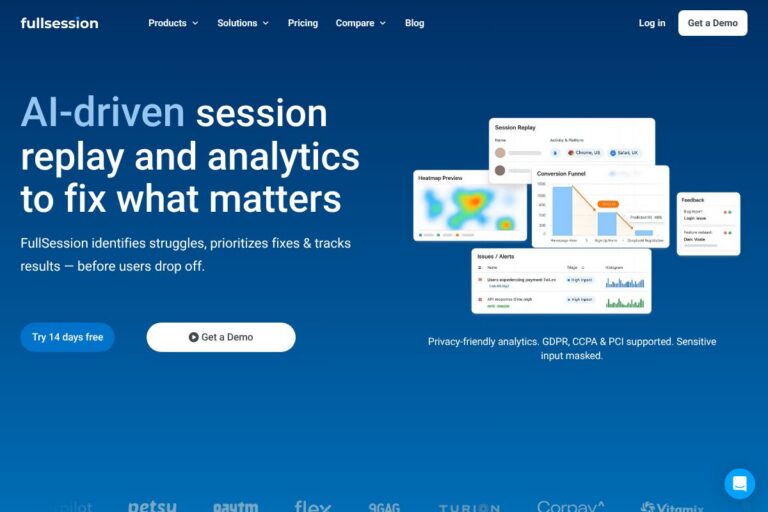
Compared with Hotjar and FullStory, Lucky Orange emphasizes a streamlined set of core conversion tools with simple segmentation and no sampling so you can replay every session. Compared with Crazy Egg, Lucky Orange bundles recordings and live chat options that make it easier for small teams to act on insights without stitching multiple products together. Compared with FullStory, Lucky Orange is positioned as a leaner, conversion-focused option rather than a full IT-grade analytics platform.
All of this makes Lucky Orange most useful for product managers, conversion rate optimization specialists, and small to mid-market marketing teams that need fast visual evidence of where users struggle and a short path from insight to remediation.
How Lucky Orange Works
A single JavaScript snippet added to your site collects anonymized click, mouse movement, and scroll data and sends it to Lucky Orange’s platform for processing. The platform aggregates that activity into heatmaps and stores session recordings you can filter and replay.
Teams typically start by installing the snippet, creating segments for important traffic sources or user cohorts, and using Click Maps and Scroll Maps to prioritize pages. When a funnel or page shows drop-offs, session recordings and on-page surveys provide qualitative context to confirm hypotheses and guide changes.
What does Lucky Orange do?
Lucky Orange centers on visualizing visitor behavior to reveal where users lose interest or encounter friction. Core capabilities include heatmaps (click, scroll, move), full session recordings, conversion funnels, form analytics, and onsite surveys; the platform also includes Discovery AI to help interpret patterns and suggest next steps.
Let’s talk Lucky Orange’s Features
Heatmaps
Click Maps, Scroll Maps, and Move Maps aggregate interactions to show which elements get attention and which are ignored, helping teams prioritize page edits and layout changes quickly.
Session Recordings
Recordings replay individual visitor journeys so you can see hesitation, navigation loops, and functional bugs that raw metrics do not reveal, useful for debugging UX and conversion problems.
Conversion Funnels and Form Analytics
Funnel reports show where users exit a multi-step flow, and form analytics identify field-level friction so teams can remove unnecessary fields or change validation to improve completion rates.
Onsite Surveys and Feedback Widgets
Surveys and feedback widgets capture first-hand reasons visitors leave or convert, enabling rapid hypothesis testing after you spot behavior in heatmaps or recordings.
Segmentation and Filtering
Custom segments let you slice recordings and heatmaps by traffic source, campaign, device, or other attributes so analysis focuses on the users who matter for a given experiment or campaign.
Discovery AI
Discovery AI analyzes behavior patterns and surfaced insights to speed up root-cause analysis and suggested actions, turning repeated observation into prioritized tasks for teams.
With these features you can move from problem detection to evidence-backed fixes faster: visualize attention, replay the experience, ask visitors why, and iterate on page and funnel changes.
Lucky Orange Pricing
Lucky Orange uses a subscription SaaS model with tiered plans and a usage-based component tied to session volume; they also offer a free trial to test the platform before committing. Pricing details change based on sessions, features, and whether you need enterprise capabilities, so plan names and exact costs vary by account size.
For the latest plan structures and to compare monthly versus annual options, view current pricing options on Lucky Orange. If you need enterprise controls like SSO or SLAs, check Lucky Orange’s enterprise information and contact options to request a custom quote.
What is Lucky Orange Used For?
Lucky Orange is commonly used to diagnose conversion issues on product pages, checkout flows, and lead generation forms by showing where visitors click, how far they scroll, and where they abandon flows. Teams use heatmaps to prioritize content and layout changes, then confirm impact with recordings and funnel analysis.
It is also used to validate A/B test hypotheses, triage UX bugs, and collect qualitative feedback with short surveys. Marketing teams use segmentation to compare behavior across acquisition channels and confirm that landing pages perform for specific campaigns.
Pros and Cons of Lucky Orange
Pros
- Visual evidence for decisions: Heatmaps and session recordings provide clear, shareable visuals that explain why metrics changed and help teams prioritize fixes quickly.
- No sampling for recordings: Every visitor session can be tracked and replayed, which makes diagnosing intermittent issues and low-frequency bugs easier compared with sampled products.
- Integrated workflow: Combining heatmaps, funnels, recordings, and surveys in one product reduces the need to stitch multiple tools together and speeds up root-cause analysis.
- Privacy and compliance: The product is built with data protection in mind and maintains CCPA and GDPR compliance while minimizing sensitive data capture.
Cons
- Usage-sensitive cost: Pricing scales with session volume, which can make costs rise quickly for high-traffic sites unless you manage capture rules and sampling strategically.
- Feature depth for enterprises: Large enterprises that need enterprise-grade observability and advanced analytics may find FullStory or Contentsquare offer deeper diagnostic tooling and integrations.
Does Lucky Orange Offer a Free Trial?
Lucky Orange offers a free 7-day trial with no credit card required. The trial provides access to core features including heatmaps, session recordings, funnels, and onsite surveys so teams can validate value on their own sites before purchasing.
Lucky Orange API and Integrations
Lucky Orange provides integration options for common platforms and tag managers and documents developer workflows in their developer documentation and integrations hub. The platform supports direct integrations with Shopify, HubSpot, and popular CMS and analytics tools.
If you need to connect Lucky Orange with other systems, you can use native integrations or a combination of tag managers, analytics connectors, and Zapier to push events between tools; check Lucky Orange’s integration options for supported connectors.
10 Lucky Orange alternatives
Paid alternatives to Lucky Orange
- Hotjar – Behavioral analytics with heatmaps, recordings, and surveys; well-known for a user-friendly freemium model and strong survey tools.
- FullStory – Session replay platform with advanced debugging and event search, aimed at larger product and engineering teams with deep analysis needs.
- Crazy Egg – Heatmaps and A/B testing features focused on visualizing clicks and scrolls for iterative design changes.
- Mouseflow – Session replay and funnel analytics with attention heatmaps and form analytics designed for conversion optimization teams.
- Contentsquare – Enterprise-level digital experience analytics that provides session analysis, journey mapping, and sophisticated segmentation for high-scale sites.
- Heap – Autocapture analytics combined with behavioral funnels and conversion analysis that reduce event instrumentation overhead.
- Quantum Metric – Digital product analytics focused on real-time observability and continuous product design feedback for larger enterprises.
Open source alternatives to Lucky Orange
- Matomo – Open source analytics platform with optional plugins for heatmaps and session recordings, suitable for organizations that want self-hosted control and privacy.
- OpenReplay – Open source session replay tool that records user journeys for debugging and UX analysis and can be self-hosted to keep data in-house.
- Ackee – Self-hosted analytics that prioritize privacy and lightweight tracking; while not a full replay tool, it is useful for teams that need basic behavior metrics and in-house control.
Frequently asked questions about Lucky Orange
What is Lucky Orange used for?
Lucky Orange is used to visualize visitor behavior and diagnose conversion problems. Teams use heatmaps, session recordings, funnels, and surveys to find where users get stuck and to prioritize fixes.
Does Lucky Orange integrate with Shopify and HubSpot?
Yes, Lucky Orange offers direct integrations with Shopify and HubSpot. These integrations simplify setup and let you correlate behavior with commerce or CRM data.
How much does Lucky Orange cost per month?
Lucky Orange uses tiered subscription plans that scale with session volume and features. For specific monthly and annual pricing, review the current pricing options on Lucky Orange to see plan tiers and session allowances.
Can Lucky Orange be used for GDPR and CCPA compliance?
Yes, Lucky Orange is designed to support GDPR and CCPA compliance. The product minimizes sensitive data capture and provides controls to help you configure tracking in a privacy-forward way.
Does Lucky Orange provide an API for developers?
Yes, Lucky Orange provides developer documentation and integration endpoints. Refer to the developer documentation for endpoints, implementation details, and best practices.
Final verdict: Lucky Orange
Lucky Orange excels at turning visitor interactions into clear visual evidence that teams can act on, combining heatmaps, session recordings, funnels, and surveys in a compact workflow. Its no-sampling approach to recordings and straightforward segmentation make it a strong choice for small to mid-market teams that need pragmatic conversion insights without a heavy analytics stack.
Compared with Hotjar, Lucky Orange is similarly focused on heatmaps and recordings but positions itself around uninterrupted session capture and bundled conversion tools; Hotjar tends to emphasize a broader freemium entry point while Lucky Orange emphasizes immediate access to recordings and funnels plus a free 7-day trial. For teams that need enterprise-grade debugging or deeper product observability, FullStory or Contentsquare may offer more advanced features at a higher cost, but Lucky Orange provides a focused set of capabilities that most CRO and marketing teams can adopt quickly.