What is Microsoft Teams
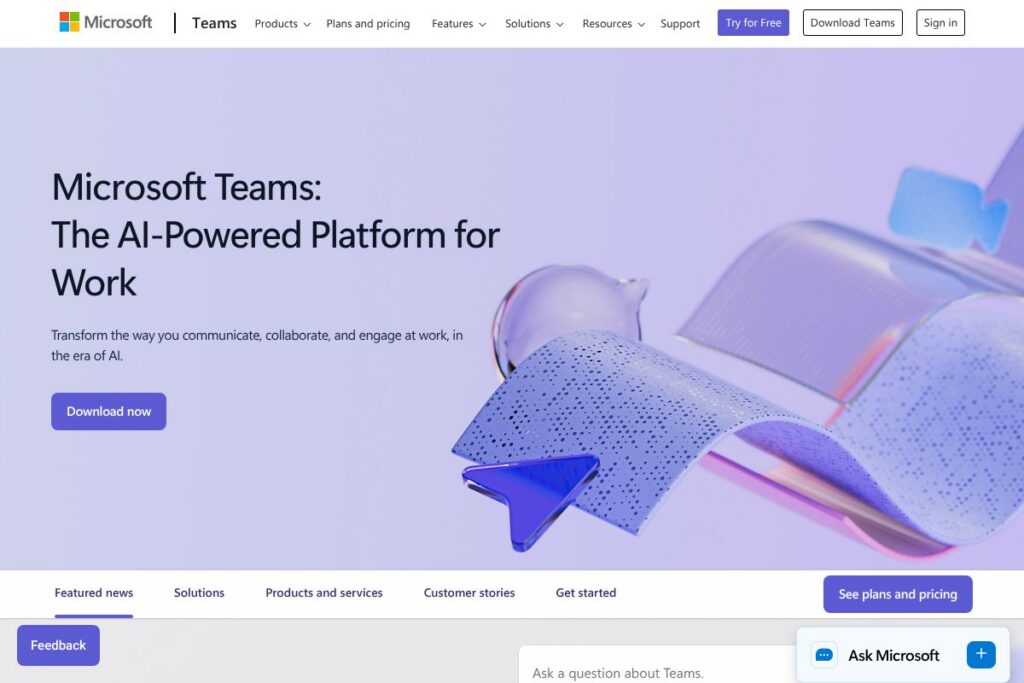
Microsoft Teams is a collaboration platform that brings together video conferencing, calling, persistent chat, and document collaboration in one application. It centralizes meetings, files, and conversations so teams can work from a single interface while leveraging Microsoft 365 services like SharePoint, OneDrive, and Outlook.
Compared with competitors, Teams emphasizes deep integration with Microsoft 365 productivity apps. Compared with Zoom, Teams bundles chat, file access, and meeting scheduling with calendar and email; compared with Google Meet, Teams provides richer desktop collaboration through Office apps; and compared with Slack, Teams adds first-class video calling and enterprise telephony as part of the same platform. All of this makes Teams particularly well suited for organizations already standardized on Microsoft 365 and for teams that need a single app for meetings, calling, and document collaboration.
How Microsoft Teams Works
Teams runs as a desktop app, web app, and mobile app and uses a combination of cloud services and client applications. Users create teams and channels to organize work, start or schedule meetings from a channel or a calendar, and use chat for threaded or persistent conversations that remain associated with projects and files.
Calls can be peer-to-peer voice or video, or routed through integrated telephony for direct inward dial and PSTN calling when paired with Microsoft Calling Plans or third-party carriers. Files shared in chats and channels are stored in SharePoint or OneDrive, which preserves version history and enables simultaneous co-authoring inside Office apps.
Microsoft Teams features
Microsoft Teams centers on synchronous and asynchronous collaboration with video meetings, calling, chat, and file integration as core capabilities. Recent platform additions emphasize meeting intelligence, expanded device support, and tighter developer extensibility through the Teams developer platform.
The platform includes several powerful capabilities worth highlighting:
Meetings and video
Meetings support large-group video sessions, gallery and spotlight layouts, and meeting recording with transcript and captions. Features such as breakout rooms, meeting lobby controls, and meeting roles help organizers manage interactive sessions for training and webinars.
Calling and PSTN integration
Teams supports internal VoIP calling, direct routing to enterprise telephony, and Microsoft Calling Plans where available. Administrators can configure call queues, auto attendants, and call analytics to manage enterprise voice at scale.
Chat and persistent channels
Persistent chat lets teams keep project conversations, pinned messages, and shared files in context, searchable and accessible over time. Channel-based content keeps related documents and conversations together to reduce lost context.
File collaboration and co-authoring
Files shared in Teams are stored in Microsoft 365 storage with real-time co-authoring inside Word, Excel, and PowerPoint. Integrated version history and permissions inherited from SharePoint simplify document control across projects.
Meetings intelligence and transcription
Built-in meeting transcription, live captions, and AI-driven summaries help participants catch up and find decisions after meetings. These features reduce the need for lengthy notes and make recordings more actionable.
App extensibility and bots
Organizations can extend Teams with custom apps, tabs, and bots via the Teams developer platform to embed workflows and business systems directly inside channels. The Teams app store also provides prebuilt integrations for CRM, ticketing, and productivity tools.
With video, calling, chat, and file collaboration combined in one platform, Teams reduces context switching and keeps meetings, messages, and documents connected for distributed teams.
Microsoft Teams pricing
Microsoft Teams uses a freemium model plus paid licensing through Microsoft 365 subscriptions; paid capabilities are included with Microsoft 365 plans and enterprise licensing. Pricing and available feature bundles vary by country, plan type, and whether an organization chooses standalone Teams or broader Microsoft 365 suites.
For current plan details and licensing options, view the Microsoft Teams plans and Microsoft 365 pricing to compare features and subscription tiers.
What is Microsoft Teams Used For?
Teams is used for internal and external meetings, daily team collaboration, and unified communications across organizations. Teams provides meeting scheduling, video conferencing, and a persistent workspace for project conversations and file sharing.
It is particularly useful for remote and hybrid teams that need integrated access to Office apps, shared file storage, and single sign-on identity management. IT teams also use Teams to consolidate telephony and meeting infrastructure while applying enterprise security and compliance controls.
Pros and Cons of Microsoft Teams
Pros
- Tight Microsoft 365 integration: Teams connects natively with Outlook, SharePoint, OneDrive, and Office apps so users can schedule meetings, share files, and co-author documents without leaving the app.
- Comprehensive communication modes: Video meetings, group chat, one-to-one calling, and PSTN voice options are available in a single client, reducing the need for multiple tools.
- Enterprise management and security: Organizations can apply conditional access, data loss prevention, retention policies, and compliance controls through Microsoft 365 security and admin tooling.
Cons
- Complex licensing model: Licensing is often bundled with Microsoft 365 plans which can make it harder to isolate Teams costs for organizations that need only meetings or calling.
- Resource intensity: The desktop client can be resource heavy on older machines and may require IT tuning for large-scale deployments.
- Feature overlap and learning curve: Teams combines many capabilities which can create a steeper learning curve for new users compared with single-purpose meeting apps.
Does Microsoft Teams Offer a Free Trial?
Microsoft Teams offers a free plan and trial options for Microsoft 365 subscriptions. The free tier includes core chat, meetings, and file collaboration features; organizations can also trial Microsoft 365 business plans to access premium Teams features and administrative controls. For trial sign-up and plan comparisons, see the Microsoft 365 trial and plans page.
Microsoft Teams API and Integrations
Microsoft provides a developer platform for Teams that includes REST APIs, SDKs, and app model documentation. The Microsoft Teams developer platform documents how to create tabs, bots, messaging extensions, and connect external services.
Teams integrates with core Microsoft services such as Outlook, SharePoint, OneDrive, and Azure Active Directory, and supports third-party integrations including CRM systems, project management tools, and conferencing devices through the Teams app store and connectors.
10 Microsoft Teams alternatives
Paid alternatives to Microsoft Teams
- Zoom – Focuses on video-first meetings with a simple host licensing model and extensive webinar, breakout room, and conferencing hardware support.
- Slack – Emphasizes chat and integrations with third-party apps, with voice and video calling features that are suitable for developers and product teams.
- Google Meet – Part of Google Workspace; lightweight meetings plus calendar and email integration for organizations using Google apps.
- Cisco Webex – Enterprise-grade conferencing and calling with advanced meeting security and dedicated hardware options for boardrooms.
- RingCentral – Cloud telephony and meetings combined with business phone system features aimed at replacing on-premises PBX systems.
- GoTo Meeting – Simple web conferencing with webinar and recording features, aimed at SMBs and sales teams.
- BlueJeans – Video meetings with enterprise interoperability, Dolby audio options, and integrations for room systems.
Open source alternatives to Microsoft Teams
- Jitsi Meet – Open source video conferencing that can be self-hosted, supporting screen sharing and recordings via Jibri.
- Mattermost – Open source chat platform that can be self-hosted and extended with integrations, useful where data residency is required.
- BigBlueButton – Open source web conferencing focused on online learning and virtual classroom features.
- Matrix / Element – Decentralized communication protocol with the Element client for chat and bridging to other networks.
Frequently asked questions about Microsoft Teams
What is Microsoft Teams used for?
Microsoft Teams is used for meetings, calling, chat, and collaboration. Teams centralizes video conferencing, persistent channels, and file co-authoring so teams can work in one application.
Does Microsoft Teams integrate with Outlook?
Yes, Microsoft Teams integrates with Outlook. You can schedule Teams meetings from Outlook, join meetings from calendar invites, and surface Teams chat and presence inside Outlook.
Can Microsoft Teams replace a traditional phone system?
Yes, Microsoft Teams can replace a phone system when paired with Calling Plans or direct routing. It supports enterprise calling features such as call queues, auto attendants, and PSTN connectivity via carriers.
Is Microsoft Teams secure for enterprise use?
Microsoft Teams includes enterprise-grade security and compliance controls. It leverages Microsoft 365 protections such as conditional access, encryption in transit and at rest, and configurable retention and eDiscovery policies.
Does Microsoft Teams have an API for custom apps?
Yes, Microsoft Teams provides a developer platform and APIs. Developers can build tabs, bots, messaging extensions, and integrate external services using the Microsoft Teams developer platform.
Final verdict: Microsoft Teams
Microsoft Teams succeeds as a unified collaboration platform by combining meetings, calling, chat, and file collaboration under one roof and by leveraging deep Microsoft 365 integration. It is particularly strong for organizations that require enterprise security, centralized administration, and seamless access to Office applications during meetings and co-authoring sessions.
Compared with Zoom, Teams offers broader collaboration features bundled within Microsoft 365 while Zoom focuses on standalone meeting experience. For organizations already licensed for Microsoft 365, Teams often represents better feature density per seat; for groups that only need lightweight video meetings and prefer a simple per-host billing model, a dedicated meeting vendor may be more cost effective.