Moon Invoice: An Overview
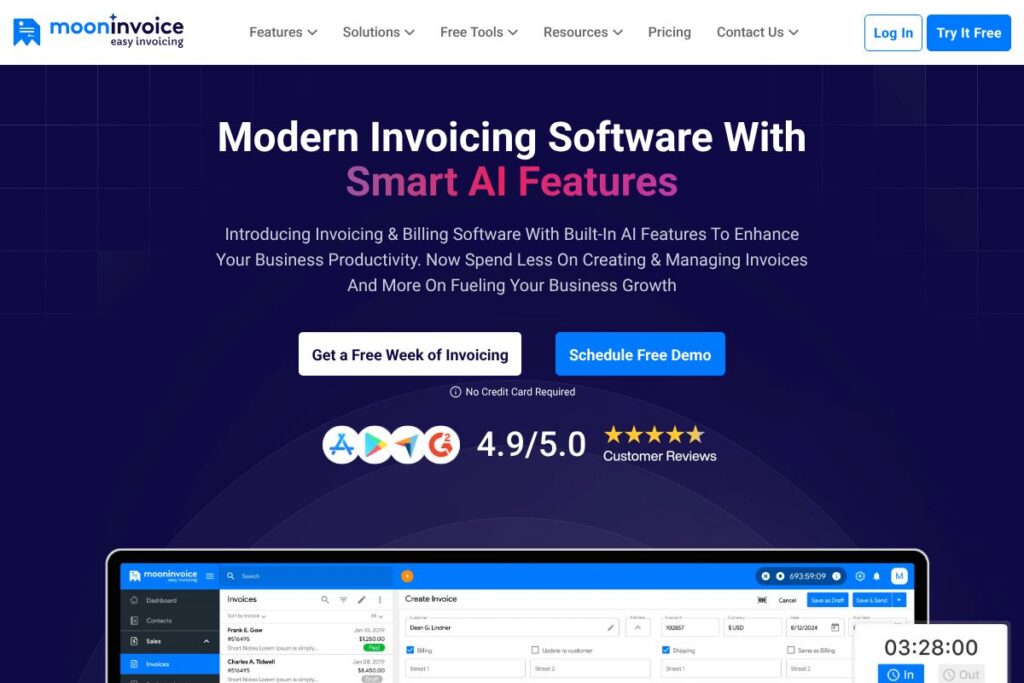
Moon Invoice is an online invoicing and billing platform aimed at small businesses, freelancers, and consultants who need a straightforward way to issue invoices, estimates, and payment requests. It emphasizes quick setup, customizable templates, recurring billing, and built-in payment links so users can create and send professional documents without lengthy onboarding.
Compared with FreshBooks, QuickBooks Online, and Zoho Invoice, Moon Invoice leans toward lightweight invoicing with simple workflows and an emphasis on templated documents and fast payments. FreshBooks focuses more on bookkeeping and time tracking alongside invoicing; QuickBooks Online offers deeper accounting and tax reporting for growing businesses; Zoho Invoice integrates tightly into a larger suite of business apps. Moon Invoice stands out when your primary need is fast, repeatable invoicing rather than full accounting.
All of this makes Moon Invoice a practical choice for small or midsize businesses, independent contractors, and agencies that need a low-friction invoicing tool that is easy to set up, requires minimal training, and speeds up payment collection.
How Moon Invoice Works
Moon Invoice organizes billing around documents: invoices, estimates, purchase orders, and receipts. Users pick a template, fill in client and line-item details, and send documents by email or share a payment link; those links accept card and gateway payments so clients can pay immediately.
Automation options include recurring invoices, automated payment reminders, and conversion of estimates into invoices with a single click. The Quick Scan feature extracts billing data from photographed documents to speed data entry, and cloud sync keeps records accessible across web and mobile apps.
Typical workflows start with a customer profile, proceed to draft or generate an invoice (or recurring series), attach tax and discount rules, and send with payment options. Reporting and expense tracking then let users reconcile payments and monitor outstanding balances.
What does Moon Invoice do?
Moon Invoice bundles core invoicing functions with document templates, online payments, recurring billing, and basic reporting. Recent additions emphasize automation and AI-assisted data capture to reduce manual entry and speed invoice creation.
Let’s talk Moon Invoice’s Features
Invoice Templates
Choose from a large library of pre-designed invoice and estimate templates that are fully customizable. Templates let teams apply branding, tax rules, and line-item defaults to reduce repetitive work and present consistent documents to clients.
Quick Scan (AI-powered data capture)
Quick Scan reads printed or photographed invoices and extracts vendor, line-item, and total amounts to create a draft invoice automatically. This reduces manual typing and is useful for service providers who bill from paper receipts or supplier invoices.
Payment Processing and Online Payments
Built-in payment links and gateway integrations allow clients to pay by card or online methods directly from an invoice. That capability shortens payment cycles and reduces the need for follow-up communications.
Recurring Billing and Auto Reminders
Set up recurring invoices for subscriptions or repeat services and enable automatic reminders for overdue payments. These features help stabilize cash flow and reduce time spent chasing late payments.
Expense Tracking and Reporting
Record business expenses and attach receipts to transactions, then generate basic financial and sales reports. These reports help with cash flow monitoring and provide the data needed for bookkeeping reconciliation.
Multi-platform Access (Web and Mobile)
Moon Invoice is accessible via web and mobile applications, keeping invoices, client records, and reports in sync. Mobile access supports on-the-go invoicing and Quick Scan for capturing expenses in the field.
Data Security and Backups
The platform uses layered cloud security, role-based access, and regular backups to protect company and customer data. Security measures help ensure that invoices and financial records remain available and auditable.
With these features combined, the biggest benefit is faster, more consistent invoicing that reduces manual work and improves cash collection. The Quick Scan addition and a large template library especially speed document creation for small business users.
Moon Invoice pricing
Moon Invoice uses a subscription-based SaaS model with multiple plans tailored to solo users, small teams, and businesses that require advanced features. There are free trial options and upgrade paths for higher-volume needs.
For exact plan tiers, feature comparisons, and any current promotions, view Moon Invoice’s current pricing options. Contacting sales directly via their support and contact page will provide custom quotes for larger teams or enterprise needs.
What is Moon Invoice Used For?
Moon Invoice is commonly used for creating invoices, estimates, proforma invoices, and purchase orders quickly and consistently. Small business owners and freelancers use it to centralize billing, reduce time spent on paperwork, and collect payments online.
It is also used for recurring billing, expense entry, and basic sales reporting, making it suitable for service businesses, consultants, agencies, and small product sellers who need reliable invoicing without a full accounting system.
Pros and Cons of Moon Invoice
Pros
- Easy setup and onboarding: The interface and templates let users start invoicing in minutes, reducing the time to first invoice.
- AI-assisted data entry: Quick Scan speeds up invoice creation by extracting billing data from photographed documents, which lowers manual entry errors.
- Unlimited invoices: Create as many invoices and estimates as needed without per-document caps, keeping billing flexible for growing businesses.
- 24/7 customer support: Round-the-clock support options help users resolve setup or billing issues quickly.
Cons
- Limited advanced accounting: For companies that require full double-entry bookkeeping, payroll, or tax filing automation, Moon Invoice is not a substitute for a full accounting platform.
- Pricing transparency: Public pricing details are limited on the site, which may require contacting sales for exact plan comparisons and enterprise quotes.
- Third-party integrations scope: While it integrates with common payment gateways and apps, some niche accounting systems may need custom connectors or middleware.
Does Moon Invoice Offer a Free Trial?
Moon Invoice offers a 7-day free trial with no credit card required. The trial provides access to core invoicing, templates, Quick Scan, and payment features so you can evaluate document creation, customization, and payment flows. Additionally, Moon Invoice advertises a 90-day moneyback guarantee for eligible purchases.
Moon Invoice API and Integrations
Moon Invoice provides developer-facing integration options and connects to common payment gateways, email, and productivity apps to fit into existing workflows. Explore the integration list and supported apps to see connectors for payment processors and automation platforms.
For developers building custom workflows, Moon Invoice offers an API for programmatic access to invoices, clients, and payments; review the API documentation for endpoints, authentication, and usage examples.
10 Moon Invoice alternatives
Paid alternatives to Moon Invoice
- QuickBooks Online — Full accounting and invoicing with bank reconciliation and tax reports, suitable for businesses needing accounting plus billing.
- FreshBooks — Invoicing, time tracking, and basic accounting features designed for freelancers and small service businesses.
- Xero — Cloud accounting with invoicing, multi-currency, and robust integrations for growing small businesses.
- Zoho Invoice — Part of the Zoho suite, it offers invoicing with CRM and project integrations at competitive pricing.
- Square Invoices — Simple invoicing with integrated payments and POS ties for merchants who already use Square hardware.
- Wave — Free core invoicing and accounting tools with paid add-ons like payroll, useful for very small businesses and solos.
- Sage Business Cloud Accounting — Invoicing plus accounting workflows aimed at small businesses with compliance needs.
Open source alternatives to Moon Invoice
- Invoice Ninja — A self-hosted option with invoicing, proposals, and payment gateways, available as open source or hosted plans.
- ERPNext — A full open source ERP that includes invoicing, accounting, and inventory modules for businesses that want on-premise control.
- Odoo (Community Edition) — Open source business apps including invoicing and invoicing-related modules for users willing to self-host and customize.
- Kill Bill — Open source billing and subscription platform focused on complex billing scenarios and extensibility.
Frequently asked questions about Moon Invoice
How many days of free trial does Moon Invoice offer?
Moon Invoice offers a 7-day free trial. The trial is accessible without a credit card and provides full access to core invoicing and automation features for evaluation.
What does Moon Invoice actually do?
Moon Invoice creates professional invoices, estimates, and purchase orders quickly. It also provides expense tracking, basic reporting, recurring billing, and payment links to speed collections.
Does Moon Invoice provide customer support?
Yes, Moon Invoice provides 24/7 customer support. Support is available via email, chat, or phone to help with setup, troubleshooting, and billing questions.
How many invoices can I create with Moon Invoice?
Moon Invoice allows unlimited invoices on supported plans. There is no per-invoice cap, making it suitable for businesses with high invoice volume.
Which businesses should use Moon Invoice?
Small and midsize businesses, freelancers, and consultants benefit most from Moon Invoice. It is designed to reduce invoicing overhead and speed payments without the complexity of full accounting software.
Final verdict: Moon Invoice
Moon Invoice excels at straightforward invoicing workflows, customizable templates, and rapid payment collection through built-in payment links and AI-assisted data capture. Its mobile and web apps plus Quick Scan make it particularly useful for small businesses that need to create invoices quickly and reduce manual entry.
Compared with FreshBooks, Moon Invoice is more focused on lightweight invoicing rather than full accounting and time-tracking. In practice, Moon Invoice can be a more cost-effective choice for solo operators and small teams that do not need comprehensive bookkeeping, while FreshBooks suits users who want bundled time tracking, expense capture, and broader accounting features.
If your primary requirement is fast setup, unlimited invoicing, and practical automation for payment reminders and recurring billing, Moon Invoice provides a compact and usable solution that reduces administrative work and helps maintain steady cash flow.