What is Nearpod
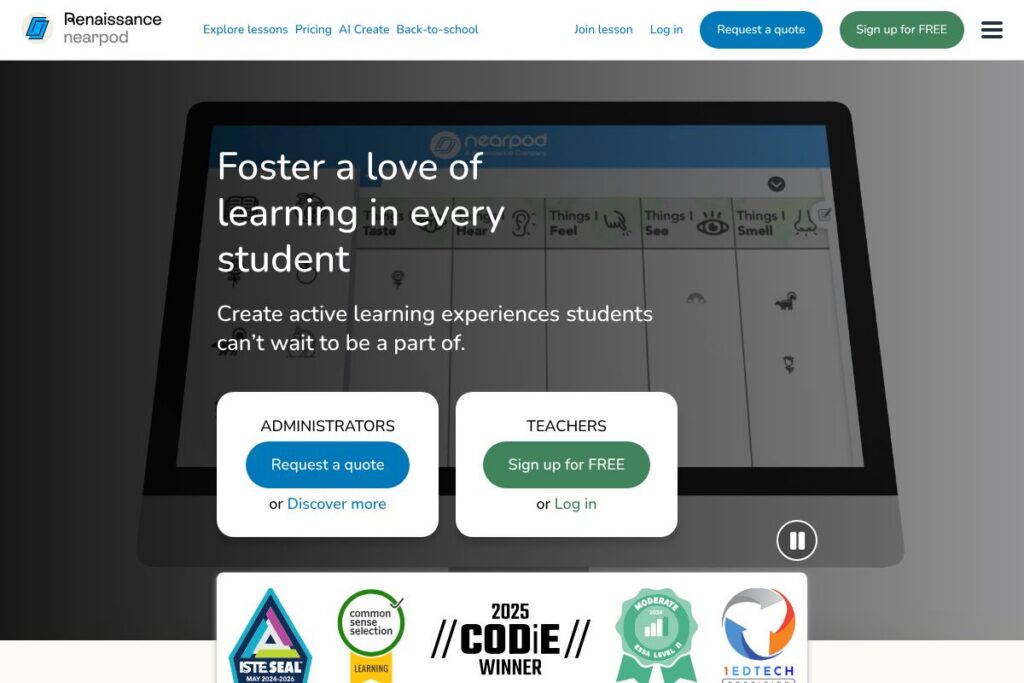
Nearpod is a classroom platform that helps teachers design and deliver interactive lessons, formative assessments, and multimedia activities to K-12 students. Lessons can run live with teacher pacing or be assigned for student-paced work, and they include embedded activities such as polls, quizzes, open-response prompts, interactive videos, and virtual reality experiences.
Compared with Pear Deck, which focuses tightly on slides-based interactivity inside Google Slides, Nearpod provides a broader library of ready-made lessons and more built-in assessment dashboards. Compared with Kahoot!, which centers on gamified review and live quiz play, Nearpod combines gamified elements with deeper formative data and lesson content. Compared with Google Classroom, Nearpod is stronger on interactive in-lesson activities and real-time student tracking while integrating with LMS platforms for assignment distribution.
All of this makes Nearpod well suited to classrooms and districts that want high participation, immediate formative feedback, and a large catalog of standards-aligned materials. It is particularly useful for teachers who need quick lesson creation tools, options for differentiation, and visual reports to guide instruction.
How Nearpod Works
Teachers create lessons inside Nearpod by assembling slides, multimedia, and interactive activities from scratch or by adapting items from the Nearpod Library. Lessons can be shared live where the teacher controls pacing, or assigned for asynchronous student-paced completion with automatic collection of student responses.
During delivery, student submissions and assessment results appear in dashboards that let teachers spot misconceptions, monitor participation, and provide targeted feedback. In-classroom workflows typically include launching a Live Session, prompting students to join with a code, collecting responses in real time, and using the reports to adjust next steps.
What does Nearpod do?
Nearpod focuses on lesson delivery, student engagement, and formative assessment with a set of integrated tools for both live instruction and self-paced learning. Recent additions emphasize AI-assisted lesson creation and literacy modules developed with education partners to save teacher time and introduce students to AI concepts.
Key functionality includes:
Interactive lessons
Teachers can build lessons that mix slides, video, 3D objects, and interactive checks for understanding so students participate throughout the lesson. This helps maintain attention, gives students multiple ways to engage, and supports active learning strategies.
AI-assisted lesson creation
Nearpod’s AI Create generates lesson outlines, question sets, and activity suggestions to accelerate planning, allowing teachers to produce classroom-ready materials faster. The feature is designed to reduce time spent on routine content generation while preserving teacher control over final lesson content.
Formative assessments and quizzes
Built-in assessment types include multiple-choice, open-response, matching, VR-based prompts, and drag-and-drop activities, which feed results into in-lesson dashboards. These assessments provide immediate insight into student understanding and support quick instructional adjustments.
Student-paced learning
Lessons can be assigned for students to work through independently, with automatic collection of responses and analytics for teachers to review. Student-paced mode supports differentiation and allows students to work at their own speed while teachers track progress.
Reports and analytics
Nearpod provides dashboards and exportable reports that summarize participation, question-level performance, and overall comprehension to help teachers spot learning gaps. These visual reports are intended to inform reteaching, grouping decisions, and individual interventions.
Standards-aligned library
The Nearpod Library includes thousands of lessons and activities aligned to common standards and organized by grade and subject, enabling teachers to find and adapt vetted content quickly. Access to this library reduces prep time and supports curriculum-aligned instruction.
With these capabilities, Nearpod helps teachers run interactive lessons that increase student voice and deliver actionable data for differentiation.
Nearpod pricing
Nearpod uses a freemium subscription approach with free educator accounts and paid school or district licensing for expanded features and administrative controls. Individual teachers can start with no-cost access and districts typically purchase site licenses or subscriptions that include additional content, analytics, and support.
For current plan details, educator tiers, and district purchasing options, see Nearpod’s homepage for the most up-to-date information on available subscriptions and licensing models: Nearpod’s homepage.
What is Nearpod Used For?
Nearpod is commonly used for classroom lesson delivery, formative assessment, and blended learning activities that require active student participation. Teachers use it to convert static lessons into interactive experiences, run whole-class checkpoints, and assign student-paced modules for remote or differentiated instruction.
Districts and instructional coaches use Nearpod to standardize lesson quality, deploy curriculum-aligned resources across schools, and collect data for instructional decision-making. It is also used to build students’ digital citizenship and AI literacy through curated lessons and partner-developed content.
Pros and Cons of Nearpod
Pros
- High student engagement: Nearpod’s mix of interactive activities, polls, and multimedia keeps students involved and encourages participation across different learning styles.
- Robust formative data: Real-time dashboards and exportable reports make it easier for teachers to identify misconceptions and adjust instruction quickly.
- Large standards-aligned library: Access to thousands of prebuilt lessons reduces preparation time and supports alignment to curricular standards.
- AI creation tools: Built-in AI features accelerate lesson creation and generate assessment items and activity ideas that teachers can edit.
Cons
- District licensing complexity: Pricing and deployment for large districts can require negotiation and coordination with procurement, which may slow adoption at scale.
- Learning curve for new users: Teachers unfamiliar with interactive lesson platforms may need training to design effective Nearpod lessons and interpret analytics.
- Dependence on student devices: Full participation requires student access to devices and reliable internet, which can be a barrier in under-resourced settings.
Does Nearpod Offer a Free Trial?
Nearpod offers a free teacher account and trial opportunities for paid features. Educators can sign up for a no-cost account to access core lesson-building tools and portions of the Nearpod Library, while schools and districts can request demos or trials of expanded administrative and content packages to evaluate enterprise capabilities.
Nearpod API and Integrations
Nearpod provides integrations with common learning platforms and single sign-on systems to fit into existing instructional technology stacks. Key integrations include LMS connectors and rostering services such as Google Classroom, Canvas, Schoology, and Clever, plus district-level sync options; see Nearpod’s integration resources for specifics: Nearpod integrations.
Nearpod also supports district partnerships and product integrations that enable assessment interoperability and workflow automation, including connections with assessment providers and curriculum platforms. For developer-level access or partner APIs, review the provider pages linked from Nearpod’s integration center and partner resources: Nearpod’s partner resources.
10 Nearpod alternatives
Paid alternatives to Nearpod
- Pear Deck — Slide-based interactivity that integrates with Google Slides for in-lesson questioning and student responses, useful for teachers who prefer slide workflows.
- Kahoot! — Game-based learning and live quizzes that focus on rapid formative checks and gamified review sessions.
- Seesaw — Student portfolio and activity platform that emphasizes student-produced work and family engagement for younger grades.
- Edpuzzle — Interactive video lessons with embedded questions and tracking for comprehension during video-based instruction.
- Classkick — Real-time student work-sharing and feedback with drawing and annotation tools for interactive practice and assessment.
- Microsoft Teams for Education — Assignment and collaboration platform with integration into Office tools and LMS connectivity for district deployments.
- GoGuardian Teacher — Classroom management with content monitoring and web control combined with lesson activity features for device-managed classrooms.
Open source alternatives to Nearpod
- Moodle — A widely used open-source LMS that supports quizzes, interactive modules, and plugins for activity-based learning and assessments.
- H5P — An open-source authoring framework for creating interactive content types such as quizzes, drag-and-drop, and interactive video that can be embedded into LMS platforms.
- BigBlueButton — Open-source web conferencing for education with integrated polling, shared notes, and breakout rooms for synchronous instruction.
- OpenBoard — An open-source interactive whiteboard application useful for in-class lesson delivery and annotation, often paired with content repositories.
Frequently asked questions about Nearpod
What is Nearpod used for?
Nearpod is used for creating and delivering interactive lessons and formative assessments. Teachers use it to engage students during live sessions and assign student-paced activities that collect responses for analysis.
Does Nearpod integrate with Google Classroom?
Yes, Nearpod integrates with Google Classroom. Teachers can push Nearpod lessons to classes, sync rosters, and manage assignments through that integration.
Can Nearpod be used for remote learning?
Yes, Nearpod supports both live and student-paced remote instruction. Lessons can be shared asynchronously and include built-in activities that collect student work and performance data.
Does Nearpod include standards-aligned content?
Yes, Nearpod provides a library of standards-aligned lessons and activities. The library contains thousands of resources organized by grade and subject to help teachers meet curriculum standards.
Is Nearpod suitable for district-wide deployment?
Yes, Nearpod offers school and district licensing options with administrative controls and rostering. District licenses provide centralized management, analytics, and support for large-scale rollouts.
Final Verdict: Nearpod
Nearpod excels at turning traditional lessons into interactive experiences that increase participation and surface real-time formative data. Its combination of a large standards-aligned library, built-in assessment types, and AI-assisted lesson creation makes it a strong choice for K-12 teachers who need practical ways to engage every student and measure understanding.
Compared to Pear Deck, Nearpod provides a broader set of lesson templates and report features, while Kahoot! remains stronger for purely gamified review. For districts weighing cost and features, Nearpod’s freemium entry point is attractive for individual teachers, while district licenses provide scale and administrative controls; for current licensing and purchasing details see Nearpod’s homepage: Nearpod’s homepage.