Olark: An Overview
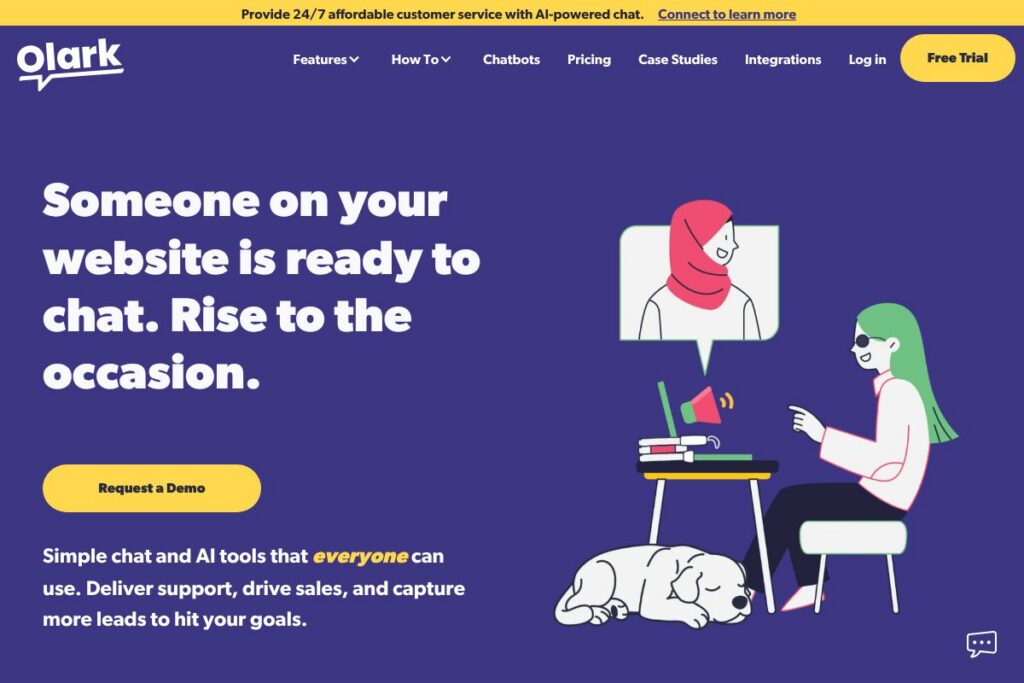
Olark is a web-based live chat and chatbot platform that aims to make real-time messaging accessible to a wide range of customers and teams. The product combines human-staffed chat, AI-assisted chatbots, and mobile-friendly messaging channels so organizations can handle inbound questions, qualify leads, and provide support across web and mobile workflows.
Accessibility is a core differentiator: Olark is third-party tested for WCAG 2.1 AA compliance so the chat widget and agent console are designed to work with assistive technologies. For organizations that must meet accessibility standards, Olark’s accessibility information is available through its accessible chat compliance page.
Compared with competitors, Olark is positioned as a focused chat product rather than a broad customer engagement suite. Compared to Intercom, which bundles product messaging and marketing automation into a larger platform, Olark keeps the interface simpler and emphasizes accessibility and live agent workflows. Compared to Zendesk Chat, Olark is typically easier to deploy and customize for small to mid-sized teams, while Drift is more sales-oriented and built around complex conversational marketing flows. All of this makes Olark particularly well suited to teams that need an accessible, easy-to-manage chat solution that integrates with existing systems.
How Olark Works
Olark installs on a website as a lightweight chat widget that appears to visitors and connects to an agent console used by support or sales teams. Agents can handle multiple concurrent chats, transfer conversations, add private notes, and use canned responses to speed up replies.
Automation lives alongside humans: Olark supports bots that handle simple routing, qualification, and answers so agents focus on conversations that need a human touch. SMS and mobile messaging options extend conversations off-site for customers and agents on the go.
Integrations and a public API let Olark push chat transcripts, lead data, and activity into CRM, help desk, and analytics tools so teams keep customer records synchronized. The platform also includes reporting on chat volume, response times, and outcome metrics to evaluate chat performance.
What does Olark do?
Olark provides core capabilities for live chat, lightweight chatbot automation, and asynchronous mobile messaging, all built to be accessible and integrable with other systems. The platform emphasizes human-led conversations supported by automation and offers tools to route, tag, and analyze chats so teams can improve response quality and conversion rates.
Let’s talk Olark’s Features
Live Chat
The live chat function connects website visitors to human agents in real time, with features such as agent routing, shared inboxes, typing indicators, and visitor data panels. These features help agents provide context-aware answers and reduce time to resolution.
Chatbots and Automation
Olark supports bots that automate repetitive tasks like qualifying leads, collecting contact details, and answering frequently asked questions, while escalating complex issues to human agents. Bots can be configured to run pre-chat surveys and route conversations based on rules.
Accessibility Compliance
The platform is third-party tested for WCAG 2.1 AA compliance so the widget and agent console are usable with screen readers and keyboard navigation. This reduces the accessibility burden for organizations that must meet legal or corporate accessibility standards.
SMS and Mobile Messaging
Olark can route conversations to SMS or other mobile-friendly channels for asynchronous conversations, which helps teams maintain continuity when visitors are not on the website. This is useful for follow-ups and for customers who prefer text messages over live sessions.
Integrations and API
A library of integrations connects chat to CRMs, help desks, and analytics platforms so chat data flows into the rest of your stack. Olark also provides developer-facing endpoints so teams can automate workflows and synchronize customer records programmatically.
Reporting and Analytics
Built-in reporting tracks chat volume, wait times, agent performance, and conversation outcomes to help teams measure impact and optimize staffing or automation rules. Reports can drive decisions about when to add agents or where to target bot improvements.
Olark’s biggest benefit is combining accessible, human-centered chat with practical automation and integrations so teams can serve more visitors without sacrificing inclusivity or data consistency.
Olark pricing
Olark offers flexible, subscription-style pricing tailored to different business sizes and use cases; there is no single public pricing page available for all plans. For up-to-date plan comparisons, trial options, and enterprise details, review the pricing and plans on Olark’s website.
What is Olark Used For?
Olark is commonly used for real-time customer support, qualifying sales leads, and answering product questions directly on a website. Teams use it to reduce friction in the buying process and to convert visitors by answering questions at the moment they appear.
Marketing and product teams also use Olark to capture visitor intent and behavior for follow-up campaigns or product feedback. Higher education and nonprofit organizations use the platform to make resources discoverable and to keep support accessible for users with disabilities.
Pros and Cons of Olark
Pros
- Accessibility-first design: The chat widget and agent console are third-party tested for WCAG 2.1 AA compliance, which makes conversations usable for people with disabilities.
- Simplicity and ease of use: Olark focuses on core chat workflows with a straightforward agent interface that reduces training time for support teams.
- Good integration support: With an integrations directory and an API, teams can route transcripts and leads into CRMs, help desks, and analytics systems.
Cons
- Limited advanced marketing automation: For organizations that need comprehensive product-led messaging and multi-channel campaigns, Olark is less feature-rich than full customer engagement platforms.
- Pricing transparency: Public, detailed pricing tiers are not centrally published, so teams need to contact Olark or review their website for specific plan details.
Does Olark Offer a Free Trial?
Olark offers a free trial and demo options for prospective customers. The trial and demo let teams test the chat widget, configure basic bots, and evaluate integrations; to schedule a custom demo or access the trial, visit the demo and trial information on Olark’s site.
Olark API and Integrations
Olark provides an API for developers and a broad set of prebuilt integrations to connect chat with CRM, help desk, and analytics tools. The developer API documentation outlines endpoints for sending and receiving messages, subscribing to events, and managing visitor metadata.
Key integrations include common platforms for customer data and workflows such as Slack, Salesforce, HubSpot, Zendesk, and automation platforms like Zapier; explore the full list in the Integrations Directory.
10 Olark alternatives
Paid alternatives to Olark
- Intercom – A broader customer messaging platform that combines chat, product tours, and marketing automation for growth teams.
- Zendesk Chat – Live chat that integrates tightly with Zendesk’s support suite, useful for teams already using Zendesk for tickets.
- Drift – Focuses on conversational marketing and sales with playbooks and routing built for revenue teams.
- LiveChat – A dedicated live chat product with a polished agent interface and a large integration ecosystem.
- Freshchat – Part of the Freshworks suite, blending chat with messaging and bot features for customer engagement.
- Tidio – Combines live chat and chatbots with an emphasis on ecommerce conversa-tion flows and templates.
- HubSpot Live Chat – Built into HubSpot’s CRM, it centralizes chats with contact records and marketing automation.
Open source alternatives to Olark
- Chatwoot – Open source customer engagement platform that provides live chat, inboxes, and integrations for self-hosting or managed deployment.
- Rocket.Chat – A team chat platform with extensible features that can be adapted for customer messaging and self-hosted control.
- Live Helper Chat – Self-hosted live chat solution with customizable widgets and basic automation for teams that prefer full control.
- Mibew Messenger – Lightweight open source live chat software focused on simplicity and self-hosted deployments.
Frequently asked questions about Olark
What is Olark used for?
Olark is used for live chat and chatbot messaging on websites to support sales, marketing, and customer service. Teams use it to answer visitor questions, qualify leads, and route conversations into CRMs and help desks.
Does Olark integrate with CRM and help desk tools?
Yes, Olark integrates with many CRMs and help desk platforms. Integration options and a searchable list are available in the Integrations Directory.
How does Olark support accessibility?
Olark is third-party tested for WCAG 2.1 AA compliance. The widget and agent console are designed to work with assistive technologies so conversations remain accessible to people with disabilities.
Can Olark’s chatbots be customized?
Yes, Olark supports customizable bots and automation rules. Bots can collect visitor information, route chats, and hand off to agents when necessary while preserving conversation context.
Is Olark suitable for small businesses?
Olark works well for small and mid-sized businesses that need accessible, easy-to-manage chat. Its focus on core chat workflows and integrations makes it a practical choice for teams that want conversational support without a large platform footprint.
Final verdict: Olark
Olark is a focused live chat product that does a few things well: accessible widget design, straightforward live agent workflows, and practical integrations that keep chat data in sync with CRMs and help desks. Its commitment to accessibility is a clear differentiator for organizations that must meet WCAG standards.
Compared to Intercom, Olark is simpler and typically more cost effective for teams that only need chat and lightweight automation rather than a full customer messaging suite. Intercom provides deeper product messaging and campaign tools but often comes with higher cost and complexity; Olark’s value is in accessible, human-centered conversations that integrate with the rest of your stack.
For teams that prioritize inclusion, quick deployment, and keeping automation as a complement to human agents, Olark is a practical and well-scoped option. To evaluate whether it fits your workflows, schedule a custom demo or review features on the Olark homepage.