Padlet: An Overview
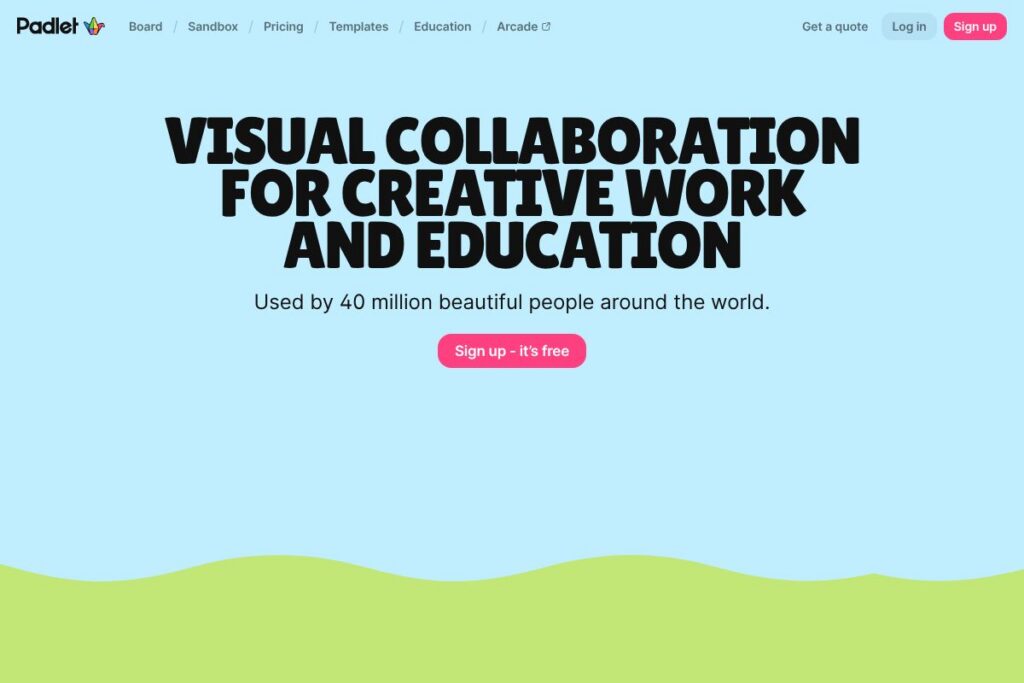
Padlet is a web-based platform for creating visual boards and digital canvases where users can post notes, images, video, links, and files. It targets educators, students, and small teams who need a simple, flexible space for brainstorming, lessons, and project displays, with an interface designed for visual thinkers and collaborative workflows.
Compared with Miro and Google Jamboard, Padlet emphasizes ease of use and minimal setup for classroom activities and one-off collaborative boards. Miro is stronger for complex diagramming and workshop facilitation with advanced templates and enterprise controls, while Google Jamboard is tightly integrated with Google Workspace and focuses on lightweight whiteboarding for teams already invested in Google. Padlet sits between these options, offering more structure than Jamboard and less complexity than Miro, which makes it easier to adopt for lessons and student projects.
Padlet does well at quick setup, visual layouts, and embedding mixed media for storytelling and instruction. It is particularly well suited to teachers, librarians, and small creative teams who need an approachable tool for collaborative displays and interactive activities.
How Padlet Works
Users create a board or sandbox and choose a layout such as grid, stream, canvas, or timeline to match the activity. Contributors add posts via text, images, video, links, or file uploads, and items can be moved, reorganized, and commented on to support discussion and iteration.
Boards can be shared with view, write, or moderate permissions and embedded in LMS pages or websites for student access. Practical workflows include using a board as a KWL chart in a class, running a storyboard activity for narrative projects, or creating a visual portfolio for ongoing student work.
What does Padlet do?
Padlet organizes visual collaboration around two main workspace types: boards for curated collections and sandboxes for freeform activities and lessons. Core capabilities include multimedia posts, templated activities, permission controls, and simple sharing options that support classroom and small-team workflows.
The platform’s main Features
Boards and Canvases
Boards allow structured collections of posts with multiple layout options such as grid, stream, and canvas, which suit different content types and workflows. They make it easy to collect research, map ideas on a world map, or assemble a sequence of scenes for a storyboard.
Sandboxes (Digital Canvases)
Sandboxes provide freeform space for interactive activities such as Venn diagrams, quizzes, and storybook layouts, with sticky-note style contributions that support real-time class interaction. They are useful for formative assessments and collaborative brainstorming during lessons.
Templates and Lesson Support
Padlet includes templates for KWL charts, storyboards, timelines, and more, which speed up lesson creation and standardize activities across classrooms. Templates reduce setup time and provide consistent structure for students.
Multimedia Embeds and Uploads
Users can embed YouTube videos, Google Drive files, images, and links directly into posts, and upload files for offline access or grading. This makes boards suitable as multimedia lesson pages and student portfolios.
Collaboration and Moderation
Boards support comments, reactions, and permission levels for view or edit access, plus moderator controls to approve or remove contributions. These controls let instructors manage class participation and maintain a safe, organized workspace.
Sharing, Embedding, and Export
Padlet offers direct share links, embed code for websites and LMS platforms, and basic export options such as PDFs or CSVs for archiving student work. Embedding is commonly used to include boards inside learning management systems or classroom pages.
With these features, Padlet focuses on making visual collaboration accessible for educators and small teams, providing quick setup, multimedia support, and simple sharing and moderation tools.
Padlet pricing
Padlet uses a subscription-based model with free signup and paid upgrades for additional features and capacity. For the most accurate and current plan breakdown, view Padlet’s main site and signup options which lists available plans and any education or team bundles.
What is Padlet Used For?
Padlet is commonly used for classroom activities such as KWL charts, digital storyboards, interactive quizzes, and exit tickets where students post text, images, or video to a shared board. Teachers use it to gather student responses, run collaborative research projects, and display student work publicly or within a class.
Outside education, Padlet is used by small teams for brainstorming, moodboards, project showcases, and lightweight knowledge sharing. Its visual layout options and simple sharing make it appropriate for one-off workshops, training sessions, and creative planning work.
Pros and Cons of Padlet
Pros
- Simple setup and use: The interface is intuitive and lets teachers and collaborators create boards quickly without training or heavy onboarding.
- Strong multimedia support: Posts can include images, video, links, and file uploads, which supports rich, visual lessons and presentations.
- Flexible sharing and permissions: Boards can be shared as public pages, private links, or classroom-only spaces with write or view controls for participants.
Cons
- Storage and limits on free tier: Free accounts include limitations on the number of boards or storage, which may push frequent users toward paid plans.
- Not as feature-rich as enterprise whiteboards: For complex facilitation, diagramming, or large-scale workshops, tools like Miro offer more advanced templates and integrations.
Does Padlet Offer a Free Trial?
Padlet offers a free plan and paid upgrades. The free sign-up gives immediate access to create boards and sandboxes with core features, while paid plans add capacity, admin controls, and additional sharing or storage options; check Padlet’s signup and plan pages to compare what is included at each tier.
Padlet API and Integrations
Padlet provides integrations with common classroom and productivity tools such as Google Workspace, Microsoft accounts, and learning management systems, plus embedding options for websites and LMS pages. Explore details on integrating Padlet with Google Classroom and other platforms through Padlet’s help and integration resources.
10 Padlet alternatives
Paid alternatives to Padlet
- Miro – A collaborative visual workspace built for workshops, mapping, and product planning that includes advanced templates and enterprise features.
- Microsoft Whiteboard – Integrated with Microsoft 365 for real-time whiteboarding inside Teams and Office apps, suitable for organizations using Microsoft tools.
- Google Jamboard – A lightweight digital whiteboard that integrates with Google Workspace and is easy to use for quick brainstorming sessions.
- Canva – While primarily a design tool, Canva’s collaborative boards and presentation features are often used for visual projects and class assignments.
- Trello – A card-based project organizer that can be adapted for visual task boards and simple collaborative workflows.
- Stormboard – Focused on sticky-note brainstorming with templates and reporting features for workshops and meetings.
Open source alternatives to Padlet
- Excalidraw – An open-source whiteboard for hand-drawn style diagrams and collaborative sketching with real-time sharing.
- WBO – A lightweight open-source collaborative whiteboard that supports drawing and simple visuals for team use.
- OpenBoard – An interactive whiteboard application aimed at education, useful for in-class annotations and presentations.
- Etherpad – A collaborative text editor that is open-source and useful for shared notes and lesson planning, though it lacks Padlet’s visual board layout.
Frequently asked questions about Padlet
What is Padlet used for?
Padlet is used for creating visual boards and sandboxes for collaborative lessons, brainstorming, and multimedia collections. Educators commonly use it for KWL charts, storyboards, and class galleries.
Does Padlet have a free plan?
Yes, Padlet offers a free plan. The free tier provides immediate access to create boards and basic features, with paid upgrades available for more storage and administrative controls.
Can I integrate Padlet with Google Classroom?
Yes, Padlet integrates with Google Classroom. Teachers can link boards to classroom assignments and share boards directly with students via Classroom.
Does Padlet offer an API for developers?
Padlet supports integrations and embedding options for common platforms. For developer-level integration details, consult Padlet’s support and integration resources to see available endpoints and embedding instructions.
Is Padlet suitable for large organizations?
Padlet can be used in schools and small teams, and it offers plans for institutions. Larger organizations that need advanced SSO, administrative reporting, and enterprise controls should review the institutional options on Padlet’s site.
Final verdict: Padlet
Padlet is a practical, approachable platform for educators and small teams that need visual boards and digital canvases without a steep learning curve. It excels at multimedia posting, straightforward sharing, and classroom workflows such as KWL charts and storyboards, which makes it a good fit for teachers and creative groups who prioritize quick adoption and visual presentation.
Compared to Miro, which has deeper facilitation and enterprise features and starts around $8/user/month for its lower-tier paid plans, Padlet focuses more on lesson-ready templates and simplicity rather than extensive workshop tooling. Organizations that need high-scale diagramming and advanced integrations may prefer Miro, while classrooms and small teams looking for an easy visual board will find Padlet a more lightweight and immediate solution.
Overall, Padlet is worth trying for visual collaboration in educational settings and small creative teams; sign up and explore boards and sandboxes to see how its templates and multimedia features match your workflow by visiting Padlet’s homepage.