What is Paymo
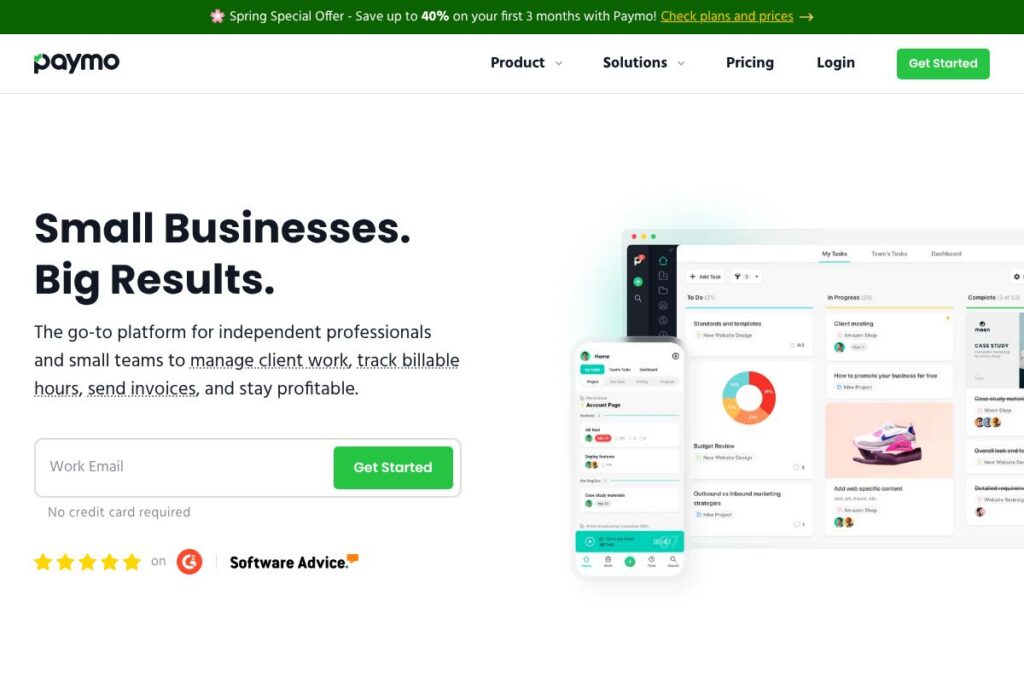
Paymo is a unified work management platform that brings time tracking, project planning, and invoicing together. It is aimed at freelancers, consultants, creative agencies, and small service teams that need to capture billable time, manage tasks and deadlines, and convert tracked work into invoices without switching between separate systems.
Compared with tools that focus on a single capability, Paymo sits between dedicated time trackers like Harvest or Toggl Track and task-first platforms like Asana. Unlike pure time trackers, Paymo includes project planning features such as Gantt charts and resource scheduling, and unlike many PM systems, it provides native invoicing and expense tools so you can take tracked time all the way to payment.
All of this makes Paymo particularly useful for client-facing teams who must manage scope, track utilization, and bill accurately. It is best suited to teams that want an integrated workflow for time-to-invoice rather than stitching together multiple apps.
How Paymo Works
Paymo runs in the browser and provides dedicated desktop and mobile apps for time tracking and project updates. Users create projects, add tasks or subtasks, assign people, and start timers from a project view or from a desktop timer; tracked entries appear in timesheets that can be reviewed and approved.
For invoicing workflows, managers convert approved timesheets and tracked expenses into estimates or invoices, apply rates per user or task, and send invoices to clients with online payment links. Teams use the team scheduler and workload views to spot overbooking and redistribute tasks before deadlines are missed.
Paymo also offers automated activity capture with its desktop tool, so teams that forget to start timers can have a suggested timesheet based on active applications and documents. Collaboration happens in task-level comments and threaded discussions, which keeps client and internal communication tied to the work being billed.
Paymo features
Paymo bundles time tracking, task management, project planning, invoicing, expense tracking, and basic profitability reporting into a single app. The product emphasizes accurate time capture and an end-to-end client billing workflow, while also offering collaboration and asset proofing for creative teams. Explore Paymo’s feature overview for full details.
Time tracking
Time can be tracked with manual timers, quick timer buttons on tasks, or bulk time entries in timesheets. The tracked data is tied to projects and tasks, which makes it straightforward to produce client-facing reports and to build invoices from billable work.
Timesheets & reporting
Timesheets aggregate time entries for individuals and projects and include filters for date ranges, clients, and billing status. Reporting tools export summaries for client billing, internal payroll, or performance analysis and can be shared with stakeholders.
Automatic time tracking (Paymo Track)
The Paymo Track utility records active applications and documents to suggest time entries that users can review and accept. This reduces missed hours and improves accuracy for teams that switch contexts frequently.
Task management and views
Tasks support subtasks, multiple assignees, priorities, and custom fields, and they can be viewed as a Kanban board, list, spreadsheet, or calendar. This flexibility helps teams use the view that best suits their workflow while keeping time capture and task status linked.
Gantt chart and dependencies
Gantt charts visualize tasks on a timeline with drag-and-drop rescheduling and dependencies to show how delays ripple through a project. Project managers can set milestones, lock schedules, and export timelines for client reporting.
Team scheduler and workload
The team scheduler displays availability and assignments so managers can identify overbooked people or idle capacity. Time-off and leave can be logged to keep capacity planning accurate during planning cycles.
Custom workflows and templates
Teams can create reusable project templates and custom task workflows to standardize recurring project types. Templates speed up setup for repeatable engagements and help maintain consistent billing and reporting structures.
Client collaboration and guest access
Clients and external stakeholders can be added as Guests with restricted access so they can review progress, approve tasks, or access invoices without full team permissions. Task-level comments and @mentions keep client feedback tied to specific deliverables.
Assets proofing and file sharing
Paymo provides simple proofing for design assets with version control and threaded comments, which streamlines creative reviews and reduces back-and-forth across email. Files can be attached to tasks and organized by project for easy retrieval.
Invoicing and estimates
Invoices can be created directly from billable time and tracked expenses, with options for recurring invoices and multiple languages. Estimates are generated from project plans and can be converted to invoices once approved to maintain a single source of truth for client billing.
Expense tracking and payments
Users can capture expenses in the mobile app by scanning receipts and assign costs to projects for accurate project accounting. Paymo integrates with common payment processors so clients can pay invoices online.
Profitability and performance tracking
Paymo provides project profit margin metrics and performance widgets that highlight utilisation and billing gaps. These insights help managers prioritize profitable clients and uncover areas where time is being wasted.
Mobile and integrations
The mobile app supports task updates, timer control, timesheet review, and invoicing on the go, with real-time notifications to keep teams informed. Paymo extends its reach through integrations; see Paymo’s integration options and the API documentation for automation and third-party connections.
With Paymo you get a single workflow from time capture to invoice, which reduces administrative overhead and helps ensure every billable hour is tracked and billed.
Paymo pricing
Paymo uses a subscription SaaS model with plans tailored for freelancers, small teams, and businesses; pricing tiers and billing choices are published by the vendor. For the latest plan breakdowns, optional add-ons, and any promotions, check Paymo’s current pricing options.
What is Paymo Used For?
Paymo is commonly used for client work where accurate time capture and clear billing are essential, such as creative agencies, consultants, architects, and independent contractors. Teams rely on it to track billable hours, manage project schedules, and produce invoices that reflect actual work done.
It is also used for internal project management where managers need visibility into workload and profitability. Paymo’s reporting helps prioritize clients and projects based on margins and team performance.
Pros and Cons of Paymo
Pros
- Integrated time-to-invoice workflow: Combining timers, timesheets, and invoicing reduces manual steps and the chance of lost billable hours. This creates a cleaner path from tracked work to client billing.
- Flexible task views: Multiple task views including Kanban, list, spreadsheet, and calendar let teams adopt the interface that matches their process. That reduces friction when different departments prefer different ways of working.
- Automatic time tracking: Passive activity capture can surface overlooked work and improve timesheet completeness. Teams that forget to start timers benefit from suggested entries they can accept or edit.
- Client-facing features: Guest access, estimates, and invoice languages support client communication without exposing internal project details. This is useful for client reviews and approvals.
- Profitability reporting: Built-in profit margin and utilization metrics help owners and managers focus on profitable work and optimize team allocation.
Cons
- Learning curve for advanced features: Some users report that Gantt charts, resource scheduling, and proofing tools require setup and training to use effectively. Smaller teams may not need the full feature set.
- Limited advanced accounting: While invoicing and expense capture are native, businesses requiring full bookkeeping workflows may still need external accounting software. Integrations alleviate this but add setup effort.
- Feature overlap with standalone tools: Organizations using specialized tools for design proofing or deep financial reporting may find Paymo’s built-in versions simpler but less feature-rich than dedicated solutions.
Does Paymo Offer a Free Trial?
Paymo offers a 15-day free trial with no credit card required. The trial typically includes access to time tracking, task and project management, invoicing, and basic reports so you can evaluate the end-to-end workflow before subscribing.
Paymo API and Integrations
Paymo provides an API for developers to automate workflows, sync time and project data, and build custom integrations; see the API documentation for available endpoints and authentication details. For non-developers, Paymo supports common integrations such as calendar sync, cloud storage, payment processors, and automation platforms listed on Paymo’s integrations page.
10 Paymo alternatives
Paid alternatives to Paymo
- Toggl Track — Simple, fast time tracking with team reports and a focus on ease of use for freelancers and consultants.
- Harvest — Time tracking with invoicing and expense capture, known for straightforward reporting and billing workflows.
- Asana — Project and task management with strong collaboration and workflow automation; invoicing requires additional tools.
- ClickUp — Feature-rich project platform that includes time tracking as one of many built-in tools, suited for teams that want heavy customization.
- Wrike — Robust project management with scheduling, resource management, and enterprise features for larger teams.
- FreshBooks — Accounting-first platform with invoices, expense tracking, and time tracking geared at service-based small businesses.
- QuickBooks Online — Accounting software with time tracking and billing integrations, better suited when full bookkeeping is required.
Open source alternatives to Paymo
- Kimai — Web-based open source time tracker that supports timesheets and reporting, suitable for self-hosted setups.
- OpenProject — Open source project management with Gantt charts, task management, and time tracking for teams that want self-hosting.
- ERPNext — Full ERP that includes project management, timesheets, and invoicing as part of a larger business management suite.
Frequently asked questions about Paymo
What is Paymo used for?
Paymo is used for time tracking, project management, and invoicing for client-based work. Teams and freelancers use it to capture billable hours, manage project schedules, and produce invoices from approved timesheets.
Does Paymo integrate with accounting software?
Yes, Paymo integrates with common accounting and payment tools via built-in connectors and third-party automation platforms. These integrations let you sync invoices and expenses with bookkeeping systems.
Can Paymo track time automatically?
Yes, Paymo includes an automatic activity capture tool called Paymo Track that suggests time entries. Users can review and confirm entries so timesheets stay accurate without manual timers for every task.
Is Paymo suitable for small teams and freelancers?
Yes, Paymo is designed for freelancers, consultants, and small teams who bill for time and need project management. Its combination of timers, invoicing, and scheduling covers common needs for service businesses.
Does Paymo offer an API for integrations?
Yes, Paymo provides an API for developers to access time, project, and invoicing data. The API documentation covers endpoints, authentication, and examples to help connect Paymo to other systems.
Final verdict: Paymo
Paymo stands out as a practical all-in-one option for service teams and freelancers who want a single system for tracking time, managing projects, and issuing invoices. Its strength lies in removing handoffs between time capture and billing, combined with project planning tools like Gantt charts and a team scheduler to keep work on track.
Compared with Harvest, which is primarily a time and invoicing tool with a simple per-user billing approach, Paymo offers broader project management features and deeper scheduling capabilities while keeping invoicing native. For teams that need both robust time capture and task planning in one interface, Paymo is a strong choice; for organizations that prefer minimal tools and standalone invoicing, a focused time tracker like Harvest may be simpler to adopt.