What is PlaybookUX
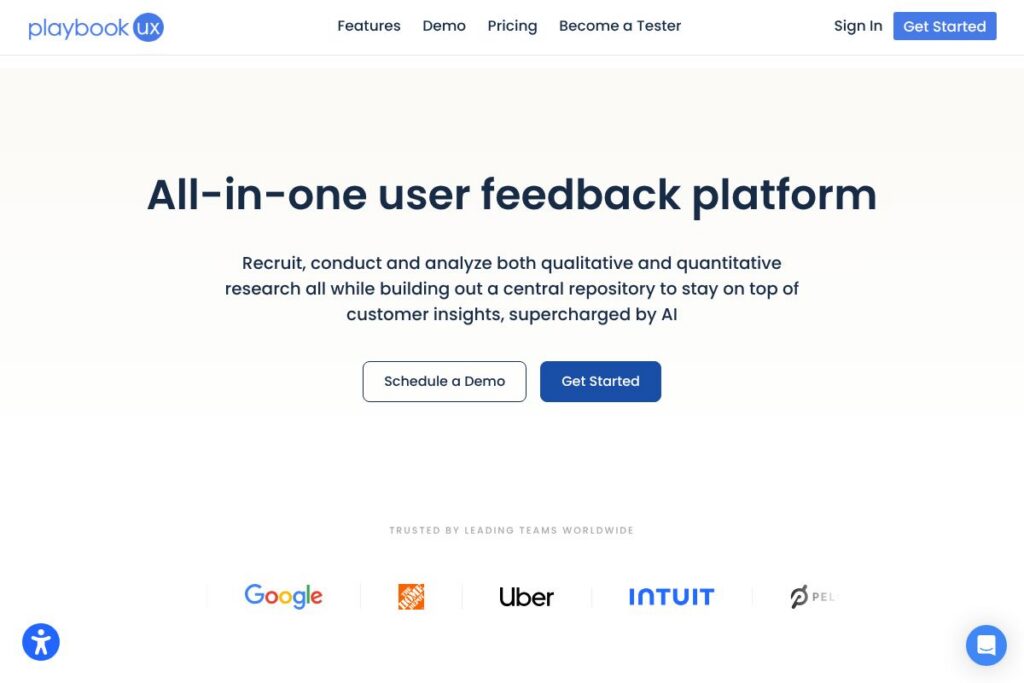
PlaybookUX is a user research platform that combines participant recruitment, study execution, and analysis in one interface. It supports both qualitative and quantitative methods, including moderated interviews, unmoderated video tests, surveys, card sorting, tree testing, first-click and five-second tests, and preference testing, while storing results in a searchable repository.
Compared with competitors, PlaybookUX focuses on an integrated workflow that reduces tool fragmentation. UserTesting targets large enterprise research programs with a broad participant panel and heavy moderation support, while PlaybookUX emphasizes a single workspace for design validation and team collaboration. Lookback centers on live moderated sessions and in-session observation, and Hotjar is primarily analytics and session recording rather than complete participant recruitment and structured qualitative workflows.
PlaybookUX is particularly strong at combining participant recruitment, recorded video sessions, and AI-assisted analysis into a central library. That mix makes it well suited for product and UX teams that need a repeatable research process, rapid validation cycles, and a shared insights repository for stakeholders.
How PlaybookUX Works
Setting up a study in PlaybookUX begins with defining your target audience and research goals, then selecting a method such as unmoderated testing, a moderated interview, a survey, or a preference test. The platform offers a built-in participant panel plus the option to bring your own participants, and provides screening, demographic filters, and scheduling tools to match the right users to each study.
During a session, PlaybookUX captures webcam, audio, and screen recordings for video-based methods, and records clicks and task paths for first-click and tree testing. Teams can observe live, join as invisible observers, take time-stamped notes, and tag moments for later review, which keeps research and stakeholder feedback in one place.
After data collection, PlaybookUX applies automated and manual analysis workflows. AI-assisted features surface themes, generate summaries, and create highlight reels, while built-in analytics visualize click maps, heat maps, task success rates, and survey charts so teams can move from data to decisions quickly.
PlaybookUX features
PlaybookUX centers its feature set on end-to-end research workflows: participant recruitment, multiple study types, recorded sessions, searchable transcripts, AI summaries, and collaboration tools for teams. Recent additions emphasize Figma integration and expanded AI-assisted analysis to speed synthesis and reporting.
Unmoderated testing
Unmoderated tests collect video responses, face and screen recordings, and structured question sets so you can test prototypes, sites, or concepts at scale. The platform timestamps responses, allows clipping of key moments, and supports mixed qualitative and quantitative questions to combine voice-of-customer feedback with metrics.
Moderated interviews
Built-in video conferencing records participant webcam, audio, and screen activity and removes the need for a separate meeting app. Observers can join sessions silently, take collaborative notes, and later use transcripts and clips to prepare stakeholder-facing reports.
Card sorting
Card sorting supports open, closed, and hybrid formats with image support and randomization to reduce bias. Results include similarity matrices and dendrograms to identify grouping patterns and inform information architecture decisions.
Tree testing
Tree testing evaluates navigation structures by routing participants through task scenarios and analyzing success rates and paths. Results highlight where users get lost and which labels or structures need rework, with task success charts and exportable reports.
Surveys
The survey tool handles multiple question types, advanced logic such as branching and skip logic, and filters for demographics and screener answers. Real-time charts and cross-filtering enable rapid segmentation and quantitative validation alongside qualitative recordings.
Session Replays and Heatmaps
Session replays show clicks, scrolls, and navigation paths to reveal user behavior in context, and heatmaps visualize attention on images or prototypes. Replay AI highlights notable behaviors so teams can focus on high-impact insights quickly.
Figma integration
Import Figma prototypes directly and overlay analytics such as click tracking and misclicks on design frames for rapid validation. Goal screens can measure task completion and common navigation paths without separate instrumentation.
AI-assisted analysis
AI features generate executive summaries, surface recurring themes, produce task analyses, and create replay summaries to accelerate synthesis. Analysts can prompt AI to produce follow-up questions or highlight sentiment and actionable UX recommendations.
With its combined capabilities, PlaybookUX reduces the number of separate tools required for recruitment, testing, and synthesis, leaving teams with a single searchable repository and integrated workflows for producing stakeholder-ready findings.
PlaybookUX pricing
PlaybookUX uses a SaaS subscription model with pricing tiers for individuals, teams, and enterprise customers, and it also offers pay-as-you-go options and custom enterprise plans. Public, detailed plan pricing is managed through their site and sales channels rather than a single static pricing page.
For current pricing and plan details, view PlaybookUX’s current pricing options or contact sales to discuss team size, participant volume, and enterprise features. Enterprise agreements typically include dedicated support, training, and account management to match organizational research needs.
What is PlaybookUX Used For?
PlaybookUX is used for product validation, user experience research, and usability testing across digital products such as websites, mobile apps, and prototypes. Teams use it to run moderated and unmoderated studies that capture both behavioral data and spoken feedback for deeper understanding of user motivation and pain points.
Typical users include UX researchers, product managers, design teams, and research agencies who need centralized storage of recordings, transcripts, and tagged insights. The platform also supports cross-functional collaboration so stakeholders can access highlight reels, reports, and tagged moments without managing separate files.
Pros and Cons of PlaybookUX
Pros
- Integrated recruitment to synthesis: Combining participant recruitment, session recording, transcripts, tagging, and AI summaries in one workspace reduces tool switching and speeds time to insight.
- Mixed-method support: PlaybookUX supports moderated and unmoderated sessions, card sorting, tree testing, first-click and five-second tests, and surveys, which covers a broad set of research needs in one product.
- Collaboration and repository: Unlimited seats, workspaces, time-stamped notes, highlight reels, and tagging help teams build a searchable research repository that stakeholders can use repeatedly.
Cons
- Enterprise pricing model: Enterprise and custom plans may require direct sales engagement, which can slow procurement for smaller teams that prefer transparent, self-serve pricing.
- Learning curve for broad feature set: The number of available methods and analysis tools requires initial setup and process definition to get consistent results across teams and projects.
- Limited offline or in-field testing features: While excellent for remote studies and recorded sessions, teams running in-person or lab-based studies may need supplementary tools for specialized instrumentation.
Does PlaybookUX Offer a Free Trial?
PlaybookUX offers a free trial and demo options so new users can evaluate core functionality including participant recruitment, unmoderated testing, and AI summaries. To start a trial or arrange a demo tailored to team needs, visit PlaybookUX’s signup and demo page.
PlaybookUX API and Integrations
PlaybookUX offers direct integration with Figma for importing prototypes and overlaying click and heatmap analytics on design frames. The platform also supports workflow integrations through Zapier and common collaboration channels to push results into project management and documentation tools; see PlaybookUX’s integration details for available connectors.
If you need developer-level automation, contact PlaybookUX support for API access and developer documentation to arrange event-driven exports, data pulls, or enterprise integrations with internal analytics systems.
10 PlaybookUX alternatives
Paid alternatives to PlaybookUX
- UserTesting — A large-scale remote testing platform focused on enterprise research programs, moderated sessions, and a wide panel of testers.
- Lookback — A tool focused on live moderated interviews, in-session observation, and collaborative note-taking for product teams.
- Hotjar — Session recordings, heatmaps, and on-page surveys that emphasize behavioral analytics and conversion optimization.
- FullStory — Product analytics and session replay focused on event-level playback and conversion funnel analysis for digital products.
- UserZoom — Enterprise research suite with panel recruitment and robust quantitative testing designed for large UX programs.
- Optimal Workshop — A set of tools for information architecture and usability research including card sorting and tree testing.
- UsabilityHub — Rapid design validation with preference tests, five-second tests, and first-click studies for quick decision making.
Open source alternatives to PlaybookUX
- PostHog — Open-source product analytics with session recording and feature flags for teams that want self-hosted analytics and behavioral insights.
- OpenReplay — An open-source session replay tool that captures user sessions for debugging and behavior analysis without third-party hosting.
- Matomo — A privacy-focused open-source analytics platform that offers event tracking and customizable dashboards for user behavior analysis.
- Umami — Lightweight open-source analytics for high-level user metrics and behavior tracking when teams need a simple, self-hosted option.
Frequently asked questions about PlaybookUX
What is PlaybookUX used for?
PlaybookUX is used for recruiting participants, running mixed-method research, and synthesizing insights into a searchable repository. Teams use it to validate prototypes, run usability tests, and collect both qualitative and quantitative feedback.
Does PlaybookUX integrate with Figma?
Yes, PlaybookUX integrates with Figma. You can import Figma prototypes and overlay analytics like click tracking, misclicks, and heat maps directly on design frames.
Can PlaybookUX recruit participants for studies?
Yes, PlaybookUX can recruit participants from a verified panel and also allows you to bring your own participants. The platform includes demographic filters, screener questions, and scheduling tools to match research criteria.
Does PlaybookUX provide AI-assisted analysis?
Yes, PlaybookUX includes AI-assisted summaries, theme extraction, and replay highlights. AI features generate executive summaries, surface sentiment, and produce task analyses to speed synthesis.
How does PlaybookUX handle enterprise support?
PlaybookUX offers enterprise-level support and dedicated customer success management. Enterprise plans typically include onboarding assistance, custom training, and account-level support to scale research across teams.
Final verdict: PlaybookUX
PlaybookUX offers a comprehensive research platform that brings recruitment, live and recorded sessions, surveys, and AI-assisted analysis into a single workspace. Its strengths are the mixed-method coverage, Figma integration, and centralized repository that makes tagged insights easy to share with stakeholders.
Compared with UserTesting, PlaybookUX targets teams that want an integrated, collaborative research workflow with built-in AI assistance, while UserTesting emphasizes large-scale enterprise panels and custom enterprise pricing. For teams seeking a single platform to run, analyze, and store both qualitative and quantitative research, PlaybookUX is a well-rounded choice; for very large enterprise research programs, evaluate both platforms to find the best match for panel scale and procurement requirements.