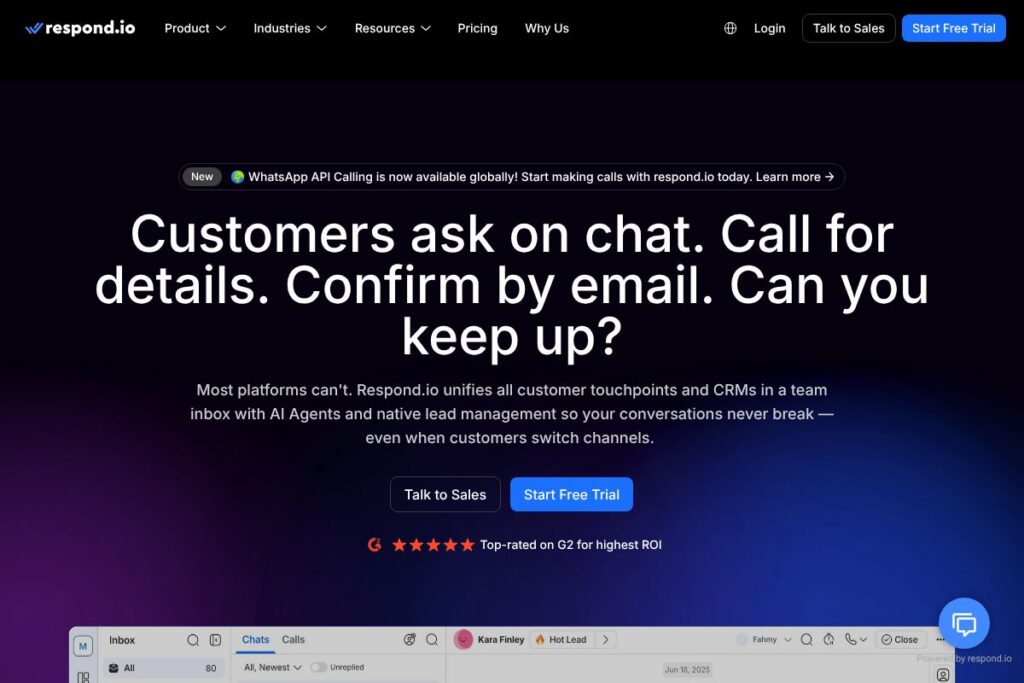
What is respond.io
respond.io is a conversation-led customer platform that consolidates messaging, calls, and CRM records into a single team inbox so businesses can manage the entire customer journey across channels. It combines native channel connectors, lead management, workflow automation, and AI Agents to handle routine work, surface intent, and escalate higher-value conversations to humans.
Compared with competitors, respond.io emphasizes multichannel messaging and AI-driven automation rather than ticketing-first workflows. Zendesk focuses on traditional ticketing and broad service desk features, Intercom centers on product messaging and inbound lead capture with conversational bots, and Twilio provides lower-level communication APIs that require significant engineering work to assemble a similar inbox. respond.io sits between those approaches by offering prebuilt channel integrations and conversation orchestration without requiring a full engineering build.
What respond.io does particularly well is keeping one persistent conversation thread across messages, calls, and emails while applying AI to routing, replies, and CRM updates. That combination makes it well suited for B2C companies, digital retailers, and marketing teams that need to scale conversational sales, support, and campaigns across WhatsApp, Instagram, TikTok, and other messaging channels.
How respond.io Works
The platform ingests messages and calls from each connected channel into a unified team inbox where every contact has a single profile and conversation history. Incoming interactions are automatically tagged, enriched with lead data, and routed based on rules or AI-driven intent detection so agents see prioritized work and context in one place.
AI Agents operate alongside human teams to handle common flows such as lead qualification, FAQ responses, appointment booking, and payment links. Businesses can design conversation flows with visual workflows, attach CRM sync rules, and set escalation points so hybrid human-plus-AI journeys run reliably at scale.
Workflows typically look like: connect channels and CRM, configure routing and automation, deploy AI Agent templates for common intents, and monitor conversions with built-in analytics. That practical sequence reduces manual handoffs and preserves conversation continuity when customers switch channels.
respond.io features
respond.io organizes customer conversations with channel connectors, AI Agents, lead management, workflows, and analytics. Recent focus has been on AI Agents for autonomous handling, unified voice in threads, and enterprise-grade reliability. The product is designed to scale inflows from marketing, support, and sales into measurable outcomes.
Unified Team Inbox
All messages, WhatsApp Business Calls, Messenger Calls, VoIP, and emails appear in a single threaded view so agents and bots reference the same conversation record. This eliminates channel silos and preserves context when customers move between platforms, which reduces repeat questions and lost leads.
AI Agents
AI Agents can answer FAQs, qualify leads, perform CRM updates, and hand off to humans when needed. They support multilingual responses and configurable guardrails so routine tasks are automated while agents focus on complex interactions that require judgment.
Native Channel Integrations
Connectors for channels such as WhatsApp, Instagram, Facebook Messenger, and TikTok bring messages and calls into the inbox without third-party adapters. Native integrations reduce setup complexity and preserve channel-specific capabilities like templates and voice metadata.
Lead Management and CRM Sync
Contacts are stored as structured profiles that sync with external CRMs so every message can be mapped to leads, contacts, or tickets. Native field mapping and two-way sync keep customer data coherent across marketing and sales tools.
Automation and Visual Workflows
Visual workflow builders enable rule-based routing, conditional messaging, and multi-step automations to move customers through qualification, purchase, or retention flows. Automations reduce manual queues and ensure consistent follow-ups across campaigns.
Analytics and Reporting
Built-in analytics track conversion funnels, agent performance, and campaign ROI across channels. Dashboards and exportable reports help teams identify bottlenecks, channel performance differences, and automation impact on throughput.
Security and Reliability
The platform is built for enterprise scale with data residency options, role-based access, and high-availability infrastructure that supports large conversation volumes. These controls help operations maintain compliance and uptime while handling peak traffic.
With these capabilities combined, the biggest advantage is having conversation continuity plus AI and analytics in one place, which reduces friction in conversions and makes operational metrics actionable.
respond.io pricing
respond.io uses a SaaS subscription model with plans tailored to business size and feature needs, and enterprise customers can receive custom quotes for higher-volume deployments. For current plan details, available feature tiers, and information about enterprise contracts, check the respond.io pricing and plans on their site.
What is respond.io Used For?
respond.io is used to centralize customer interactions for teams that handle high volumes of messaging and calls, including ecommerce support, marketing-driven lead capture, and post-sale customer care. It is especially useful when customers interact across multiple social and messaging platforms and continuity of conversation matters for conversion.
Teams use respond.io to qualify ad leads automatically, route serious buyers to sales reps, manage callbacks and voice interactions within the same thread as text messages, and run targeted campaigns from the same inbox. The platform works at both campaign scale and for day-to-day support operations.
Pros and Cons of respond.io
Pros
- Multichannel continuity: Conversations keep context across messaging, voice, and email so agents do not lose history or repeat steps. This reduces friction and improves first-contact resolution.
- AI-driven automation: AI Agents handle common intents, qualify leads, and perform CRM actions which reduces manual workload and speeds response times. This allows teams to focus on high-value interactions.
- Enterprise-grade reliability: High availability and security controls support large deployments and regulated environments. Customers can scale volumes without frequent technology bottlenecks.
- Native channel integrations: Direct connectors for major messaging platforms reduce engineering overhead and preserve channel features like templates and call metadata.
Cons
- Custom pricing model: Enterprise or high-volume deployments often require custom quotes and contracts which can delay procurement for small teams. Budget-sensitive buyers should plan for sales engagement.
- Platform complexity for small teams: Rich feature sets and workflow builders can introduce a learning curve for very small teams that only need basic chat handling. Initial setup may require configuration time or expert help.
- Dependence on channel APIs: Functionality for specific channels depends on the provider APIs and policy changes, which can affect available features and message throughput.
Does respond.io Offer a Free Trial?
respond.io offers a free plan and trial options for evaluation. The free tier and trial periods let teams test core inbox functionality, channel connections, and basic automation; enterprise features and higher messaging volumes are available under paid plans. See the respond.io pricing and plans for specifics on limits and trial duration.
respond.io API and Integrations
respond.io provides developer-facing APIs and a documentation portal for automations, webhooks, and CRM sync. The API documentation describes endpoints for message ingestion, contact management, and workflow triggers so engineering teams can extend or embed conversation flows.
The platform integrates with major messaging channels and common CRMs and commerce systems, including WhatsApp, Instagram, Facebook, TikTok, Salesforce, HubSpot, and popular ecommerce platforms. These integrations enable two-way data flows for leads and transactions.
10 respond.io alternatives
Paid alternatives to respond.io
- Zendesk — A mature support suite focused on ticketing, multi-channel support, and knowledge management for service teams.
- Intercom — Conversational platform for inbound lead capture, in-product messaging, and customer engagement workflows.
- Freshdesk — Cloud-based helpdesk with ticketing, automation, and multichannel support for SMBs and enterprises.
- Twilio Flex — A programmable contact center platform that requires engineering to assemble an integrated inbox and automation.
- Gorgias — Helpdesk built for ecommerce with deep Shopify integration and order-based automation.
- Kustomer — CRM-centric customer service platform that unifies conversations and customer timelines.
- Front — Shared inbox and collaboration layer that brings email and messaging into team workflows.
Open source alternatives to respond.io
- Chatwoot — Open source customer messaging platform that supports multiple channels, agent inboxes, and self-hosting.
- Zammad — Open source helpdesk and ticketing system with multichannel support and admin controls.
- UVdesk — Open source e-commerce helpdesk with ticket management and platform integrations.
- Mautic — Open source marketing automation that can supplement conversation workflows for lead nurturing.
Frequently asked questions about respond.io
What is respond.io used for?
respond.io is used for managing high-volume customer conversations across messaging channels. Teams use it to centralize chats, voice, and email into a single inbox, automate responses, and sync leads to CRMs.
Does respond.io integrate with WhatsApp and Instagram?
Yes, respond.io integrates directly with WhatsApp Business and Instagram messaging. Those native connectors bring messages and calls into the same conversation thread for unified handling.
Can respond.io AI Agents be customized for specific workflows?
Yes, AI Agents are configurable and can be trained or templated for custom tasks. You can adapt agents to qualify leads, perform CRM updates, route messages, and manage bookings within your business rules.
Does respond.io provide an API for developers?
Yes, respond.io exposes APIs and webhooks for automation and system integration. Refer to the API documentation for endpoints and usage examples.
Is respond.io suitable for enterprise deployments?
Yes, respond.io supports enterprise-scale usage with security controls and SLA-grade reliability. The platform offers custom plans and features intended to support large volumes and compliance requirements.
Final verdict: respond.io
respond.io is a practical choice when the priority is unified conversational context across messaging and voice, combined with AI automation that reduces manual work. Its strength is in keeping conversations intact as customers move between channels while providing lead management and analytics that tie conversations to revenue outcomes.
Compared with a traditional helpdesk like Zendesk, respond.io is oriented toward multichannel messaging and AI-first workflows rather than ticket-based service lifecycles. Zendesk commonly uses per-agent support plans focused on tickets and knowledge management, while respond.io positions itself with configurable SaaS tiers and enterprise contracts for messaging scale and automation. For teams that need inbox continuity across WhatsApp, Instagram, and other messaging channels plus built-in AI, respond.io offers a focused solution that reduces friction between marketing, sales, and support.