What is Restaurant365
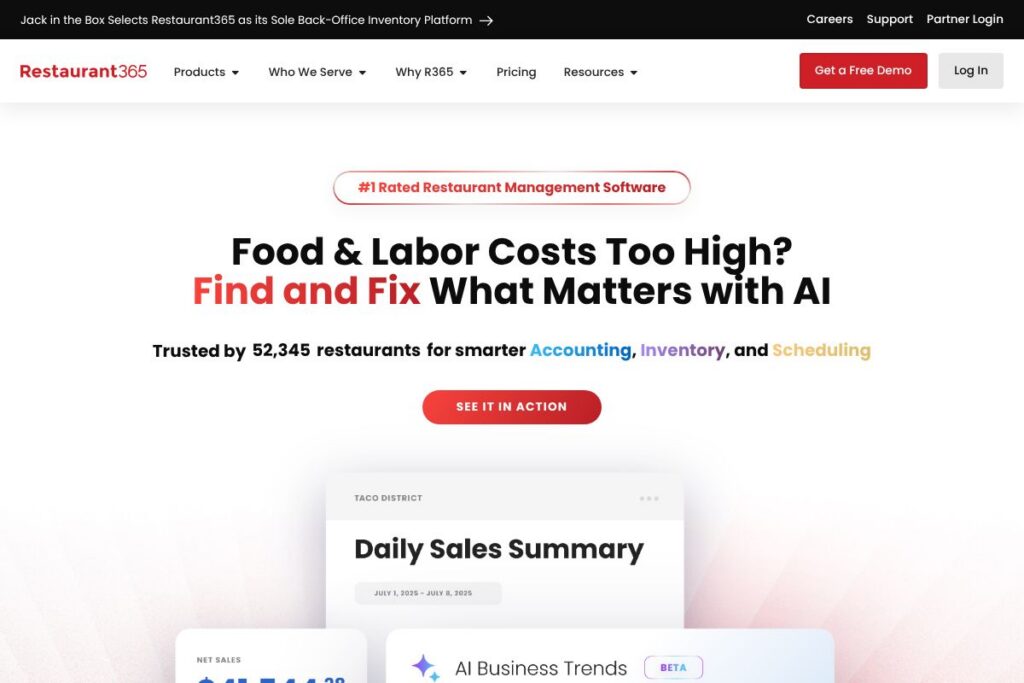
Restaurant365 is a cloud-first platform that centralizes back-office workflows for restaurants, combining accounting, inventory, scheduling, payroll, and mobile tools into one system. It pulls data from POS systems, banks, and vendors so finance and operations teams work from the same dataset and can close the books faster.
Compared with Toast, which focuses on point-of-sale and payments with integrated back-office features, Restaurant365 emphasizes consolidated accounting and operational controls across multiple locations. Against Square for Restaurants, Restaurant365 provides deeper restaurant-specific accounting and inventory controls rather than primarily POS and payments. Versus CrunchTime, Restaurant365 competes closely on inventory and labor analytics but positions itself as an all-in-one back-office suite that includes full general ledger and payroll workflows.
All of this makes Restaurant365 a strong choice for operators and finance leaders who need an integrated, audit-ready system for cost control and centralized reporting. The platform is most suited to multi-unit chains and franchisors but is also used by midsize independent groups that want tighter control of food and labor costs.
How Restaurant365 Works
Restaurant365 ingests transaction and operational data from connected POS systems, bank feeds, and vendor invoices and normalizes that information into a single database. Accounting teams see automated invoice processing, bank reconciliation, and AI-assisted P&L generation while operations teams use the same data for inventory and labor decisions.
Operational workflows include automated invoice matching, recipe- and ingredient-level inventory tracking, and AI-assisted scheduling that aligns historical sales with labor rules. Managers use the mobile app to review sales, adjust schedules, and communicate with staff in real time while corporate teams run consolidated reporting and benchmarking across locations.
Restaurant365 features
Restaurant365’s feature set focuses on the restaurant back office, with core capabilities in accounting automation, inventory tracking, labor scheduling, payroll integration, and mobile management. Recent product emphasis highlights AI-assisted invoice processing, schedule optimization, and automated variance detection in inventory and food costs.
Accounting Automation
Automated invoice capture and matching reduces manual entry and shortens month-end close cycles by routing invoices into a standardized workflow. The accounting module ties directly to the general ledger and bank feeds, improving accuracy for AP, AR, and bank reconciliation while allowing corporate teams to enforce chart of accounts and approval policies.
Inventory Tracking
Ingredient-level inventory tracks purchases, yields, and recipe usage to detect cost spikes and waste before they erode margins. Inventory valuation and variance reporting help operators reconcile theoretical food costs with actual usage and pinpoint vendor or portion control issues.
AI Scheduling
AI-driven scheduling forecasts sales and suggests staff schedules that comply with labor rules and local regulations to reduce overstaffing. The scheduler incorporates historical patterns, seasonal adjustments, and employee availability to align labor to demand and lower prime cost pressure.
Payroll Integration
Payroll pulls hours, tips, and labor adjustments directly from the scheduling and timekeeping systems to minimize payroll reconciliation errors. Tighter ties between payroll and general ledger ensure labor costs post accurately to financial reporting and support compliance with local wage requirements.
Mobile App
The mobile app delivers real-time visibility into sales, labor, and inventory while enabling two-way communication between managers and hourly staff. Multi-language messaging and on-the-go approvals let area managers monitor performance and act quickly without returning to a PC.
With these capabilities, the biggest benefit of Restaurant365 is centralized control: finance and operations teams work from a single data model, which reduces reconciliation time and improves decision-making around food and labor costs.
Restaurant365 pricing
Restaurant365 uses a subscription-based, enterprise-focused pricing model with plans tailored to business size, number of locations, and selected modules. Pricing is typically customized for multi-unit operators and depends on which modules are required, deployment options, and support levels.
For detailed plan options and to get pricing tailored to your operation, see Restaurant365’s homepage and contact their sales team via the platform’s demo and contact pages on the Restaurant365 website. They can provide an estimate based on your number of locations, required modules, and desired integrations.
What is Restaurant365 Used For?
Restaurant365 is used to centralize and automate restaurant back-office functions so operators can reduce manual reconciliation and get faster financial visibility. Common tasks include automated invoice processing, consolidated P&L reporting across locations, and inventory valuation at the ingredient level.
Operations teams use it to schedule staff against forecasted sales, monitor daily sales and labor metrics from mobile devices, and track shrink and waste. Finance and accounting use it for month-end close, audit trails, and to benchmark location performance for franchisors and multi-unit chains.
Pros and Cons of Restaurant365
Pros
- Centralized back office: Consolidates accounting, inventory, scheduling, and payroll into a single data model, which reduces cross-system reconciliation and accelerates reporting.
- Restaurant-specific controls: Offers inventory and recipe-level costing plus labor rules tailored to foodservice, making it easier to manage prime costs across locations.
- AI-assisted automation: Uses AI to automate invoice processing, schedule optimization, and P&L generation to cut manual work and highlight cost anomalies.
Cons
- Enterprise-oriented pricing model: Smaller single-unit operators may find the pricing and implementation scope better suited to multi-unit or franchised operations, requiring custom quotes and onboarding investments.
- Implementation complexity: Connecting multiple POS providers, payroll systems, and vendor feeds can require professional services and time to standardize charts of accounts and item mappings.
Does Restaurant365 Offer a Free Trial?
Restaurant365 offers demos and trial access on request through its sales team. Prospective customers can schedule a live demo and request trial registration for selected modules; scheduling is available via the Schedule a Free Demo link on Restaurant365’s site for tailored evaluations.
Restaurant365 API and Integrations
Restaurant365 provides integration options and prebuilt connections to major POS providers, vendor portals, payroll providers, and banks to centralize financial and operational data. You can review connected systems and partner integrations on Restaurant365’s partners page.
For developers and advanced automation, Restaurant365 offers API access for synchronizing transactions, inventory, and payroll data; the platform’s API documentation and developer resources are available from their integration and partner resources pages. Integrations commonly include POS systems such as Toast and Square, vendor feed partners, and accounting connectors.
10 Restaurant365 alternatives
Paid alternatives to Restaurant365
- Toast – A POS-first platform that combines payments, front-of-house operations, and basic back-office reporting; strong for single-location and multi-unit restaurants that want a unified POS and payments stack.
- Square for Restaurants – A POS and payments system with integrated ordering and workforce tools; suitable for small to midsize operations that prioritize simple setup and payment processing.
- Upserve – Restaurant-focused platform offering POS, analytics, and loyalty features with integrated back-office tools; fits full-service restaurants focused on guest analytics and tableside service.
- CrunchTime – Focused on inventory, supply chain, and labor optimization with deep analytics for multi-unit operators; strong competitor on inventory and procurement workflows.
- Oracle MICROS – Enterprise-grade POS and back-office suite used by large multi-concept operators, with strong hardware and global support for complex deployments.
Open source alternatives to Restaurant365
- Floreant POS – Open source restaurant POS suitable for independent restaurants and smaller chains, with basic inventory and order management features that can be extended by developers.
- uniCenta – Java-based open source POS platform that supports multi-terminal environments and integrations; a customizable option for operators with development resources.
- Odoo – Modular open source ERP with inventory, accounting, and POS modules; requires configuration but can be adapted to restaurant workflows with the right customizations.
Frequently asked questions about Restaurant365
What does Restaurant365 do for restaurant accounting?
Restaurant365 centralizes accounting by automating AP, AR, bank reconciliation, and consolidated P&L reporting. The system links vendor invoices, bank feeds, and POS data to reduce manual entries and speed month-end close.
Does Restaurant365 integrate with my POS system?
Yes, Restaurant365 connects to major POS providers through prebuilt integrations and partner connectors. Common integrations include POS systems like Toast and Square, and additional connectors are available for vendor and bank feeds.
How much does Restaurant365 cost for multi-unit restaurants?
Restaurant365 uses a subscription model with custom pricing tailored to location count, modules, and integrations. Costs vary by configuration, so contact their sales team for an estimate via Restaurant365’s demo and contact pages.
Can Restaurant365 handle payroll and labor compliance?
Yes, Restaurant365 integrates payroll with scheduling and timekeeping to streamline payroll runs and reduce reconciliation errors. The payroll workflows pull hours, tips, and adjustments to align labor cost postings with the general ledger.
Is there a mobile app for Restaurant365?
Yes, Restaurant365 provides a mobile app that lets managers view sales, labor, and inventory and communicate with staff. The app supports real-time monitoring and manager approvals in English and Spanish for on-the-go operations.
Final Verdict: Restaurant365
Restaurant365 excels at centralizing the restaurant back office, bringing accounting, inventory, scheduling, and payroll into a shared data model that reduces reconciliation and improves visibility into food and labor costs. Its AI-assisted automation and ingredient-level inventory controls are especially valuable for multi-unit operators focused on controlling prime costs.
Compared with Toast, which bundles POS and payments with operational features, Restaurant365 is stronger on enterprise accounting, inventory valuation, and consolidated financial reporting while Toast focuses on front-of-house and payment processing. Pricing tends to be custom for Restaurant365 based on locations and modules, so operators should compare total cost of ownership and integration scope when choosing between the two solutions.