Schoology Learning: An Overview
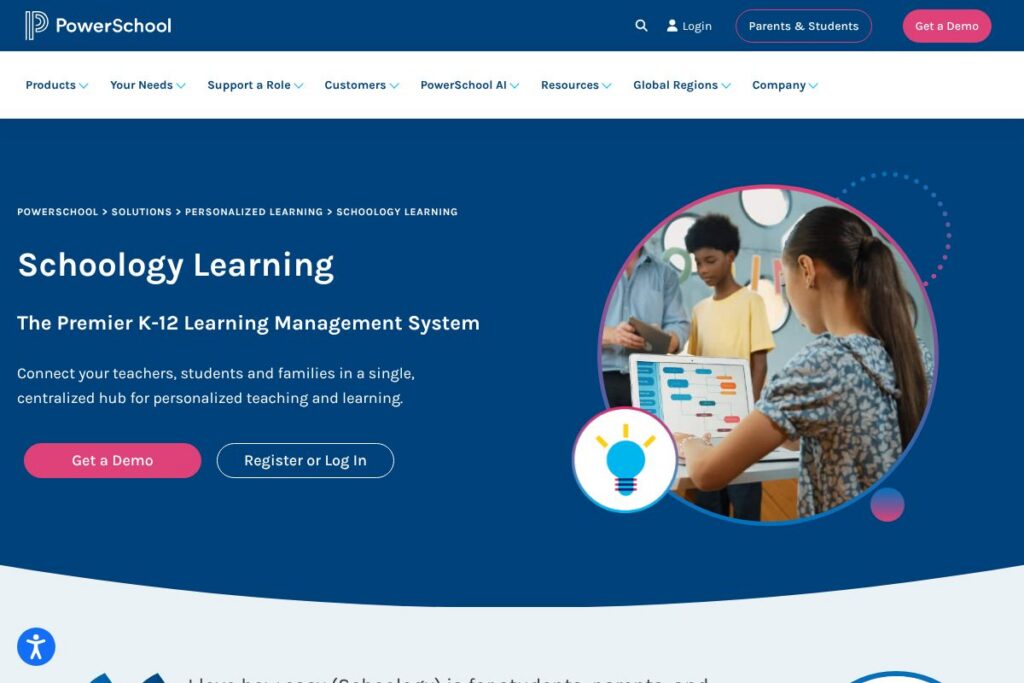
Schoology Learning is a learning management system built for K-12 districts and schools, now part of PowerSchool’s Personalized Learning Cloud. It centralizes courses, assignments, assessments, communications, and family access in one platform while integrating closely with student information systems to reduce duplicate work for teachers.
Schoology emphasizes K-12 workflows such as standards-based grading, lesson planning across grade levels, and family engagement tools. Compared with Canvas by Instructure, which is widely used in higher education for flexible course design, Schoology targets younger learners with a simpler student experience and deeper K-12 administrative hooks. Against Google Classroom, Schoology provides more robust gradebook and assessment tools suited to district reporting requirements, and compared with Microsoft Teams for Education, it offers more LMS-native curriculum and assessment features rather than primarily serving as a communication layer.
All of this makes Schoology Learning particularly useful for districts that need strong SIS integration, consistent K-12 workflows, and a single platform that teachers, students, and families can use throughout a child’s entire K-12 journey. It fits districts that prioritize centralized lesson planning, standards tracking, and district-level reporting alongside classroom collaboration tools.
How Schoology Learning Works
Schoology organizes work around courses and groups where teachers create materials, assignments, and assessments that students access from a centralized learning hub. Teachers can attach standards to lessons, distribute assignments with due dates and rubrics, and collect submissions inside the LMS while the gradebook records results.
Integration with an SIS allows automatic sync of rosters, attendance, and final grades, which reduces manual entry and helps district reporting. PowerBuddy AI is embedded in workflows to help educators draft assignments and generate differentiated content, while students can use the same assistant to get personalized help with learning tasks.
Teachers typically implement Schoology by importing or creating a course, aligning lessons to standards, connecting rosters via SIS, and using groups for professional development and extracurricular collaboration. District IT teams manage single sign-on, data sync, and integrations so teachers can focus on instruction rather than technical overhead.
Schoology Learning features
Schoology Learning combines course management, assessment and gradebook tools, family communication, group collaboration, and native AI assistance into a K-12-focused LMS. Recent platform additions emphasize tighter SIS sync, a simplified elementary interface for younger students, and PowerBuddy AI for content creation and student support.
What Schoology Learning Brings to the Table
PowerBuddy AI
PowerBuddy is embedded into Schoology to help teachers draft lesson plans, generate assessment items, and adapt activities for different student levels. For students, PowerBuddy offers on-demand tutoring and study support within course pages, which helps personalize instruction without leaving the LMS.
Elementary Experience
The Elementary Experience presents a simplified interface for young learners with age-appropriate navigation, visual cues, and reduced complexity in assignment workflows. This lets districts keep one LMS across grades while offering an easier onboarding path for elementary teachers and students.
SIS Integration and Data Passback
Schoology syncs rosters, attendance, and grade data with major SIS providers, and offers deeper automation when used with PowerSchool SIS for automatic passback of traditional and standards-based grades. This reduces duplicate data entry and improves consistency between classroom records and district systems.
Lesson Planning and Curriculum Management
Teachers can build reusable lesson plans, map content to standards, and share materials across teams or the whole district to accelerate planning. Versioned lesson plans and shared resources support collaboration among grade-level teams and specialist teachers.
Groups and Community Spaces
Groups enable professional development, extracurricular clubs, and parent-teacher organizations to communicate and collaborate inside the LMS. Group spaces support resource sharing, threaded discussions, and announcements that extend beyond single-class courses.
Assessments and Gradebook
Assessment tools include digital quizzes, rubrics, and standards-aligned scoring that flow into a unified gradebook for easy reporting. Teachers can use assessment analytics to monitor mastery and identify students who need intervention.
With these features, Schoology Learning aims to reduce administrative burden, support consistent instructional design, and keep learning workflows connected from classroom to district reporting.
Schoology Learning pricing
Schoology Learning is offered with enterprise-style licensing and custom pricing for districts and schools, typically negotiated as part of broader PowerSchool contracts. Pricing is tailored to district size, feature bundles, SIS integration level, and support requirements.
Enterprise and district plans
Enterprise – Custom pricing (Includes district-wide deployment, SIS integrations, SSO, and enterprise support)
For precise licensing tiers and district quotes, view the Schoology product information on the PowerSchool Schoology page or contact sales through the PowerSchool contact options. Those pages explain available bundles, deployment options, and procurement steps.
Schoology Learning Use Cases
Districts use Schoology to standardize curriculum delivery across elementary, middle, and high schools while keeping a single platform for students and families. Educators can create centralized lesson banks, maintain continuity as students advance grades, and provide parents with a consistent portal to track assignments and communications.
Schoology also serves blended and remote learning needs by hosting asynchronous coursework, formative assessments, and discussion activities. Professional learning communities and district staff use groups for training, resource sharing, and coordinating interventions.
Pros and Cons of Schoology Learning
Pros
- K-12 focus: Schoology Learning is designed for K-12 workflows, so features like an elementary interface, standards mapping, and family access are first-class and tailored to district needs.
- SIS integration: Tight integration with major SIS providers and seamless passback when used with PowerSchool SIS reduces duplicate entry and simplifies district reporting processes.
- Built-in AI assistance: PowerBuddy AI helps teachers create and differentiate content faster and gives students personalized study support within the LMS.
- Centralized lesson planning: Shared lesson banks and standards-aligned planning streamline collaboration across grade levels and departments.
Cons
- Enterprise orientation: Pricing and procurement are structured for districts, which can make adoption slower or costly for very small schools or individual teachers.
- Customization complexity: Deep integrations and district-level settings can require significant IT configuration, which means smaller teams may need vendor or consultant support to deploy effectively.
- Learning curve for advanced features: While core tasks are straightforward, advanced assessment setup, standards mapping, and analytics can take time for teachers to master.
Does Schoology Learning Offer a Free Trial?
Schoology Learning is offered through paid district licensing, and PowerSchool provides guided demos rather than a public free plan. Districts and schools can schedule a demo and pilot deployment with vendor support to evaluate features, student experience, and SIS sync capabilities before committing to a district contract. Visit the PowerSchool Schoology product page to request a demo or pilot conversation.
Schoology Learning API and Integrations
Schoology provides developer and integration options for SIS synchronization, LTI links, and third-party tools, and it integrates with Google Workspace, Microsoft 365, and other edu-tech providers to extend classroom capabilities. For developers, the Schoology API documentation outlines endpoints for managing users, courses, and content; check the Schoology developer resources for technical details and examples.
PowerSchool also documents enterprise integration points and security practices on its security and integrations pages to help IT teams plan deployments and data flows.
10 Schoology Learning alternatives
Paid alternatives to Schoology Learning
- Canvas by Instructure: A flexible LMS used across K-12 and higher education, with strong course design tools and district enterprise offerings.
- Google Classroom: A lightweight, widely adopted option for schools using Google Workspace for Education, suitable for quick setup and collaboration.
- Microsoft Teams for Education: Combines communication and collaboration with assignment workflows for schools using Microsoft 365.
- Blackboard Learn: A full-featured LMS with enterprise tools for large districts and institutions, including analytics and compliance features.
- D2L Brightspace: An LMS with adaptive learning tools and analytics geared to both K-12 and higher-education deployments.
Open source alternatives to Schoology Learning
- Moodle: A mature open-source LMS that supports course management, quizzes, and plugins for K-12 and higher education deployments.
- Sakai: An academic collaboration and course management platform used by some institutions and districts preferring open-source software.
- Open edX: A scalable open-source platform for online courses and content, often used for larger program delivery and custom deployments.
- Chamilo: An open-source LMS focused on ease of use and basic course delivery suitable for smaller deployments.
Frequently asked questions about Schoology Learning
What is Schoology Learning used for?
Schoology Learning is used to manage K-12 courses, assignments, assessments, and family communication. Districts deploy it to centralize curriculum, track standards mastery, and provide one platform for teachers, students, and parents.
Does Schoology Learning integrate with PowerSchool SIS?
Yes, Schoology Learning integrates tightly with PowerSchool SIS and other major SIS providers. Integration supports roster sync, attendance, and grade passback to reduce duplicate entry between systems.
Can Schoology Learning support elementary and secondary grades in the same system?
Yes, Schoology Learning supports all K-12 grade levels with a simplified Elementary Experience. That lets districts keep one LMS while tailoring the student interface and teacher workflows by grade band.
Does Schoology Learning include AI features?
Yes, Schoology Learning includes PowerBuddy AI to assist educators and students. PowerBuddy helps create instructional content, generate assessments, and provide personalized student support within the LMS.
Is Schoology Learning secure for student data?
Schoology Learning is part of PowerSchool’s wider security program and undergoes third-party validation and continuous monitoring. District administrators can review PowerSchool’s security practices and compliance documentation on the PowerSchool security information page.
Final Verdict: Schoology Learning
Schoology Learning is a strong choice for K-12 districts seeking an LMS that aligns with district reporting, standards-based instruction, and family engagement while keeping a consistent platform across elementary through high school. Its native SIS integrations, lesson planning features, and the built-in PowerBuddy AI address several common pain points for K-12 educators.
Compared with Canvas by Instructure, which also offers enterprise deployments and robust course design, Schoology focuses more narrowly on K-12 district workflows and SIS passback; pricing for both products is typically negotiated at the district level rather than advertised publicly. For districts that need tight SIS coupling and a single solution for families and teachers across grade levels, Schoology Learning provides a comprehensive, education-focused LMS option with vendor-supported deployments and demos available through the PowerSchool Schoology page.