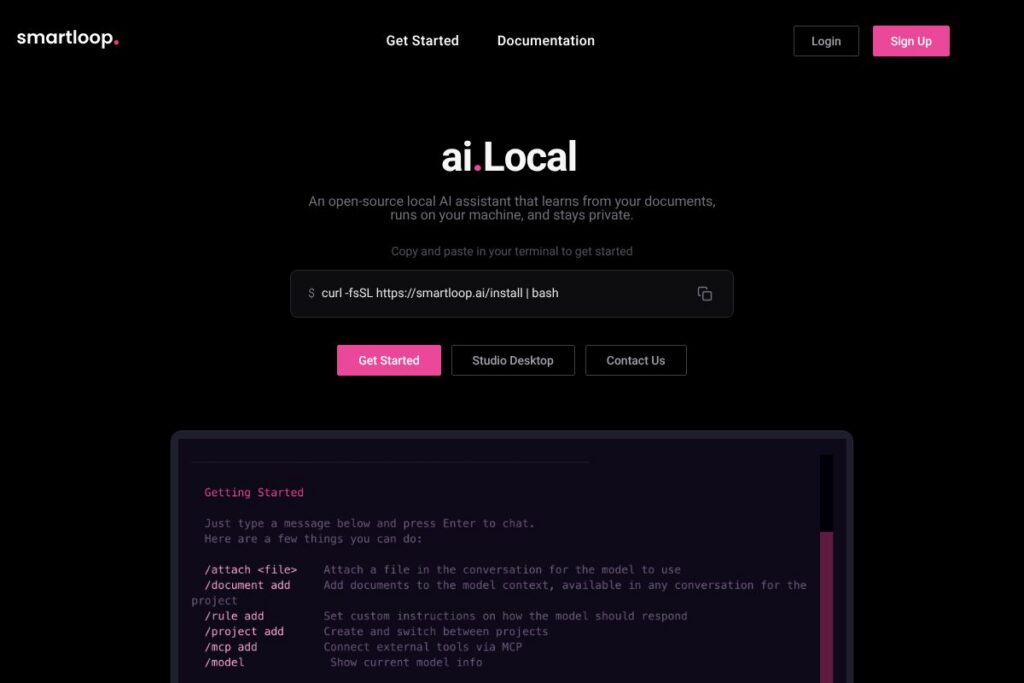
What is Smartloop?
Smartloop is an open-source local AI assistant that runs on your own hardware and processes documents, attachments, and custom skills without sending data to a hosted service. It uses quantized small language models to perform question answering, summarization, and content generation from files you attach, and it supports connecting to local MCP servers for additional compute.
Smartloop sits in the same space as other local-first projects aimed at on-device intelligence, but its emphasis is on document ingestion, developer extensibility, and a native desktop experience. Compared with GPT4All, which focuses on standalone model distribution and chat interfaces, Smartloop layers document vectorization and skill templates. Compared with cloud-first assistants like OpenAI ChatGPT, Smartloop prioritizes data privacy and offline operation but relies on smaller, device-compatible models rather than large proprietary models.
All of this makes Smartloop a practical choice for privacy-conscious users, developers building local automations, and teams who need an assistant that can run without constant internet access. It is especially useful for people who want to query corporate or personal documents directly on-device while maintaining control over data and model tuning.
How Smartloop Works
Smartloop runs quantized small language models locally, typically in GGML format, so models can fit within the memory constraints of a laptop or a modest GPU. Documents and attachments are tokenized and vectorized into an index that local agents consult when answering queries or generating content; this keeps context relevant without shipping data off the device.
Developers can add custom skills that define how the assistant interprets documents, triggers workflows, or connects to local MCP servers for distributed inference. The desktop app, Smartloop Studio, provides an interface for chatting with documents, managing local models, and configuring skills, while command-line tooling and install scripts support headless and scripted deployments.
Typical workflows include attaching a folder of PDFs, letting Smartloop index them, then asking natural-language questions that return extracted facts, summaries, or generated drafts. For heavier workloads, Smartloop can offload parts of processing to compatible local GPUs or MCP nodes while keeping the data on premises.
Smartloop features
Smartloop focuses on local-first document interaction and developer extensibility. Core capabilities include on-device model inference with GGML-quantized models, document ingestion and vector search, custom skill creation for tailored workflows, and a native desktop experience called Smartloop Studio for macOS, Windows, and Linux. The project emphasizes privacy and local control while offering hooks to scale compute via MCP servers.
Let’s talk Smartloop’s Features
Document ingestion and indexing
Smartloop can attach and index local documents, PDFs, and text files so the assistant can answer questions about their contents. Indexing creates vectorized embeddings that speed up recall and let the model operate over large document collections without exceeding model context limits.
Local small language model (GGML) support
The platform runs quantized GGML models directly on the host device, which reduces memory and CPU/GPU requirements compared with full-size models. This makes it feasible to run the assistant on M-series Macs and CUDA-capable GPUs with limited VRAM while retaining acceptable response quality for many tasks.
Smartloop Studio (native desktop app)
Smartloop Studio provides a native interface for chatting with documents, switching local models, and managing skills and indexes from macOS, Windows, or Linux. The app is designed to make local model switching and file-based workflows accessible without command-line usage.
Custom skills and automation
Users can create custom skills that tailor how Smartloop processes documents, extracts fields, or triggers downstream actions. Skills are useful for domain-specific parsers, recurring summarization workflows, or automated report generation integrated into local scripts.
MCP connectivity and distributed compute
Smartloop supports connecting to MCP servers for additional inference capacity while keeping data within a controlled environment. This lets teams distribute heavier model workloads across local nodes without relying on third-party cloud services.
Privacy and on-device processing
All core processing and document indexing can run locally, with no requirement to upload files to a hosted API. This reduces exposure of sensitive information and keeps compliance overhead lower for regulated data.
With these features combined, Smartloop delivers a local document assistant that balances developer flexibility, on-device performance, and privacy-first operation. The desktop app and command-line install path make it practical for both end users and technical teams.
Smartloop pricing
Smartloop follows an open-source distribution model with a free local runtime and optional paid services to support model maintenance and hosted features. The base project is free to use, and you can install the core tooling using the provided install script; see the installation script and documentation for setup details.
The project also offers paid options to fund model upkeep and extended services; pricing for hosted or managed services is handled outside the open-source runtime and is available on request. For the latest details about paid plans or enterprise options, check Smartloop’s official website for current offerings and contact channels.
What is Smartloop Used For?
Smartloop is commonly used to query and summarize private document collections, such as contracts, research papers, technical documentation, and personal notes, without sending data to external APIs. Individuals use it for private research and writing assistance, while teams use it to build local automations that extract structured data from files.
It is also suited for developers who want to add on-device AI capabilities to desktop applications or internal tools, for security-conscious organizations that require data residency, and for users working in environments with limited or intermittent internet connectivity.
Pros and Cons of Smartloop
Pros
- Local-first privacy: Data and inference remain on your device by default, reducing exposure of sensitive information while supporting compliance needs.
- Open-source and extensible: The project is open-source, allowing developers to create custom skills, inspect pipelines, and adapt the code to specific workflows.
- Runs on modest hardware: Quantized GGML model support makes it possible to run useful models on M-series Macs and CUDA GPUs with limited VRAM, extending on-device AI to more users.
- Native desktop experience: Smartloop Studio gives non-technical users a graphical interface for chatting with documents and managing models, lowering the barrier to adoption.
Cons
- Smaller models than cloud alternatives: On-device models are typically less capable than the largest cloud models, which can reduce performance on complex language tasks.
- Hardware requirements for best results: To run the most capable local models, users need recent hardware, such as M-series Macs or NVIDIA GPUs with at least 4GB of VRAM, which limits usability on older machines.
- Operational overhead: Running local indexing, model updates, and MCP connectivity can require more maintenance and technical knowledge than fully-managed cloud services.
- Evolving ecosystem: As an open-source project that integrates multiple components, users may encounter varying levels of polish across integrations and skill templates.
Does Smartloop Offer a Free Trial?
Smartloop offers a free and open-source local runtime. You can install the core assistant and run quantized models locally at no cost; the project also provides optional paid services for model hosting and managed features. Use the installation script to get started with the free runtime.
Smartloop API and Integrations
Smartloop exposes developer hooks for custom skills and local connectors, and it supports connecting to MCP servers to distribute inference workloads. The project documents installation and integration patterns in its technical docs; see the installation and developer guides for setup and developer notes.
For integrations with other tools, Smartloop relies on custom skills and local connectors you can author to interface with file systems, local databases, or internal APIs. This approach keeps integrations under your control while enabling automation and workflow composition.
10 Smartloop alternatives
Paid alternatives to Smartloop
- OpenAI ChatGPT — A cloud-hosted conversational AI with extensive model capabilities and plugins; access to advanced models is available under OpenAI’s subscription, such as $20/month for ChatGPT Plus, and it offers a broad ecosystem of integrations. See OpenAI’s ChatGPT Plus pricing for details.
- Anthropic Claude — Cloud-first assistant focused on safety and developer APIs, useful for teams that prefer hosted models and managed scaling with commercial SLAs.
- Perplexity AI — A research-oriented assistant that provides source-backed answers and document search via cloud services, suited for teams that prioritize web-grounded responses.
- Cohere — Offers hosted language models and embeddings with developer APIs for classification and search, aimed at enterprise NLP tasks.
- Notion AI — Integrated into Notion’s workspace, it offers document-based drafting and summarization features within a managed SaaS product.
Open source alternatives to Smartloop
- GPT4All — An open-source project distributing models and tooling for local chat and inference, focused on making small models accessible for on-device use; see the GPT4All project to learn more.
- LocalAI — A self-hosted inference server for running open models locally, useful for teams that want an API layer backed by on-premise model inference; view the LocalAI repository for details.
- PrivateGPT — A pattern and set of tools for running LLM-powered question answering over local documents, commonly used as a reference for rapid document search implementations.
- LlamaIndex — A library for building applications on top of LLMs with structured indexes and retrieval strategies, often paired with local or cloud models for document-centric apps.
- Haystack — An open-source framework for building search and QA systems with support for local and remote models, pipelines, and enterprise features.
Frequently asked questions about Smartloop
What is Smartloop used for?
Smartloop is used to query, summarize, and generate content from local documents. It indexes files on your device and uses quantized models to produce answers, summaries, and drafts while keeping data on-premise.
How does Smartloop run models locally?
Smartloop runs quantized small language models in GGML format on the host device. Models are compressed to fit within device memory and can use CPU or compatible GPUs for inference depending on your hardware.
Does Smartloop support custom skills and integrations?
Yes, Smartloop supports custom skills and developer hooks. You can author skills to parse documents, automate workflows, or connect to local services and MCP nodes for distributed compute.
Is Smartloop free to use?
Smartloop provides a free open-source runtime for local use. The project also offers paid options for hosted services and model maintenance; consult Smartloop’s site for available managed offerings.
Can Smartloop be used offline?
Yes, Smartloop can operate fully offline when models and document indexes are hosted locally. Offline operation is a primary design goal to ensure privacy and usability in low-connectivity environments.
Final verdict: Smartloop
Smartloop delivers a focused local AI assistant for document-driven workflows, combining on-device GGML model support, document indexing, and extensibility through custom skills. It is strongest where privacy and local control matter most, offering a native desktop experience and developer tooling that make it practical for both individual power users and technical teams.
Compared with cloud-first alternatives such as OpenAI ChatGPT at $20/month, Smartloop trades access to very large models for stronger data residency and offline capabilities. If you need on-premise document search, private Q&A, or local automations and you have compatible hardware, Smartloop is a compelling open-source option; if you need the absolute best language model performance without local infrastructure, a managed cloud service may be a better fit.