Stream: An Overview
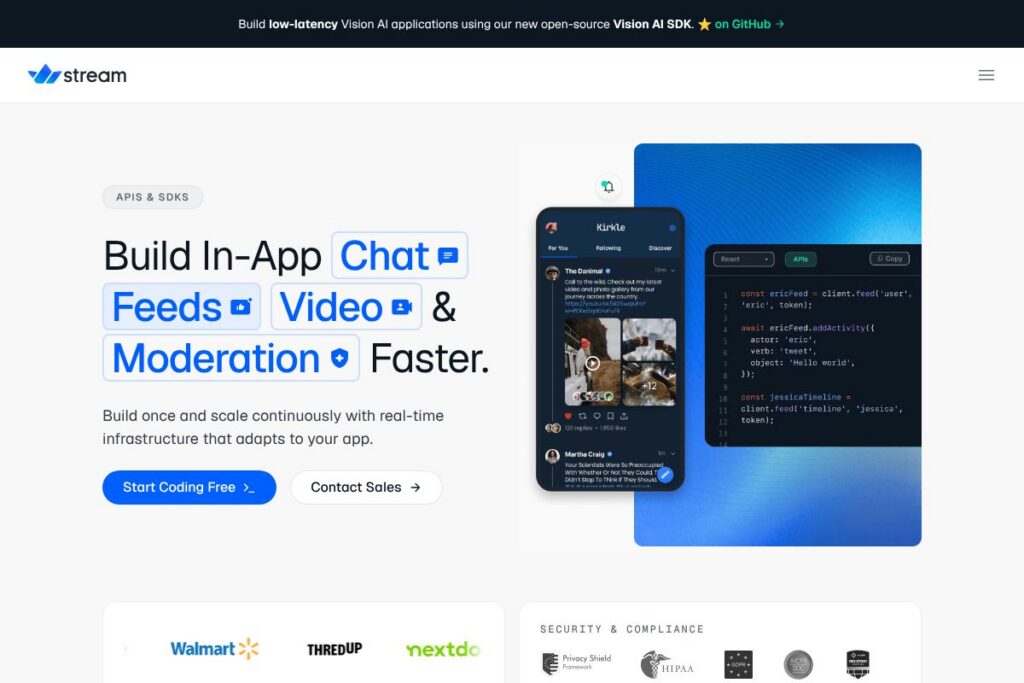
Stream provides hosted APIs and SDKs for building activity feeds, in-app chat, and real-time video experiences with a focus on low latency and scale. The platform combines server-side APIs, client SDKs, and pre-built UI components so teams can deliver production-ready social and engagement features without building the entire infrastructure from scratch.
Stream sits in the same space as developer-focused real-time platforms such as Sendbird, PubNub, and Twilio. Compared with Sendbird, Stream offers a broader set of feed primitives alongside chat and moderation tools; compared with PubNub, Stream provides richer social primitives like ranked and aggregated activity feeds; compared with Twilio, Stream emphasizes higher-level components and pre-built UI for social and community use cases rather than pure communications plumbing.
All of this makes Stream particularly well suited for product teams that need reliable, scalable engagement features integrated quickly into consumer apps, marketplaces, and social networks. The platform is often chosen by teams that want a mix of hosted infrastructure, SDK flexibility, and customization over pre-built user interfaces.
How Stream Works
Stream exposes REST and real-time APIs that handle message routing, feed aggregation, ranking, persistence, and delivery over a global Edge Network. Client SDKs for web and mobile connect to the service for authenticated read and write operations, while the server-side APIs are used to perform aggregation, moderation, and business-rule driven updates.
Typical implementation workflows include configuring feeds and chat channels in the Stream dashboard, integrating client SDKs to render and send events, and using server-side calls or webhooks to enforce moderation and transformations. Teams can mix Stream’s pre-built UI components with custom UI that calls the same SDKs and APIs to match their brand and UX requirements.
What does Stream do?
Stream’s platform centers on three product families: activity feeds, chat, and real-time video, supplemented by moderation tooling, client SDKs, and UI components. The company has been expanding developer tooling, including an open-source Vision AI SDK for building low-latency vision workflows. Core capabilities cover content delivery, delivery guarantees, and scaling across regions.
The platform includes several powerful capabilities worth highlighting:
Activity Feeds
Activity feeds provide write and read APIs for publishing user actions, aggregating activities, and applying ranking and filtering rules. These features let teams build timelines, personalized homefeeds, notification streams, and social graphs while offloading storage and fan-out logic to the Stream service.
Chat API and Components
Stream’s chat offering supplies message persistence, realtime delivery, typing indicators, read receipts, threads, attachments, and group channel management. Pre-built UI kits are available for fast client integration, while flexible SDKs allow teams to customize behavior and styling to their product needs.
Video API and RTC
The video and real-time communication layer supports low-latency streaming and session management suitable for live events, peer-to-peer calls, and moderated broadcasts. The APIs handle session orchestration, client signaling, and integration with media servers so teams can focus on UX rather than connection plumbing.
Moderation and Safety Tools
Moderation features include content filtering, scalable human-in-the-loop workflows, automated detection for profanity or unsafe media, and role-based controls. These tools are designed to help teams meet compliance requirements and maintain safe user environments at scale.
Vision AI SDK
The open-source Vision AI SDK enables low-latency, on-device or edge-friendly vision workflows for tasks like content moderation, object detection, and visual search. The SDK is intended to accelerate integration of vision models into Stream-powered feeds and chat, and its source is available on GitHub in Stream’s repositories.
SDKs and UI Components
Client SDKs cover major platforms including JavaScript, iOS, and Android, plus server libraries for common back-end languages. UI component libraries deliver ready-to-use chat and feed widgets that teams can adopt as-is or extend to match their UI frameworks.
Global Edge Network and Scalability
Stream operates a globally distributed network that reduces latency for read and write operations across regions and increases availability for large user bases. This infrastructure is useful for apps with geographically-distributed users and high event volumes.
With these capabilities, the biggest practical benefit is reduced development time for social features. Teams get production-tested APIs and components so they can ship engagement features while keeping control over UI and integration details.
Stream Pricing
Stream uses a usage-based subscription model with plans and enterprise options that scale by feature set, API usage, and required capacity. For the most accurate and current pricing, check Stream’s pricing and plans on their site.
What is Stream Used For?
Stream is commonly used to add feeds and social timelines to consumer apps, including newsfeeds, activity walls, and notification streams. Product teams use the activity feed APIs to manage fan-out, ranking, and aggregation logic that would otherwise be complex to build and scale in-house.
The chat and video products are used for in-app messaging, customer-to-customer chat, live video sessions, and integrated communications inside marketplaces and social platforms. Companies choose Stream when they need low-latency delivery combined with moderation, persistence, and extensible UI components.
Pros and cons of Stream
Pros
- Comprehensive feature set: Stream covers feeds, chat, video, and moderation in one platform, reducing the need to integrate multiple vendors. This makes it easier to maintain a consistent developer experience across engagement features.
- Pre-built UI and flexible SDKs: Teams can ship quickly with provided UI components or build custom experiences using the SDKs, which support major web and mobile frameworks. This reduces front-end implementation time while preserving customizability.
- Global low-latency network: Stream’s distributed infrastructure helps keep read and write latency low for globally distributed user bases, which is important for real-time engagement and live interactions.
Cons
- Vendor lock-in risk: Relying on Stream’s higher-level APIs and UI components can make it harder to migrate to another provider without refactoring both server and client code. Teams should weigh integration depth against portability.
- Complexity for niche use cases: Highly specialized feed ranking or custom real-time edge logic may still require considerable server-side work or custom middleware on top of Stream’s primitives. The platform abstracts many concerns but might not cover every bespoke requirement.
- Enterprise pricing considerations: High-volume applications may require custom enterprise contracts that need negotiation and capacity planning, which can increase procurement complexity compared to predictable per-seat pricing models.
Does Stream Offer a Free Trial?
Stream offers a free tier for developers and trial options for higher-capacity plans. The free tier is aimed at development and small-scale testing while paid plans scale by usage; check Stream’s pricing and plans for current free-tier limits and trial details.
Stream API and Integrations
Stream provides developer APIs for feeds, chat, and video, plus SDKs and client libraries for JavaScript, iOS, Android, and popular server languages. The Stream API documentation details endpoints, authentication flows, and usage examples for integrating these capabilities into apps.
The platform integrates with common developer tooling and can be connected to external services through webhooks, server-side libraries, and third-party middleware. For vision workflows, see Stream’s open-source Vision AI SDK on GitHub to incorporate visual models into moderation and feed experiences.
10 Stream alternatives
Paid alternatives to Stream
- Sendbird — A communications platform focused on chat and in-app messaging with managed infrastructure and UI kits for mobile and web apps.
- PubNub — Real-time data streaming and messaging platform that emphasizes low-latency pub/sub and presence features for multiplayer and live applications.
- Pusher — Realtime APIs for websockets, presence, and channels aimed at developers who need event-driven messaging in their apps.
- Twilio — Broad communications platform offering programmable SMS, voice, and video APIs that are useful when deep telephony or global messaging capabilities are needed.
- Agora — Real-time video and voice SDKs with a focus on live streaming, interactive broadcasting, and low-latency media transmission.
- Firebase (Realtime Database / Firestore) — Backend-as-a-service with real-time sync and hosting capabilities that teams sometimes use to build chat and live-updating feeds.
Open source alternatives to Stream
- Matrix — An open, federated protocol for real-time communication that can be self-hosted and used to build chat and messaging systems.
- Rocket.Chat — A self-hosted chat platform providing messaging, channels, and integrations suitable for teams that want full control over data and deployment.
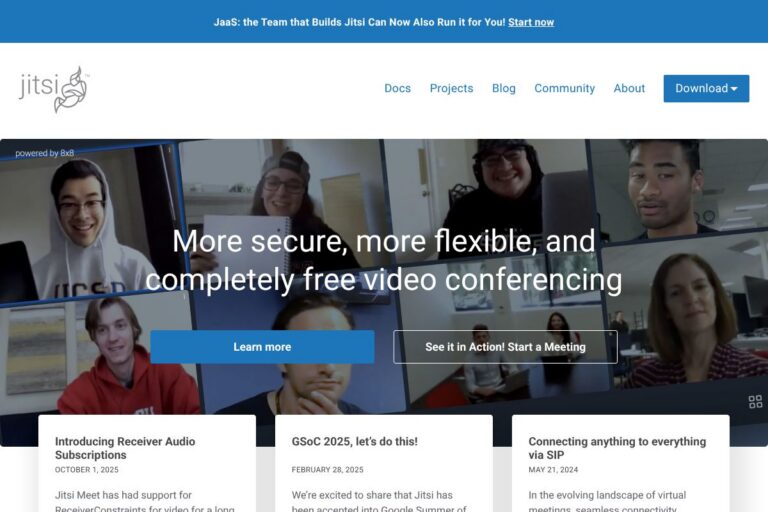
- Jitsi — An open-source video conferencing solution for building self-hosted or cloud-hosted video calling and meeting features.
- Mastodon — A federated microblogging platform useful as an open-source reference for social feeds and timelines.
- Stream-Framework — A developer library for building scalable activity feeds; useful for teams that prefer a self-hosted, code-first feed solution.
Frequently asked questions about Stream
What is Stream used for?
Stream is used to add feeds, chat, and real-time video to applications. Developers use it to implement timelines, notifications, in-app messaging, and live video features without building the underlying infrastructure.
Does Stream provide a Vision AI SDK?
Yes, Stream provides an open-source Vision AI SDK. The SDK supports low-latency vision tasks and is available in Stream’s GitHub repositories for integration into moderation and visual workflows.
How does Stream handle scalability?
Stream scales via a globally distributed Edge Network and usage-based infrastructure. The service handles fan-out, aggregation, and persistence so product teams do not need to implement large-scale event distribution themselves.
Does Stream offer SDKs and pre-built UI components?
Yes, Stream supplies SDKs for web and mobile plus pre-built UI kits for chat and feeds. These components can be used as-is or extended to match product-specific UI and behavior.
Can Stream integrate with existing moderation workflows?
Stream supports moderation through automated filters, human review workflows, and webhooks for integration with external moderation systems. Teams can combine Stream’s tooling with third-party services or internal moderation pipelines.
Final verdict: Stream
Stream is a robust platform for teams that need production-ready feeds, chat, and real-time video with global reach and low latency. Its mix of server APIs, client SDKs, and customizable UI components accelerates delivery of social and engagement features while leaving room for custom UX work.
Compared with Sendbird, Stream provides tighter primitives for activity feeds alongside comparable chat capabilities; pricing models for both vendors are usage-driven and often require evaluating expected throughput and feature needs. For teams prioritizing built-in feed aggregation plus chat and video in a single provider, Stream is a strong option, while teams that want only raw messaging or telephony plumbing may prefer alternatives such as Twilio or PubNub.
Overall, Stream works well for startups and enterprises building social, marketplace, and community features where time-to-market, scalability, and moderation tools matter. For implementation details and plan choices, consult Stream’s documentation and plans.