What is StreamYard
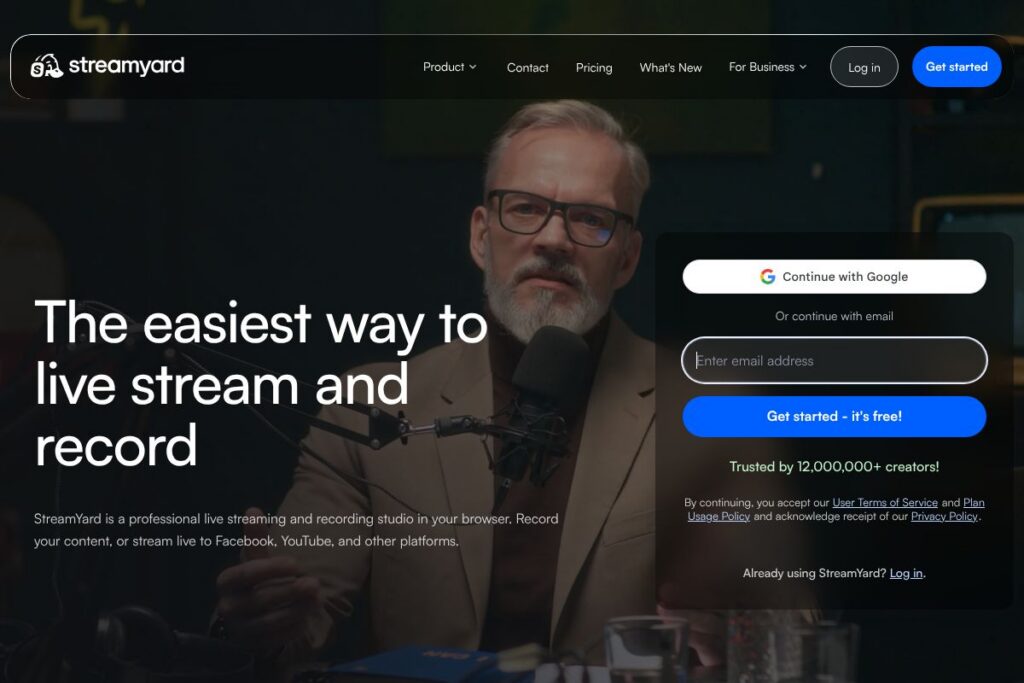
StreamYard is a web-based live production studio that runs in a browser and focuses on simplicity, reliability, and multi-platform streaming. Hosts can invite remote guests via a link, switch layouts, add branded graphics and lower thirds, and push a single stream out to Facebook, YouTube, LinkedIn, Twitch, and custom RTMP destinations while recording locally in MP4 format.
Compared with traditional desktop encoders like OBS Studio, StreamYard trades deep customization for a simpler setup and easier guest management. Compared with webinar and meeting platforms such as Zoom, StreamYard emphasizes broadcast controls, clean on-screen layouts, and native multistreaming rather than meeting features. Compared with multistreaming services like Restream, StreamYard combines a studio and distribution in one product while Restream focuses primarily on distribution and analytics.
What StreamYard does really well is lower the technical barrier for producing multi-person live shows, especially for small teams, marketers, podcasters, and educators who need reliable, browser-based production. It is well suited for creators who want professional-looking streams without the complexity of desktop mixing software, and for teams that need simple role-based access and redundancy when producing live events.
How StreamYard Works
StreamYard operates entirely in the browser, so there is no centralized app to install for hosts and most guests. A host creates a broadcast, selects the output destinations, and shares guest invite links; invited guests join by opening the link in a supported browser and granting camera and microphone permissions.
During a live session, the host uses an on-screen control panel to change layouts, add banners, bring guests on and off screen, play preloaded media, and show audience comments. The studio streams to configured platforms in real time and can record a high-quality copy to the host’s account for post-production and download.
A typical workflow is: schedule or start a broadcast, connect destinations such as YouTube or Facebook, invite guests via link, apply branding and overlays, go live and monitor chat across destinations, and finally stop the stream and download the recorded file for repurposing.
StreamYard features
StreamYard’s feature set centers on making live production accessible from a browser with tools for multistreaming, guest management, branding, and recording. Core capabilities include browser studio controls, multi-destination streaming, customizable layouts and overlays, guest invite links, local recording, and simple media playback and screen sharing. The platform continues to add studio enhancements and production tools that reduce the need for external encoders.
Let’s talk StreamYard’s Features
Browser-based studio
The studio runs in modern browsers so hosts and guests do not need to install software, which reduces setup friction and compatibility problems. This makes it easy for remote participants to join from different devices while keeping production centralized for the host.
Multistreaming to platforms
StreamYard supports sending a single broadcast simultaneously to multiple destinations such as Facebook, YouTube, LinkedIn, Twitch, and custom RTMP endpoints. Multistreaming lets you reach different audiences at the same time and reduces post-production distribution work.
Guest invites and on-screen layout controls
Guests join via a clickable invite link and appear in the studio with independent camera and mic controls, which simplifies remote interviews and panel shows. The host can change layouts, promote guests, and arrange the screen without asking guests to configure settings.
Branding, overlays, and lower thirds
Upload logos, custom lower thirds, backgrounds, and animated overlays to maintain a consistent show identity across streams. Branding presets and scene controls let teams switch looks quickly during live production.
Recording and file downloads
Streams can be recorded directly in StreamYard and downloaded as MP4 files for editing and republishing. Having a local-recorded copy helps with post-show editing, repackaging clips, and archiving.
Screen sharing and media playback
Share your screen, a window, or a specific browser tab during a live show, and play preloaded videos or jingles to the audience. These tools help with presentations, demos, or adding produced segments to a live show.
Audience interaction and comment management
StreamYard aggregates and displays comments from connected platforms inside the studio so hosts can highlight viewer messages on screen. Built-in tools surface and pin comments, which increases engagement without needing additional moderating tools.
Team roles and production controls
Accounts can include multiple users with role-based access, which allows producers, hosts, and editors to collaborate and back each other up during live events. Shared access reduces single points of failure and supports professional workflows for recurring shows.
With these features combined, StreamYard helps users produce consistent, multi-destination live shows with minimal technical overhead, making it straightforward to host interviews, webinars, and branded broadcasts.
StreamYard pricing
StreamYard uses a subscription pricing model with tiered plans that scale from a free option to paid plans for creators and teams. Plans are designed to cover basic browser streaming up to production features for small teams and organizations, and pricing is billed monthly or annually depending on the selected plan.
For the most accurate and up-to-date plan details and billing options, view the StreamYard homepage for current pricing and plan comparisons at the StreamYard homepage (https://streamyard.com). The homepage shows which features are included at each tier and any annual billing discounts.
What is StreamYard used for
StreamYard is used for live interviews, panel shows, educational webinars, product demos, and virtual town halls where simplicity and reliable multi-platform distribution are primary concerns. Creators use it to produce regular live shows with guests, while marketers use it for promotional broadcasts and livestreamed product launches.
Teams also use StreamYard for remote events and internal broadcasts that benefit from easy guest setup and on-brand visuals. The recording capabilities make it useful for podcasters and video creators who want to repurpose live content into shorter clips or edited episodes.
Pros and cons of StreamYard
Pros
- Low barrier to entry: StreamYard runs in the browser and requires minimal setup, making it easy for hosts and guests to join and participate. This reduces technical overhead for one-off shows and recurring series.
- Built-in multistreaming and recording: The platform combines studio controls, multi-destination streaming, and downloadable recordings so users do not need separate encoders or distribution tools. This simplifies workflows for small teams.
- Simple guest management: Invite links and guest preview windows make remote interviews and panels straightforward, without forcing guests to install software or manage complex settings.
- Branding and layout controls: Uploadable overlays, lower thirds, and simple scene switching let non-technical hosts produce clean, branded broadcasts.
Cons
- Limited advanced customization: Compared with open-source encoders like OBS Studio, StreamYard offers fewer low-level customization options for producers who need complex scene composition or plugin ecosystems. This can limit advanced workflows.
- Browser dependency for some features: Because the studio runs in a browser, audio-video quality is tied to browser and device capabilities, which can be a constraint for professional rigs that prefer dedicated hardware or local encoding.
- Enterprise feature set: Large broadcasters requiring advanced routing, NDI support, or extensive API-driven automation may find enterprise-grade broadcast tools more appropriate than a browser-first studio.
Does StreamYard Offer a Free Trial?
StreamYard offers a free plan alongside paid subscriptions. The free tier allows basic streaming and guest invites with platform branding and limits on features such as recording quality and multistreaming; paid plans remove branding and add production features and higher limits. For exact feature differences and trial or upgrade options, check StreamYard’s feature list on the StreamYard features page (https://streamyard.com/features).
StreamYard API and Integrations
StreamYard does not require a separate developer API for core studio functionality, but it supports integrations via direct outputs such as native connections to Facebook, YouTube, LinkedIn, Twitch, and custom RTMP endpoints for other destinations. These built-in integrations are configured from the studio when you set up a broadcast.
For automation, workflow guidance, and connectivity details consult the StreamYard help center for documentation on connected destinations and advanced streaming setups at the StreamYard help center (https://help.streamyard.com).
10 StreamYard alternatives
Paid alternatives to StreamYard
- Restream — A multistreaming-focused platform that separates studio features from distribution and adds analytics and chat aggregation for broadcasters targeting many endpoints.
- Riverside — Focuses on high-fidelity remote recording for podcast and video production with separate local recordings for each participant and studio tools for post-production.
- Wirecast — Desktop encoder with advanced switching, production, and streaming controls for professional broadcasters who need extensive customization.
- vMix — Windows-based live production software that provides advanced mixing, recording, and streaming features for users who prefer a desktop environment.
- Ecamm Live — macOS-focused live video production software with deep integration for streaming and easy-to-use overlays and interview tools.
- Streamlabs — Broadcaster-focused suite with streaming, alerts, and monetization features, commonly used by individual streamers and gamers.
- Zoom — While primarily a meeting tool, Zoom is commonly used for webinars and interviews and can be connected to streaming destinations for simple broadcasts.
Open source alternatives to StreamYard
- OBS Studio — A free, open-source encoder and compositor used widely for live production, with a steep learning curve but extensive customization via scenes and plugins.
- Nginx with RTMP module — A self-hosted streaming approach that gives developers low-level control over ingest and distribution for custom workflows and private streaming setups.
- Jitsi — Open-source video conferencing software that can be adapted for simple multi-participant live sessions and self-hosted for privacy-focused setups.
Frequently asked questions about StreamYard
What platforms can StreamYard stream to?
StreamYard can stream to platforms such as Facebook, YouTube, LinkedIn, Twitch, and custom RTMP destinations. You configure destinations in the studio before going live and may send the same broadcast to multiple platforms simultaneously.
Does StreamYard allow recording of live streams?
Yes, StreamYard records broadcasts and provides downloadable MP4 files. Hosts can download recordings after the session for editing, archiving, or republishing.
Can StreamYard host multiple guests at once?
Yes, StreamYard supports multiple on-screen guests and remote participants through invite links. The host controls who appears on screen and can switch layouts during the broadcast.
Is StreamYard free to use?
StreamYard offers a free plan with limitations and paid subscription tiers for advanced features. The free tier is suitable for testing and small broadcasts, while paid plans add branding removal, higher-quality recordings, and production features.
Does StreamYard work without installing software?
Yes, the core StreamYard studio runs in supported web browsers so guests and hosts do not need to install a dedicated app. This reduces setup time and makes it easy for remote participants to join from different devices.
Final verdict: StreamYard
StreamYard excels at making reliable, multi-destination live production accessible from a browser with minimal setup, strong guest management, and built-in recording. It is particularly well suited for creators, marketers, educators, and small teams who want professional-looking broadcasts without the complexity of desktop encoders.
Compared to OBS Studio, which is free and highly configurable, StreamYard requires less technical setup and offers easier multistreaming and guest workflows at the cost of advanced customization. For teams that prioritize simplicity and multi-platform reach, StreamYard is a pragmatic choice; for producers who need deep control and custom plugins, a desktop solution like OBS Studio or a dedicated broadcast encoder may be a better fit.