TARS Explained
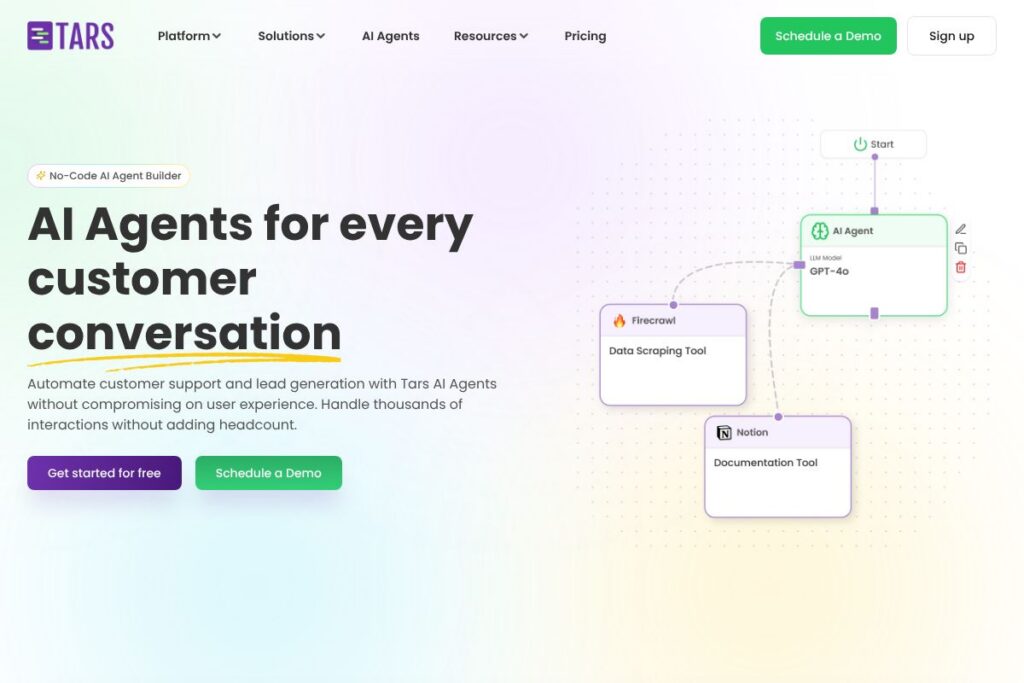
TARS is a no-code platform that lets teams build Conversational AI Agents to automate customer support and lead generation. The platform focuses on context-aware dialogue, sentiment-aware responses, and integrations with CRMs and helpdesks to keep conversational data in your existing systems.
Compared with Intercom, which blends live chat and automation around a per-seat model, TARS concentrates on production-grade autonomous agents and template-driven build flows that reduce implementation time. Against Drift, TARS places more emphasis on conversational templates and multi-channel deployment rather than account-based marketing features. Compared with ManyChat, which centers on marketing chat flows and social messaging, TARS targets enterprise support workflows and deeper CRM integrations.
TARS does well at rapid agent creation and high-volume conversation handling, making it suitable for customer support teams, marketing teams focused on lead qualification, and operations teams that need consistent, documented conversational outcomes. Organizations that want a visual builder and pre-built templates for specific verticals will find TARS especially useful.
How TARS Works
The platform uses a visual drag-and-drop builder to define conversational flows, agent behavior, and action rules without writing code. You map user paths as modular components, attach retrieval datasets or knowledge bases, and configure triggers for handoff to human agents or external systems.
Training and tuning happen by connecting your documents, help center content, and product data so Agents retrieve relevant answers and personalize responses. Teams can test Agents using synthetic datasets and quality checks, then deploy them across websites, messaging channels, and WhatsApp while pushing captured leads into CRMs.
TARS’s Core Capabilities
TARS bundles tools for building, testing, deploying, and monitoring conversational Agents. Core capabilities include a visual no-code builder, thousands of pre-built templates, integration connectors, testing utilities, and analytics that surface CX metrics and sentiment trends.
Visual No-Code Builder
The drag-and-drop builder allows non-technical users to assemble conversation flows, set conditional logic, and link actions such as API calls or CRM updates. This reduces the time from concept to production and makes iterative changes straightforward for CX owners.
Pre-built Templates
TARS includes a library of industry and use-case templates that teams can customize rather than starting from scratch. Templates speed up pilot projects for use cases like support triage, appointment booking, and lead qualification.
Integrations and Connectors
The platform connects with more than 600 tools, including major helpdesks, CRMs, analytics platforms, and tag managers, so conversation data and conversion signals flow into existing systems. Standard connectors and Zapier support enable common automations without custom engineering.
Training on Your Data
Agents can be trained or tuned on your knowledge base, support transcripts, and product documentation so responses are accurate and aligned with brand tone. This approach improves resolution rate and reduces repetitive routing to human agents.
Synthesized Testing and Validation
TARS provides tools to generate synthetic test datasets and question sets that evaluate retrieval accuracy, response quality, and behavior consistency before Agents interact with real customers. This helps teams catch regressions and measure readiness.
Multi-channel Deployment
Agents built in TARS can be deployed to websites, landing pages, WhatsApp, and other messaging endpoints, allowing a single Agent configuration to serve multiple channels. Channel-specific settings let teams adjust prompts or handoff rules per platform.
Analytics and CX Insights
The analytics suite tracks conversation metrics, sentiment, resolution rates, and CX scores, enabling continuous optimization and trend detection. Teams use these insights to refine flows, improve handoffs, and track the business impact of Agents.
With these features, TARS accelerates production-ready conversational automation and gives teams the visibility needed to iterate and scale Agents safely.
TARS Pricing
TARS uses a SaaS pricing approach with tiered plans and custom enterprise options, but specific public pricing details are not available in the content provided. For the latest plan structures, seat models, and enterprise packages, check the TARS site for current pricing options and contact channels for quotes.
What is TARS Used For?
TARS is commonly used to automate customer support tasks such as answering FAQs, routing complex issues, and performing first-contact resolution to reduce call and email volume. Teams use Agents to provide 24/7 coverage for common queries while escalating only the exceptions to human agents.
Marketing and sales teams use TARS to qualify leads, capture visitor intent, and push contacts and conversion events into CRMs and analytics stacks. The platform is also used for onboarding flows, appointment scheduling, and simple transactional processes where conversational capture outperforms static forms.
Pros and Cons of TARS
Pros
- Fast agent creation: The visual builder and large template library make it possible to build production-ready Agents quickly without engineering resources. This accelerates pilots and reduces time-to-value.
- Extensive integrations: With connectors to CRMs, helpdesks, analytics, and tag managers, TARS fits into existing workflows and preserves conversation context across systems. That simplifies reporting and follow-up actions.
- Testing and quality controls: Built-in synthetic testing and performance checks let teams validate Agents before they go live, reducing the risk of incorrect answers and unintended behaviors.
- Multi-channel support: Deploy once and run across web chat, WhatsApp, and other messaging platforms to keep conversational presence consistent across touchpoints.
Cons
- Custom pricing for enterprise: Large deployments typically require custom plans and negotiation, which means costs are not always transparent for buyers evaluating at scale. Contacting sales is usually necessary for exact figures.
- Learning curve for complex flows: While the builder is no-code, designing robust, contextually aware conversations requires planning and some conversational design expertise to avoid dead ends or looped interactions.
- Dependence on good training data: Accuracy and personalization rely on well-structured knowledge bases and clean support transcripts; organizations with poor documentation will need to invest in content preparation.
Does TARS Offer a Free Trial?
TARS offers a free plan to get started. The platform encourages trial use with access to templates and the visual builder so teams can prototype Agents at no cost; for production-scale features and enterprise-level support, you can view the current pricing options or contact the TARS sales team for a demo.
TARS API and Integrations
TARS provides integration connectors for major CRMs, helpdesks, analytics platforms, and marketing pixels, plus Zapier for broader automation. Explore the TARS integrations directory to see pre-built connections for tools your team already uses.
For teams that need programmatic control, TARS offers developer documentation and API endpoints to send and receive conversation data, trigger actions, and manage Agent configurations; review the API documentation for available endpoints and authentication details.
10 TARS alternatives
Paid alternatives to TARS
- Intercom — Conversational customer messaging platform that blends live chat, automation, and product tours for customer engagement and support.
- Drift — B2B conversational marketing platform focused on conversational landing pages and account-based lead qualification.
- Zendesk — Customer service suite with chat, ticketing, and automation capabilities that pairs well with human agent workflows.
- ManyChat — Marketing-focused chatbot builder for social messaging and SMS, with strong automation for campaigns and lead capture.
- Ada — AI-powered customer service automation designed for enterprise support with centralized knowledge management and handoff logic.
- LivePerson — Enterprise conversational AI platform with advanced routing, analytics, and agent-assist features for contact centers.
- HubSpot Chat — Part of HubSpot CRM, offering chat and conversational bots tightly integrated with marketing and sales pipelines.
Open source alternatives to TARS
- Rasa — Open source framework for building contextual AI assistants with full control over NLU, dialogue policies, and deployment.
- Botpress — Developer-focused conversational platform with a modular architecture and a visual flow editor for self-hosted chatbots.
- Chatwoot — Open source customer engagement suite with live chat, inboxes, and basic automation for customer support teams.
- Rocket.Chat — Open source team communication platform that can be extended with bot integrations for conversational workflows.
Frequently asked questions about TARS
What is TARS used for?
TARS is used to build Conversational AI Agents for support, lead qualification, and automated customer interactions. Teams deploy Agents to handle high-volume queries, capture leads, and integrate conversation outcomes with CRMs.
Does TARS integrate with CRMs and helpdesks?
Yes, TARS integrates with major CRMs, helpdesks, analytics platforms, and Zapier. These connectors allow captured leads and conversation context to flow into existing systems for follow-up and reporting.
Can TARS be used without coding experience?
Yes, TARS is designed for no-code use through a visual drag-and-drop builder. Non-technical teams can create and customize Agents, though complex conversation design benefits from conversational design best practices.
Is TARS suitable for WhatsApp and other messaging channels?
Yes, TARS supports multi-channel deployment including web chat and messaging platforms such as WhatsApp. Channel-specific settings let you tailor prompts and handoffs for each endpoint.
How does TARS handle security and data privacy?
TARS supports enterprise security controls and integrations with your tools so conversation data can be routed into secure systems. For details on compliance and data handling, consult the TARS security and documentation resources.
Final Verdict: TARS
TARS is a focused option for teams that need to build and scale autonomous conversational Agents quickly, using a visual no-code builder, pre-built templates, and broad integrations. It excels at reducing repetitive support volume and capturing leads around the clock while giving teams test tooling and analytics to measure impact.
Compared with Intercom, which combines live support and automation under a per-seat model, TARS is positioned as a specialist for automated conversation design and template-driven deployments; Intercom often targets hybrid live/automated workflows while TARS emphasizes autonomous Agents and multi-channel reach. For organizations prioritizing automated support and lead capture with rapid prototyping, TARS offers a practical balance of features and integration coverage.