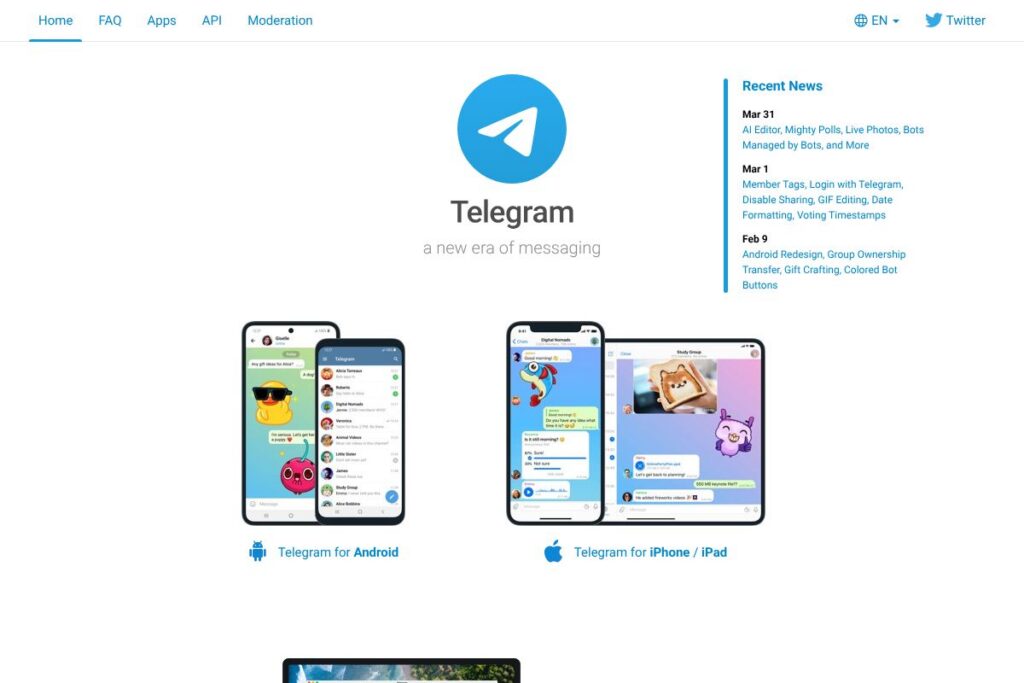
What is Telegram
Telegram is a cloud-based messaging app that combines real-time chat, voice and video calls, and programmable bots. It stores messages on its servers for fast multi-device access while offering optional end-to-end encrypted “secret chats” that can self-destruct, making it suitable for both everyday conversations and privacy-sensitive exchanges.
Compared with competitors, Telegram places more emphasis on large public communities and developer extensibility. Compared to WhatsApp, Telegram allows far larger groups, bigger file transfers, and public channels; compared to Signal, Telegram offers more cloud features and multi-device sync; compared to Discord, Telegram is more focused on text-first messaging and lightweight channels rather than server-based voice communities.
Telegram excels at carrying large amounts of media and messages across devices while remaining developer-friendly. It is well suited for individuals, community moderators, and teams that need fast syncing, bot automation, or public broadcasting without per-user fees.
How Telegram Works
Telegram uses a hybrid cloud architecture: regular chats and media are stored in the cloud for instant sync across phones, tablets, and desktops, while secret chats are stored only on the participating devices and use end-to-end encryption. This approach lets you start a conversation on one device and continue it on another without manual backups.
Bots and automation run via the Bot API and can be added to groups, channels, or one-on-one chats to handle polls, notifications, file processing, and integrations. Channels provide one-way broadcasting to unlimited subscribers, while groups scale up to very large membership for public discussion and moderation workflows.
Clients are available as native apps for major mobile and desktop platforms and as web apps, and developers can extend functionality using the Telegram API documentation. The platform also supports programmable features such as custom keyboards, inline queries, and callback buttons to build interactive workflows inside chats.
Telegram features
Telegram is organized around messaging, media sharing, community tools, and developer extensibility. Core capabilities include cloud-synced chats, secret chats with self-destruct timers, large groups and channels, a Bot API, high file size limits, voice and video calls, and recent additions like an AI Editor and advanced poll options. The platform frequently updates via posts on the Telegram blog, which details new features and improvements.
Let’s talk Telegram’s Features
Cloud Chats and Multi-device Sync
Messages, media, and chat history are stored in Telegram’s cloud and synced instantly across devices, letting you pick up conversations on phone, tablet, or desktop without exporting data. This is particularly useful for teams and users who switch devices frequently and need consistent access to message history and shared files.
Secret Chats and Self-Destruct Timers
Secret chats use end-to-end encryption and are device-specific so messages do not persist on Telegram servers, and you can set messages to self-destruct after a set time. This feature addresses privacy-sensitive conversations that require tighter control over message lifespan and storage.
Channels and Large Groups
Channels allow one-to-many broadcasting to an unlimited number of subscribers, with public links and archived message history, while groups can hold up to 200,000 members for large community discussions. Moderation tools, admin roles, and pinned messages help manage activity in high-volume spaces.
Bots and Automation
The Bot API enables automated accounts that can respond to messages, run polls, process files, and connect external services; bots can also be managed programmatically for automated moderation and workflows. Developers can consult the Telegram Bot API docs for endpoints, updates, and examples.
File and Media Sharing
Telegram allows very large file uploads and supports a wide range of media types, including photos, videos, documents, and compressed files. High upload limits make it practical for teams and creators to share source files, large video drafts, and datasets without third-party hosting.
Voice and Video Calls
Telegram provides secure voice and video calling with options for one-to-one and group calls, screen sharing, and recorded voice chats for channels. Call quality prioritizes low latency and adaptive bitrate to maintain reliability on mobile networks.
Polls, Surveys, and Mighty Polls
Polls support single-choice and multiple-choice voting, quizzes, and recent improvements such as vote timestamps and richer poll types. These features are useful for teams collecting quick feedback, community decisions, or interactive broadcasts in channels.
AI Editor and Message Tools
The AI Editor offers quick text transformations such as translation, rewriting, and grammar fixes directly inside chats, reducing the need to switch apps for minor edits. Combined with features like GIF editing and live photos, the editor helps streamline content creation prior to sharing.
Bots Managed by Bots and Extensibility
Telegram’s ecosystem supports nested automation where bots can coordinate with other bots to handle moderation, analytics, and content generation. This extensibility supports advanced workflows such as automated onboarding, scheduled posts, and integration with external systems like Zapier or IFTTT.
With these features, Telegram aims to be a flexible messaging platform that scales from private chats to public broadcasting and programmable automation. The biggest practical benefit is the combination of fast syncing across devices and extensive developer tools for building integrations and community functionality.
Telegram pricing
Telegram is free to use for individuals and communities and does not require subscription fees for core messaging, groups, channels, or bot usage. There are no public paid tiers for basic messaging functionality, and most consumer features are available at no charge.
The platform also publishes technical resources and developer docs freely; see the Telegram API documentation for developer access and usage details. For organization-scale needs that require bespoke solutions, consider contacting Telegram through their official channels or reviewing the Telegram blog for announcements about platform-level offerings.
What is Telegram Used For?
Telegram is commonly used for private messaging, group collaboration, and public broadcasting via channels. Individuals use it for everyday chat and file sharing, while community managers use channels and large groups to run communities, distribute content, and moderate discussions.
Teams and developers use Telegram for lightweight automation and notifications by deploying bots to handle tasks such as alerts, polls, and simple workflows. Content creators and businesses also use channels to push updates and files to large subscriber lists without per-user fees.
Pros and Cons of Telegram
Pros
- Fast, cross-device sync: Messages and media are stored in the cloud for instant access across phone, tablet, and desktop without manual backups.
- Large file and group limits: You can share very large files and run groups with up to 200,000 members, which is useful for communities and creator distribution.
- Extensible bot platform: The Bot API enables automation, integrations, and interactive features that extend chat functionality for teams and services.
- Flexible privacy options: Secret chats with end-to-end encryption and self-destruct timers provide a higher-privacy option when needed.
Cons
- Partial end-to-end coverage: Regular cloud chats are not end-to-end encrypted by default, which some privacy-conscious users may consider a drawback compared with fully encrypted apps.
- Centralized infrastructure: While clients are open and the API is public, the platform’s cloud architecture centralizes message storage for standard chats, which may matter for enterprise or regulated environments.
- Feature complexity for new users: The breadth of features, bots, and channels can be overwhelming for casual users who only need basic messaging.
Does Telegram Offer a Free Trial?
Telegram is free to use and does not require a trial. Core messaging, groups, channels, file sharing, and bot APIs are available at no cost for individual and community use. For developer and integration details, consult the Telegram API documentation.
Telegram API and Integrations
Telegram provides a public API and a dedicated Bot API for developers to build clients, bots, and integrations; the Telegram API documentation covers authentication, update handling, and available methods. The Bot API documentation is specifically useful for building chatbots, inline features, and interactive message elements.
Third-party automation platforms such as Zapier Telegram integrations and the IFTTT Telegram service provide low-code ways to connect Telegram to external apps for notifications, content publishing, and task automations. Custom integrations can also be created using webhooks and the API for more advanced workflows.
10 Telegram alternatives
Paid alternatives to Telegram
- WhatsApp – A widely used messaging app with end-to-end encryption for private chats and an emphasis on mobile-first conversations.
- Slack – A team collaboration platform with channels, threads, integrations, and paid plans that add administrative and compliance features.
- Discord – A community-focused app with voice, video, and text channels, commonly used for gaming and creator communities.
- Microsoft Teams – An enterprise collaboration and calling platform tightly integrated with Microsoft 365 productivity tools and admin controls.
- Viber – A messaging and calling app with public communities, stickers, and business messaging features.
- Line – A messaging app popular in some regions with integrated payments, stickers, and official accounts for brands.
- WeChat – A super-app that combines messaging, payments, and services into a platform used primarily in certain regional markets.
Open source alternatives to Telegram
- Matrix / Element – A decentralized, open standard for messaging with Matrix servers and Element clients that emphasize federation and interoperability.
- Signal – An open-source messaging app focused on privacy with end-to-end encryption by default for all chats and calls.
- Rocket.Chat – A self-hosted team chat platform that supports federation, custom integrations, and on-premises deployment.
- Mattermost – An open-source team messaging platform designed for secure, self-hosted collaboration and enterprise compliance.
- Zulip – An open-source chat platform with threaded conversations and support for on-premises deployment.
Frequently asked questions about Telegram
What is Telegram used for?
Telegram is used for instant messaging, group chats, broadcasting through channels, and bot-driven automation. It supports private conversations, large public communities, and developer-built workflows.
Does Telegram offer end-to-end encryption?
Telegram offers end-to-end encryption via Secret Chats only. Standard cloud chats use server-side encryption to enable multi-device sync, while secret chats are device-specific and encrypted end-to-end.
Can Telegram be used on multiple devices at once?
Yes, Telegram supports multi-device sync across phones, tablets, and desktops. Cloud chats, media, and attachments sync instantly between logged-in devices for seamless access.
Does Telegram have an API for developers?
Yes, Telegram provides both the Telegram API and a Bot API for building clients and bots. Developers can find implementation details in the Telegram API documentation and the Bot API docs.
Is Telegram free to use?
Telegram is free for individual users and communities. Core messaging, channels, groups, and bot features are available without subscription fees.
Final verdict: Telegram
Telegram is a fast, cloud-first messaging platform that scales from private chats to massive public communities while offering extensive developer tools. Its strengths are multi-device sync, large file limits, programmable bots, and flexible community features, which make it a strong choice for creators, community managers, and teams that need large-scale distribution without per-user fees.
Compared with WhatsApp, Telegram provides larger groups, more generous file limits, and a broader bot ecosystem while both apps are free for users. For teams that need enterprise features such as formal admin controls, compliance, or integrated office suites, solutions like Microsoft Teams or Slack may offer paid tiers better suited to organizational needs, but Telegram remains a compelling free option for fast messaging and public broadcasting.