Tidio: An Overview
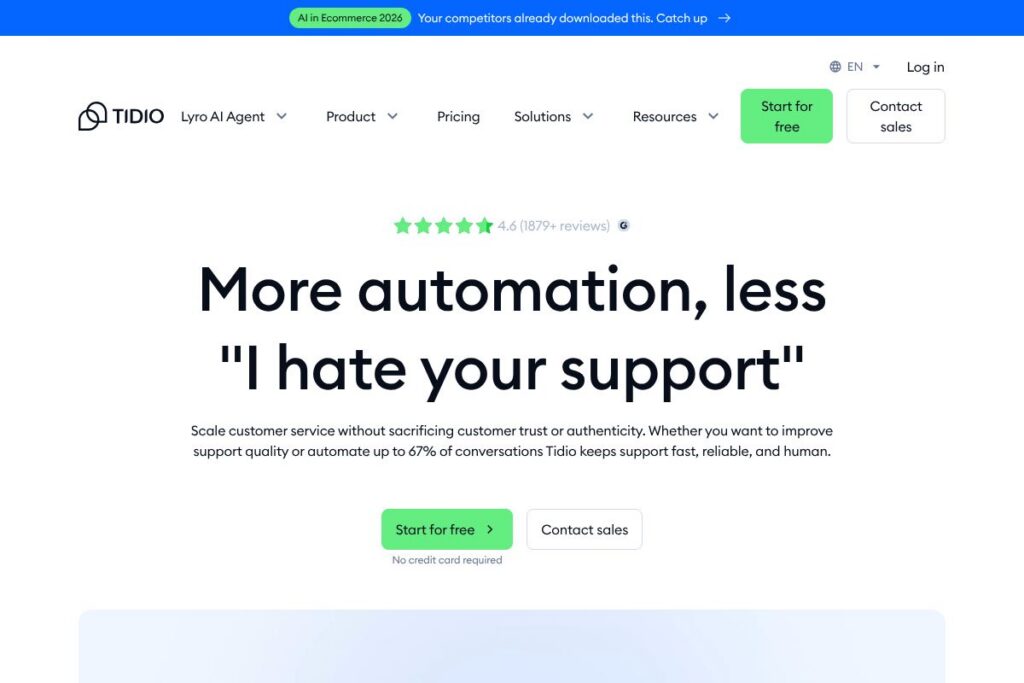
Tidio is a customer service suite that pairs an AI agent named Lyro with live chat, ticketing, and workflow automation. The platform focuses on training the AI on verified sources so responses remain accurate and aligned with a brand voice, while keeping a tight handoff to human agents for complex or sensitive cases. Tidio positions itself for teams that need both automation and control rather than full replacement of human support.
Compared with Intercom, Zendesk, and Freshdesk, Tidio emphasizes an AI-first approach for small and growing teams at a lower operational cost. Intercom is strong on conversational marketing and enterprise features, Zendesk provides deep ticketing and reporting for large contact centers, and Freshdesk targets straightforward helpdesk workflows with omnichannel reach. Tidio differentiates by offering an approachable AI agent, a combined chat/helpdesk UI, and proactive automation tools aimed at lead capture and common support tasks.
All of this makes Tidio especially well suited for e-commerce stores, SaaS companies, and small-to-medium support teams that need to increase capacity without sacrificing trust or response quality. Its resolution-rate guarantee and the ability to train Lyro on internal knowledge sources make it appealing for teams that need high accuracy from automation.
How Tidio Works
Lyro sits in front of your support stack, answering routine questions from verified knowledge sources and escalating when human judgment is required. You add Lyro to your website or app as a chat widget, then connect it to your helpdesk so tickets, customer context, and agent handoffs remain synchronized.
Tidio uses visual Flows and Smart Actions to automate common paths, capture leads, and create tickets; admins can edit Flow logic without coding. Typical workflows include collecting order details, checking delivery status, offering self-service answers, and creating a ticket when a customer requests human help.
Elevating support typically follows three steps:
Tidio features
Tidio bundles AI-driven chat, live agent tools, ticketing, and proactive automations into a single interface, and it promotes Lyro as a trainable, brand-aligned conversational agent. Key functionality includes support automation, a helpdesk that consolidates conversations, integrations with commerce and CRM systems, and analytics focused on resolution and CSAT.
Let’s talk Tidio’s Features
Lyro AI agent
Lyro is a trainable conversational AI intended to provide accurate replies based on verified sources and custom guidance. Teams can improve Lyro’s performance by feeding it help articles, FAQs, product data, or CRM records, which reduces incorrect answers and maintains brand tone.
Helpdesk and ticketing
Tidio combines chat and ticketing in one interface to ensure continuity between automated responses and agent work. Tickets can be generated from unresolved chats, assigned to agents, and tracked until resolution, which helps tidy messy workflows and improve follow-up.
Chatbot builder and live chat
The visual chatbot builder lets non-technical users design conversational flows for lead capture, FAQs, and routing to agents. Live chat provides real-time agent messaging, canned responses, and chat transfer so humans can step in when needed.
Proactive automations (Flows and Smart Actions)
Flows enable rule-based or event-triggered automations that capture leads, book calls, and push events into external systems. Smart Actions let you trigger tasks like sending follow-up emails or creating tickets automatically, reducing manual steps for agents.
Integrations and API
Tidio offers integrations with e-commerce platforms, CRMs, and messaging channels so conversations carry context across systems. Available connectors and the public documentation make it possible to sync orders, customer records, and analytics into your existing stack.
Analytics and CSAT tools
Built-in reporting focuses on resolution rates, conversation volume, and customer satisfaction metrics to measure Lyro and agent performance. The platform highlights suggestions to improve agent guidance and track how automations affect CSAT.
Onboarding and professional services
For teams that need help, Tidio offers setup guidance and optional professional services to tune the AI, integrate complex systems, or create custom flows. That support streamlines adoption and helps teams reach higher resolution rates faster.
With these capabilities, the biggest benefit is consistent, reliable automated responses that hand over to human agents smoothly, allowing teams to automate routine work without sacrificing trust.
Tidio pricing
Tidio uses a SaaS subscription approach with tiered plans and a freemium entry point, while paid options scale by features and usage. For the most accurate view of current plan names, features, and limits, check Tidio’s current pricing options on the Tidio homepage.
What is Tidio Used For?
Tidio is commonly used to automate common customer questions, capture leads via chat, and provide a unified workspace where agents can pick up conversations started by the AI. It is suited to e-commerce shops that need 24/7 support coverage and SaaS companies looking to deflect repetitive tickets.
Support teams often use Tidio to lower first response time and to offload up to two thirds of routine interactions to Lyro, while reserving agents for escalations, account work, and complex troubleshooting. Sales teams use proactive messages and flows to convert website visitors into booked demos or leads.
Pros and Cons of Tidio
Pros
- Trustworthy AI alignment: Training Lyro on verified sources reduces hallucinations and keeps replies consistent with brand voice.
- Combined chat and helpdesk: The unified interface reduces context switching between automation and human agents, improving agent response quality.
- Proactive automation tools: Flows and Smart Actions capture leads and create tickets automatically, which boosts conversion and reduces missed opportunities.
- Accessible setup for small teams: Non-technical setup and visual Flow builder make it easier for small teams to get started without engineering support.
Cons
- Limited enterprise-grade reporting: For very large contact centers, reporting and advanced analytics may be less comprehensive than some enterprise platforms.
- Customization limits for complex deployments: Highly customized routing or deep CRM integrations may require developer work or professional services.
- Feature parity vs larger vendors: Some advanced omnichannel features and native apps found in larger platforms may be absent or available only through integrations.
Does Tidio Offer a Free Trial?
Tidio offers a free plan and free trial options. The free tier provides basic chatbot and live chat functionality to evaluate the product, while trial access to paid features is available so teams can test automation and AI capabilities; view the available tiers and limits on the Tidio homepage.
Tidio API and Integrations
Tidio provides integrations with major commerce and messaging platforms and exposes developer resources to connect custom systems. See the Tidio integrations directory for platform-by-platform connectors and the Tidio developer documentation for API endpoints and webhook details.
10 Tidio alternatives
Paid alternatives to Tidio
- Intercom — A conversational support and product messaging platform with deep routing, automation, and enterprise-grade reporting.
- Zendesk — A robust helpdesk and ticketing system with extensive channel support and advanced analytics for large teams.
- Freshdesk — Offers scalable ticketing, automation, and omnichannel messaging suited to service teams of varied sizes.
- Drift — Focuses on conversational marketing and sales conversions with chatbots and routing optimized for lead qualification.
- Ada — An AI-powered automation platform targeted at enterprise customer service teams that need high-scale bot automation.
- LiveChat — A dedicated live chat product with strong agent tools and integrations, often used by commerce teams.
- HubSpot Service Hub — Combines CRM-driven service tools with ticketing and knowledge base features for teams already on HubSpot.
Open source alternatives to Tidio
- Chatwoot — An open source customer engagement suite with multi-channel inbox and basic bot capabilities.
- Rasa — A developer-focused open source conversational AI framework for building custom, on-premise chatbots.
- Botpress — A modular open source bot platform for building sophisticated conversation flows and integrations.
- Rocket.Chat — A self-hosted communication platform that can be extended with bots and automation for support teams.
- Zammad — An open source helpdesk and ticketing system with multi-channel support and automation rules.
Frequently asked questions about Tidio
What is Tidio used for?
Tidio is used to automate customer conversations, run live chat, and manage support tickets. Teams use it to reduce routine ticket volume, capture leads, and provide fast responses while allowing human agents to handle escalations.
Does Tidio include an AI chatbot?
Yes, Tidio includes the Lyro AI agent that can be trained on verified sources. Lyro handles routine inquiries, suggests improvements to knowledge, and hands off to agents when needed.
Can Tidio integrate with my e-commerce platform?
Tidio integrates with common e-commerce platforms via native connectors and third-party tools. Check the integrations directory to confirm support for platforms like Shopify, WooCommerce, and others.
Is Tidio suitable for small businesses?
Yes, Tidio is well suited for small businesses and growing teams. Its freemium plan, visual Flow builder, and non-technical setup make it easy for smaller teams to implement automation quickly.
Does Tidio offer an API for developers?
Tidio provides developer documentation and API endpoints for automation and integrations. The Tidio developer documentation outlines available webhooks, API calls, and integration patterns.
Final Verdict: Tidio
Tidio stands out for blending a trainable, brand-aligned AI agent with a simple helpdesk and proactive automations that make it practical for small and mid-market teams. Its focus on verified data and a resolution-rate guarantee addresses common concerns about AI reliability while keeping agents central to complex work.
Compared to Intercom, Tidio is generally more approachable for smaller budgets and quicker to deploy, offering freemium access and a streamlined feature set. Intercom tends to target larger customers with broader product messaging capabilities and more extensive enterprise features, which is reflected in its pricing and positioning.
For teams that need accurate automation, straightforward agent handoffs, and faster time-to-value, Tidio is a pragmatic choice that prioritizes customer trust and measurable resolution improvements. For organizations that need advanced enterprise reporting or deep omnichannel consolidation, an enterprise-oriented competitor may be a better fit.