TryBooking: An Overview
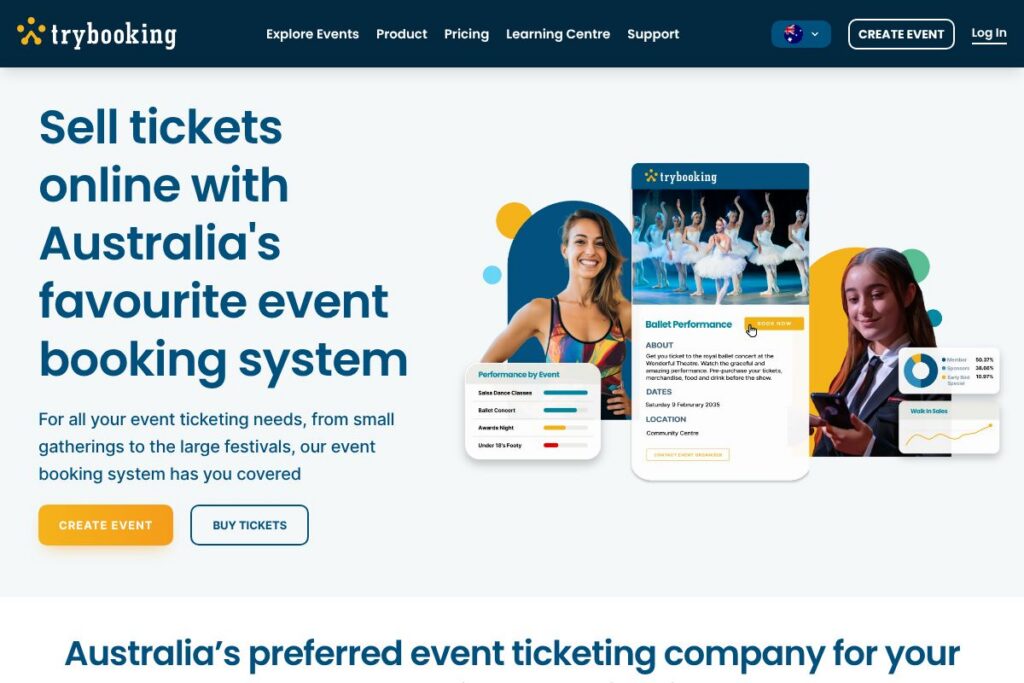
TryBooking is a web-based event ticketing and booking platform focused on community organisations, schools, sports clubs, and small promoters. It provides tools to create event pages, sell tickets or registrations, accept donations, and manage attendee lists with a minimal setup process.
Compared with platforms like Eventbrite, Humanitix, and Ticketek, TryBooking emphasizes community-focused pricing and support. Eventbrite offers a broad global marketplace and consumer discovery features, which can be useful for public-facing events seeking wide reach. Humanitix positions itself around charitable giving and donates profits to social causes, while Ticketek serves larger, high-volume events and venues with advanced box office and distribution capabilities.
TryBooking does particularly well for organisations that need a simple, low-cost ticketing solution without tiers that remove features, and where seller support and local payment handling matter. It is well suited to volunteers and small teams that want predictable fees, a no-login buyer experience, and straightforward reporting and attendee management.
How TryBooking Works
Creating an event on TryBooking starts with a web-based event setup form where organisers define ticket types, quantities, pricing, and any custom questions for attendees. Once published, organisers share the event page or embed the booking widget and ticket buyers check out without needing an account, improving conversion for casual purchasers.
Payments are processed through the platform and organisers receive settlements according to the platform’s payout policies. Event management tools let organisers check in attendees, export lists, issue refunds, and view sales reports. The platform also supports fundraising pages and donation options alongside paid and free ticket flows.
TryBooking features
TryBooking’s core feature set is built around ticket creation, booking flow simplicity, and low-cost fees for community events. Key capabilities include online booking pages, free-event handling, fundraising pages, attendee management, reporting, and live local support to help with event setup and sales.
Online booking pages
Create customizable event pages with multiple ticket types, seating or general admission options, pricing tiers, and add-on items. Pages can be shared via social media or embedded in external sites to preserve branding and streamline checkout for buyers.
Free event support
TryBooking allows organisers to list free events without platform charges, so free registrations do not incur booking fees. This is useful for community gatherings, volunteer training, and complimentary sessions where organisers do not want to pass costs to attendees.
Affordable booking fees
The platform uses a per-ticket booking fee model designed for community organisations with no tiered feature restrictions and no hidden costs. This structure aims to keep costs predictable for small events and fundraisers; view TryBooking’s booking fee approach on the TryBooking homepage for details relevant to your event.
Fundraising and donation pages
Organisers can add donation options or create dedicated fundraising pages that collect donations alongside ticket sales. These features are intended to support charity events, school fundraisers, and community drives where donations are collected alongside paid registrations.
Attendee management and check-in
Built-in attendee lists, CSV exports, and on-site check-in tools let organisers manage entry and communications. These tools support printing lists, scanning tickets, and sending post-event follow-ups or reminders to registrants.
Payments and settlements
TryBooking handles payment processing and settlements so organisers do not need to integrate separate merchant accounts for basic events. Payout timing and supported payment methods vary by region; contact TryBooking or consult their support resources for details on settlement timing and options.
Local support and customer service
TryBooking provides local support via email, phone, and live chat to help with event setup, troubleshooting, and selling strategies. This local assistance can be valuable for volunteer-run organisations or first-time event organisers.
With these capabilities, TryBooking focuses on reducing setup friction for organisers and simplifying the buyer checkout experience to increase ticket sales for community-driven events.
TryBooking pricing
TryBooking follows a fee-based pricing approach rather than a multi-tier feature subscription model. The platform highlights low, simple booking fees, no feature-restricted tiers, and free listings for events that have no charge for attendees.
Pricing is primarily applied per booked ticket and free events remain free to list and manage on the platform. For exact fee amounts, transaction details, payout timing, and any merchant processing costs applicable to your region, consult the TryBooking homepage for current pricing information.
What is TryBooking Used For?
TryBooking is commonly used by community groups, schools, sporting clubs, and local arts organisations to sell tickets and manage registrations. It is designed for events such as fundraising dinners, school performances, local festivals, club membership registrations, workshops, and community fundraising drives.
Organisers use TryBooking to streamline ticket sales, accept donations alongside ticket purchases, manage attendee check-in, and produce sales reports for reconciliation. Its no-login buyer flow and simple event creation make it suitable for volunteer-led events and small teams with limited technical resources.
Pros and Cons of TryBooking
Pros
- Low, simple fees: TryBooking applies per-ticket booking fees with no tiered feature restrictions, helping community organisers predict costs and avoid surprise charges.
- Free events are free: Free event listings do not incur booking fees, which is helpful for community programs, free workshops, and volunteer-driven activities.
- No buyer login required: Buyers can purchase tickets without creating accounts, reducing friction and improving conversion for casual attendees.
- Local support: Direct email, phone, and live chat support aimed at Australian organisers makes setup and troubleshooting accessible for non-technical users.
Cons
- Limited marketplace discovery: Unlike some competitors that offer public event marketplaces, TryBooking emphasizes direct sales through your links rather than broad consumer discovery.
- Regional focus: Features, payment methods, and settlement processes are tailored to Australia and nearby markets, which may limit options for large international promoters.
- Fees on paid events: While fees are positioned as low and simple, organisers of paid events still need to account for per-ticket booking fees in budgeting and pricing decisions.
Does TryBooking Offer a Free Trial?
TryBooking offers a free option for free events and does not charge for listing events that are free to attend. Paid events incur booking fees per ticket rather than subscription charges, so organisers can create an account and set up events without upfront subscription costs; check the TryBooking homepage for any promotional trials or onboarding assistance.
TryBooking API and Integrations
TryBooking provides integration options to connect event data with external tools and payment processing systems, and maintains partner and developer resources for automation and custom setups. For developer access, API details, and integration guides, visit TryBooking’s developer and support resources on the TryBooking website.
If you need specific integrations such as accounting exports, CRM connections, or email marketing links, contact TryBooking support to confirm available connectors and best practices for automating ticketing workflows.
10 TryBooking alternatives
Paid alternatives to TryBooking
- Eventbrite: A global ticketing and event marketing platform with a public marketplace, promotional tools, and flexible ticketing features for public events. See Eventbrite for large-scale and discovery-driven events at Eventbrite.
- Humanitix: A not-for-profit ticketing platform that donates booking fees to charitable causes, suitable for fundraisers and social enterprises. Learn about Humanitix at Humanitix.
- Ticketek: Enterprise-level ticketing and distribution for venues and large events, with box office services and broad sales channels in Australia. Explore Ticketek at Ticketek Australia.
- Moshtix: Australian ticketing service focused on music and live entertainment with event promotion and on-the-ground support. Visit Moshtix at Moshtix.
- TicketTailor: A flat-fee ticketing platform that removes per-ticket fees for organisers, aimed at small to medium events and recurring organisers. Review TicketTailor at TicketTailor.
- Oztix: An Australian ticketing and event services provider focused on live music and touring acts with box office support. More on Oztix at Oztix.
Open source alternatives to TryBooking
- Pretix: A feature-rich, open source ticketing system that can be self-hosted or used via managed hosting for advanced customisation and event workflows. Explore Pretix at pretix.
- Attendize: An open source PHP ticketing app for organisers who want to self-host and control their ticketing stack. See Attendize at Attendize.
- OpenEvent: An open source event management and ticketing project suitable for conferences and tech events that want a developer-friendly solution. Learn about OpenEvent at OpenEvent.
Frequently asked questions about TryBooking
What types of events can I run with TryBooking?
TryBooking supports a wide range of events including community events, fundraisers, school performances, sports fixtures, workshops, and conferences. The platform handles single events, recurring sessions, and fundraising pages alongside ticketed and free registrations.
Does TryBooking charge for free events?
No, TryBooking does not charge booking fees for events that are free to attend. Free event listings can be created and managed without per-ticket charges, allowing organisers to collect registrations at no cost.
Can I integrate TryBooking with my accounting or CRM systems?
Yes, TryBooking provides integration options and developer resources to export data and connect with external systems. Contact TryBooking support or consult their developer documentation via the TryBooking website for specific connectors and export formats.
How does TryBooking compare to Eventbrite on pricing and features?
TryBooking focuses on low, simple booking fees and community support, while Eventbrite offers a wider discovery marketplace with promotional tools. Organisations that prioritise predictable low fees and local support often prefer TryBooking, whereas those seeking broader marketing reach may choose Eventbrite.
Is TryBooking suitable for international events?
TryBooking is primarily tailored for Australian organisations and nearby regions, with payment and settlement processes adapted to those markets. For large international tours or multi-country ticketing, evaluate options that explicitly support global payment methods and local settlements.
Final verdict: TryBooking
TryBooking is a practical, no-frills ticketing and booking platform well suited to community organisations, schools, and small promoters that need reliable ticket sales, fundraising support, and local assistance. Its emphasis on simple, low booking fees and free listings for no-cost events reduces financial friction for volunteer-run and nonprofit events.
Compared to Eventbrite, which offers a public marketplace and more marketing features, TryBooking is generally more focused on direct sales and predictable costs for organisers. If your priority is community-focused pricing, straightforward reporting, and responsive local support, TryBooking is a strong choice; if you need broad audience discovery and advanced promotional tools, review Eventbrite feature and pricing options at Eventbrite.