What is Twitch
Twitch is a live video platform where creators broadcast content in real time and viewers interact via chat, subscriptions, and virtual goods. It began as a gaming-focused site but now hosts streams across categories such as music, sports, creative arts, and IRL (in real life) content, with built-in tools for moderation, discovery, and monetization.
Twitch competes directly with broader video platforms like YouTube Live and social platforms offering live video such as Facebook Live. Compared with YouTube Live, Twitch emphasizes community features like persistent channel identities, chat culture, and creator commerce; compared with Vimeo Livestream, Twitch offers a larger built-in audience and stronger community interaction rather than enterprise-focused broadcasting features.
All of this makes Twitch particularly well suited for creators who prioritize real-time audience interaction and recurring viewer support. It does especially well at building communities around regular live programming, channel culture, and integrated monetization for individual streamers and small teams.
How Twitch Works
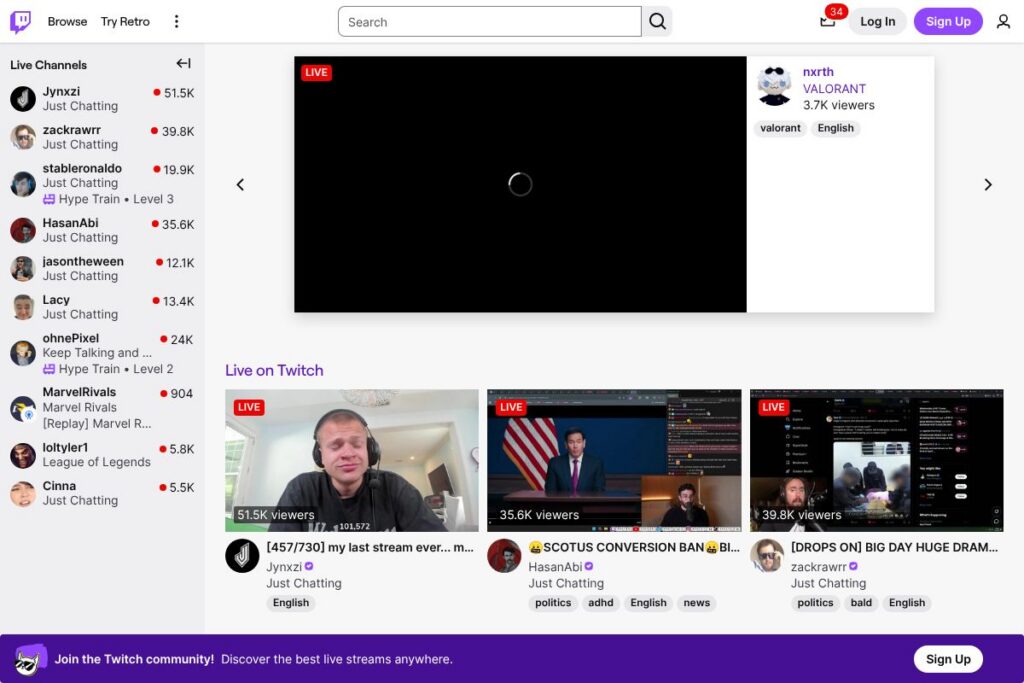
Viewers access live channels through the Twitch website, mobile apps, or connected TV apps to watch streams and participate in live chat. Streamers send video to Twitch using broadcasting software such as OBS Studio or Twitch Studio, choose a category, set moderation tools, and enable monetization features like subscriptions, Bits, or ads.
Community features such as raids, hosting, channel points, and chat moderation let creators keep viewers engaged and manage larger audiences. Discovery is driven by categories, tags, and recommended channels, while VODs and Clips let viewers catch up on streams asynchronously.
Twitch features
Twitch’s platform centers on live interaction, creator monetization, audience discovery, and moderation tools. Core capabilities include low-latency streaming, chat with moderation, channel subscriptions, Bits tipping, VODs, Clips, extensions, and creator tools such as Twitch Studio. Recent improvements have focused on creator monetization options and tools for discovery and moderation.
What Makes Twitch Stand Out
Live chat and moderation
Live chat provides a single, persistent place for audience interaction with moderation options such as auto-moderation, moderator roles, banned words, and third-party moderation bots. These controls help creators scale conversations without losing real-time engagement, and chat features like emotes, badges, and channel points encourage repeat viewership.
Monetization options
Twitch supports multiple creator revenue paths including paid channel subscriptions, Bits (microtransactions), ad revenue sharing, and Prime Gaming subscriber perks for Amazon Prime members. These options let creators mix recurring income with one-time tips and advertising to match their audience size and content cadence.
VODs, Clips, and Highlights
Twitch automatically archives broadcasts as VODs when enabled and allows viewers to create short Clips for social sharing, while creators can make Highlights for polished recaps. These tools extend the lifetime of live content, improve discoverability outside live windows, and provide material for social platforms.
Discovery and categories
The platform organizes content by categories (games, IRL, music, etc.), tags, and recommended channels to help viewers find both trending and niche streams. Category pages, featured spotlights, and channel recommendations promote channels with consistent schedules or high engagement, aiding audience growth.
Creator tools and Twitch Studio
Twitch provides creator-focused tools including Twitch Studio for simplified setup, stream overlays, and built-in alerts, plus analytics dashboards for viewership and revenue insights. These tools reduce the technical barrier for new streamers while offering advanced options for established creators using OBS or third-party production suites.
Extensions and interactive overlays
Extensions let creators add interactive overlays and panels for polls, viewer-controlled elements, game integrations, and store links directly in the stream. Extensions increase viewer engagement, provide data capture opportunities, and enable new monetization flows that tie directly to live content.
With these features Twitch supports interactive live programming at scale, combining community tools with monetization and discovery to serve both hobbyists and professional creators.
Twitch pricing
Twitch operates as a freemium platform: viewing is free, while optional paid features allow viewers to support creators and purchase in-stream goods. The platform does not charge viewers a subscription to access most content but offers paid channel subscriptions, Bits, and paid advertising options for brands and streamers.
Subscription tiers
Tier 1 – $4.99/month (Basic channel subscription perks such as emotes and subscriber-only chat)
Tier 2 – $9.99/month (Higher-level subscriber perks and additional emote slots)
Tier 3 – $24.99/month (Top-level subscriber perks with maximum emote slots and priority perks)
Transactional purchases and advertising
Bits and other one-time purchases are sold in bundles at variable prices, and ad buys for advertisers use dynamic rates based on targeting and reach. Creators receive revenue shares from subscriptions and Bits according to Twitch’s creator monetization terms, and brand advertising is handled through Twitch’s advertising programs and partners.
For the most current details on subscription pricing, revenue splits, Bit bundles, and advertising options, consult Twitch’s subscription help and support resources and the Twitch advertising and privacy information for guidance on ad-supported features and personalization choices.
What is Twitch used for
Twitch is used for live broadcasting and community-building around scheduled or spontaneous shows, long-form gameplay sessions, music performances, creative work, talk shows, and event coverage. Both individual hobbyists and professional creators use it to host regular programming, interact with viewers in real time, and build recurring financial support.
Brands, esports organizations, and media outlets use Twitch to reach engaged audiences through live events, sponsored streams, and advertising. Educators and professionals sometimes use the platform for live demonstrations, workshops, and Q&A-style sessions that rely on real-time audience feedback.
Pros and cons of Twitch
Pros
- Strong community features: Live chat, emotes, channel points, raids, and persistent channel identities create deep audience engagement and repeat viewership.
- Diverse monetization: Subscriptions, Bits, ads, and Prime subscriber benefits give creators multiple income pathways that scale with audience size and engagement.
- Large built-in audience: Twitch has a major user base for gaming and live culture which helps new creators reach viewers without extensive independent marketing.
Cons
- Content discoverability outside gaming: While discovery is strong within gaming and popular categories, niche content can be harder to surface compared with search-driven platforms.
- Revenue split complexity: Revenue shares, affiliate terms, and ad revenue depend on partner status and can be complex to navigate for newcomers.
- Ad and privacy controls: Personalized advertising uses viewer data; users and creators need to manage preferences via Twitch’s advertising and privacy controls to control ad personalization.
Does Twitch Offer a Free Trial?
Twitch offers a free-to-use platform with optional paid features such as channel subscriptions and Bits. Viewing and participating in most streams is free; paid options are optional and tied to supporting creators or removing ads where applicable.
Twitch API and Integrations
Twitch provides a developer platform with REST and event-driven APIs that let developers access streams, chat, clips, subscriptions, and more. The Twitch Developer documentation includes authentication flows, webhooks, and sample SDKs for integrating Twitch features into websites and apps.
Twitch also integrates with popular broadcasting tools and platforms like OBS Studio, Streamlabs, Restream, and social platforms for cross-posting. Extensions, chat bots, and third-party analytics tools connect to Twitch through the official APIs and developer ecosystem.
10 Twitch alternatives
Paid alternatives to Twitch
- YouTube Live — Livestreaming integrated with YouTube’s VOD and search infrastructure, useful for creators who want strong on-demand discovery.
- Facebook Live — Live video directly tied to Facebook profiles and pages, suited for creators with existing social followings on Facebook.
- Vimeo Livestream — Enterprise-grade streaming with advanced privacy and embed controls for events and paid broadcasts.
- LinkedIn Live — Targeted at professionals and B2B audiences for webinars and corporate streaming.
- Trovo — A streaming platform with a structure similar to Twitch that focuses on gaming and community features.
- Caffeine — Social broadcasting platform with emphasis on entertainment and low-latency interaction.
- DLive — A community-focused streaming service that has experimented with alternative revenue and blockchain-based models.
Open source alternatives to Twitch
- OBS Studio — Open-source broadcasting software used to create streams sent to platforms like Twitch, YouTube, and custom servers.
- Nginx with RTMP module — A self-hosted streaming server option for organizations that want direct control over ingest and distribution.
- Ant Media Server (Community Edition) — Open-source media server that supports low-latency streaming and WebRTC for self-hosted live video.
- Kurento — Media server and development framework for building custom streaming and real-time video applications.
Frequently asked questions about Twitch
What is Twitch primarily used for?
Twitch is primarily used for live streaming and real-time audience interaction. Creators broadcast content, viewers join live chat, and channels build communities through subscriptions and recurring programming.
Does Twitch charge viewers to watch streams?
No, most Twitch streams are free to watch. Optional paid features include channel subscriptions, Bits, and Prime Gaming perks which support creators and unlock channel-specific benefits.
Can streamers monetize on Twitch?
Yes, streamers can monetize through subscriptions, Bits, ads, and brand deals. Twitch provides affiliate and partner programs that enable recurring revenue and access to additional monetization features.
Does Twitch have an API for developers?
Yes, Twitch provides a public developer platform and API. The Twitch Developer documentation covers endpoints, webhooks, authentication, and SDKs for building integrations.
How does Twitch handle advertising and user ad choices?
Twitch personalizes advertising and provides user controls for ad preferences. Users can manage ad personalization and learn about advertising practices via Twitch’s privacy and advertising settings pages.
Final verdict: Twitch
Twitch excels at live, interactive broadcasting with strong community primitives such as chat, emotes, raids, and channel culture that keep viewers returning. It combines multiple monetization routes for creators, a large native audience, and a mature developer ecosystem that supports overlays, extensions, and third-party tools.
Compared to YouTube Live, Twitch offers deeper live-community features and recurring viewer support through subscriptions, while YouTube Live may provide better discoverability for on-demand content and broader search reach. For creators primarily focused on live interaction and community-building, Twitch remains the leading choice; for creators prioritizing on-demand discoverability, a mixed strategy using both platforms is common.