Viber: An Overview
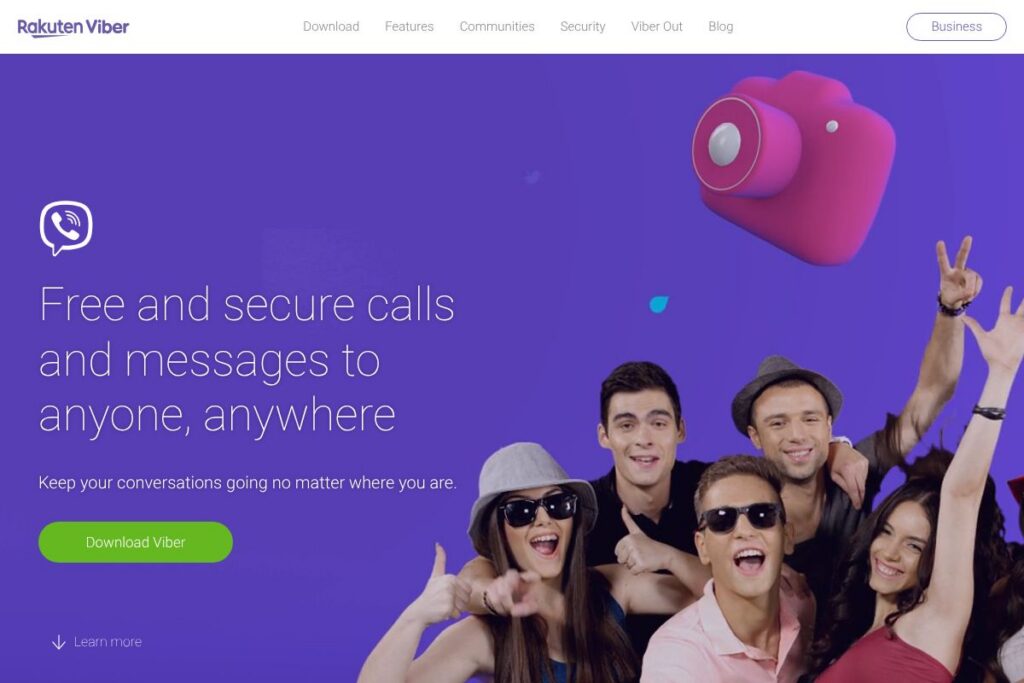
Viber is a cross-platform messaging and calling application that combines text chat, voice and video calling, multimedia sharing, and a large sticker economy in a single app. It synchronizes conversations across mobile and desktop clients so users can switch devices without losing chat context, and it supports group chats, group calls, and custom stickers for richer expression.
Compared with WhatsApp, Viber places more emphasis on in-app sticker commerce and paid outbound calling via Viber Out, while WhatsApp is more widely adopted globally for simple messaging and status updates. Against Telegram, Viber focuses on voice and video calling quality and consumer-facing sticker content rather than large-scale channel broadcasting or bot APIs. Compared to Skype, Viber offers a lighter, mobile-first experience with chat-first workflows and integrated sticker/GIF features.
Its strengths are broad consumer features, easy cross-device use, and optional paid calling to landlines and mobile numbers that are outside the Viber network. This combination makes Viber well suited for people who want a full-featured chat app with built-in paid calling options and a large sticker ecosystem.
How Viber Works
Viber uses your phone number as the primary identifier and routes messages and calls between Viber users over the internet, falling back to paid Viber Out credits when calling non-Viber numbers. After installing the app and verifying your number, contacts who also use Viber are detected automatically, and conversations are available on both your mobile device and connected desktop apps.
For group collaboration, users can create group chats that support text, voice messages, file sharing, and group calls. Viber also provides a store for stickers and GIFs, plus tools to create and purchase custom sticker packs. Businesses can send messages to customers and integrate messaging workflows through Viber’s business offerings and APIs.
Viber features
Viber organizes core communications around messaging and calling, with extras for personalization and paid outbound calling. Core capabilities include end-to-end encrypted messages and calls, high-quality voice and video, group chats and calls, a large sticker and GIF ecosystem, cross-device sync, and optional paid services for calling non-Viber numbers.
High-quality voice and video calls
Voice and video calling use network optimization to preserve call quality across mobile and Wi-Fi connections, making short catches or longer face-to-face conversations straightforward. These calls benefit individuals and small groups who need real-time conversations without requiring a separate conferencing tool.
Group chats and group calls
Groups support threaded messaging, reactions, and attachments, while group calls can bring multiple participants into a single voice or video session. This is useful for family coordination, friend groups, and small team catch-ups where lightweight collaboration is sufficient.
Stickers, GIFs, and custom content
Viber includes a built-in store for stickers and GIFs and allows users to create and share custom sticker packs for personal expression. That ecosystem supports paid sticker packs and in-app purchases, which also acts as a minor revenue channel for creators.
Cross-device sync and call transfer
Chats are synchronized across mobile and desktop clients so messages, media, and call state remain consistent when switching devices. The app supports one-tap transfer of active calls between mobile and desktop for uninterrupted conversations.
End-to-end encryption and privacy controls
Viber implements end-to-end encryption for messages and calls by default for one-to-one conversations, and provides privacy settings for blocking, deleting chats, and controlling who can reach you. These controls help users manage contact visibility and message retention.
Viber Out and paid services
Viber offers an optional paid service for calling landlines and mobile numbers that are not on the Viber network, plus in-app purchases for sticker packs and content. These paid options let users extend calling beyond the app ecosystem without switching to another service.
With these features combined, Viber provides a consumer-focused messaging platform that balances free internet-based calls between users with optional paid calling and a rich visual expression layer via stickers and GIFs.
Viber pricing
Viber uses a freemium model: core messaging and calls between Viber users are free, while optional paid offerings cover outbound calling to non-Viber numbers and in-app content purchases. There are no widely advertised subscription tiers for consumer messaging; instead the platform uses credit packs and one-off purchases for add-ons.
Paid credits and content
Viber sells usage-based credits for Viber Out calls to reach landlines and mobile numbers outside the Viber network, and it offers paid sticker packs or in-app purchases for custom content. For current details on call rates and available credit packs, check Viber’s information on paid calling and content in their Viber Out information and the sticker store details.
Business messaging and enterprise options
Viber provides business messaging solutions and APIs with custom pricing for organizations that need to send messages at scale or integrate with customer workflows. For enterprise and developer pricing, review the Viber Business API documentation or contact Viber directly through their business pages.
What is Viber Used For?
Viber is commonly used for personal messaging, voice and video calls, and group conversations among friends and family who want synchronized access across mobile and desktop. Users often choose it when they want integrated multimedia sharing and a broad sticker/GIF library for richer conversations.
It is also used by small businesses and creators who need a presence on a client-facing messaging channel, or who want to send promotional or transactional messages via the Viber business platform. The optional Viber Out feature is used by individuals who need occasional international calling to numbers that do not run Viber.
Pros and Cons of Viber
Pros
- Cross-platform sync: Messages and calls stay synchronized across mobile and desktop, making it easy to move between devices without losing context.
- Rich expression tools: A large sticker and GIF ecosystem plus custom sticker creation lets users personalize conversations and monetize creative content.
- Optional paid calling: Viber Out provides a built-in way to call landlines and non-Viber mobile numbers without leaving the app.
- End-to-end encryption: Default encryption for one-to-one chats and calls increases privacy for typical user conversations.
Cons
- Fragmented user base: Adoption varies by region, so users may find gaps in contacts who use other messaging apps instead of Viber. This can limit reach compared with more widely used apps.
- In-app purchases for content: Sticker commerce and Viber Out require additional purchases, which can be an annoyance for users expecting all features to be free.
- Limited enterprise tooling compared to dedicated platforms: While Viber offers business APIs, large enterprises may prefer platforms with deeper CRM or analytics integrations.
Is Viber Free to Try?
Viber offers a free plan that includes messaging, voice and video calls between Viber users, group chats, sync across devices, and access to the sticker store; paid features like Viber Out calling and premium sticker packs require purchases. There is no time-limited trial for the core app since most consumer features are available for free; pay-as-you-go credits and one-off purchases are used for premium services.
Viber API and Integrations
Viber provides developer and business messaging options through its business platform and APIs, enabling programmatic messaging, notifications, and richer customer interactions. The Viber Business API documentation outlines endpoints and integration patterns for sending messages and managing business accounts.
On the consumer side, Viber integrates with the phone’s contacts and media sharing capabilities, and it can interact with other apps through standard mobile sharing intents. For businesses, integrations typically connect Viber messaging with CRM and notification systems using the API.
10 Viber alternatives
Paid alternatives to Viber
- WhatsApp – A globally popular messaging app with text, voice, and video calls plus end-to-end encryption and a large user base. Many users choose it for ubiquity and simple group features.
- Telegram – Focuses on large groups, channels, and cloud-based messaging with high-speed delivery and support for bots and APIs for automation. Offers optional paid tiers for advanced features.
- Skype – Longstanding VoIP and video calling platform with desktop-first features suited to longer meetings and calling landlines via Skype Credit.
- Facebook Messenger – Integrated with the Facebook ecosystem, it offers chat, voice/video calling, and various interactive experiences tied to social profiles.
- LINE – Popular in certain regions with strong sticker marketplaces, timeline features, and business integrations for brands and merchants.
- WeChat – A multifunctional app in certain markets that combines messaging, payments, and mini-programs for commerce and services.
- Zoom – While primarily a video conferencing tool, Zoom offers chat and calling features suitable for larger meetings and webinars.
Open source alternatives to Viber
- Signal – Open-source, privacy-focused messaging and calling app with strong end-to-end encryption and a minimal data-collection policy. Good for users prioritizing privacy.
- Element (Matrix) – A client for the Matrix protocol that supports decentralized, interoperable messaging and group rooms with open standards and self-hosting options.
- Jami – A peer-to-peer open-source communication tool that offers decentralized messaging and calling without central servers, useful for privacy-minded users.
Frequently asked questions about Viber
Is Viber free to use?
Viber is free to use for messaging and calls between Viber users. Optional paid services such as Viber Out credits for calling non-Viber numbers and in-app sticker purchases require payment.
Does Viber use end-to-end encryption?
Yes, Viber implements end-to-end encryption for one-to-one messages and calls. This encryption helps protect message content between participants while supporting privacy controls for users.
Can I use Viber on desktop and mobile at the same time?
Yes, Viber syncs chats across mobile and desktop clients. You can access the same conversations on connected devices and transfer active calls between devices with a tap.
Does Viber offer an API for businesses?
Yes, Viber provides a Business API for programmatic messaging and customer interactions. Developers and organizations can review the Viber Business API documentation to learn about endpoints and integration options.
How do I call non-Viber numbers from Viber?
Viber offers Viber Out, a paid service that uses credits to call landlines and mobile numbers outside the Viber network. For rates and available credit bundles, see the Viber Out information.
Final verdict: Viber
Viber is a mature messaging and calling app that bundles high-quality voice and video calls, cross-device sync, and a large sticker ecosystem into a single consumer-friendly package. Its optional Viber Out service is a practical add-on for users who occasionally need to call numbers outside the app, and its business API offers straightforward options for brands that want to reach customers through messaging.
Compared with WhatsApp, which is also free for core messaging and has a larger global user base, Viber differentiates with built-in paid calling to non-users and a stronger sticker/content commerce focus. If you want an app that combines expressive media, synchronized multi-device use, and optional paid outbound calling without moving to a separate service, Viber is a solid choice; for sheer reach and ubiquity, WhatsApp may still be preferable.