What is Vimeo Livestream
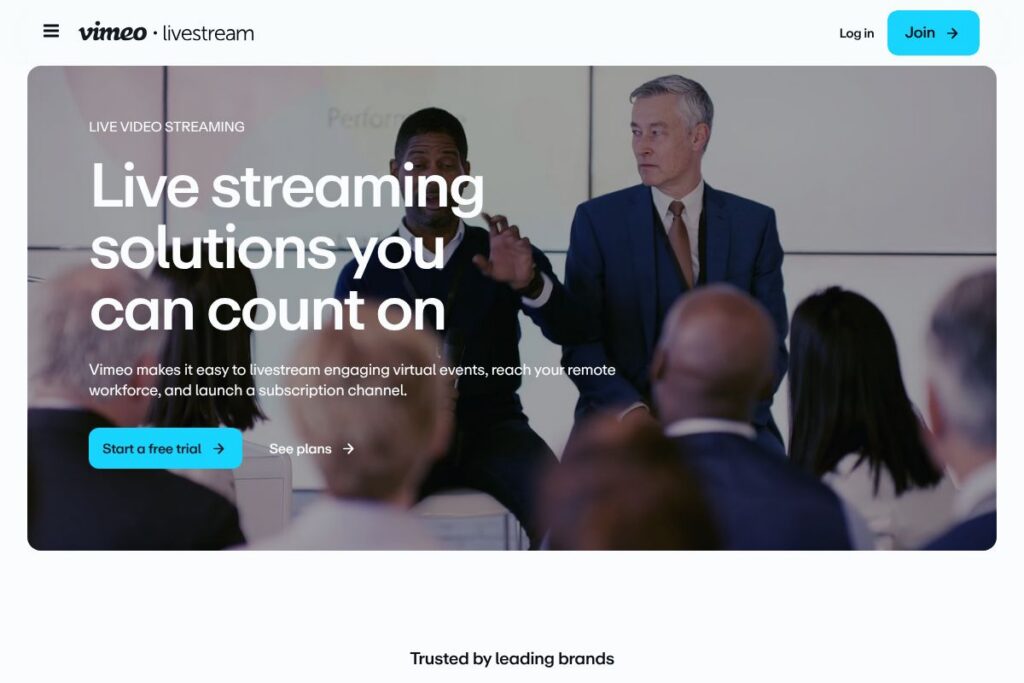
Vimeo Livestream is a live video streaming platform that lets organizations broadcast events, webinars, trainings, and company meetings to any-sized audience. It combines live capture, high-quality encoding, content delivery, and post-event recording so teams can run single events, recurring series, or subscription channels. The service is positioned for event producers, marketing teams, enterprise communications, and creators who need predictable delivery and viewer controls across devices.
Compared with consumer-focused platforms like YouTube Live, Vimeo Livestream emphasizes production control, privacy, and enterprise features such as access controls and analytics. Against cloud video platforms such as Brightcove, Vimeo Livestream is often easier to set up for single events while still offering scale and CDN-backed delivery. For multi-destination streaming tools like Restream, Vimeo Livestream focuses more on hosted event features and post-event VOD workflows rather than solely on simulcasting across dozens of social platforms.
All of this makes Vimeo Livestream a practical choice for organizations that need dependable end-to-end streaming with built-in audience management. It works well for corporate communications, paid virtual events, houses of worship, and media teams that require a more polished viewer experience than basic social live tools provide.
How Vimeo Livestream Works
Vimeo Livestream accepts incoming video from cameras, streaming encoders, or software encoders over RTMP/RTMPS and handles adaptive bitrate transcoding for viewers on different networks. Streams can be published to a Vimeo-hosted player, embedded on a website, or simulcast to social endpoints depending on the plan and permissions.
In practical workflows you configure the event (title, privacy, monetization), connect your encoder or use an integrated RTMP key, and start the broadcast from the Vimeo dashboard. During the event you can monitor real-time analytics, moderate chat or Q&A, and record the stream for on-demand playback after the event.
For hybrid setups, production teams often route a program feed into Vimeo while using a secondary encoder for social simulcast, allowing a single production to serve both controlled viewers and public social audiences. Vimeo also supports scheduled events, pre-recorded content playback, and embedding with access tokens for gated viewing.
Vimeo Livestream features
The platform focuses on reliable live delivery, audience controls, and production support for events of different sizes. Core capabilities include RTMP ingest, adaptive playback, embedded players with branding, stream recording to VOD, audience analytics, and options for gated or paid viewing. The service also integrates with common video workflows and developer APIs for custom embedding and automation.
The platform includes several powerful capabilities:
Adaptive bitrate streaming
Video is transcoded into multiple quality levels so viewers receive the best possible stream for their connection. This improves viewer experience across desktop, mobile, and smart TV devices and reduces buffering during network congestion.
Multiplatform simulcasting
You can send a single program feed to Vimeo and distribute it to social platforms or custom endpoints, enabling wider reach without duplicating production resources. Simulcasting is useful for marketing events that need both a branded experience and broad social distribution.
Customizable embedded player and branding
Embed Vimeo Livestream on your website with custom player options, pre-roll images, and brand colors to keep the viewing experience consistent. Player controls and access settings can be configured per event to support paywalls or private streams.
Recording and VOD delivery
Live broadcasts are typically recorded automatically, producing on-demand files for editing or immediate post-event replay. Recorded assets can be published as VOD, repurposed for marketing, or distributed behind access controls.
Analytics and audience engagement
Real-time dashboards show concurrent viewers, playbacks, viewer geography, and engagement metrics, helping producers measure event performance. Built-in chat, Q&A, and polling features help teams capture audience feedback during broadcasts.
Security and access controls
The platform supports password protection, domain-level embedding restrictions, single sign-on for enterprise accounts, and tokenized access to gate content. These options are important for internal communications and paid events where access must be managed.
With these features, Vimeo Livestream is aimed at teams that need production-grade streaming combined with viewer controls and measurement. The strongest benefit is the combination of reliable delivery with straightforward embedding and audience management workflows.
Vimeo Livestream pricing
Vimeo Livestream uses subscription tiers and custom enterprise packages to address needs from single-event producers to large organizations, with options that commonly bundle live features into Vimeo account plans. Exact plan structure and pricing are published through Vimeo’s product pages and sales channels, with enterprise contracts available for high-volume or white-label requirements.
For current plan options and the best fit for your event type, view the Vimeo Livestream plans to compare features and request a quote or demo specific to your requirements.
What is Vimeo Livestream Used For?
Vimeo Livestream is used to broadcast live corporate events, product launches, town halls, and conferences to distributed audiences. It is also common for webinar-style presentations, online trainings, religious services, and entertainment events where a branded, reliable playback experience and access controls are important.
Organizations use it to reach employees, customers, or paying audiences with features that support gated access, subscription channels, or one-time ticketing. Production teams also use Vimeo Livestream to record events for on-demand consumption and to integrate recordings into marketing and training workflows.
Pros and Cons of Vimeo Livestream
Pros
- Reliable global delivery: Vimeo uses CDN-backed streaming and adaptive bitrate transcoding to reduce buffering and deliver consistent playback worldwide. This helps ensure professional viewer experiences across different networks.
- Production and embedding controls: The platform provides RTMP ingest, branded embed players, and domain restrictions so events can be integrated into websites and apps while preserving brand identity and access rules.
- Access and monetization options: Passwords, tokenized access, and subscription or paywall capabilities let teams monetize events or limit viewing to specific audiences.
- Integrated recording and VOD workflows: Automatic recording and on-demand publishing simplify post-event distribution and content reuse.
Cons
- Pricing can be enterprise-focused: Advanced features such as large-scale streaming, white-labeling, and SSO often require higher-tier or custom plans, which may be costlier for small organizations. This can make entry less budget-friendly than consumer platforms.
- Feature set overlaps with other tools: Teams primarily seeking simple social distribution may find lighter-weight or cheaper options like YouTube Live or StreamYard more cost effective for basic streaming needs.
Does Vimeo Livestream Offer a Free Trial?
Vimeo Livestream is offered through Vimeo subscription plans and typically requires a paid plan or enterprise package for full live-streaming capabilities, though Vimeo provides trial or demo options for new customers. Check the Vimeo Livestream plans page or contact sales to confirm trial availability and any temporary access for evaluation.
Vimeo Livestream API and Integrations
Vimeo provides developer APIs and documentation that support uploading, embedding, playback controls, and live event management; the Vimeo API documentation includes endpoints for videos, players, and webhooks that teams can use to automate workflows. The API supports programmatic control of live scheduling, asset management, and access tokens.
Vimeo Livestream also integrates with common production and distribution tools, accepting RTMP/RTMPS input for encoders and offering options to embed on websites or distribute to social platforms such as YouTube, Facebook, and LinkedIn through simulcast or third-party routing tools.
10 Vimeo Livestream alternatives
Paid alternatives to Vimeo Livestream
- YouTube Live — A widely used, cost-effective option that provides free public streaming, large-scale reach, and native viewer discovery on YouTube. Ideal for public broadcasts where discoverability matters.
- Facebook Live — Suited for social-first audiences and integrated into Facebook Pages and groups for organic engagement; best for community-driven streams.
- Twitch — Focused on low-latency streaming and live interactivity, commonly used by gaming and creative communities but also for live events and talk shows.
- Restream — Centers on simultaneous multi-platform broadcasting with easy social simulcast controls and analytics for cross-platform reach.
- StreamYard — Browser-based production tool for interview-style shows and multi-guest streams with simple simulcasting and branding features.
- Brightcove — Enterprise video platform with advanced monetization, analytics, and content management for broadcasters and media companies.
- IBM Cloud Video (Ustream) — Enterprise streaming with large-event delivery, security options, and managed services for high-profile broadcasts.
Open source alternatives to Vimeo Livestream
- OBS Studio — Free, open-source encoder and production software that supports complex scenes, multiple inputs, and RTMP output for streaming to platforms of choice.
- Nginx with RTMP module — A self-hosted streaming solution for teams comfortable managing servers; supports RTMP ingest, HLS output, and custom workflows.
- Jitsi — Open-source video conferencing with streaming capabilities when combined with a streaming server; useful for interactive sessions and meetings.
- Ant Media Server — Scalable low-latency streaming server available in open-source and enterprise editions, supporting WebRTC and RTMP workflows.
Frequently asked questions about Vimeo Livestream
What is Vimeo Livestream used for?
Vimeo Livestream is used to broadcast live events, webinars, and trainings to internal and external audiences. It supports production workflows, embedded playback, gated viewing, and on-demand archiving for event content.
Does Vimeo Livestream offer API access?
Yes, Vimeo provides APIs for video, player, and live event management. Developers can use the Vimeo API documentation to automate uploads, schedule events, and control embeds programmatically.
Can Vimeo Livestream simulcast to social platforms?
Yes, Vimeo Livestream can be configured to distribute a stream to social platforms either natively or via third-party simulcast services. This lets teams reach viewers on platforms like YouTube, Facebook, and LinkedIn while maintaining a primary hosted player.
Is Vimeo Livestream suitable for paid events?
Yes, Vimeo Livestream supports gated access and monetization workflows through subscription and paywall configurations. Event organizers can restrict playback to ticketed audiences or subscription holders.
How does Vimeo Livestream handle recordings?
Live broadcasts are typically recorded and converted to on-demand files automatically. Recorded VOD can be edited, published, or embedded for viewers after the live session ends.
Final verdict: Vimeo Livestream
Vimeo Livestream is a production-focused streaming service that combines reliable delivery, embedding controls, and audience management useful for corporate events, paid webinars, and large-scale broadcasts. Its strengths are in predictable playback quality, recording-to-VOD workflows, and enterprise-grade access controls that suit communications and marketing teams.
Compared with YouTube Live, Vimeo Livestream places more emphasis on brand control and gated access rather than organic discoverability. For organizations that need production polish and security, Vimeo Livestream is generally a better fit; for purely public, cost-sensitive broadcasts, YouTube Live may be more economical. Review Vimeo Livestream plans to determine which tier matches your event size and feature needs.