Voiceflow: An Overview
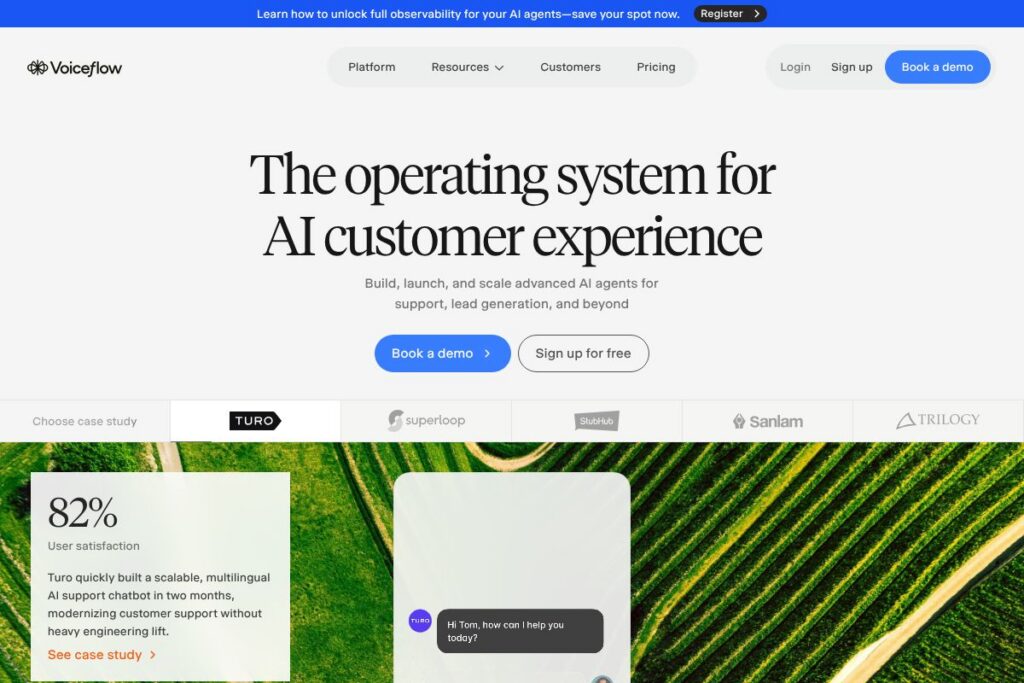
Voiceflow is a visual, no-code platform for designing conversational AI agents that run on chat and voice channels. It combines a drag-and-drop flow builder with testing, deployment, and monitoring tools so product teams, conversation designers, and support groups can move from prototype to production without heavy engineering overhead.
Compared with Google Dialogflow, Voiceflow focuses more on visual flow design and collaboration, while Dialogflow prioritizes deep NLU integration and developer-centric SDKs. Versus Rasa, Voiceflow trades some low-level customization for faster design and deployment workflows that non-developers can use. Compared with Twilio Studio, Voiceflow provides richer prototyping and conversation design features in addition to integration tooling for omnichannel deployment.
Voiceflow excels at enabling cross-functional teams to iterate conversational experiences quickly and deploy those agents across multiple channels. It is particularly well suited for enterprises and support organizations that need production-grade monitoring, compliance controls, and integrations with existing tool stacks.
How Voiceflow Works
Design starts in a visual canvas where you lay out conversational flows as nodes and transitions, then enrich them with conditions, variables, and API calls. Designers can prototype interactions in real time inside the workspace and test end-to-end conversations without deploying to a live channel.
When a flow is ready, Voiceflow maps that design to channel-specific deployments and connectors so the same logic can run on web chat, mobile, voice assistants, or contact center platforms. The platform includes environments and versioning to manage development, staging, and production pipelines, and monitoring tools to observe conversation-level metrics and LLM evaluations.
Teams typically use Voiceflow for iterative development: designers build flows, product owners review prototypes, engineers add integrations or custom code as needed, and operations promote the agent through staging to production while tracking performance and handoffs to human agents.
What does Voiceflow do?
Voiceflow is organized around building conversational experiences that can be deployed across channels and scaled in production. Core capabilities include a visual flow editor, integrated prototyping, omnichannel deployment connectors, NLU and LLM orchestration, environments and version control, and analytics for monitoring agent performance. Recent platform emphasis centers on the Agentic Context Engine for richer context handling and LLM-guided decisioning.
The platform includes several powerful capabilities worth highlighting:
Visual Flow Builder
The canvas lets teams design conversation paths using nodes for prompts, actions, conditions, and variable management, which reduces reliance on code for basic and complex flows. Designers can document decisions inline and iterate visually, speeding collaboration between non-technical and engineering stakeholders.
Agentic Context Engine
Voiceflow’s Agentic Context Engine enriches conversations with context and memory so LLM responses remain coherent across turns and handoffs. This capability helps reduce repeat clarifications, improves personalization, and supports deterministic guardrails alongside generative outputs.
Omnichannel Deployment
Deploy the same conversational logic across web chat, mobile, voice assistants, and contact center channels using built-in connectors and adapters. This reduces duplication of design work while preserving channel-specific behaviors and prompts.
Integrations and API Connections
Connect agents to external systems through prebuilt integrations and API blocks, enabling lookups, transactions, CRM handoffs, and ticket updates during conversations. These integrations make it possible to automate common workflows while still escalating to human agents when needed.
Prototyping and Testing
Real-time prototyping lets teams play through conversations within the design environment, capturing edge cases and UX issues early. Test tooling supports both scripted flows and LLM-driven variations to validate behavior before deployment.
Environments, Versioning, and Release Management
Environments allow separate development, staging, and production pipelines with version control to manage changes and rollbacks. This structure supports enterprise release processes and safer iterative updates to live agents.
Monitoring, Analytics, and LLM Evaluation
Built-in analytics track conversation outcomes, intent performance, and resolution rates, while LLM-powered evaluations surface quality issues and guide iteration priorities at scale. These metrics help teams measure automation rates, conversion to leads, and where human escalation occurs.
Enterprise Security and Compliance
Voiceflow includes enterprise-focused controls such as role-based permissions, audit logs, and certifications that support SOC 2 Type II, ISO/IEC 27001:2022, GDPR, and HIPAA compliance. Those controls make the platform suitable for regulated industries that handle sensitive data.
With these capabilities, Voiceflow helps teams move from design to production and iterate safely, keeping conversational agents aligned with business logic and compliance requirements.
Voiceflow pricing
Voiceflow uses a subscription and enterprise pricing model tailored to team size, feature needs, and production requirements. Enterprise customers can request custom deployments and compliance features, while individual designers and small teams typically choose from tiered subscriptions.
For exact plan options and the latest billing terms, view Voiceflow’s current pricing options. The product documentation also describes plan features and enterprise capabilities; see Voiceflow’s documentation hub for more detail.
What is Voiceflow Used For?
Voiceflow is commonly used to build customer support bots, lead qualification flows, in-product assistants, and voice experiences for digital assistants. Teams apply the platform to automate common support interactions, qualify conversations into leads, and deliver guided user experiences that reduce manual workload.
Ideal users include conversation designers, product teams, customer support organizations, and enterprise IT groups that need to maintain control over security, integrations, and production lifecycle. It is also used by agencies and consultancies that prototype and deliver conversational solutions for clients.
Pros and Cons of Voiceflow
Pros
- Visual conversation design: The drag-and-drop canvas makes complex conversations easier to design and iterate for non-developers, improving collaboration across product and design teams.
- Omnichannel deployment: Single-source conversation logic can be deployed to web chat, voice assistants, and contact centers, reducing duplicate work and inconsistent behavior.
- Enterprise compliance and controls: SOC 2 Type II, ISO/IEC 27001:2022, GDPR, and HIPAA support help regulated organizations adopt conversational AI with appropriate safeguards.
- Integrated prototyping and testing: Real-time prototyping and testing tools speed validation and catch UX issues before production.
Cons
- Platform dependency for visual flows: Complex customizations still require engineering input or custom code, which may limit fully code-free implementations in some enterprise scenarios.
- Pricing visibility: Enterprise features and large-scale deployments typically use custom pricing, which means teams must engage sales to evaluate total cost of ownership.
- Advanced developer workflows: Teams that require full control over low-level NLU tuning or self-hosted model training may prefer open source or developer-first platforms for deep customization.
Does Voiceflow Offer a Free Trial?
Voiceflow offers a free plan with core design and prototyping features and provides trial access for paid features for new teams. The free plan supports individual designers and early-stage experimentation, while trial access helps teams evaluate integrations and production capabilities before committing to a paid tier.
Voiceflow API and Integrations
Voiceflow provides API building blocks and connectors so agents can call external services, update CRMs, and trigger backend workflows; the Voiceflow documentation lists API blocks and integration guides. Key third-party integrations frequently used with Voiceflow include Slack, Zendesk, Salesforce, Twilio, and Zapier, which cover common support and notification workflows.
For developer teams, Voiceflow supports custom code nodes and webhooks to extend agents with bespoke logic and to connect to internal systems, enabling deeper engineering-driven integrations when required.
10 Voiceflow alternatives
Paid alternatives to Voiceflow
- Google Dialogflow – A developer-focused platform with strong NLU capabilities and a pay-as-you-go model on Google Cloud that suits teams building custom, code-driven agents.
- Amazon Lex – Part of AWS with native integration into the AWS ecosystem, suited for teams that need tight cloud integration and usage-based billing.
- Twilio Studio – A visual builder for communication workflows that integrates tightly with Twilio’s telephony and messaging infrastructure.
- Intercom – A customer messaging platform with built-in automation and conversational features for sales and support use cases.
- Ada – A support-focused conversational automation platform aimed at non-technical teams in customer service, with strong escalation and handoff flows.
- Zendesk – Customer support platform with conversational AI and bot-building capabilities central to support ticket workflows and agent handoffs.
Open source alternatives to Voiceflow
- Rasa – An open source conversational AI framework that gives engineers full control over NLU, dialogue policies, and deployment, suitable for teams that want to self-host.
- Botpress – A developer- and designer-friendly open source platform for building chatbots with modular components and on-premises options.
- DeepPavlov – A set of tools and libraries for building conversational systems with a research and engineering orientation toward dialog and NLU.
- OpenDialog – A conversational design platform focused on sophisticated dialogue management and self-hosting for teams requiring full platform ownership.
Frequently asked questions about Voiceflow
What is Voiceflow used for?
Voiceflow is used to design, prototype, and deploy conversational AI agents for chat and voice channels. Teams use it to automate support, qualify leads, and build in-product assistants with visual workflows and integrations.
Does Voiceflow integrate with Salesforce and Zendesk?
Yes, Voiceflow supports integrations with Salesforce and Zendesk through connectors and API blocks. These integrations allow agents to read and write records during conversations for ticketing and CRM workflows.
Can Voiceflow handle HIPAA and GDPR compliance?
Voiceflow supports HIPAA and GDPR compliance features for enterprise customers. The platform includes role-based access, audit logging, and data handling controls suitable for regulated environments.
Is Voiceflow suitable for non-technical teams?
Yes, Voiceflow is designed for conversation designers and non-developers. The visual editor, prototyping tools, and templates let product and design teams iterate without requiring extensive engineering resources.
Does Voiceflow offer APIs for developers?
Yes, Voiceflow provides API blocks, webhooks, and custom code nodes for developer extensions. The Voiceflow documentation explains available endpoints and integration patterns.
Final Verdict: Voiceflow
Voiceflow is a strong choice when teams need a designer-first platform to move conversational ideas into production quickly while retaining enterprise controls. Its visual canvas, omnichannel deployment, prototyping, and monitoring tools reduce friction between design and engineering and make it practical to maintain production agents at scale.
Compared with Google Dialogflow, Voiceflow places more emphasis on collaboration, visual prototyping, and release management, while Dialogflow focuses on developer-driven NLU and usage-based cloud pricing. For organizations that prioritize designer productivity and enterprise features like compliance and environments, Voiceflow typically reduces time to production even if some advanced NLU customization still requires engineering support.
Voiceflow is best for product and support teams that need to own the full production lifecycle of conversational agents, connect them to enterprise systems, and iterate safely across environments. For engineering-first teams seeking maximum low-level control or self-hosting, open source alternatives may still be preferable.