What is Wayground
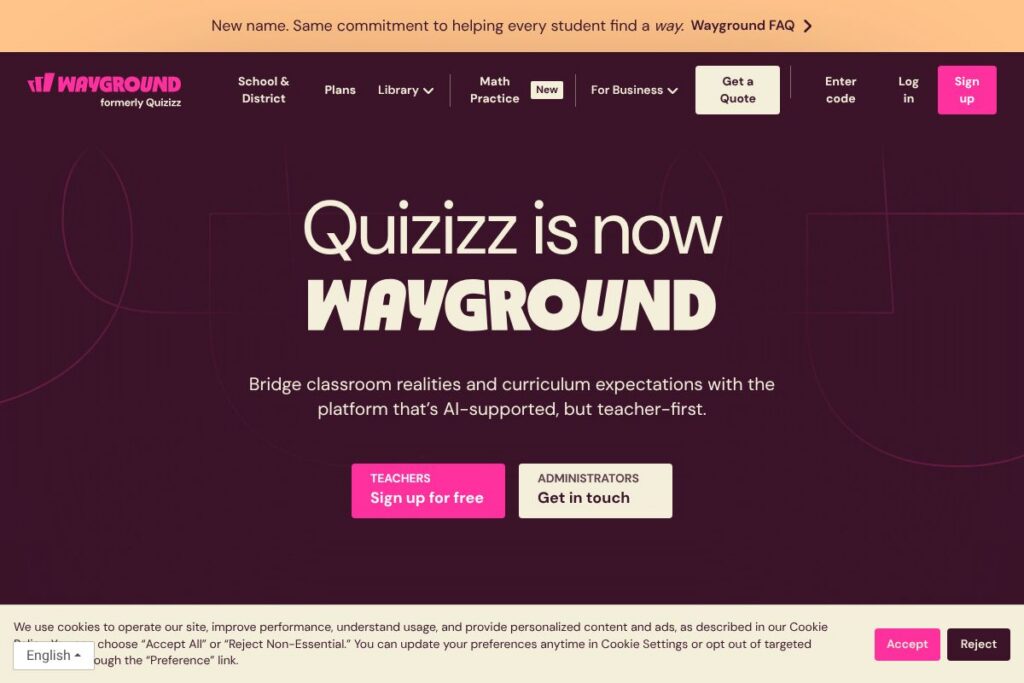
Wayground is an education platform that offers a large library of standards-aligned resources across subjects, plus teacher-facing AI that adapts materials to student needs and provides analytics on mastery. The platform combines lesson content, assessments, videos, and practice activities with accommodations and automatic application of modifications so teachers can assign differentiated work quickly.
Wayground occupies the formative assessment and content-delivery space alongside tools teachers already know. Compared with Kahoot!, which focuses on live game-based quizzes and quick formative checks, Wayground emphasizes editable resource collections, deeper assessments, and individualized accommodations. Compared with Nearpod, which centers on interactive slide-based lessons and whole-class engagement, Wayground leans more heavily on AI-driven differentiation and standards mapping for small-group and individual remediation.
All of this makes Wayground well suited to classrooms and district programs that need flexible, standards-linked content and built-in differentiation. It performs especially well for teachers who want to adapt existing curriculum materials, assign scaffolded practice, and see student growth without creating every resource from scratch.
How Wayground Works
Teachers search Wayground’s library by standard, grade, subject, or resource type, then preview and adapt any item before assigning. The platform’s AI can adjust reading levels, modify question difficulty, and generate alternate versions so one lesson can serve multiple learner levels.
Assignments are delivered through the classroom interface or synced to an LMS via integrations and rostering. Student responses feed into performance dashboards that highlight standards mastery, item-level performance, and suggested interventions so teachers can target small-group instruction or individual supports.
A typical workflow: find a standards-aligned passage, use AI to create three reading-level variants, assign each group the version that fits their needs, and monitor the dashboard to assign follow-up practice or interventions. Teachers can also import their own materials and use Wayground’s question types and accommodations to convert them into interactive assignments.
Wayground features
Wayground centers on an instructional library, AI differentiation tools, assessment types, accommodations, and integrations with school systems. The platform bundles content authoring, student-facing activities, and reporting so teachers can move from planning to data-driven intervention in a few steps. Recent focus areas include expanded AI adaptation tools and more granular accommodation options.
Standards-aligned resource library
A searchable library contains passages, presentations, videos, simulations, and flashcards mapped to standards and grade levels. Resources are ready to assign or adapt, which reduces preparation time and supports alignment to local curricula.
AI-driven differentiation
AI tools modify texts and question sets to match individual students’ reading and skill levels, generate scaffolded versions, and propose alternate prompts. This helps teachers provide tailored practice without manually creating multiple lesson versions.
Assessment types and question formats
Wayground supports formative and summative assessments with dozens of question types including multiple choice, constructed responses, interactive visuals, and timed passages. Assessments can emulate test formats for practice or offer quick checks for understanding.
Accommodations and modifications
The platform offers 25+ preset accommodations that can be assigned to students or groups and then applied automatically to all relevant resources. Options include read-aloud support, simplified language, extended time, and alternate response formats to help maintain inclusion without separate workflows.
Analytics and reporting
Dashboards show class and individual performance by standard, item, and attempt history, with visualizations that help teachers plan interventions. Reports can be filtered by demographic or instructional group to inform small-group instruction and progress monitoring.
Integrations and rostering
Wayground connects with common school systems for rostering and single sign-on, and supports LTI-style workflows so assignments and grades flow to an LMS. These integrations simplify setup and reduce password and class-setup overhead.
Content authoring and import
Teachers can import existing materials or create new resources with built-in editors, multiple question types, and media support. Created items can be saved to custom libraries and shared with colleagues or reused across classes.
With these features, Wayground’s biggest benefit is enabling teachers to deliver differentiated, standards-aligned instruction at scale while keeping progress data visible and actionable.
Wayground pricing
Wayground uses a school and district licensing model with options for individual teachers and institution-wide deployments; public, line-item prices are not listed on a dedicated pricing page. For details on plans, licensing models, and volume discounts, visit the Wayground homepage and request a quote through their contact options.
What is Wayground Used For?
Wayground is used to create and deliver standards-aligned lessons, formative and summative assessments, and scaffolded practice across subjects such as ELA, math, science, and social studies. Teachers use it to assign differentiated versions of the same resource, run whole-class activities, or provide targeted remediation based on diagnostic data.
School and district leaders use Wayground to standardize curriculum materials, monitor progress by standard or subgroup, and implement accommodations consistently across classrooms. Instructional coaches and special education staff rely on its accommodation automation to reduce manual adjustments while preserving individualized support.
Pros and Cons of Wayground
Pros
- Standards-aligned content: A broad library of passages, presentations, videos, and simulations mapped to standards helps teachers save planning time and keep instruction aligned to learning goals.
- AI differentiation: Built-in AI adjusts reading levels and item difficulty, enabling teachers to create multiple levels of the same resource quickly and efficiently.
- Automatic accommodations: Once set, student accommodations apply across resources, reducing the need for separate assignment workflows and helping maintain inclusion.
- Detailed analytics: Dashboards and reports provide actionable insights at the student, class, and standard level to guide interventions and progress monitoring.
Cons
- Enterprise orientation for pricing: District and school licensing means larger deployments require procurement and administrative coordination, which can delay adoption for small groups or individual teachers.
- Learning curve for advanced features: Teachers may need training to fully leverage AI differentiation and accommodation settings, particularly when importing complex materials.
- Dependence on integrations: Full roster syncing and grade passback rely on correct setup of integrations like LTI, Clever, or Google Classroom, which can require IT support.
Does Wayground Offer a Free Trial?
Wayground offers a free teacher tier and trial options for schools and districts. Individual teachers can typically access core resources and authoring tools at no cost while schools and districts can request trial access to enterprise features, rostering, and advanced analytics to evaluate fit before purchasing.
Wayground API and Integrations
Wayground provides integrations for rostering and single sign-on, and supports LTI-style connections and grade passback to common LMS platforms such as Google Classroom, Clever, and ClassLink. See the Wayground integrations page for specific connection options and setup guides.
If developer access or API endpoints are required for custom automation, school IT teams can contact Wayground support or their account representative to explore available API or data-export capabilities and documentation.
10 Wayground alternatives
Paid alternatives to Wayground
- Kahoot! — Live game-based quizzes and formative checks that increase engagement through gamified interactions and real-time leaderboards.
- Nearpod — Interactive slide lessons, virtual reality experiences, and assessment tools for synchronous whole-class engagement and formative checks.
- Pear Deck — Slide-based interactive lessons built for live instruction and formative feedback inside presentation workflows.
- Edpuzzle — Video-focused lessons with embedded questions and analytics to measure watching comprehension and track student responses.
- Formative — Real-time formative assessment platform for live or asynchronous checks with open-response grading and analytics.
- Socrative — Quick formative assessment and exit-ticket style checks designed for classroom use with simple reporting.
- Gimkit — Game-based practice with persistent incentives and teacher controls that focus on student engagement during review sessions.
Open source alternatives to Wayground
- Moodle — Open-source learning management system with plugin architecture for quizzes, lessons, and activity modules that can be customized and self-hosted.
- H5P — Free, open-source interactive content framework that integrates with many LMS platforms to create interactive videos, quizzes, and presentations.
- Sakai — Community-driven LMS with assessment, collaboration, and content tools suitable for self-hosted institutional deployments.
- Open edX — Open-source course platform for building modular learning experiences with assessment and analytics, typically used for larger-scale self-hosted projects.
- BigBlueButton — Open-source web conferencing tool for teaching with integrated polling and breakout room features that pair with LMS tools for synchronous instruction.
Frequently asked questions about Wayground
What is Wayground used for?
Wayground is used to deliver standards-aligned lessons, differentiated assignments, and formative assessments. Teachers and coaches rely on it for content creation, adaptive practice, and tracking mastery by standard.
Does Wayground integrate with Google Classroom?
Yes, Wayground supports integrations with Google Classroom for rostering and assignment sharing. It also supports other rostering providers to simplify class setup and grade passback.
Can Wayground automatically apply accommodations to assignments?
Yes, Wayground applies assigned accommodations automatically across resources. Teachers set student-specific or group accommodations once and those settings persist for future assignments.
Is Wayground secure and compliant for student data?
Wayground provides enterprise-grade security and signed agreements that protect student data. The platform emphasizes privacy and works with districts to meet contractual and regulatory requirements.
How do teachers adapt their own materials in Wayground?
Teachers can import or author content directly in Wayground and use built-in editors and AI tools to adapt materials. The system supports multiple question types and media so imported content can be converted into interactive assignments.
Final verdict: Wayground
Wayground is a strong choice for schools and teachers who need a unified place to find standards-aligned resources, differentiate instruction with AI, and monitor student mastery. Its library, automatic accommodations, and analytics make it practical for day-to-day teaching and targeted intervention.
Compared with free classroom platforms like Google Classroom, which primarily handles assignment distribution and basic grading, Wayground adds curated content, AI-driven differentiation, and deeper assessment types; these capabilities typically come through paid or district licensing while Google Classroom remains free. For districts seeking an instructional system with built-in differentiation and reporting, Wayground offers a focused feature set that supports inclusive, data-informed instruction.