What is WebRTC
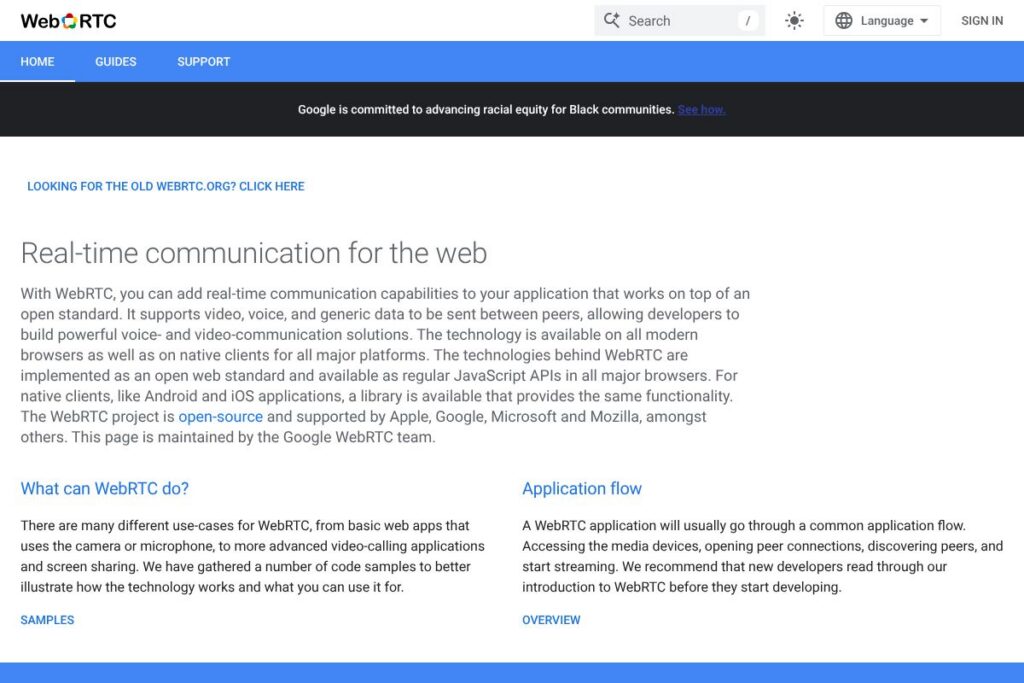
WebRTC is an open web framework that enables real-time audio, video, and arbitrary data transfer between browsers and native apps without requiring plugins. The project exposes a set of JavaScript APIs for capturing media, negotiating secure connections, and sending data channels, and it is implemented in major browsers as a standard web platform feature.
WebRTC is often compared with hosted RTC platforms like Twilio Programmable Video and Agora. Those vendors package infrastructure, signaling, and support into paid services that remove operational complexity; WebRTC itself is the underlying open protocol and browser API set that those services use or extend. For teams that want full control over signaling, TURN servers, and media routing, WebRTC provides the building blocks; for teams that prefer a managed experience, third-party providers offer higher-level APIs and metered pricing.
All of this makes WebRTC a practical choice for developers and organizations that need low-latency, peer-to-peer or routed media and data channels across web and native clients. It is particularly well suited to video calling, real-time collaboration, game networking, and IoT use cases where direct browser or mobile connectivity is required.
How WebRTC Works
WebRTC uses three main browser APIs: Media Capture to access camera and microphone, RTCPeerConnection to establish encrypted media paths, and RTCDataChannel to send arbitrary binary or text data between peers. Developers write signaling code outside of WebRTC to exchange session descriptions and ICE candidates; once signaling completes, peers connect directly or via TURN relays for NAT traversal.
A typical implementation captures local media with getUserMedia, creates an RTCPeerConnection, adds local tracks, and exchanges offer/answer messages through a signaling server. The connection uses ICE with STUN/TURN to discover and traverse network boundaries, SRTP for media encryption, and codecs negotiated at session setup for audio and video streams. Native SDKs mirror the browser APIs so the same architecture works across Android, iOS, and server-side components.
WebRTC features
WebRTC groups capabilities around media capture, secure peer connections, and low-latency data transport. Core features include browser JavaScript APIs for media and data, network traversal via ICE/STUN/TURN, built-in encryption, and native libraries for mobile and desktop. The project also provides sample apps, testing utilities, and an active open-source codebase.
The Features That Make WebRTC Shine
Media Capture (getUserMedia)
This API requests permission and access to local cameras and microphones, returning MediaStream objects that can be attached to HTML media elements or added to peer connections. It simplifies acquiring media in the browser while respecting user privacy controls and browser permission flows.
RTCPeerConnection
RTCPeerConnection handles session negotiation, codec selection, and the real-time transport of audio and video with built-in support for SRTP encryption and congestion control. It abstracts low-level media handling so applications can focus on signaling and UI rather than media transport internals.
RTCDataChannel
RTCDataChannel provides a bi-directional, ordered or unordered data pipe for arbitrary binary or text data between peers. It is useful for game state synchronization, file transfer, collaborative cursors, and other low-latency data needs that complement audio and video streams.
ICE, STUN, and TURN
These components handle NAT traversal and connectivity: STUN helps peers discover public endpoints for direct connections, while TURN relays traffic when direct peer-to-peer paths are blocked. Proper TURN configuration is essential for reliable connectivity in restrictive networks.
Codecs and Media Processing
WebRTC supports commonly used codecs for audio and video and exposes mechanisms for codec negotiation and media parameter adjustments. Built-in echo cancellation, noise suppression, and automatic gain control improve call quality without requiring application-level signal processing.
Statistics and Diagnostics
The getStats API reports connection metrics such as round-trip time, packet loss, and codec usage, enabling applications to monitor quality and implement adaptive strategies. These diagnostics are useful for debugging, logging, and dynamically adjusting bitrate or resolution.
Native SDKs and Cross-platform Support
Native libraries for Android, iOS, and server-side components provide parity with browser APIs so applications can use the same RTC model across platforms. This enables mixed deployments with web clients, mobile apps, and media servers.
With these capabilities, WebRTC delivers a complete toolkit for building real-time communication experiences while leaving signaling and infrastructure choices to implementers.
WebRTC pricing
WebRTC itself is an open-source project and does not have licensing fees for the protocol or browser APIs. The core libraries and browser implementations are free to use under their respective open-source licenses.
If you need managed infrastructure or additional services such as global TURN relays, scalable media routing, recording, or high-level SDKs, commercial vendors provide hosted WebRTC platforms with usage-based pricing. For comparisons and managed options, see the Twilio Programmable Video pricing page and the Agora pricing overview. To download source code and build your own deployment, visit the WebRTC project website or the WebRTC on GitHub repository.
What is WebRTC Used For?
WebRTC is used for real-time video and voice calls directly in web browsers and native apps without plugins, which makes it a common choice for teleconferencing, one-to-one calling, and multi-party video rooms. Developers integrate WebRTC into customer support widgets, telehealth applications, live tutoring, and internal collaboration tools that require in-browser media.
Beyond audio and video, WebRTC’s data channels power multiplayer games, synchronous document collaboration, live presence signals, and peer-to-peer file transfer. Media servers and SFUs expand WebRTC use to large-scale broadcasts, recording pipelines, and advanced media processing workflows.
Pros and cons of WebRTC
Pros
- Open standard: WebRTC is a vendor-neutral set of browser APIs and protocols that any developer can use and extend. This reduces vendor lock-in and enables interoperability across browsers and platforms.
- Browser-native APIs: The platform exposes JavaScript APIs for media, peer connections, and data channels so you can build RTC features directly in the browser without plugins. That simplifies deployment and user adoption on modern browsers.
- Strong security model: Connections use SRTP and DTLS for encrypted media and data transport by default, and browser permissions govern access to cameras and microphones. This results in secure-by-default communication flows.
- Low-latency P2P and routed modes: WebRTC supports direct peer-to-peer paths for minimal latency and TURN-based relays when necessary, allowing applications to adapt to network conditions for reliability.
Cons
- Signaling is developer-managed: WebRTC does not define a signaling protocol, so teams must implement and operate a signaling server to exchange offers, answers, and ICE candidates. That adds engineering and operational overhead.
- Operational complexity at scale: Running TURN servers, managing media servers or SFUs, and handling cross-network conditions requires infrastructure and expertise that some teams prefer to avoid.
- Browser and codec fragmentation: Although major browsers implement WebRTC, differences in codec support and behavior can require platform-specific testing and fallbacks. This increases QA and compatibility work.
Does WebRTC Offer a Free Trial?
WebRTC is free and open-source. You can use browser APIs and the open-source libraries without charge; there is no trial or paid tier for the core project. If you opt for third-party managed platforms that provide WebRTC-based services, those vendors typically offer free tiers or trial credits; check each provider’s pricing for specifics such as free minutes or trial accounts.
WebRTC API and Integrations
WebRTC is exposed primarily as browser JavaScript APIs, and detailed developer references are available through the MDN WebRTC documentation. The project also publishes native libraries and examples on the WebRTC project website and the WebRTC on GitHub repository.
Common integrations include signaling servers built on WebSocket or HTTP, TURN/STUN infrastructure for connectivity, and media servers or SFUs such as Jitsi, mediasoup, or Janus for routing, recording, and large-scale conferencing. Many cloud providers and RTC platforms offer SDKs and managed TURN services to simplify production deployments.
10 WebRTC alternatives
Paid alternatives to WebRTC
- Twilio Programmable Video: A managed RTC platform that abstracts signaling and media infrastructure with SDKs and usage-based pricing; useful when you want turnkey scaling and features. See Twilio Programmable Video pricing.
- Agora: A real-time engagement platform offering global media routing, recording, and low-latency SDKs with usage billing; it reduces infrastructure operations for developers. See the Agora pricing page.
- Vonage (Nexmo) Video API: Managed video and voice APIs that provide server-side media processing and recording, helpful for applications that need reliable cross-platform support. See the Vonage video pricing details.
- Daily: A web-first video and live streaming SDK with room hosting and recording options that simplifies embedding calls in web apps; they publish transparent pricing for usage and hosted rooms. See Daily pricing.
- TokBox (OpenTok) / Vonage Video: Platform offering video sessions, archiving, and signaling services for applications that do not want to manage TURN or SFU infrastructure directly.
Open source alternatives to WebRTC
- Jitsi: A full open-source video conferencing stack with a browser client, Jitsi Videobridge SFU, and server components for self-hosted conferencing. See the Jitsi project.
- mediasoup: A Node.js native SFU for building multiparty conferencing servers that integrates with WebRTC clients and offers server-side control over streams. Visit mediasoup.
- Janus Gateway: A general-purpose WebRTC server and SFU with plugin architecture for mixing, recording, and advanced routing. See the Janus Gateway project.
- Kurento: A media server providing media processing, recording, and computer vision pipelines that connect to WebRTC clients. See Kurento.
- Pion (Go WebRTC): A set of Go libraries implementing WebRTC protocols suitable for server-side applications and custom media pipelines. See Pion WebRTC on GitHub.
Frequently asked questions about WebRTC
What is WebRTC used for?
WebRTC is used to add real-time audio, video, and data communication directly in browsers and native apps. Common applications include video calls, live collaboration, and low-latency data exchange for games and IoT devices.
Does WebRTC require plugins or downloads?
No, WebRTC runs natively in modern browsers and in native SDKs without plugins. Users grant media permissions in-browser and connections are established via standard APIs such as getUserMedia and RTCPeerConnection.
Can WebRTC be used for large-scale conferencing?
Yes, but large-scale deployments typically use media servers or SFUs. Projects like Jitsi and mediasoup route and mix media streams to reduce bandwidth requirements for participants and to enable recording or advanced processing.
Is WebRTC secure for production use?
WebRTC uses encrypted transports and browser permission models by default. Media is protected with SRTP and DTLS, and applications must still secure signaling channels and TURN credentials to ensure a safe deployment.
How do I handle NAT traversal with WebRTC?
WebRTC uses ICE with STUN and TURN to discover network paths and relay traffic when direct connections fail. Deploying reliable TURN servers or using managed TURN services improves connectivity in restrictive networks.
Final verdict: WebRTC
WebRTC provides the essential, open web platform APIs and protocols for real-time audio, video, and data communication. It excels at enabling low-latency peer-to-peer interactions and offers broad browser and native support, built-in encryption, and diagnostics that let teams build custom RTC systems without vendor lock-in.
Compared with a commercial alternative like Twilio Programmable Video, WebRTC is free to use and gives full control over signaling and infrastructure, while Twilio offers a managed service with usage-based billing and developer conveniences. If you prefer to operate your own TURN servers and media routing for cost control and customization, WebRTC is the natural choice; if you want to outsource infrastructure and pay for a simplified developer experience, a managed provider like Twilio may be more appropriate. For more details on managed options consult the Twilio Programmable Video pricing and the Agora pricing pages.