WhatsApp: An Overview
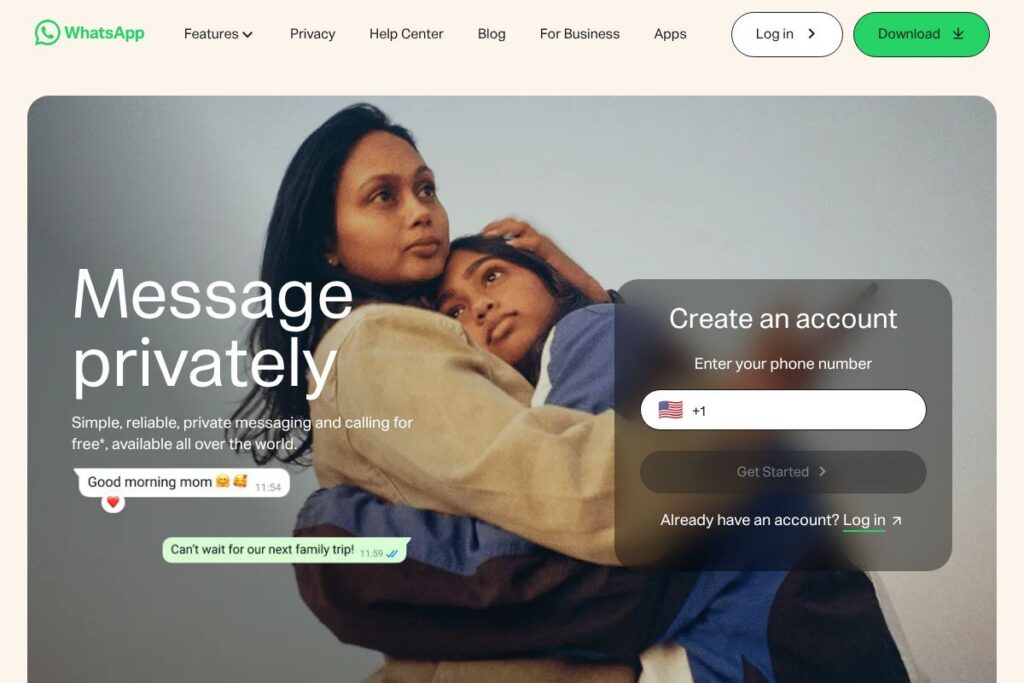
WhatsApp is a mobile-first messaging platform that connects people using their phone numbers, offering text chat, voice messages, voice and video calls, group conversations, and media sharing. It emphasizes privacy through end-to-end encryption on user-to-user messages and calls, and runs on iOS, Android, and desktop via a linked session model.
Compared with alternatives, WhatsApp differs in scale and ubiquity. Telegram emphasizes cloud-based sync and large channels with extensive bot support, Signal prioritizes minimal metadata collection and open-source cryptography, and iMessage integrates tightly with the Apple ecosystem for device-to-device messaging. WhatsApp’s strengths are its widespread adoption across regions and its balance of features, privacy, and lightweight operation on mobile networks.
All of this makes WhatsApp a practical choice for everyday personal communication and for small businesses that need a straightforward way to reach customers through the WhatsApp Business tools. It is especially well suited to users who need reliable, encrypted messaging across mobile and desktop devices.
How WhatsApp Works
Accounts are tied to a phone number and set up by verifying that number with an SMS or call. Contacts who have WhatsApp installed appear automatically, enabling one-to-one chats, group threads, and direct media or document sharing.
WhatsApp secures messages and calls with end-to-end encryption so only participants can read or listen to content. For desktop use, you link a mobile account to the web or desktop client by scanning a QR code, and multi-device support allows limited simultaneous sessions without requiring the phone to stay online.
Typical workflows include creating groups for family or projects, sending voice notes for quick audio updates, sharing photos and documents directly in chats, and using read receipts and typing indicators to manage conversational flow. Businesses use the WhatsApp Business app or API to respond to customers, send catalogs, and automate simple replies.
What does WhatsApp do?
WhatsApp organizes private communication around personal contacts and groups, with features for encrypted messaging, voice and video calls, media and document exchange, and lightweight business tools. Recent platform updates have focused on multi-device support, larger group and community controls, and expanded Business capabilities.
Let’s dive into the standout features:
End-to-end encryption
Messages, attachments, and calls are protected using end-to-end encryption by default, which prevents intermediaries from reading content. This applies to personal chats and group conversations, providing a consistent privacy model for most user interactions.
Messaging and media sharing
Users can send text, photos, videos, voice notes, locations, and a variety of document types directly in chat. Media compression and background upload keep transfers efficient on cellular networks, while forwarding limits and labels help reduce misinformation spread.
Voice and video calls
WhatsApp supports one-to-one and group voice and video calls on mobile and desktop, with adaptive codecs for varying network conditions. Calls are encrypted end to end and include basic call controls such as mute, camera toggle, and participant management for group calls.
Groups and Communities
Group chats support coordination among friends, families, or small teams, while Communities provide a higher-level way to organise multiple groups under a single hub. Admin tools let group owners manage membership, announcements, and permissions to keep conversations structured.
Status (stories)
Status lets users post ephemeral photos, text updates, and short videos that disappear after 24 hours. It provides a lightweight channel for sharing moments with selected contacts without cluttering chat threads.
Stickers, GIFs, and reactions
Rich expressions are supported through stickers, animated GIFs, and message reactions, which speed up responses and make chats more expressive without sending long replies.
File and document support
WhatsApp handles documents, PDFs, and other file types for direct sharing with contacts, useful for small-scale business exchanges and personal file transfers. File size limits and platform-specific behavior vary between mobile and desktop versions.
Multi-device and desktop access
Linked device sessions allow use of WhatsApp on computers and tablets independent of a constantly connected phone, with synchronized message history for supported features. The web and desktop clients are useful for longer typing sessions and file transfers from a workstation.
WhatsApp Business features
The WhatsApp Business app adds business profiles, product catalogs, quick replies, and message templates to help small companies manage customer conversations. Larger businesses can use the WhatsApp Business API for automated, scalable messaging workflows.
With these capabilities, WhatsApp excels at fast, private messaging and simple voice/video calling for individuals and small organizations. Its biggest benefit is ubiquity: most people already have the app, which minimizes onboarding friction when starting conversations.
WhatsApp pricing
WhatsApp follows a primarily free model for personal messaging and calling, while business-grade integrations and API-based services have separate commercial arrangements. The core mobile apps for personal use are available without an app subscription; business and API use may involve fees depending on provider and usage.
Personal and app pricing
Personal messaging and calling: Free for end users to download and use on smartphones and desktop, with standard data charges from mobile carriers where applicable. For downloads and platform-specific details, see the WhatsApp download options.
Business and API
Business and API services: Enterprise messaging through the WhatsApp Business API typically involves commercial terms, often managed through Meta or third-party Business Solution Providers. For enterprise deployment, review the WhatsApp Business information and the WhatsApp Business API documentation for implementation and pricing guidance.
What is WhatsApp Used For?
WhatsApp is commonly used for personal messaging between family and friends, quick voice notes, and real-time video calls that work over cellular and Wi-Fi connections. Its small-group and one-to-one features make it convenient for everyday coordination, event planning, and sharing media.
Small businesses and solo entrepreneurs use the WhatsApp Business app to present product catalogs, respond to customer inquiries, and send appointment reminders. Larger organizations adopt the WhatsApp Business API to integrate messaging with CRM systems, support desks, and automated workflows for customer service.
Beyond social use, WhatsApp is also used for local community coordination, classroom groups, and informal team communication, where speed and reach matter more than heavy project-management features.
Pros and Cons of WhatsApp
Pros
- End-to-end encryption: Messages and calls are encrypted by default, ensuring that only conversation participants can read or listen to content.
- Widespread adoption: The app is available across most countries and mobile platforms, making it easy to reach contacts without additional setup.
- Built-in voice and video calling: High-quality calling is integrated directly into chats, removing the need for a separate VoIP app.
- Simple setup and contact discovery: Accounts use phone numbers and automatically detect which contacts are on the platform, reducing onboarding friction.
- Small-business tools: The WhatsApp Business app and API provide basic catalog, messaging templates, and automation options for customer communication.
Cons
- Limited enterprise controls: Compared with purpose-built collaboration platforms, WhatsApp lacks advanced admin, compliance, and audit features required by large enterprises.
- Backup and metadata trade-offs: Backups to cloud services may not be end-to-end encrypted by default in all configurations, and the service retains some metadata for operation.
- Platform dependency on phone numbers: Tying identity to phone numbers can be inconvenient for users who prefer email-based or account-based identity models.
- Group size and file limits: There are practical limits on group sizes and file transfer sizes that may not suit all use cases that need large-scale broadcasting or high-volume file exchange.
Does WhatsApp Offer a Free Trial?
WhatsApp offers a free plan for personal use and a free WhatsApp Business app for small businesses. The consumer apps are free to download and use on mobile and desktop; enterprise-level API access and business integrations may involve commercial agreements and fees that vary by provider.
WhatsApp API and Integrations
WhatsApp provides the WhatsApp Business API for programmatic messaging and integration with customer service platforms. The WhatsApp Business API documentation describes endpoints, message templates, and onboarding steps for businesses.
Common integrations include CRM and helpdesk systems, ecommerce platforms, and marketing automation tools that connect through the API or third-party Business Solution Providers to manage customer conversations at scale. For small teams, the WhatsApp Business app integrates catalogs and auto-replies without requiring API development.
10 WhatsApp alternatives
Paid alternatives to WhatsApp
- Telegram: A cloud-first messaging app with channels, bots, and large-group features that support public broadcasting and extensive automation.
- WeChat: Popular in certain regions for messaging, payments, and mini-programs that provide integrated services in one app.
- Viber: Messaging and calling app with public chats, stickers, and community features targeted at social and regional user bases.
- Skype: Focused on voice and video calling with support for landline calling and larger conference calls, useful for international voice calls.
- iMessage: Apple-native messaging with rich media, effects, and device-to-device encryption within the Apple ecosystem.
- Signal: Focused on privacy and secure communication, with open-source clients and minimal metadata retention.
- Google Messages: Carrier SMS replacement with RCS support for richer messaging on Android devices.
Open source alternatives to WhatsApp
- Matrix (Element): An open protocol and client ecosystem for decentralized messaging, with end-to-end encryption and federation between servers.
- Signal: The Signal client and server components are open source and emphasize strong privacy and secure defaults for messaging and calling.
- Rocket.Chat: An open-source team and community chat platform that can be self-hosted and integrated into enterprise systems.
- Mattermost: Primarily aimed at teams, Mattermost offers open-source messaging and collaboration with self-hosting and compliance options.
Frequently asked questions about WhatsApp
What is WhatsApp used for?
WhatsApp is primarily used for private text messaging, voice and video calls, and media sharing between contacts. People use it for personal chats, small-group coordination, and light business communications through the WhatsApp Business tools.
Does WhatsApp use end-to-end encryption?
Yes, WhatsApp uses end-to-end encryption for personal messages and calls by default. Encryption ensures that only the sender and receiver can read message contents and that intermediaries cannot decrypt the data.
Can businesses use WhatsApp to message customers?
Yes, businesses can use the WhatsApp Business app for small-scale customer messaging and the WhatsApp Business API for larger, programmatic interactions. Business API usage typically requires registration and may involve third-party providers for messaging volume and automation.
Is WhatsApp free to use?
WhatsApp’s consumer apps are free to download and use for messaging and calling. Standard mobile data charges from carriers may apply when using the app over cellular networks.
Does WhatsApp work on desktop computers?
Yes, WhatsApp supports desktop use through linked sessions via the web client or native desktop apps. You link a phone account by scanning a QR code, and multi-device support allows independent sessions in supported configurations.
Final verdict: WhatsApp
WhatsApp stands out for its ubiquity, simple phone-number identity model, and default end-to-end encryption for messages and calls, making it a practical choice for everyday personal communication across regions. The app’s integrated voice and video calling, lightweight media sharing, and multi-device support meet most needs for individuals and small teams.
Compared with Telegram, which offers more extensive public channels, bot frameworks, and cloud-synced history, WhatsApp prioritizes private contact lists and encrypted conversations. Both are free for consumers, but businesses evaluating large-scale messaging should compare WhatsApp Business API terms with Telegram’s bot and channel options to decide which platform fits their workflow and pricing expectations.