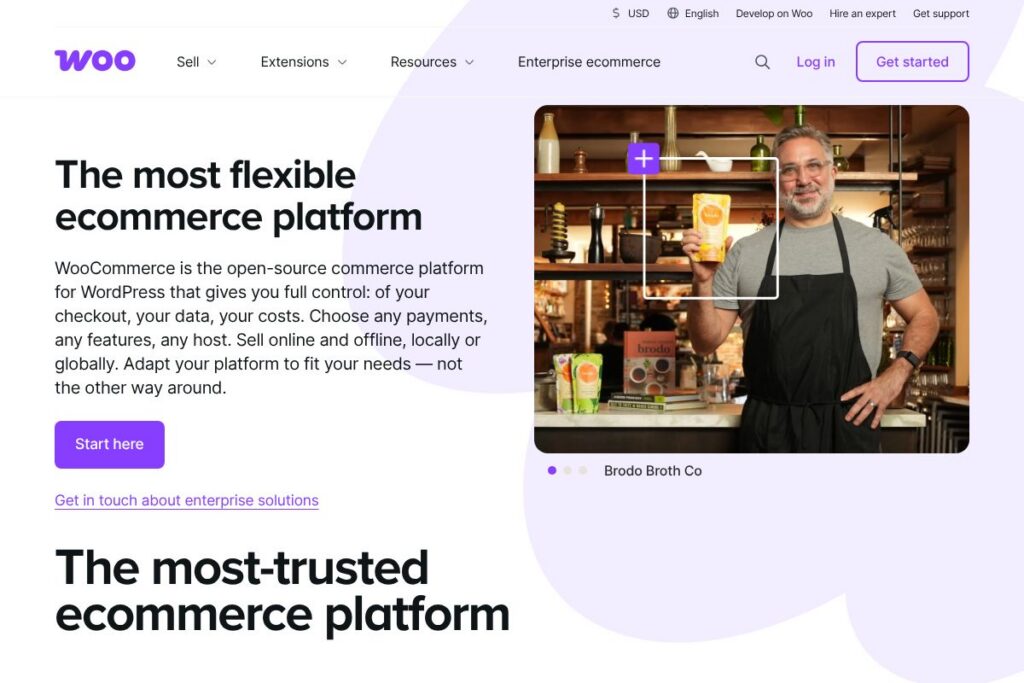
What is WooCommerce
WooCommerce is an open-source ecommerce platform built as a plugin for WordPress that gives store owners full control over storefronts, product data, and checkout flows. It provides the core ecommerce engine for listing products, processing orders, handling taxes, and integrating payment methods while relying on WordPress for content management and theming.
Compared with hosted platforms like Shopify, WooCommerce requires you to manage hosting and maintenance but offers deeper customization because it runs on your own WordPress installation. Against enterprise solutions such as Magento (Adobe Commerce), WooCommerce is lighter weight and easier to launch for small to medium stores while still supporting complex customizations through plugins and developer work. Compared with BigCommerce, which also offers hosted and headless options, WooCommerce stands out for its broad theme ecosystem and flexible plugin architecture.
All of this makes WooCommerce a strong fit for merchants who want granular control over their store, developers who build custom store experiences, and agencies that deliver tailored ecommerce projects. It is especially useful when you need extensibility, ownership of customer data, and the ability to mix content and commerce on the same WordPress site.
How WooCommerce Works
WooCommerce installs as a WordPress plugin and extends WordPress with ecommerce-specific database tables, admin pages, and template hooks. Once activated, you configure store settings, add products, choose a theme, and install extensions for payments, shipping, taxes, or subscriptions.
In operation, WooCommerce handles product catalog management, cart and checkout flows, order processing, and customer accounts within WordPress. Transactions are processed through payment gateways you install or configure, and you can use extensions to add features such as bookings, memberships, subscriptions, and point of sale.
A typical implementation workflow is: set up WordPress hosting and SSL, install WooCommerce, select or build a theme that supports WooCommerce templates, add product data and images, configure shipping and payment gateways, then test checkout and fulfillment workflows. Development teams often customize templates, create custom plugins, or integrate with external systems via the REST API.
What does WooCommerce do?
WooCommerce provides the basic ecommerce building blocks as a plugin and extends via hundreds of official and third-party extensions for payments, shipping, taxes, marketing, and integrations. Core strengths include product management, cart and checkout customization, and a large ecosystem of themes and plugins that add functionality without editing core code.
Let’s talk WooCommerce’s Features
Product Management
Product types include simple, grouped, variable, virtual, and downloadable items, plus support for attributes, variations, categories, and tags. This allows stores to sell physical goods, digital downloads, memberships, and services while organizing catalogs for filtering and search.
Checkout and Payments
Checkout can be customized through settings, theme templates, or extensions; you can enable multiple payment gateways and tailor checkout fields and flows. Extensions provide integrations for major gateways as well as local payment methods to fit regional needs.
Shipping and Tax Tools
Built-in shipping options cover flat rates, local pickup, and free shipping, with extensions for carrier-calculated rates and label printing. Tax settings support locations, class-based rules, and integration with tax services for automated calculation and reporting.
Extensions Marketplace
A broad ecosystem of official and third-party extensions adds features such as subscriptions, bookings, advanced discounts, CRM connectors, and point of sale. The marketplace lets store owners add functionality modularly as their needs grow, avoiding heavy upfront builds.
Themes and Store Design
WooCommerce leverages WordPress themes with template overrides and blocks for flexible design control; many themes are built specifically for commerce to optimize product listings and checkout pages. Developers can create child themes or custom templates to implement branded storefronts.
REST API and Webhooks
The REST API exposes product, order, and customer endpoints for headless storefronts, integrations, and mobile apps; webhooks support event-based automation. This makes it possible to connect ERP, CRM, and fulfillment systems without modifying core plugin code.
With these capabilities, WooCommerce is strongest when teams need a customizable, extendable store that integrates deeply with content, marketing, and external systems. The plugin model and ecosystem let shops scale feature-by-feature rather than committing to a single monolithic platform.
WooCommerce pricing
WooCommerce uses an open-source distribution model, so the core plugin is free to install and use on any WordPress site. Costs typically come from hosting, premium themes, and paid extensions that add functionality such as advanced shipping, payments, or subscription management.
Core Software
Core WooCommerce plugin: Free (open-source). You can download and install it on any WordPress site from the official download page.
Paid Components and Hosting
Hosting and infrastructure: Varies by provider (shared, managed WordPress, VPS, or cloud). Managed WooCommerce hosts typically charge monthly hosting fees that include performance and security optimizations. Check common providers for comparison.
Extensions and themes: Varies by extension. Many official extensions, third-party plugins, and premium themes are sold individually with one-time fees or yearly renewals through the extensions marketplace. Enterprise-level custom solutions and developer services also carry additional costs.
For an accurate cost estimate for your project, review the extensions marketplace for specific add-ons and consult recommended hosting providers for hosting plans and managed WooCommerce services.
What is WooCommerce Used For?
WooCommerce is used to build online stores that sell physical products, digital downloads, memberships, subscriptions, event tickets, and services. Because it runs on WordPress, it is practical for merchants who want to combine content marketing, blogs, and product catalogs in a single site.
Agencies and developers use WooCommerce to create custom storefronts for clients, integrate with inventory or accounting systems, and extend functionality with bespoke plugins. Small businesses, creators, and retailers who require ownership of customer data and the ability to customize checkout and fulfillment workflows commonly choose WooCommerce.
Pros and Cons of WooCommerce
Pros
- Extensibility: The plugin architecture and large extension ecosystem let merchants add payments, shipping, subscriptions, and integrations without editing core files.
- Full control of data and hosting: Merchants retain ownership of customer and order data and can choose their hosting provider, backup strategy, and deployment model.
- WordPress integration: Strong content and SEO tools from WordPress combine with commerce features for content-driven ecommerce sites.
- Open-source cost structure: The core plugin is free, making it possible to start with minimal software cost and scale with paid extensions as needed.
Cons
- Operational overhead: Hosting, security, backups, and performance tuning are the merchant’s responsibility unless using managed WooCommerce hosting.
- Maintenance and compatibility: Keeping plugins, themes, and WordPress updated requires ongoing maintenance and can introduce compatibility work when mixing many extensions.
- Variable total cost: While the core is free, cumulative costs for premium extensions, themes, and hosting can match or exceed hosted platforms depending on needs.
Does WooCommerce Offer a Free Trial?
WooCommerce is free and open-source. The core plugin can be installed on WordPress at no cost, and you can evaluate functionality immediately by installing it on a development site; paid extensions and managed hosting may include trial periods or money-back guarantees from their vendors.
WooCommerce API and Integrations
WooCommerce provides a REST API and webhook support for programmatic access to products, orders, customers, coupons, and more; the REST API documentation details endpoints, authentication, and examples. Developers use the API to build headless stores, mobile apps, and integrations with ERP or CRM systems.
The platform also integrates with popular services through extensions, including payment gateways, email marketing providers, accounting software, and shipping carriers. Official and third-party connectors are available through the extensions marketplace.
10 WooCommerce alternatives
Paid alternatives to WooCommerce
- Shopify — A hosted ecommerce platform with built-in hosting, themes, and point of sale, suitable for merchants who prefer an all-in-one subscription model.
- BigCommerce — Hosted ecommerce that offers scalable features and native integrations for growing brands and multi-channel selling.
- Squarespace Commerce — A design-forward hosted platform that combines content and commerce with easy setup and built-in templates.
- Wix eCommerce — A website builder with integrated ecommerce features aimed at small merchants and quick store launches.
- Ecwid — A embed-first ecommerce solution that adds storefronts to existing websites or social channels with subscription pricing.
- Shift4Shop — Hosted ecommerce platform offering built-in features and a responsive store editor.
- Volusion — Hosted ecommerce with tools for inventory, payments, and analytics, aimed at small to mid-market merchants.
Open source alternatives to WooCommerce
- Magento Open Source — A robust open-source ecommerce platform suited for large catalogs and highly customized stores; often requires significant development and hosting resources.
- PrestaShop — An open-source platform with a modular architecture and a marketplace of modules and themes for customization.
- OpenCart — Lightweight open-source ecommerce with a straightforward admin and extension marketplace for adding features.
- Sylius — A developer-focused open-source ecommerce framework built on Symfony for teams building custom commerce solutions.
Frequently asked questions about WooCommerce
What is WooCommerce best used for?
WooCommerce is best used for building customizable online stores on WordPress. It suits businesses that need content-driven ecommerce, fine-grained control over data, and extensible functionality through plugins.
Does WooCommerce cost money to use?
The core WooCommerce plugin is free and open-source. Costs arise from hosting, premium themes, paid extensions, and professional development when required.
Can WooCommerce integrate with third-party services?
Yes, WooCommerce supports integrations via a REST API, webhooks, and extensions. You can connect payment gateways, shipping providers, CRM, accounting systems, and marketing automation tools through official or third-party plugins.
Is WooCommerce secure for online payments?
WooCommerce supports secure payment processing when configured correctly. Security depends on using HTTPS, keeping WordPress and plugins updated, choosing reputable payment gateways, and following hosting provider security practices.
Can I use WooCommerce for physical and digital products?
Yes, WooCommerce supports physical goods, digital downloads, services, subscriptions, and bookings. Product types and extensions provide the flexibility to sell a wide range of items.
Final verdict: WooCommerce
WooCommerce excels as an open, flexible platform that lets merchants and developers create tailored ecommerce experiences on top of WordPress. Its strengths are extensibility, data ownership, and a large ecosystem of themes and extensions that let stores add capabilities incrementally rather than rebuilding an entire platform.
Compared with a hosted competitor such as Shopify, WooCommerce shifts operational responsibilities like hosting and maintenance to the merchant or host. This trade-off means WooCommerce can often be more cost-effective and customizable for stores that need specific integrations or unique storefronts, while hosted platforms provide simpler setup and managed infrastructure for a fixed monthly fee.
For teams that value control and customization and who can manage hosting and maintenance or work with a managed host, WooCommerce is a practical choice. For merchants who prefer a turnkey hosted solution with built-in support, a hosted alternative may be a better fit.