YouTube: An Overview
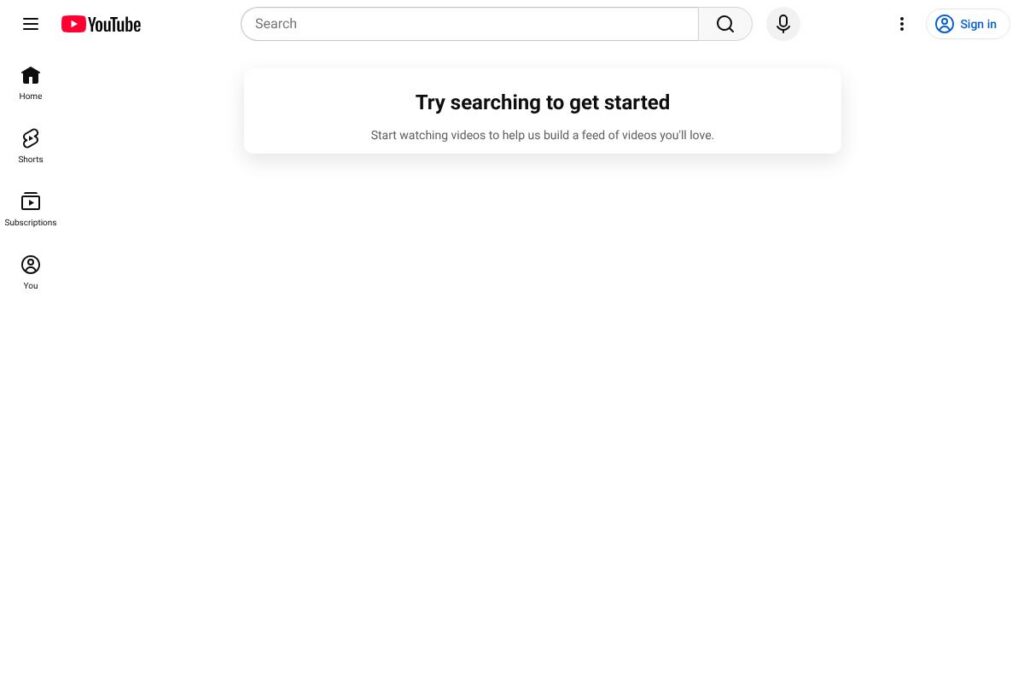
YouTube is a Google-owned platform for publishing, discovering, and streaming video and audio content. It combines user-uploaded videos, official music and studio content, live streams, and short-form clips under Shorts into a single discovery-driven experience used by billions worldwide.
Compared with Vimeo, which targets creators and businesses with paid hosting and customization tools, YouTube prioritizes scale and discovery through recommendation algorithms and broad search visibility. Compared with Twitch, which focuses on live streaming and community interactivity for gamers and creators, YouTube provides both strong live features and extensive on-demand content libraries. Compared with Dailymotion, YouTube offers larger audience reach and deeper integration with Google services and advertising systems.
All of this makes YouTube particularly effective for creators and organizations that need maximum audience reach, discovery tools, and a range of monetization options. It is well suited to hobbyist creators, educators, brands, musicians, and publishers that want a platform that handles hosting, distribution, and revenue collection at internet scale.
How YouTube Works
Creators upload videos through the web or mobile apps, then manage content, metadata, and monetization via the YouTube Studio dashboard. Videos are indexed, processed, and distributed across devices with adaptive bitrate streaming so playback works on phones, tablets, smart TVs, and web browsers.
The platform relies on a recommendation and search system to surface videos to viewers, and supports both scheduled and real-time live streaming. Creators use built-in tools for chapters, subtitles, thumbnails, and community posts to improve engagement, while viewers interact via comments, likes, shares, and subscriptions.
What does YouTube do?
YouTube organizes content around video discovery, publishing tools, audience analytics, and monetization mechanics. Core capabilities include uploading and hosting video, live streaming, Shorts for short-form clips, and creator revenue features such as ads, memberships, and Super Chat. The platform continues to expand tools for content moderation and rights management.
Let’s talk YouTube’s Features
Uploads and Channel Management
Creators can upload video files up to platform limits, add titles, descriptions, tags, custom thumbnails, and schedule releases. Channel pages aggregate a creator’s videos, playlists, about information, and membership options to present a unified presence for viewers across devices.
YouTube Studio and Analytics
Studio provides performance metrics including watch time, audience retention, traffic sources, and revenue reports to help creators refine content strategies. Analytics allow filtering by date range, geography, device, and audience demographics to inform uploads and promotion choices.
Monetization Tools
Creators can access ad revenue sharing, channel memberships, Super Chat for live streams, merchandising integrations, and revenue from YouTube Premium watch time once they meet eligibility thresholds. These features provide multiple revenue streams beyond advertising alone.
Live Streaming and Premieres
YouTube supports live broadcasts with chat interaction, moderation tools, real-time analytics, and the ability to archive streams as on-demand videos. Premieres let creators publish a video with a scheduled live-like watch event to build anticipation and live chat engagement.
Shorts and Short-Form Video
Shorts is YouTube’s short-form video format optimized for mobile discovery and rapid consumption; it includes a vertical player, creation tools, and a dedicated feed to help short clips gain visibility. Shorts act as a discovery channel that can funnel viewers to longer-form content.
Content ID and Copyright Management
The Content ID system scans uploads against a database of copyrighted material to detect matches and apply policies such as monetization claims, tracking, or takedowns. Rights holders and creators use these tools to manage licensing and disputes.
Offline Playback and Mobile Features
Mobile apps allow downloads for offline viewing for paid subscribers, background playback for music and videos with the screen off, and optimized upload workflows from phones. These mobile capabilities support viewers with limited connectivity and creators on the go.
With these features combined, YouTube delivers end-to-end video publishing, discovery, and monetization at scale, which is the platform’s biggest practical advantage for creators and businesses looking to reach large audiences.
YouTube pricing
YouTube’s base platform is free with ad-supported access; Google also offers several subscription services for ad-free playback, background play, music streaming, and live TV. Paid services are sold as separate subscriptions and pricing varies by region and plan type.
Individuals
YouTube Premium – $11.99/month (Example US individual price; includes ad-free playback, background play, and downloads). View the YouTube Premium overview for exact regional rates and current offers.
YouTube Music Premium – Subscription sold separately or bundled with Premium to provide ad-free music streaming and downloads. Check YouTube Music for plan specifics.
Family and Student Options
Family Plans – Family subscriptions are available in many regions and allow multiple household members to share a single plan, prices vary by country. See Premium family plans for availability and limits.
Student Plans – Discounted student subscriptions exist in supported countries, requiring verification. Confirm eligibility and pricing on the YouTube Premium page.
YouTube TV and Other Services
YouTube TV – A separate live-TV subscription with a monthly fee providing cable-like channels and cloud DVR. Pricing for YouTube TV varies and is listed on the YouTube TV plans page.
Enterprise and Creator Fees
Creators monetize through ads and paid features; revenue shares and payout rules are documented by Google and can vary depending on product and region. For detailed creator program terms and revenue guidance, consult the YouTube Help Center.
What is YouTube Used For?
YouTube is widely used for entertainment including music videos, vlogs, film clips, and livestreams. It is also a major platform for learning and tutorials, with channels focused on education, how-to guides, and professional training.
Brands and creators use YouTube for marketing, product launches, and audience building because the platform combines search visibility, social sharing, and monetization. Musicians and rights holders use dedicated channels and the music platform to distribute official tracks and licensed content.
Pros and Cons of YouTube
Pros
- Large audience reach: YouTube provides access to a global, diverse audience, which increases discovery potential for creators and brands.
- Free access with optional upgrades: Viewers can use the platform without paying while optional subscriptions remove ads and add features for paid users.
- Comprehensive creator tools: Built-in publishing, analytics, live streaming, and monetization features let creators manage content end to end.
Cons
- Ad interruptions for free users: Ad-supported viewing may interrupt playback and affect user experience compared with ad-free platforms.
- Monetization thresholds and revenue share: Smaller creators may face long ramps to meet eligibility requirements for ad revenue and other paid features.
- Content moderation and policy complexity: Evolving policies and automated enforcement can lead to takedowns or demonetization that creators need to navigate.
Does YouTube Offer a Free Trial?
YouTube offers a free plan with ads, and Google often provides limited-time free trials for YouTube Premium; trial availability and duration vary by region and promotion. The free tier includes standard uploading, viewing, comments, playlists, Shorts, and live streaming; Premium trials, when offered, provide ad-free playback, downloads, and background play for the trial period. For current trial offers and availability, check the YouTube Premium page.
YouTube API and Integrations
YouTube provides a developer API and a set of platform services for uploading, searching, embedding, and managing videos programmatically. The YouTube Developers documentation includes REST API endpoints, SDKs, and usage quotas for building apps and integrations.
Common integrations include embedding videos on websites, connecting with Google Workspace services, publishing live streams via RTMP from tools like OBS and Streamlabs, and integrating analytics or CMS systems for enterprise workflows. See the YouTube API reference for endpoints and developer guides.
10 YouTube alternatives
Paid alternatives to YouTube
- Vimeo – A paid-first platform aimed at creators and businesses, offering higher-quality hosting, customization, and professional collaboration tools.
- Twitch – Focused on live streaming and real-time viewer interaction, popular with game streamers and live creators.
- Dailymotion – A video hosting and distribution platform with global reach and publisher-focused monetization.
- Facebook Watch – Integrates video with social feeds and ad monetization inside Facebook’s ecosystem.
- Instagram (Reels & IGTV) – Mobile-first short-form and vertical video formats integrated with social profiles and advertising.
- Wistia – A paid hosting platform focused on businesses with marketing and lead generation video tools.
- Brightcove – Enterprise video platform for large organizations requiring advanced security, analytics, and distribution.
Open source alternatives to YouTube
- PeerTube – A federated, open-source video hosting network that lets communities host and share videos without a central authority.
- Kaltura Community Edition – An open-source video platform offering hosting and management features for organizations that want self-hosting.
- MediaGoblin – A decentralized media hosting project supporting video, audio, and images for self-hosted communities.
- Owncast – An open-source, self-hosted live streaming server focused on independent streamers and communities.
Frequently asked questions about YouTube
What is YouTube used for?
YouTube is used for watching, uploading, and sharing video and music content across devices. Individuals watch entertainment and educational content, while creators use it to publish, promote, and monetize videos.
Does YouTube offer a paid subscription?
Yes, YouTube offers paid subscriptions such as YouTube Premium and YouTube Music Premium. These subscriptions remove ads, enable background play, and add download capabilities depending on the plan.
Can creators earn money on YouTube?
Yes, creators can earn money through ad revenue, channel memberships, Super Chat, and other features once they meet eligibility criteria. Monetization setup and payout rules are documented in the YouTube Help Center and creator resources.
Does YouTube provide an API for developers?
Yes, YouTube has a developer API for uploading, searching, embedding, and managing video content. The YouTube Developers documentation explains endpoints, quotas, and SDKs.
Is YouTube free to use for viewers?
Yes, basic viewing and uploading are free with ads on the standard YouTube service. Paid upgrades are optional for ad-free playback and additional features.
Final Verdict: YouTube
YouTube excels as a large-scale, discovery-first video platform that handles hosting, distribution, and monetization for creators and organizations. Its combination of broad audience reach, robust analytics in YouTube Studio, and integrated monetization options makes it the default choice for creators who want scale and visibility.
Compared with Vimeo, which focuses on paid hosting and professional video workflows, YouTube’s base offering is more accessible because it is free to use and optimized for discovery; YouTube Premium individual subscriptions are typically around $11.99/month in the United States for ad-free playback. For creators who need enterprise-level privacy, customization, or professional collaboration tools, paid platforms like Vimeo or Brightcove can be preferable, but for reach and audience growth, YouTube remains unmatched.
Overall, YouTube is the practical choice for individuals and organizations that prioritize audience size and discoverability, with optional paid services and developer APIs that support more advanced workflows and commercial uses. For current plan details and regional pricing, review the YouTube Premium overview and the YouTube TV plans page.