Zervant: An Overview
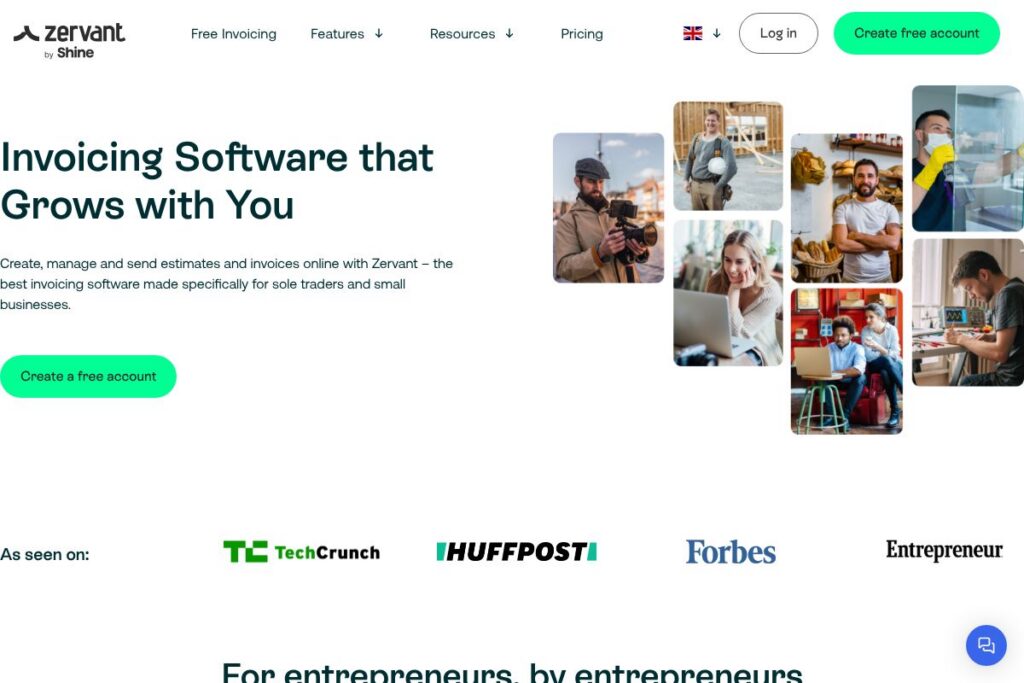
Zervant is invoicing software designed for sole traders and small businesses to create, send, and track invoices and estimates from both web and mobile apps. It emphasizes a straightforward interface, quick invoice generation, and basic business reporting so users can spend less time on paperwork and more time on their work.
Compared with broader accounting platforms such as QuickBooks and Xero, Zervant focuses tightly on invoicing and estimate workflows rather than full bookkeeping or payroll. Compared with freelancer-focused tools like FreshBooks, Zervant keeps core features simpler and exposes fewer advanced accounting options, which can be an advantage for users who need fast invoicing without a steep learning curve.
All of this makes Zervant well suited to sole traders, freelancers, and very small teams that need a dependable invoicing workflow with optional upgrades as their business grows. It excels at fast invoice creation, estimate conversion, and mobile invoicing for people who work on the go.
How Zervant Works
Zervant runs as a cloud service with a web interface and native mobile apps that let you create and send invoices from a browser or phone. You set up your business details and client list once, then generate invoices from templates, add items or tracked time, and send documents by email or PDF in moments.
Estimates are created like invoices and can be converted to invoices automatically when accepted, removing duplicate data entry. Recurring invoices can be scheduled for subscription-like billing, and the platform shows invoice statuses so you can see when a customer has received or opened a document.
Payments integrate with supported online payment methods so you can include payment links on invoices and reconcile received payments against outstanding invoices. Daily workflows typically involve creating an invoice, sending it via email, and tracking its status until payment is recorded.
Zervant features
Let’s talk Zervant’s Features. The platform centers on invoice and estimate creation, plus straightforward automation such as recurring invoices and status tracking. It also provides mobile invoicing, basic time tracking, and reporting tools that show income over time. The team continues to add improvements to templates and delivery formats to support small business needs.
Invoice creation
Create professional invoices using customizable templates, add line items, taxes, discounts, and attach files. Templates help maintain consistent branding and speed up repetitive invoicing tasks for recurring clients.
Estimates and conversion
Build estimates that include line items and terms, send them to clients, and convert accepted estimates into invoices with a single action. This reduces duplication and keeps client negotiations connected to billing.
Recurring invoices and scheduling
Set up recurring invoices for subscription or repeat work and schedule delivery frequency and start/end dates. Recurring automation reduces manual invoicing for regular customers and helps maintain steady cash flow.
Mobile app and on-the-job invoicing
Invoice directly from the mobile app so you can bill customers at the point of service, including offline drafting that syncs when you reconnect. Mobile invoicing is useful for contractors, consultants, and tradespeople invoicing on site.
Time tracking and reporting
Track hours per client or project and convert tracked time into invoice line items. Basic reports summarize income and work time so you can see business development and where you spend time.
Payment links and online payments
Include payment links on invoices to accept card or payment-provider transactions where supported, and reconcile payments against outstanding invoices. Online payments help reduce payment friction and speed up collections.
Invoice status tracking and notifications
Follow invoice lifecycle with status indicators for sent, viewed, and paid, and receive notifications about client activity. Status tracking improves follow-up and reduces overlooked unpaid invoices.
With these core capabilities, Zervant emphasizes fast, reliable invoicing, simple automation for recurring work, and mobile-first workflows so small businesses can bill quickly and keep records tidy.
Zervant pricing
Zervant offers a free entry point and optional paid upgrades tailored to different business needs; pricing details and plan features can change, so check the provider for current options. View Zervant’s current pricing options to see the latest plans, any feature differences between free and paid tiers, and whether country-specific billing or payment fees apply.
What is Zervant Used For?
Zervant is commonly used for generating professional invoices and estimates quickly, sending them by email or PDF, and tracking their status until payment. It is practical for sole traders, consultants, tradespeople, and microbusinesses that need an uncomplicated invoicing system without full accounting complexity.
Beyond invoicing, Zervant is used to schedule recurring bills, track billable time, and produce basic income reports so small business owners can monitor revenue and client activity. Its mobile app makes it a fit for people who invoice at the point of service or work across multiple locations.
Pros and Cons of Zervant
Pros
- Fast invoice creation: The interface is built for quick invoice and estimate generation, helping users send bills in under a minute.
- Free mobile invoicing: The mobile apps are available on free accounts, enabling invoicing on the job without additional cost.
- Estimate to invoice conversion: Accepted estimates can be converted automatically into invoices, removing duplicate data entry and keeping workflows tight.
- Simple recurring billing: Recurring invoice setup reduces manual effort for repeat customers and subscription-style services.
Cons
- Limited advanced accounting: The platform focuses on invoicing and lacks the full accounting, payroll, and tax features found in larger packages.
- Fewer integrations than enterprise tools: Integrations and ecosystem connectors are more limited compared with platforms such as Xero or QuickBooks.
- Country-specific payment support: Online payment methods and legal invoicing requirements can vary by country, so some users will need additional tools for localized compliance.
Does Zervant Offer a Free Trial?
Zervant offers a free plan that allows you to start invoicing without an upfront fee, and you can upgrade to paid features when needed. The mobile app is included for free accounts, and the company provides guidance and templates via its blog and resources to help new users get started.
Zervant API and Integrations
Zervant supports integrations with payment providers and selected third-party tools to let invoices accept online payments and connect with other business workflows; see the integrations overview for specifics. The platform also links to resources and help articles on automating invoicing and connecting services via available connectors.
If you need developer-level automation, check Zervant’s developer and support pages for partner integration options and technical guidance; the Zervant help center and resources provide the best starting points for custom workflows.
10 Zervant alternatives
Paid alternatives to Zervant
- QuickBooks — A full accounting suite that includes invoicing, bank reconciliation, payroll, and advanced reporting for growing businesses.
- Xero — Cloud accounting with invoicing, multi-currency support, and a large partner ecosystem for accountants and bookkeepers.
- FreshBooks — Invoicing and small-business accounting with client-focused features like proposals, time tracking, and retainers.
- Wave — Free core invoicing with paid add-ons for payments and payroll; good for microbusinesses wanting low-cost tools.
- Zoho Invoice — Part of the Zoho suite, it offers invoicing, time tracking, and integrations within the Zoho ecosystem.
- Sage Business Cloud Accounting — Accounting and invoicing with reporting and compliance features for small businesses.
Open source alternatives to Zervant
- Invoice Ninja — Open source invoicing and billing with self-hosting options and a hosted SaaS tier for convenience.
- ERPNext — An open source ERP that includes invoicing, accounting, inventory, and CRM modules suitable for small to mid-sized businesses.
- Odoo (Community) — The open source edition of Odoo includes invoicing and billing apps that can be extended with other community modules.
- Dolibarr — A modular open source ERP/CRM with invoicing features, suitable for small businesses that want a self-hosted solution.
Frequently asked questions about Zervant
What is Zervant used for?
Zervant is used for creating and sending invoices and estimates. It helps sole traders and small businesses manage billing, track invoice status, and automate recurring invoices.
Does Zervant have a mobile app?
Yes, Zervant provides mobile apps for invoicing on the go. The mobile apps let you create invoices, send PDFs, and draft invoices offline that sync when you reconnect.
Can Zervant accept online payments?
Yes, Zervant supports online payment links where payment providers are available. Payment processing availability depends on your country and chosen payment partner.
Is Zervant suitable for freelancers?
Yes, Zervant is well suited to freelancers and sole traders. Its quick invoice, estimate conversion, and time tracking features address common freelancer billing needs.
Does Zervant integrate with accounting software?
Zervant offers integrations and connectors to selected services. For detailed integration options and partner connections, review the Zervant features and integrations pages.
Final verdict: Zervant
Zervant does invoicing well by focusing on a small set of tasks and executing them simply: quick invoice and estimate creation, recurring billing, mobile invoicing, and basic reporting. That focus keeps the product easy to adopt for sole traders and microbusinesses who do not need full accounting systems.
Compared with a broader accounting package like QuickBooks, which includes bookkeeping, payroll, and more extensive integrations, Zervant is lighter and typically less complex to use. QuickBooks aims to replace full accounting workflows with subscription-based tiers, while Zervant provides a free entry point and optional upgrades primarily around invoicing capabilities.
If you need fast, dependable invoicing with mobile support and minimal setup, Zervant is a practical choice. For businesses that require comprehensive accounting, payroll, or a broad integration ecosystem, consider pairing Zervant with a dedicated accounting tool or choosing a fuller accounting platform such as QuickBooks or Xero.