Bill4Time: An Overview
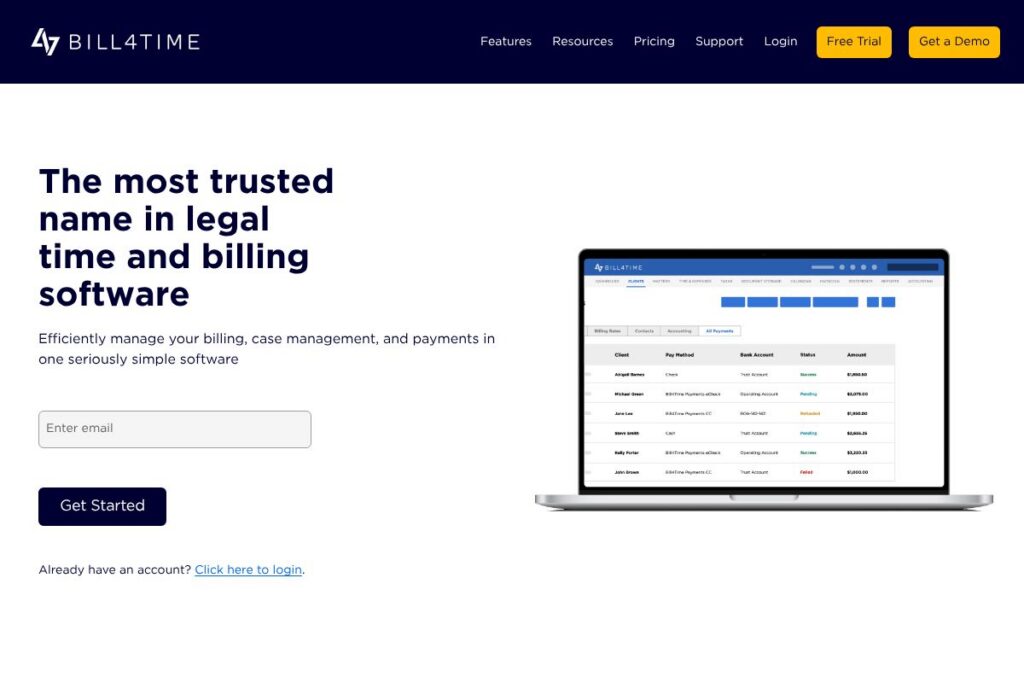
Bill4Time is a cloud-based timekeeping and billing system built for law firms, solo attorneys, and legal professionals who need accurate time tracking, flexible invoicing, and integrated payments. The product centralizes time and expense capture, matter management, client billing, and financial reporting so firms can reduce administrative overhead and improve cash flow. For firms that rely heavily on hourly billing or mixed-fee arrangements, Bill4Time focuses on the billing workflow and trust accounting controls that legal teams require.
Compared with Clio, which positions itself as a broader practice management suite, Bill4Time places more emphasis on streamlined billing and payments as the primary workflow. Versus CosmoLex, which bundles accounting and practice management tightly, Bill4Time gives firms a simpler path to invoicing and payments while still supporting integrations with external accounting tools. Compared with MyCase, Bill4Time is typically chosen by teams that want straightforward time and billing without the full case-management feature set of a larger practice management platform.
All of this makes Bill4Time a strong choice for small to mid-sized law firms and solo attorneys who need reliable, easy-to-use legal billing software with built-in payment collection and firm-level reporting. It is particularly useful for practices that prioritize getting invoices out quickly and maintaining compliance with trust accounting requirements.
How Bill4Time Works
Bill4Time captures billable work through a mix of desktop, web, and mobile time entry screens where users record time in real time or enter time blocks after the fact. Time entries are tied to matters, clients, and billing codes so invoices reflect the correct rates, units, and expense categories.
Once time and expenses are collected, users generate invoices with customizable templates, apply retainers or trust funds, and send bills electronically. Built-in online payments let firms accept client payments and apply them to invoices without exporting to a separate payments portal.
Administrative workflows include approval and review of time entries, batch invoicing for groups of matters, and automated invoice delivery. Firms typically implement Bill4Time by mapping their billing rules, importing existing matters and clients, and training staff on time entry and invoice review processes.
Bill4Time features
Bill4Time centers on accurate time tracking, flexible billing, matter-level organization, built-in payments, and reporting designed for legal financial management. Recent product updates emphasize easier mobile time entry, more payment options, and expanded reporting exports to support month-end close and trust accounting compliance.
Let’s talk Bill4Time’s Features
Time Tracking
Bill4Time provides real-time and manual time entry across desktop and mobile apps, with timers, entry notes, and billable flags to prevent missed hours. Users can set default billing rates per user or matter, apply multipliers for overtime or special rates, and convert time entries into invoice line items quickly.
Billing and Invoicing
Invoice templates are customizable for branding, billing formats, and LEDES or custom billing codes; batch invoicing handles multiple matters at once to reduce administrative time. Invoices support write-offs, discounts, and detailed line-item presentation so firms can match client expectations and billing arrangements.
Case Management
Matter records consolidate client details, contacts, tasks, deadlines, and document links so billing is always connected to the correct matter context. Shared access and role controls let teams collaborate on a matter while keeping billing and client communications consistent.
Online Payments and Trust Accounting
Built-in ePayments let clients pay invoices via secure links, saved payment methods, or scheduled payment plans, and the system includes controls for IOLTA-style trust accounting. Payments are applied to invoices inside the platform so reconciliation is simpler and firms avoid double entry.
Reporting and Dashboards
Interactive dashboards and a library of financial and operational reports give visibility into collections, aging, trust balances, and time utilization. Reports are exportable in common formats for external accounting or internal analysis and can be filtered by matter, client, user, or date range.
Integrations and API
Bill4Time supports integrations with common accounting and document tools to reduce double data entry and keep workflows in sync. Integration options extend to accounting software, calendars, and cloud storage so billing, scheduling, and recordkeeping work together.
With these capabilities, Bill4Time helps firms reduce billing friction, improve invoice delivery speed, and keep a clear audit trail for client funds and trust balances.
Bill4Time pricing
Bill4Time uses a subscription SaaS pricing model with multiple plan tiers and optional payment processing fees; detailed plan rates are not published on a dedicated pricing page. For current plan tiers, seat pricing, and payment processing details, view the current pricing options.
What is Bill4Time Used For?
Bill4Time is used primarily for attorney time tracking, billing, and collections; it replaces spreadsheets and manual billing processes with a unified system that ties time entries to matters and client invoices. Firms use it to capture billable time accurately, generate professional invoices, manage retainers, and reconcile trust accounts.
Outside of core billing, Bill4Time is used to organize matter information, coordinate tasks across small teams, and provide clients with secure access to invoices and documents through a client portal. This makes it suitable for solo practitioners, boutique firms, and mid-sized practices that want to reduce administrative load while maintaining compliance with legal billing standards.
Pros and Cons of Bill4Time
Pros
- Focused billing workflows: The interface is designed to convert time and expenses into invoices quickly, reducing time-to-bill and administrative overhead. This benefits firms that bill hourly or on mixed-fee arrangements.
- Built-in payments and trust controls: Native payment handling and safeguards for client trust accounts help firms remain compliant and speed up collections without separate plugins or manual processes.
- Mobile and desktop time capture: Time entry options across devices reduce missed time and make it easier for attorneys to record work as it happens.
- Reporting suited to legal finance: Financial and aging reports target collections and trust balances so firms can monitor revenue and overdue invoices effectively.
Cons
- Not a full practice management suite: Firms seeking deep practice management features such as matter-centric taskboards, client intake automation, or advanced CRM capabilities may prefer a broader platform. Integrations can fill gaps but add configuration work.
- Customization limits at scale: Larger firms with complex billing rules or international requirements may need custom configurations or integrations that increase setup time.
- Learning curve for advanced billing rules: Setting up retainers, trust accounting rules, and batch invoicing requires careful configuration to match firm policies and compliance standards.
Does Bill4Time Offer a Free Trial?
Bill4Time offers a free trial so firms can test time tracking, invoicing, and payments before committing to a subscription; sign up to begin a trial and explore core features via the start a free trial page.
Bill4Time API and Integrations
Bill4Time provides API and integration options to connect with accounting packages, calendars, and document storage to reduce duplicate entry and keep records synchronized. Explore available connectors and integration guides on the Bill4Time integrations page.
If you need programmatic access, Bill4Time exposes developer endpoints and partner integration points; consult the platform’s integration resources for details on authentication, webhooks, and supported data flows.
10 Bill4Time alternatives
Paid alternatives to Bill4Time
- Clio — A widely used legal practice management platform with integrated billing, client intake, and document management designed for firms that want an all-in-one solution.
- CosmoLex — Combines practice management and law firm accounting with built-in trust accounting and billing features aimed at firms that want accounting embedded into the workflow.
- MyCase — Offers case management, billing, and client communication features with a client portal and integrated payments for small to mid-sized firms.
- PracticePanther — Provides matter management, time tracking, and billing automation that scales from solo practitioners to growing firms.
- Rocket Matter — Focuses on practice management and billing with a strong emphasis on productivity and legal-specific workflows.
- Timeslips — A long-standing time and billing package that supports complex billing arrangements and detailed reporting for professional services.
- Zola Suite — Combines case management, billing, and integrated accounting for firms that want deeper financial controls.
Open source alternatives to Bill4Time
- Kimai — An open source time-tracking application suitable for firms that want self-hosted time capture and basic invoicing with customization control.
- InvoicePlane — A self-hosted invoicing solution that supports client billing and recurring invoices for teams that prefer open source invoice management.
- ERPNext — An open source ERP that includes time tracking and invoicing modules which can be adapted by firms requiring a high level of customization and self-hosting.
Frequently asked questions about Bill4Time
What is Bill4Time used for?
Bill4Time is used to track billable time, manage matters, generate invoices, and collect client payments. Law firms use it to centralize billing workflows and maintain trust accounting records.
Does Bill4Time integrate with accounting software?
Yes, Bill4Time integrates with common accounting and document tools. Integration options include connectors for accounting packages and export features to synchronize financial data.
Can Bill4Time handle trust accounting and IOLTA requirements?
Bill4Time includes controls for trust accounting and IOLTA-style workflows. The platform records trust transactions and provides reports to help firms maintain compliance.
How do I accept client payments with Bill4Time?
Bill4Time supports built-in online payments and shareable payment links. Firms can collect payments directly against invoices and reconcile those receipts inside the application.
Is there a mobile app for Bill4Time?
Bill4Time provides mobile time entry and access to core billing features. Mobile timers and quick expense capture help attorneys record work while on the go.
Final Verdict: Bill4Time
Bill4Time excels at the core needs of legal billing: accurate time capture, flexible invoicing, integrated payments, and reporting that supports collections and trust accounting. Its focus on getting invoices out quickly and handling client payments within the same workflow reduces administrative handoffs and helps firms improve cash flow.
Compared with Clio, which offers a broader practice management suite and per-user subscription pricing, Bill4Time tends to be simpler to implement for teams primarily focused on billing and payments. While Clio may be preferable for firms that want extensive practice management features, Bill4Time is a practical, lower-complexity choice for firms that need reliable billing, native payment processing, and legal-focused reporting.
To explore how Bill4Time fits your firm, try the product directly via the Bill4Time homepage or begin a trial from the start a free trial page.