Eventbrite: An Overview
Eventbrite is a public event discovery and ticketing platform that helps organizers list events, sell tickets, and manage attendees while letting users search for things to do nearby. It supports a wide range of event types including music, nightlife, performing arts, business conferences, food and drink events, and hobby meetups, and scales from single-host gatherings to multi-day festivals.
Compared with Ticketmaster, Eventbrite focuses more on grassroots, independent, and community events rather than stadium and arena ticketing; compared with Meetup, Eventbrite places greater emphasis on paid ticketing and discoverability rather than purely recurring interest groups. Compared with event-focused platforms like Eventzilla, Eventbrite typically offers broader discovery channels and more built-in promotion features that help organizers reach casual attendees.
Eventbrite excels at making events discoverable across cities, providing simple ticketing and registration workflows, and handling attendee management for both free and paid events. This makes it a practical choice for individual organizers, small businesses, venues, and regional promoters who need an end-to-end event listing and ticketing solution.
How Eventbrite Works
Event organizers create an event listing in the Eventbrite dashboard, configure ticket types and pricing, set capacity and event details, then publish the listing to Eventbrite’s marketplace where it becomes searchable by location and category. The platform handles ticket sales, issues digital tickets, and tracks attendee check-ins through mobile apps or printable guest lists.
Promotion tools let organizers embed registration widgets on external sites, share listings on social media, or use built-in email marketing and discount codes to drive sales. For on-site operations, the Eventbrite Organizer mobile app supports scanning tickets and managing check-in lists, while the dashboard provides attendee data and sales reporting to reconcile revenue and attendance.
Eventbrite features
Eventbrite combines event discovery, ticketing, and basic event marketing in one product. Core capabilities include searchable city and category listings, flexible ticket types, attendee management, basic promotion tools, mobile check-in, and integrations with common marketing and productivity services. The platform evolves regularly with partner integrations and expanded discovery features to help events reach local audiences.
Ticketing and registration
Eventbrite supports multiple ticket types including free, paid, donation-based, early-bird, and reserved tickets with quantity limits and sales windows. Organizers can configure custom questions at checkout, collect attendee information, and issue mobile or printable tickets that include QR codes for scanning at the door.
Event discovery and search
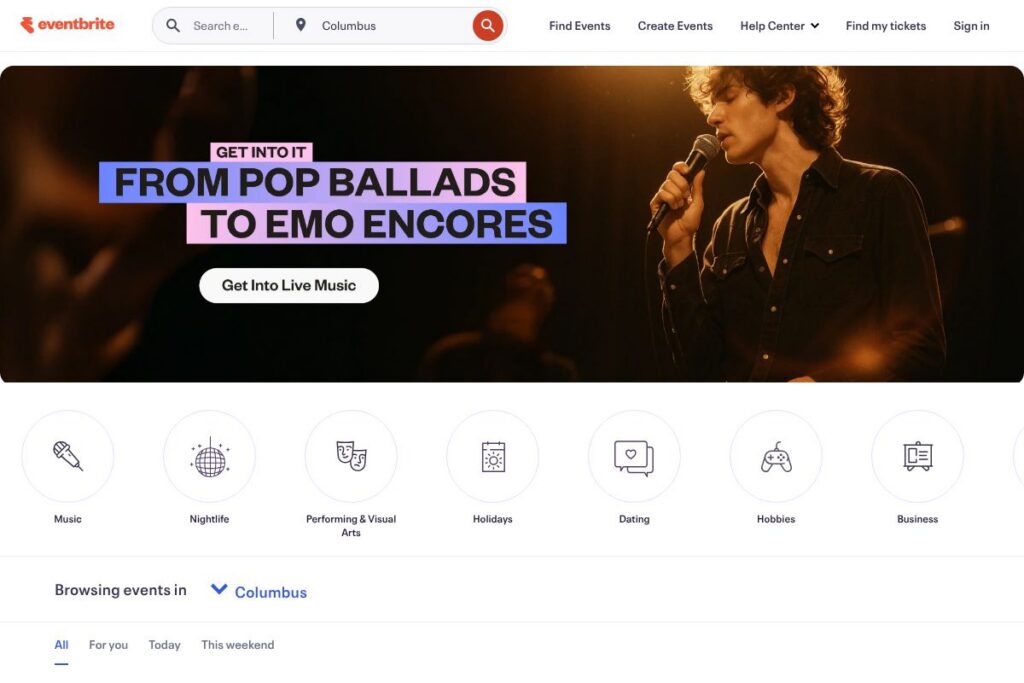
Listings are organized by category, date, and city which helps attendees browse local events, featured destinations, and trending activities. The platform’s search and recommendation filters let users find events by interest such as music, food and drink, hobbies, and nightlife, improving discoverability for organizers.
Promotion and discount tools
Eventbrite includes built-in promo code creation, discount management, and social sharing buttons to accelerate ticket sales. Integration with social channels and embeddable widgets enables promotion on external websites, and promoters can track the effectiveness of campaigns through referral data in the dashboard.
Onsite tools and mobile apps
The Eventbrite Organizer app turns smartphones into ticket scanners and check-in kiosks and supports offline check-in when connectivity is limited. Onsite tools include guest list printing, real-time attendee lookup, and the ability to check in or refund attendees directly from the app.
Analytics and reporting
Sales dashboards provide an at-a-glance view of ticket sales, revenue, attendee counts, and registration trends over time. Organizers can export attendee lists and payment reports to support reconciliation, marketing segmentation, and post-event follow-up.
Integrations and API
Eventbrite connects to marketing and productivity tools such as email platforms, CRM systems, and calendar apps, and it exposes developer APIs for custom workflows. The Eventbrite API documentation describes endpoints for event creation, ticketing, and attendee management so teams can automate registration or sync data with other systems.
With these features, Eventbrite’s biggest benefit is the combination of a public discovery marketplace and integrated ticketing tools, which lowers friction for organizers who want both sales and audience reach in a single platform.
Eventbrite pricing
Eventbrite uses a fee-based pricing model for paid events combined with optional subscription features for organizers who require advanced tools. Organizers typically pay service and payment-processing fees on paid tickets while free events can be listed without organizer fees; the exact fee structure varies by country, payment method, and the organizer’s chosen settings.
For the most accurate information on current fees, subscription offerings, and available billing options, see Eventbrite’s How It Works and consult the platform’s support resources in the Eventbrite Help Center for region-specific details.
What is Eventbrite used for
Eventbrite is primarily used to list events, sell and manage tickets, and help attendees discover local experiences. Organizers use it for single events such as concerts and classes, as well as for recurring series like meetups, workshops, and community festivals where ticket management and attendee tracking are required.
Attendees use Eventbrite to search by city, date, or category and to purchase or register for events with digital tickets. Venues and promoters use the platform’s reporting and onsite check-in features to run events efficiently and collect attendee data for marketing and follow-up.
Pros and cons of Eventbrite
Pros
- Large event catalog: A broad marketplace helps organizers reach casual and local audiences through category and city-based discovery.
- Flexible ticketing options: Multiple ticket types, custom checkout questions, and promo codes support different pricing strategies and attendee data collection needs.
- Mobile check-in and onsite tools: The Organizer app enables ticket scanning, offline check-in, and guest list management for efficient entry operations.
- Developer-friendly API: Programmatic access allows teams to automate event creation, sync attendee data, and integrate with marketing stacks.
Cons
- Organizer fees on paid events: Eventbrite applies service and payment-processing fees to paid tickets which can add to the cost for organizers and attendees.
- Less specialized for enterprise venues: Large stadiums or complex venue setups may find specialized ticketing partners like Ticketmaster offer deeper box office and venue-level integrations.
- Discoverability varies by market: Events in smaller cities or niche categories may require additional promotion because platform-driven discovery favors more popular listings.
Does Eventbrite Offer a Free Trial?
Eventbrite offers a free option for free events and fee-based ticketing for paid events. Free events can be created and listed at no cost to the organizer, while paid events incur service and payment-processing fees; any subscription add-ons or paid organizer tools are available separately. Use the How It Works page for details on fee handling and organizer features.
Eventbrite API and Integrations
Eventbrite provides a public API for developers to create and manage events, access attendee lists, and retrieve sales data; the Eventbrite API documentation contains endpoints, authentication details, and usage examples. For non-developers, Eventbrite offers integrations with marketing and productivity tools through native connectors and third-party automation platforms like Zapier for simple data flows.
10 Eventbrite alternatives
Paid alternatives to Eventbrite
- Ticketmaster — Industry leader for large-venue and stadium ticketing with deep box-office integrations and premium distribution channels.
- Eventzilla — An event registration and management platform aimed at small to mid-size organizers with simple ticketing and registration features.
- Cvent — Enterprise-focused event management with advanced registration, venue sourcing, and attendee engagement tools for conferences.
- Bizzabo — Event experience platform that combines registration, marketing, and analytics with hybrid event support for professional organizers.
- Universe — Ticketing and event management with a modern interface and tools for creators and small promoters.
- Brown Paper Tickets — Cost-conscious ticketing service that emphasizes lower fees for smaller events and community gatherings.
- Ticketleap — User-friendly ticketing for festivals, concerts, and small venues with promotional tools and mobile check-in.
Open source alternatives to Eventbrite
- Attendize — Open source event management and ticketing platform you can self-host, offering customizable checkout and attendee lists.
- Pretix — Self-hosted ticketing system that supports complex ticket logic, quotas, and flexible plugins for integrations.
- Open Event — Event management tools from the FOSS community that support event creation and basic attendee handling for self-hosted deployments.
Frequently asked questions about Eventbrite
What types of events can I run on Eventbrite?
Eventbrite supports a wide range of events including music shows, classes, conferences, community meetups, and festivals. The platform is designed to handle both free and paid events across many categories and scales from small workshops to multi-day festivals.
Does Eventbrite charge organizers for free events?
No, Eventbrite does not charge organizers to list or manage free events. Fees apply to paid ticket sales in the form of service and payment-processing charges depending on the organizer’s region and payment settings.
Can Eventbrite integrate with my CRM or email marketing tools?
Yes, Eventbrite integrates with common marketing and CRM platforms and supports automation through Zapier and its API. Developers can use the Eventbrite API documentation to build direct integrations for syncing attendees and sales data.
Is Eventbrite suitable for large conferences and festivals?
Eventbrite can handle large events but organizers of very large conferences or venue-heavy festivals may prefer enterprise-focused platforms. For larger productions, consider whether you need advanced venue management, box-office features, or dedicated account support that other enterprise providers specialize in.
Can attendees get refunds or transfer tickets through Eventbrite?
Yes, Eventbrite supports refunds and ticket transfers but the organizer controls refund policies and transfer permissions. Refund settings are configured at the event level and the organizer is responsible for handling any fee reimbursements according to their stated policy.
Final verdict: Eventbrite
Eventbrite is a practical, well-established solution for organizers who need discoverability plus integrated ticketing. Its strengths are the public marketplace for reaching local audiences, flexible ticket types, and straightforward onsite tools for check-in and attendee tracking which suit small to mid-size events and community organizers.
Compared to Ticketmaster, Eventbrite generally presents a more accessible option for independent promoters and smaller venues, with simpler setup and broader discoverability for casual attendees; Ticketmaster focuses on enterprise-level box office and venue services and often operates under different fee and distribution models. For organizers evaluating options, Eventbrite is a strong choice when you want a single platform for listing, promoting, and running events without the overhead of enterprise solutions.