What is Billbooks
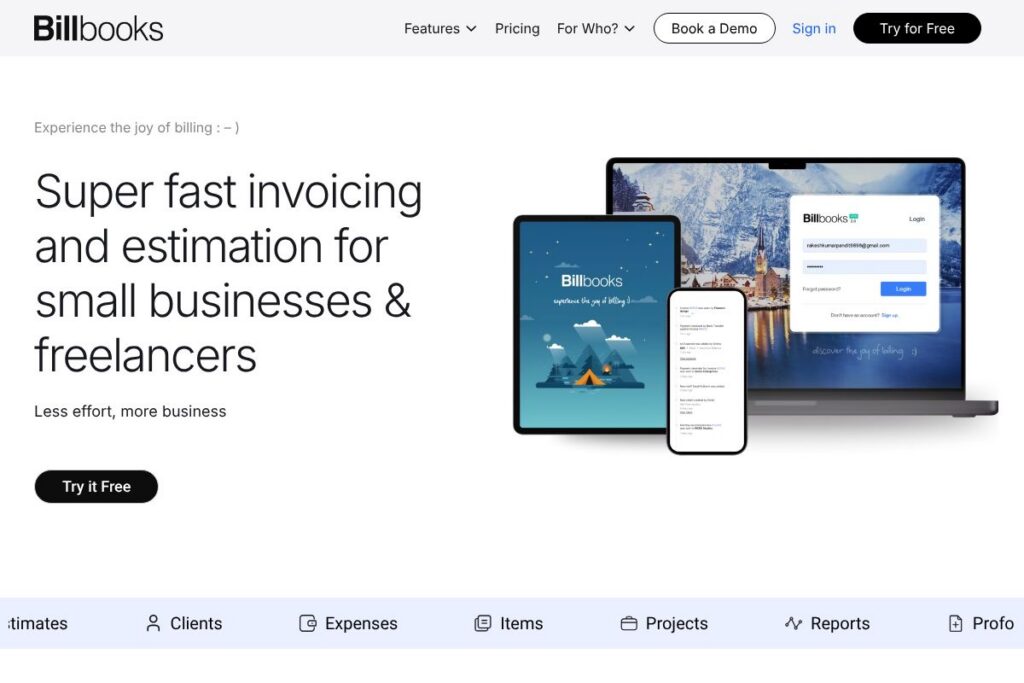
Billbooks is a web-based invoicing and quoting platform designed for freelancers, small businesses, and self-employed professionals who need simple, fast billing. Core capabilities include invoice and estimate creation, multi-currency support, payment integrations, expense tracking, and reporting, all accessible on mobile and desktop.
Compared with mainstream accounting suites, Billbooks focuses narrowly on billing workflows rather than full accounting. For example, FreshBooks and QuickBooks provide broader accounting and payroll features which can be useful for larger bookkeeping needs, while Zoho Invoice integrates tightly with Zoho’s broader business suite for customers already on that platform. Billbooks competes by offering a lighter, more affordable option with modern billing features such as QR codes, digital signatures, and automated followups.
All of this makes Billbooks a pragmatic choice for freelancers and small teams that want to reduce time spent on billing, keep costs predictable, and use mobile-first tools for client-facing invoices and estimates.
How Billbooks Works
Users start by creating an organization or multiple businesses under one account, then add clients, items, and projects. Create invoices or estimates from templates, attach items or expenses, set custom taxes and discounts, and send via email or a shareable invoice link.
Once sent, Billbooks tracks invoice views and payment status in real time on a dashboard, and can send auto reminders and followups until payment is received. Payment collection connects to common gateways so payments are reconciled automatically and invoices update to paid status.
Daily workflows typically include duplicating invoices for repeat clients, previewing and sending PDFs, exporting reports to CSV or Excel, and using the mobile interface to create quick invoices or upload receipts while on the move.
Billbooks features
Billbooks groups invoicing, estimates, payments, expense tracking, and reporting into a compact feature set aimed at speed and usability. Recent additions highlighted in the product include proforma invoices, digital signatures, QR codes for payments, and automated quote followups that reduce manual chasing.
Invoices & Estimates
Create branded invoices and professional estimates quickly using templates, custom invoice numbering, and configurable columns. You can track invoice history, set due dates, apply taxes and discounts, and create recurring invoices to automate regular billing.
Payment Integrations
Billbooks supports one-click integrations with major payment gateways for online payment acceptance, including card payments and gateways for international clients. Integrations cut reconciliation work by attaching payment receipts to invoices automatically.
Automation and Followups
Auto payment reminders, automated quote followups, and recurring invoice scheduling reduce manual tasks and improve collections. The system can notify you when recipients open invoices so you can prioritize followups effectively.
Items & Expense Management
Maintain a catalog of items with SKUs and images, log expenses with receipt attachments, and mark expenses as billable or non-billable. Exportable item and expense reports simplify tax preparation and bookkeeping handovers.
Projects and Reporting
Group invoices and expenses by project, get project summaries, and run sales, expense, profit and loss, and collections reports to monitor cash flow. Reports can be exported to CSV or Excel for further analysis.
Security and Backups
Data is secured in the cloud with 256 bit SSL encryption and multiple backups to protect records and reduce downtime. User access controls allow role-based access for teams and accountants.
Mobile and Multi-organization Support
The interface is built for mobile-first use, and a single account can manage multiple businesses. That setup is useful for consultants or agencies that handle several legal entities or brands under one login.
Digital Signatures and QR Codes
Digital signatures add authenticity to estimates and proforma invoices, while embedded QR codes speed up payment for clients who prefer scanning to pay. These features help reduce payment friction and speed collections.
Billbooks’ biggest benefit is its combination of focused invoicing workflows with modern payment options and automation, which helps smaller teams keep billing simple while reducing manual followups.
Billbooks pricing
Billbooks uses a straightforward subscription model with a freemium trial tier, monthly and annual paid plans, and a custom enterprise option for high-volume or specialized needs. Plans scale by user count, client limits, item limits, and project capacity, with annual billing offering discounted effective rates.
Monthly Billing:
Trial – Free (30 days, 1 User, 5 Clients, 100 Items, 10 Expenses, 5 Invoices, 5 Estimates, 3 Projects)
Basic – $7.95/month (2 Users, 100 Clients, 500 Items, Unlimited Expenses, Unlimited Invoices, Unlimited Estimates, 50 Projects, Multiple Organizations)
Standard – $14.95/month (5 Users, 500 Clients, 1000 Items, Unlimited Expenses, Unlimited Invoices, Unlimited Estimates, 500 Projects, Multiple Organizations)
Professional – $29.95/month (10 Users, Unlimited Clients, Unlimited Items, Unlimited Expenses, Unlimited Invoices, Unlimited Estimates, Unlimited Projects, Multiple Organizations)
Annual Billing:
Trial – Free (30 days, same limits as monthly trial)
Basic – $85.86/year (equivalent to the monthly Basic plan billed annually)
Standard – $161.46/year (equivalent to the monthly Standard plan billed annually)
Professional – $323.46/year (equivalent to the monthly Professional plan billed annually)
Enterprise
Custom – Contact Sales for a tailored plan which may include API integration, self-hosted deployments, custom workflows, custom payment gateways, private SMTP, WhatsApp integration, QR codes at scale, and custom reporting. For enterprise options contact Billbooks’ sales or request a demo.
What is Billbooks Used For?
Billbooks is used to create and send invoices and estimates quickly, collect online payments, and reduce the administrative overhead of billing. Freelancers use it for one-click invoicing and client dashboards while small businesses use it to manage cash flow and vendor payments from a central dashboard.
Larger teams or enterprises that do not need full accounting automation use Billbooks to automate bulk invoicing, run smart reports, and control access for multiple users. The platform is also useful for service businesses that bill by project or on retainer because of its project grouping and recurring invoice features.
Pros and cons of Billbooks
Pros
- Fast invoicing and estimates: The interface minimizes clicks for common tasks, letting users create and send invoices or estimates in seconds with auto numbering and templates.
- Affordable tiers for small teams: Pricing starts with a low-cost Basic plan that covers common freelancer needs while scaling up to Professional for larger teams without large per-seat fees.
- Modern payment features: Built-in QR code payments, digital signatures, and one-click integrations with major gateways reduce friction and speed collections.
- Mobile-first and multi-organization: Full functionality on mobile and the ability to manage multiple businesses from one account suits consultants and agencies.
Cons
- Not a full accounting suite: Billbooks focuses on billing and basic reporting, so businesses needing payroll, detailed double-entry bookkeeping, or advanced tax filings may need a separate accounting system.
- Enterprise features require custom plans: API access, self-hosting, and advanced integrations are listed under custom enterprise plans which means additional setup and possible cost for large-scale automation.
- Limited built-in payroll and ledger features: Users looking for integrated payroll and tax filing tools will need to connect to third-party accounting packages.
Does Billbooks Offer a Free Trial?
Billbooks offers a 30-day free trial and a limited free tier. The trial provides access to core features for a single user, and a free starter tier covers a small set of clients, items, invoices, and projects so you can evaluate the platform before choosing a paid plan.
Billbooks API and Integrations
Billbooks supports integrations with major payment gateways such as Stripe, PayPal, Authorize.Net, and Braintree to accept online payments and reconcile receipts automatically; see Stripe’s developer documentation for an example integration approach. For custom enterprise needs, Billbooks offers API integration options and can support webhooks and system-to-system connections when included in a custom plan.
The platform also exports data in CSV or Excel formats for import into accounting systems, and supports common workflows for connecting with third-party tools used by bookkeeping and ERP platforms.
10 Billbooks alternatives
Paid alternatives to Billbooks
- FreshBooks – A small business invoicing and accounting suite with time tracking and stronger integrations for bookkeeping.
- QuickBooks – A broader accounting platform offering bookkeeping, payroll, and invoicing for small and mid-size businesses.
- Zoho Invoice – Invoice and billing focused product that integrates tightly with the Zoho ecosystem.
- Xero – Cloud accounting with strong bank reconciliation and reporting features, plus invoicing capabilities.
- Invoicera – An invoicing and billing solution that includes recurring billing and multi-currency support for enterprises.
- Wave – A cost-effective option with free core features and paid payment processing, popular with freelancers and microbusinesses.
- Sage Business Cloud Accounting – Accounting and invoicing for small businesses that want integrated bookkeeping and invoicing.
Open source alternatives to Billbooks
- Invoice Ninja – Open-source invoicing and billing with self-hosting options and paid cloud plans for convenience, suitable for developers and agencies.
- ERPNext – An open-source ERP that includes invoicing, accounting, and inventory features for businesses that want a full system.
- Dolibarr – An open-source ERP and CRM with invoicing modules for small businesses that prefer self-hosted deployments.
- Akaunting – A free, open-source accounting software with invoicing and expense tracking that can be self-hosted or used via hosted plans.
Frequently asked questions about Billbooks
What is Billbooks used for?
Billbooks is used for creating, sending, and managing invoices and estimates. It also handles expense tracking, basic project billing, and payment collection for freelancers and small businesses.
Does Billbooks integrate with Stripe and PayPal?
Yes, Billbooks integrates with Stripe, PayPal, Authorize.Net, and Braintree. These integrations let you accept credit and debit card payments and reconcile them against invoices automatically.
Can Billbooks handle multiple businesses under one account?
Yes, Billbooks supports multiple businesses under a single account. That feature is useful for consultants, agencies, or bookkeepers managing several legal entities or client brands.
Is Billbooks secure for storing financial data?
Billbooks uses SSL encryption and cloud backups to protect data. Role-based user access and regular backups help maintain data integrity and availability.
Does Billbooks provide an API for custom integrations?
Billbooks offers API integration options, typically via custom or enterprise plans. Those options enable webhooks, automated data flows, and custom gateway integrations when required.
Final verdict: Billbooks
Billbooks delivers a focused, mobile-first billing and quoting experience that fits freelancers and small businesses that need fast invoicing, simple expense tracking, and modern payment options like QR codes and digital signatures. It stands out for ease of use, affordable entry-level pricing, and automation features that reduce manual followups and speed collections.
Compared with larger accounting platforms such as QuickBooks, Billbooks trades comprehensive bookkeeping and payroll features for a lighter, lower-cost approach to billing. With plans starting at $7.95/month, Billbooks is more budget-friendly for pure invoicing needs while still offering essential integrations and reporting, making it a sensible choice for teams that want straightforward billing without a full accounting migration.