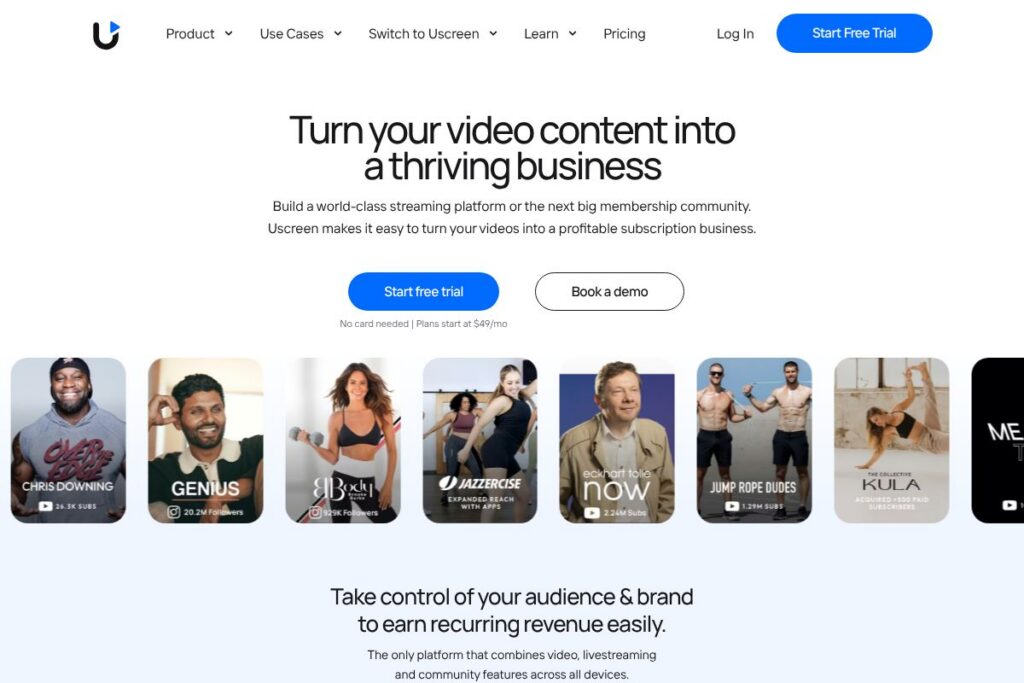
Meet Uscreen
Uscreen is an all-in-one video membership platform that combines a Netflix-style video library, live streaming, and a built-in community into a single subscription product. Creators upload and organize video content, configure subscription and transactional monetization, publish branded web pages, and deliver native mobile and TV app experiences without building apps from scratch.
Compared with Vimeo OTT, Uscreen places stronger emphasis on native mobile and TV apps and an integrated community experience rather than just hosted video and basic OTT delivery. Against Kajabi, Uscreen focuses more narrowly on streaming, app delivery, and live events instead of Kajabi’s broader course, funnel, and marketing automation stack. Compared with Patreon, Uscreen provides a more structured membership product with native apps, one-off purchases, and richer analytics suitable for creators who want an owned-platform experience.
All of this makes Uscreen well suited for creators who need a dedicated, scalable subscription product with native apps and integrated community features. It is especially appropriate for fitness instructors, video educators, niche studios, and media brands that want to own customer relationships and deliver a polished streaming experience.
How Uscreen Works
Creators start by uploading videos and organizing content into collections or series, then set access rules using subscriptions, rentals, or one-time purchases. Payment and billing are handled through integrated processors, and member accounts are managed from a central dashboard that tracks engagement and revenue.
For a public-facing product, creators customize branded web pages and request native mobile and TV apps. Uscreen handles app publishing and updates, letting members stream content, receive push notifications, and participate in community channels. Live events are scheduled and streamed from the same platform with chat and calendar reminders to boost attendance.
Operationally, teams use Uscreen to manage content delivery, promotion, and analytics in one place. The platform includes migration support and onboarding services so creators can move subscribers and assets from other platforms with minimal disruption.
Uscreen features
Uscreen organizes its capabilities around video-first membership design, app delivery, live streaming, community engagement, monetization options, and creator support. The platform continually adds features for apps, live events, and member interaction to improve retention and discovery.
Video library and discovery
A Netflix-style catalog presents videos in collections, with search, tagging, and curated playlists to encourage binge-watching. Creators can enable downloads for offline viewing, configure quality settings, and let members build personal playlists to increase session length.
Live streaming and events
Built-in live streaming supports scheduled events with live chat, Q&A, and a calendar that sends auto-reminders to attendees. Creators can sell access to live events as part of memberships or as one-off purchases and run interactive sessions without external streaming tools.
Native mobile and TV apps
Uscreen provides pre-built iOS, Android, Apple TV, and Roku app templates that are published under a creator’s brand; no coding is required. Apps include push notifications, subscription management, and a consistent cross-device playback experience to keep members engaged on phones and TVs.
Community channels and member interaction
Community features sit alongside video content, with public and private channels, comment threads, and member profiles to foster connection. Embedding community into the membership product increases stickiness by letting members interact without leaving the app or site.
Monetization and billing
Flexible monetization options include recurring subscriptions, free trials, one-off purchases, rentals, and coupon support. Billing is handled through integrated payment processors with recurring billing, proration options, and basic tax handling to simplify revenue collection.
Marketing tools and analytics
The platform includes email and automation integrations, conversion tracking, and dashboards that report on revenue, retention, and video engagement. These tools help creators test pricing, track campaign performance, and identify high-performing content.
Migrations and creator support
Uscreen provides onboarding support, dedicated success managers, and migration services to move content and subscribers from other platforms. This hands-on assistance helps creators launch faster and maintain subscriber continuity.
With these capabilities, Uscreen’s biggest benefit is delivering an end-to-end, video-first membership product with native apps and community baked in, which reduces the technical overhead for creators scaling a subscription business.
Uscreen pricing
Uscreen uses a subscription pricing model tailored to creators and businesses with different needs, ranging from individual creators to enterprise customers. Plans typically include a mix of platform access, support levels, and app publishing options that scale with business requirements.
For current plan details and the most up-to-date breakdown of features and fees, see Uscreen’s pricing and plans on Uscreen’s homepage at the Uscreen homepage. The vendor will provide options for individual creators, team accounts, and enterprise arrangements including custom app publishing and dedicated support.
What is Uscreen Used For?
Uscreen is used to create paid video memberships, host evergreen video libraries, and run live-streamed events that customers access through web, mobile, or TV apps. Creators convert audiences into recurring revenue by packaging content into subscription tiers, bundles, and pay-per-view events.
Typical use cases include fitness and yoga studios delivering on-demand classes and live workouts, educators and course creators offering video-based curricula, media brands launching niche streaming services, and community-driven creators who want a safe space for members to interact. The platform is also used for virtual conferences and multi-day events where ticketing and access control matter.
Pros and Cons of Uscreen
Pros
- All-in-one video and membership platform: The platform combines video hosting, live streaming, native apps, and community features into a single product, reducing the need for multiple vendors. This lowers integration work and centralizes member data.
- Native mobile and TV apps: Publishers can deliver branded iOS, Android, Apple TV, and Roku apps without building apps themselves, which helps reach members on devices where they consume the most video.
- Dedicated onboarding and migration support: Uscreen provides success managers and migration assistance to transition creators and subscribers from other platforms, which speeds up launches and reduces technical friction.
- Flexible monetization options: Support for subscriptions, rentals, free trials, and one-off purchases enables varied business models and pricing experiments to find the best fit for an audience.
Cons
- Platform specialization limits broader course tooling: If you need advanced course-building features, drip lessons, or deep quiz/reporting workflows, a course-first platform like Kajabi or Thinkific may offer more education-specific tools.
- Potential app publishing complexity for some businesses: Custom app requirements or frequent app updates may require coordination with Uscreen and app store review processes, which can add time compared to fully self-managed app deployments.
- Fees and pricing vary by needs: Enterprise-level features, custom app builds, and advanced support typically involve higher-tier plans or custom quotes, so costs can scale with growth.
Does Uscreen Offer a Free Trial?
Uscreen offers a free trial and optional demo with a Creator Advocate. The trial typically allows creators to explore the dashboard, upload content, configure memberships, and request branded app demos; complimentary demos and onboarding sessions are available to evaluate the platform before committing to a subscription.
Uscreen API and Integrations
Uscreen provides integration options for payments, email, analytics, and automation platforms, and exposes developer interfaces for common workflows such as member synchronization and event webhooks. For developer access and integration details, consult Uscreen’s developer and integration resources on the Uscreen homepage.
Common integrations include payment processors and automation platforms to connect subscriber data with marketing tools and analytics systems, enabling automated onboarding, email campaigns, and revenue reporting.
10 Uscreen alternatives
Paid alternatives to Uscreen
- Vimeo OTT – Offers video hosting with subscription and OTT tools, focused on content delivery and monetization but with less emphasis on built-in community channels and app publishing services.
- Kajabi – A broader creator platform for courses, funnels, and marketing automations, useful when course sales and advanced email funnels are the priority.
- Teachable – Course-first platform that simplifies course creation and student management; stronger course features but fewer native app and live-streaming capabilities.
- Patreon – Membership platform focused on patronage and creator tiers; good for community and recurring support but not as app- or streaming-focused as Uscreen.
- Thinkific – Course and learning platform with robust course-building tools and student analytics; less focused on native TV app distribution.
- Podia – Combines courses, memberships, and digital downloads with an easy-to-use storefront; simpler app and streaming options compared with Uscreen.
Open source alternatives to Uscreen
- WordPress + MemberPress – Self-hosted combination where WordPress handles site and content, and MemberPress adds membership gating; requires more setup and hosting management.
- PeerTube – Decentralized, federated video hosting that supports live streaming and self-hosting; suitable for teams that want full control but need technical resources to operate.
- MediaDrop – Open-source video hosting and publishing platform for custom deployments; useful for organizations with developer resources to build a tailored solution.
Frequently asked questions about Uscreen
What is Uscreen used for?
Uscreen is used to sell and deliver video memberships, livestreams, and paid video-on-demand. Creators use it to run subscription businesses with native apps, community features, and event streaming.
Does Uscreen offer a free trial?
Yes, Uscreen provides a free trial and complimentary demos. Creators can test the dashboard, upload content, and schedule a demo with a Creator Advocate to see app and community capabilities.
Can I build mobile apps with Uscreen?
Yes, Uscreen supports branded iOS, Android, and TV apps. The platform manages app templates and publishing so creators do not need to develop native apps themselves.
Does Uscreen support live streaming?
Yes, Uscreen includes built-in live streaming and event tools. Live events include chat, reminders, and the ability to sell access as part of memberships or as standalone tickets.
Does Uscreen integrate with payment processors and email tools?
Yes, Uscreen integrates with common payment processors and marketing tools. Integrations allow automatic billing, email automation, and analytics tracking to support member lifecycle and marketing workflows.
Final verdict: Uscreen
Uscreen excels at delivering a video-first membership product that bundles a polished streaming experience, native mobile and TV apps, and an integrated community into a single platform. That combination reduces technical complexity for creators who want to own their audience and monetize video content across devices.
Compared with Kajabi (which starts at $149/month), Uscreen is more narrowly focused on streaming, app delivery, and live events while Kajabi emphasizes course funnels and marketing automations. If your priority is native apps, TV distribution, and an integrated live and community experience, Uscreen is a strong choice; if deep course tooling and funnel-based marketing are critical, evaluate Kajabi as a complementary or alternative option.
Overall, Uscreen is best for creators and niche media brands that need a robust, video-centric membership platform with app delivery and built-in community features, plus hands-on onboarding support to accelerate launches.