Zendesk: An Overview
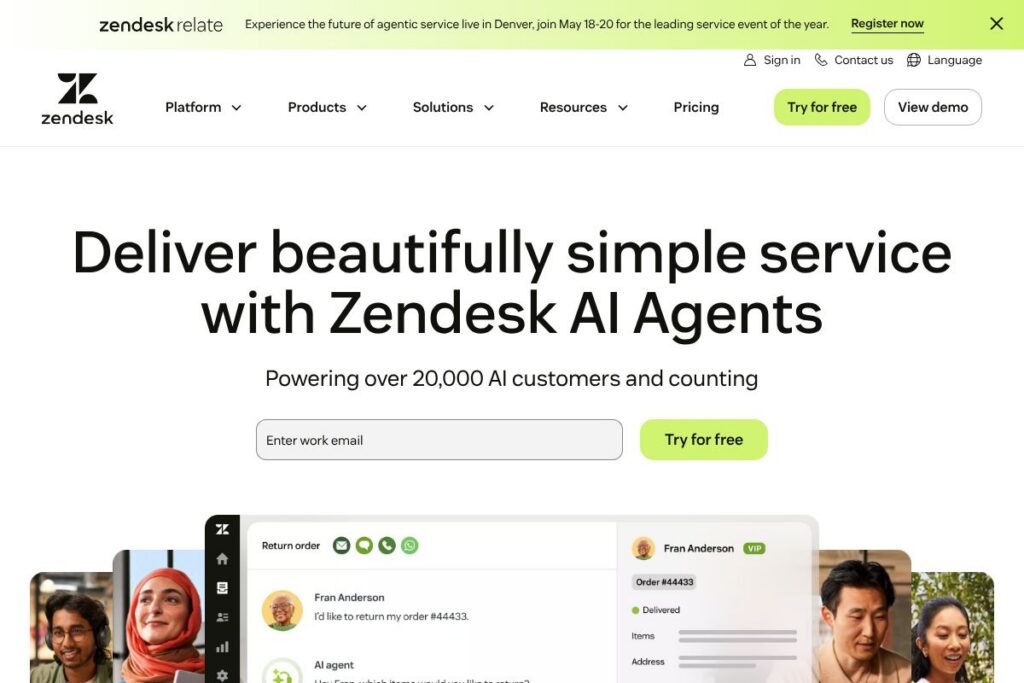
Zendesk is a customer and employee service platform that layers AI agents, ticketing, and knowledge management to handle conversations across chat, email, voice, and social channels. It combines automation with human handoff so teams can automate common requests while keeping context and escalation paths clear.
Compared with ServiceNow and Freshdesk, Zendesk focuses on rapid deployment and modular add-ons. ServiceNow is strong for enterprise IT service management with deep workflow customization and enterprise procurement channels, while Freshdesk offers a lower-cost alternative for small to mid-size teams. Zendesk sits between those options, providing broad channel coverage, AI capabilities, and prebuilt workflows that make it practical for both mid-market and enterprise customers.
All of this makes Zendesk particularly well suited to support and HR teams that need omnichannel routing, self-service that reduces agent load, and an AI layer that improves over time through consolidated interaction data.
How Zendesk Works
Zendesk captures customer and employee interactions into a central ticketing system where AI and business rules can triage, tag, and route requests. AI agents can suggest replies, surface relevant knowledge base articles, or resolve simple issues without agent intervention, while complex cases are routed to human agents with full context.
Teams typically deploy Zendesk by connecting channels, importing knowledge content, and setting up automation rules and macros. As interactions proceed, the platform’s Resolution Learning Loop refines suggested resolutions so automation rates and accuracy improve over time.
What does Zendesk do?
Zendesk centers on routing conversations, automating repetitive work, and surfacing knowledge so agents spend less time on manual tasks. Core capabilities include AI-driven response suggestions, omnichannel ticketing, analytics dashboards, and employee service workflows for internal help centers.
The platform includes several powerful capabilities:
AI Agents
AI Agents handle routine requests across chat, email, and voice by suggesting answers or resolving tickets directly. They learn from each successful resolution to increase automation rates and reduce repeat effort for agents.
Resolution Learning Loop
This capability applies unified interaction data to continuously improve the AI models that power automated resolutions. Over time it raises automation accuracy and reduces the volume of work requiring human follow-up.
Omnichannel Routing
Incoming requests from chat, email, phone, social, and messaging apps are consolidated into a single queue and routed based on skills, workload, and rules. This reduces fragmentation and ensures agents have full context on prior interactions.
Knowledge Management and Answer Bot
A built-in knowledge base allows teams to create, organize, and surface articles for both customers and employees. The Answer Bot uses that content to recommend articles automatically and deflect contacts to self-service.
Automation and Macros
Business rules, triggers, and macros automate routine ticket updates and common agent actions to speed handling times. Workflow automation reduces manual steps and enforces consistent processes across teams.
Analytics and Quality Dashboards
Reports and dashboards provide metrics on ticket volume, resolution time, agent performance, and customer sentiment. Managers can track SLAs and identify areas for training or knowledge updates.
Voice and IVR
Integrated voice services and interactive voice response let teams handle phone support within the same platform. Call routing, recordings, and transcriptions link to tickets for unified case records.
Integrations and API Access
Zendesk connects to CRMs, collaboration platforms, e-commerce systems, and custom apps so agents can see related customer data during interactions. The Zendesk API documentation provides endpoints for tickets, users, and automation integration.
With these capabilities, Zendesk helps teams reduce manual work, centralize context, and increase automation rates across channels.
Zendesk pricing
Zendesk uses a subscription-based model with tiered plans that scale from small teams to enterprise deployments, plus optional add-ons for advanced analytics, AI features, and voice services. Pricing is typically structured per agent or seat with additional fees for enterprise-level features and custom SLAs.
For the most accurate and up-to-date costs, see Zendesk’s pricing options on their website. Enterprise buyers can request custom quotes to match specific deployment, compliance, and integration needs.
Zendesk Use Cases
Support teams use Zendesk to centralize customer conversations, automate routine replies, and maintain a searchable repository of past interactions. This helps reduce resolution time and gives agents the context they need to handle escalations efficiently.
Employee service teams use Zendesk to run HR, IT, and facilities help desks through internal portals and chatbots. Self-service and AI deflection let internal teams scale support without adding large numbers of agents.
Pros and Cons of Zendesk
Pros
- Comprehensive channel coverage: Zendesk consolidates email, chat, voice, social, and messaging so agents can manage all interactions from a single interface. This reduces context switching and simplifies reporting.
- Continuous improvement via AI: The Resolution Learning Loop makes automation progressively more accurate, which lowers manual effort as the platform learns from resolved tickets.
- Extensive integrations and API: A mature developer platform and marketplace of apps connect Zendesk to CRMs, collaboration tools, and custom systems, enabling richer agent context and automation.
Cons
- Customization can be complex: Advanced workflow or enterprise deployments may require implementation planning and configuration, which can extend time to full rollout.
- Add-on costs for advanced features: Some reporting, AI, or voice capabilities are packaged as add-ons or higher-tier features that increase total cost for large deployments.
Does Zendesk Offer a Free Trial?
Zendesk offers free trials and tiered plans so organizations can test core features and AI capabilities before committing. Trial durations and included features vary by product bundle; check Zendesk’s website for the current trial options and feature limits.
Zendesk API and Integrations
Zendesk provides a public REST API and SDKs for building custom integrations, automations, and apps. The Zendesk API documentation includes endpoints for tickets, users, organizations, and real-time events.
Key prebuilt integrations include CRM systems, collaboration platforms like Slack and Microsoft Teams, and analytics tools. The platform’s app marketplace lists connectors and extensions to extend workflows.
10 Zendesk alternatives
Paid alternatives to Zendesk
- ServiceNow — Enterprise IT service management with deep workflow automation and strong ITSM governance for large organizations.
- Freshdesk — Cloud help desk with omnichannel support and simpler pricing for small to mid-size teams.
- Salesforce Service Cloud — CRM-native support platform that ties case management directly to customer records and sales processes.
- Help Scout — Email-first support solution aimed at small teams that want a simple, organized shared inbox.
- Intercom — Conversational support platform focused on messaging and product-led support workflows.
- Zoho Desk — Affordable help desk with integrated CRM connections for Zoho customers and SMBs.
- Genesys Cloud — Omnichannel contact center platform with advanced voice and routing capabilities for large contact centers.
Open source alternatives to Zendesk
- osTicket — Open source ticketing system for basic help desk workflows and on-premises control.
- Zammad — Web-based open source helpdesk with ticketing, chat, and role-based access controls.
- UVdesk — Open source e-commerce-focused helpdesk that can be self-hosted and extended with custom code.
Frequently asked questions about Zendesk
What is Zendesk used for?
Zendesk is used for customer and employee support management. Teams use it to centralize conversations, automate common requests with AI, and track performance across channels.
Does Zendesk include AI capabilities?
Yes, Zendesk includes AI Agents and learning tools. The platform applies AI to suggest replies, surface knowledge, and automate routine tickets while improving accuracy over time.
How much does Zendesk cost?
Zendesk uses tiered subscription pricing with optional add-ons. Costs vary by product bundle, number of agents, and required features; consult Zendesk’s website for up-to-date pricing and enterprise quoting.
Can Zendesk integrate with other business systems?
Yes, Zendesk offers an API and many prebuilt integrations. The Zendesk API documentation and the app marketplace support CRM, analytics, and collaboration integrations.
Is Zendesk suitable for internal employee service desks?
Yes, Zendesk supports employee service use cases. Internal portals, AI deflection, and knowledge management make it suitable for HR, IT, and facilities support at scale.
Final Verdict: Zendesk
Zendesk excels at bringing omnichannel conversations, knowledge, and automation into a single platform while adding an AI layer that improves through continued use. Its strength is the combination of practical out-of-the-box features, mature APIs, and the Resolution Learning Loop that raises automation rates and reduces manual ticket handling.
Compared to ServiceNow, Zendesk typically offers faster time to value and a more modular approach to adding AI and channels, while ServiceNow is often chosen for large ITSM deployments and deep workflow customization. For organizations that need flexible deployment, strong omnichannel support, and incremental investment in AI, Zendesk is a practical choice that balances capability and operational speed.