Zoho: An Overview
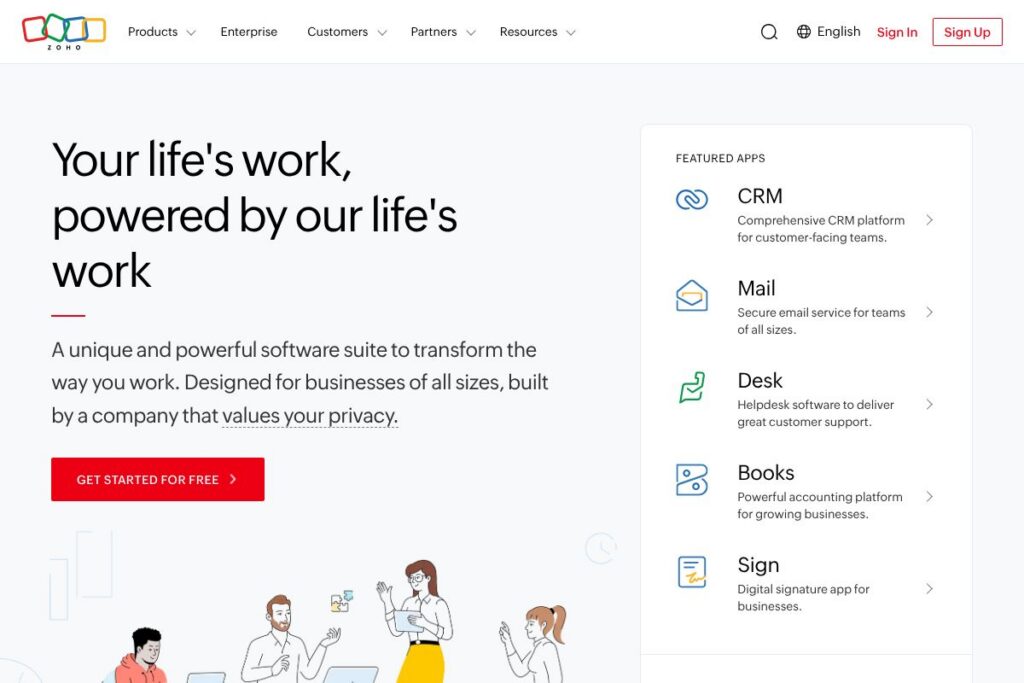
Zoho is a unified cloud software suite with more than 55 applications spanning CRM, finance, HR, collaboration, analytics, IT, and low-code development. The suite is designed so businesses can adopt individual apps or run the entire organization on a single, integrated platform called Zoho One. This approach reduces duplication of data and simplifies administration across departments.
Zoho competes with single-purpose enterprise suites and specialist vendors by offering a broader set of tightly integrated apps at a modular price point. Compared to Salesforce, which focuses heavily on CRM and enterprise-grade extensibility with a higher total cost of ownership, Zoho provides similar core CRM features plus native finance, HR, and productivity tools in the same ecosystem. Against Microsoft Dynamics 365 and Oracle NetSuite, Zoho’s advantage is the breadth of included applications and lower friction for teams that want an all-in-one deployment rather than stitching separate systems together.
All of this makes Zoho particularly well suited for organizations that want to consolidate vendors, reduce integration overhead, and give business teams access to native tools for sales, accounting, HR, and collaboration without heavy custom development. The platform scales from startups to large enterprises and includes options for enterprise services, infrastructure, and security for regulated environments.
How Zoho Works
Zoho organizes work around individual applications that share a unified user identity, data model, and admin layer. When you create records in one app, such as contacts in CRM, those records can be referenced by finance, support, or marketing apps without repeated imports or separate authorizations.
Teams typically begin with a core app like CRM, Books, or People, then add connected apps such as Campaigns, Desk, or Projects to cover adjacent processes. Zoho provides centralized user and role management, single sign-on, and cross-application reporting so workflows and approvals can run across modules without custom middleware.
Implementation workflows often use prebuilt connectors and Zoho’s low-code platform to automate processes. For example, a lead capture in a website form can create a CRM lead, trigger a welcome email from Campaigns, create a task in Projects for onboarding, and update finance records in Books when a sale closes.
Zoho features
Zoho’s product set focuses on integrated business processes, automation, and analytics. Core capabilities include CRM, finance and accounting, HR management, collaboration tools, low-code app development, and an AI assistant called Zia that surfaces insights and recommendations from cross-app data.
The platform includes many individual features; here are some of the main capabilities worth highlighting:
Unified Admin and Identity
A centralized admin console handles user provisioning, single sign-on, and access controls across Zoho apps, which simplifies security and reduces the overhead of managing multiple vendor accounts. This helps IT teams enforce consistent policies and audit trails for compliance.
Zoho CRM
Zoho CRM manages leads, contacts, sales pipelines, and reporting with workflow automation, custom modules, and sales forecasting. It integrates with marketing, support, and accounting apps so sales activity is linked to campaign data, support tickets, and invoices.
Finance and Accounting (Books)
Zoho Books handles invoicing, payments, expense tracking, and multi-currency accounting with GST/VAT support for multiple jurisdictions. Integrations with payment gateways and banking reconcilement reduce manual bookkeeping work for finance teams.
HR and Workforce Management (People)
Zoho People gives HR teams tools for employee records, time tracking, leave management, and performance reviews, with self-service portals and approvals to automate routine HR tasks. Payroll integrations are available in supported countries to close the loop on compensation.
Collaboration and Productivity
Zoho Mail, WorkDrive, Docs, Sheet, and Show provide email, file storage, document editing, and presentations that are integrated with other Zoho apps. Real-time collaboration and shared storage help teams maintain a single source of truth for documents and assets.
Low-code Platform (Creator)
Zoho Creator enables teams to build custom web and mobile applications with drag-and-drop forms, workflows, and scripting for business-specific processes, reducing dependence on external developers for internal tooling.
Zia AI Assistant
Zia analyzes data across Zoho apps to surface predictive lead scoring, anomaly detection, suggested email replies, and automation recommendations. Zia can be used to build AI-driven workflows that reduce manual analysis and speed up routine decisions; explore Zia’s capabilities on the Zia AI assistant overview.
Analytics and BI
Zoho Analytics aggregates data from Zoho and third-party systems to build dashboards and reports with scheduled refreshes, embedded analytics, and collaboration features for cross-team insights. This helps organizations track KPIs without stitching external BI tools.
Integrations and APIs
Zoho provides REST APIs, webhooks, and SDKs for building integrations with third-party systems, and it connects natively to common services like Google Workspace and Microsoft 365. The Zoho Developer documentation lists API endpoints and integration guides.
Security and Compliance
Enterprise controls include role-based access, audit logs, encryption in transit and at rest, and options for data residency. Zoho publishes details about its security posture and certifications to help meet regulatory and corporate requirements.
With a vast catalog of apps and cross-application automation, the biggest benefit of Zoho is the ability to run end-to-end business processes within a single ecosystem, minimizing point-to-point integrations and consolidating administrative overhead.
Zoho pricing
Zoho uses a modular subscription model where individual apps can be licensed separately and the bundled Zoho One package provides access to a broad set of applications under a single subscription. Pricing varies by product, deployment scale, and whether you choose per-user or company-wide plans.
For current plan options, bundled features, and any promotional offers, see Zoho’s official product pages and the Zoho One overview page for details on available subscription choices and licensing terms.
What is Zoho Used For?
Zoho is used to manage sales pipelines, automate marketing campaigns, invoice customers, run HR operations, and provide internal collaboration and file storage. Because apps share data, organizations use Zoho to reduce duplication between sales, finance, and support teams.
Typical users include small and mid-sized companies consolidating vendors, departments in larger enterprises standardizing on a single vendor platform, and teams that want low-code custom apps to automate unique business processes. Zoho is also used by service organizations that need predictable operational workflows linked to billing and customer data.
Pros and Cons of Zoho
Pros
- Comprehensive app ecosystem: Zoho offers CRM, finance, HR, collaboration, and low-code tools in one platform, which reduces the need for multiple vendors and simplifies integrations.
- Flexible deployment for businesses of all sizes: The suite supports single-app adopters up to enterprise-wide deployments, and Zoho One provides a unified option for organizations that want broad coverage.
- Built-in AI and automation: Zia and built-in workflow engines enable predictive scoring, task automation, and process recommendations that reduce manual work across apps.
- Strong privacy and ownership stance: Zoho emphasizes customer data ownership and avoids advertising-based business models, aligning with organizations that prioritize data privacy.
Cons
- Learning curve across many apps: The breadth of applications means administrators and users may need time to learn patterns, configure cross-app workflows, and align governance.
- Variation in feature depth: Some specialized competitors offer deeper functionality in specific domains, such as advanced ERP capabilities or highly tailored industry verticals, which may require additional customization or third-party additions.
- Enterprise-level support and consultancy costs: Large-scale customizations or complex migrations can involve significant professional services investment to implement optimally.
Does Zoho Offer a Free Trial?
Zoho offers both free plans for select apps and free trials for many paid products. Several Zoho applications provide a no-cost tier for basic usage, while full-featured trial periods are available for suites like Zoho One so teams can evaluate integrations and administration before committing to a subscription.
Zoho API and Integrations
Zoho provides REST-based APIs, webhooks, and SDKs to integrate its apps with external systems and to build custom extensions. The Zoho Developer documentation is the central reference for API endpoints, authentication methods, and SDK downloads.
Key third-party integrations include Google Workspace, Microsoft 365, Slack, payment processors, and connectors such as Zapier that enable event-driven automation between Zoho apps and external services.
10 Zoho alternatives
Paid alternatives to Zoho
- Salesforce — Enterprise-grade CRM and platform with deep customization, an extensive ecosystem of partners, and advanced analytics for large organizations.
- Microsoft Dynamics 365 — Suite of CRM and ERP applications tightly integrated with Microsoft 365 and Azure for organizations invested in the Microsoft ecosystem.
- HubSpot — CRM and marketing automation focused on inbound marketing, sales enablement, and a user-friendly interface for growth teams.
- Oracle NetSuite — Cloud ERP with strong financial management, inventory, and order management capabilities for businesses needing full ERP functionality.
- Freshworks — Suite of customer engagement and ITSM tools with an emphasis on ease of use and rapid deployment for support and sales teams.
- Odoo (Enterprise) — Modular business apps including CRM, ERP, and e-commerce, available as a hosted subscription with additional enterprise services.
Open source alternatives to Zoho
- Odoo (Community Edition) — Open source ERP and business app suite with community-driven modules for CRM, accounting, inventory, and e-commerce.
- ERPNext — Open source ERP that covers accounting, HR, CRM, manufacturing, and project management with a strong community and extensibility.
- SuiteCRM — Open source CRM derived from SugarCRM with sales, marketing, and customer support modules suitable for teams wanting full control over their CRM instance.
- Dolibarr — Web-based open source ERP and CRM focused on small businesses, offering modules for invoicing, inventory, and HR.
Frequently asked questions about Zoho
What is Zoho used for?
Zoho is used to manage sales, marketing, finance, HR, and internal collaboration across a single integrated platform. Organizations use Zoho to reduce vendor sprawl and automate cross-department workflows.
Does Zoho include an AI assistant?
Yes, Zoho includes an AI assistant called Zia. Zia provides predictive lead scoring, anomaly detection, suggested responses, and workflow recommendations across Zoho apps.
Can Zoho integrate with external systems like Google Workspace?
Yes, Zoho integrates with Google Workspace and many other third-party services. Integrations are available through native connectors, APIs, and middleware platforms like Zapier.
Is Zoho suitable for large enterprises?
Zoho is suitable for large enterprises and offers enterprise-grade services, security controls, and professional services. The Zoho One bundle and enterprise plans provide centralized administration and compliance features.
How does Zoho handle data privacy?
Zoho emphasizes customer data ownership and does not sell user data or rely on advertising. The company provides controls for data residency, encryption, and administrative governance across its apps.
Final verdict: Zoho
Zoho stands out as a comprehensive, modular business platform that reduces the need for multiple point solutions by providing CRM, finance, HR, collaboration, and low-code capabilities within one ecosystem. Its strength is in consolidating cross-functional processes and offering integrated automation and analytics, which is useful for teams that want a single vendor footprint and consistent data flows.
Compared with Salesforce, Zoho generally offers a more all-in-one packaged approach and a lower-cost, modular entry point for businesses that want to expand usage without negotiating multiple vendor contracts. Salesforce remains stronger on enterprise-grade extensibility and partner ecosystems, but Zoho delivers broad functionality plus native apps like Books, People, and Creator that make it easier to run end-to-end business processes from a single platform.
If your organization needs an integrated suite with extensive built-in apps and a focus on data ownership and privacy, Zoho is a practical option to evaluate. Start by testing core apps or using a Zoho One trial to judge fit across your sales, finance, HR, and collaboration needs.