Canny: An Overview
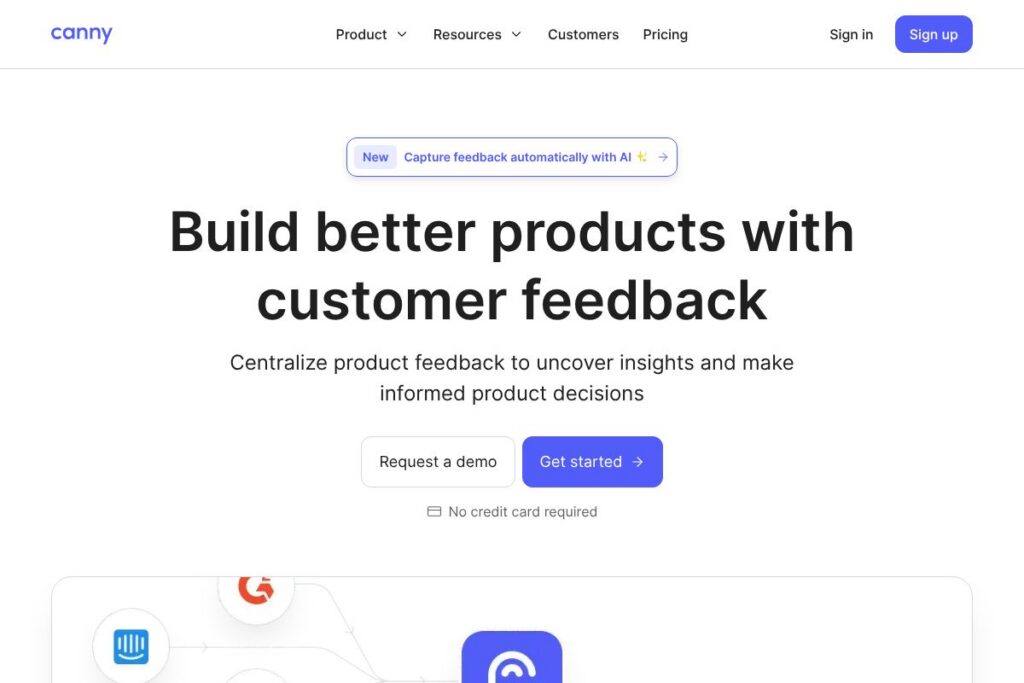
Canny is a feedback management platform designed for product teams that want a single source of truth for user suggestions and feature requests. It captures feedback from multiple channels, helps quantify demand by deduplicating similar requests, and provides tools to share roadmaps and product updates with customers. The platform includes AI-driven features to surface themes and reduce manual triage work.
Compared with Productboard, Canny focuses more narrowly on transparent feedback collection and community-driven voting, while Productboard combines feedback with deeper product discovery and customer insight workflows. Against UserVoice, Canny provides a modern interface and built-in AI tools for deduplication and summarization rather than a legacy ticketing-style experience. For teams that already use issue trackers, Canny integrates with systems such as Jira and GitHub so it can sit alongside heavier roadmap tools.
All of this makes Canny particularly useful for product-led teams and startups that need to capture distributed feedback, prioritize by customer demand, and maintain an open line of communication with users. Its core strengths are lightweight setup, community features, and automation that reduces manual feedback triage.
How Canny Works
Canny ingests feedback from channels such as a hosted feedback portal, embedded widgets on your site, and integrations with support tools and chat platforms. Incoming items are presented as posts that users and team members can vote on, comment on, and follow, creating a measurable signal of demand.
AI-powered features run in the background to detect duplicates, summarize long comment threads, and suggest clarifying questions, which reduces the time product teams spend cleaning and categorizing entries. Product teams use boards and tags to group requests, link feedback to roadmap items, and publish product updates that automatically notify stakeholders and customers.
Workflows often look like: capture feedback via widget or integration, let Canny deduplicate and surface trends, prioritize the highest-demand items on a public or private roadmap, and then post product updates that close the loop with users who voted or commented.
Canny features
Canny centers product feedback around capture, organization, prioritization, and communication. Core capabilities include a public feedback portal, embedded widgets, AI-powered capture and deduplication, comment summarization, smart replies, integrations with support and dev tools, and roadmap publishing. Recent additions emphasize automated capture from conversations and AI-assisted triage.
Here are some key features worth highlighting:
Feedback capture
Capture feedback directly from customers using an embeddable widget or hosted feedback portal, and allow users to submit ideas, vote, and add context. Teams can also capture feedback on behalf of users through integrations with support tools so no idea slips through the cracks.
Autopilot AI capture
Autopilot automatically detects customer requests inside conversations and support tickets, creating feedback items without manual entry. This reduces lost suggestions and gives product teams a higher signal-to-noise ratio when evaluating feature demand.
Duplicate detection and merging
Canny identifies and groups duplicate requests so teams can quantify interest accurately and avoid fragmented threads. Merging duplicates keeps discussions centralized and helps calculate vote counts that reflect true demand.
Public feedback portal
Host a public or private feedback board where customers can post ideas, vote, and comment, giving transparency into what other users want. The portal supports branding and customization so it fits into your product’s look and feel.
Comment summaries
AI-generated summaries reduce the reading time required to understand long discussion threads and surface the core use cases and pain points. Summaries speed decision-making by presenting concise user motivations to product managers.
Smart replies
Smart Replies suggest clarifying or follow-up questions to help teams get the context they need from users. These templates and AI prompts help convert vague requests into actionable requirements faster.
Roadmaps and product updates
Publish a public or private roadmap and post product updates tied to feedback items so customers know which requests are being worked on. Updates automatically notify voters and commenters to close the feedback loop and reduce support load.
Integrations and API access
Connect Canny to Slack, Intercom, Zendesk, Jira, GitHub, Zapier, and other tools so feedback flows into the places your team already works. API access and webhooks enable custom workflows and automation; see Canny’s API documentation for details.
Security and privacy controls
Canny supports private boards, granular permissions, and enterprise security features to control who can view and post feedback. Organizations can configure SSO and compliance options; review Canny’s security features to understand available controls.
With these capabilities, the biggest benefit is a centralized, measurable feedback pipeline that reduces manual triage and makes it straightforward to prioritize and communicate product decisions to customers and internal teams.
Canny pricing
Canny uses a subscription pricing model with tiered plans designed for individuals, small teams, and enterprises, plus custom enterprise options for large organizations. Plans typically differ by the number of admins, feedback volume, private boards, and enterprise security features, and there are add-ons for advanced AI automation and support.
For up-to-date plan descriptions, billing cycles, and enterprise arrangements, view Canny’s current pricing options or contact their team for a tailored quote that matches your usage and security requirements.
What is Canny Used For?
Canny is used to capture and prioritize product feedback from customers, support agents, and internal stakeholders so product teams can make data-informed roadmap decisions. It is particularly useful for aggregating feature requests, measuring demand through votes, and tracking the status of requests over time.
Typical users include product managers, customer success teams, and support teams that want to close the loop with customers by publishing roadmaps and product updates. Startups and product-led companies use Canny to create a community around their product and to surface the highest-impact improvements.
Pros and Cons of Canny
Pros
- Centralized feedback collection: Consolidates user suggestions from widgets, support tools, and manual entry so teams see a unified view of requests without chasing scattered notes or tickets.
- AI-assisted triage and summaries: Automatically detects duplicates, summarizes long threads, and suggests clarifying questions which reduces manual categorization and speeds prioritization.
- Community and communication: Public boards, voting, and product updates make it easier to engage users and close the feedback loop, improving transparency and trust.
- Flexible integrations: Works with Slack, Intercom, Zendesk, Jira, GitHub, and automation tools to fit into existing workflows and reduce context switching.
Cons
- Feature focus over discovery: While excellent for feedback capture and prioritization, teams needing deep customer research and discovery workflows may supplement Canny with tools like product analytics or interview platforms.
- Custom enterprise requirements may add cost: Organizations with complex security, SSO, or compliance needs will likely need enterprise plans and custom contracts to access advanced controls.
Does Canny Offer a Free Trial?
Canny offers a free plan and trial options for paid tiers. The free plan provides basic feedback collection and a public portal to get started quickly, and trial periods for paid plans give access to additional features such as private boards, advanced integrations, and AI automation. See Canny’s homepage for the specifics and current trial terms.
Canny API and Integrations
Canny provides an API and webhooks for developers to push and pull feedback items, automate workflows, and connect Canny to custom tooling; consult Canny’s API documentation for endpoint details and examples.
Out-of-the-box integrations include support and messaging platforms as well as developer tools, which makes it straightforward to capture feedback from Slack, Intercom, Zendesk, Jira, GitHub, and automation platforms like Zapier; see the integrations directory for full connectivity options.
10 Canny alternatives
Paid alternatives to Canny
- Productboard: A product management platform that combines feedback collection with customer insights and prioritization frameworks for roadmap planning.
- UserVoice: Longstanding feedback tool that focuses on idea voting and customer engagement with integrated ticketing and enterprise features.
- Pendo: Product analytics and in-app feedback combined, suited for teams that want behavior data alongside qualitative feedback.
- Aha!: Roadmapping and strategy platform that integrates feedback capture into broader product planning and portfolio management.
- Intercom: Messaging-first platform that includes conversational support and feedback capture as part of a customer engagement suite.
- Nolt: Lightweight feedback boards with voting and simple boards for teams that want a minimal setup.
- Feature Upvote: Simple idea boards focused on voting and prioritization for small teams and communities.
Open source alternatives to Canny
- Fider: An open source feedback tool that provides voting, commenting, and a hosted portal you can self-host and extend.
- UserReport: A community feedback and survey tool that can be integrated into product sites and customized by developers.
- OpenFeedback: Self-hosted feedback boards that let teams run private or public idea portals while keeping full control over data.
Frequently asked questions about Canny
What is Canny used for?
Canny is used for collecting, organizing, and prioritizing customer feedback. Product teams use it to quantify demand, track requests on a roadmap, and communicate product updates back to users.
Does Canny have an API?
Yes, Canny provides an API and webhooks for automation. Developers can create, update, and retrieve feedback items programmatically; see Canny’s API documentation for endpoints and examples.
How much does Canny cost?
Canny offers tiered subscription plans and custom enterprise pricing. Plan details and billing cycles can change, so review Canny’s current pricing options or contact their team for a quote tailored to your organization.
Can Canny import existing feedback lists?
Yes, Canny supports importing existing feedback via CSV or migration tools. This makes it straightforward to centralize legacy feedback from spreadsheets, helpdesk exports, or other trackers.
Is Canny suitable for enterprise security needs?
Yes, Canny provides enterprise security and compliance controls. Features include private boards, role-based permissions, SSO, and additional controls appropriate for regulated environments; check Canny’s security features for specifics.
Final Verdict: Canny
Canny is a focused feedback management tool that excels at consolidating user suggestions, automating deduplication and summarization with AI, and creating a community-driven feedback loop. It reduces manual triage, improves visibility into demand, and makes it simple to publish roadmaps and updates that keep customers informed.
Compared with Productboard, which emphasizes product discovery and deep customer insight workflows and often uses per-seat pricing geared toward larger teams, Canny is typically faster to set up and better suited for teams that prioritize transparent feedback collection and community engagement. For teams that need lightweight feedback capture with strong integrations and AI-assisted triage, Canny is a practical, user-friendly choice.