CaseFox: An Overview
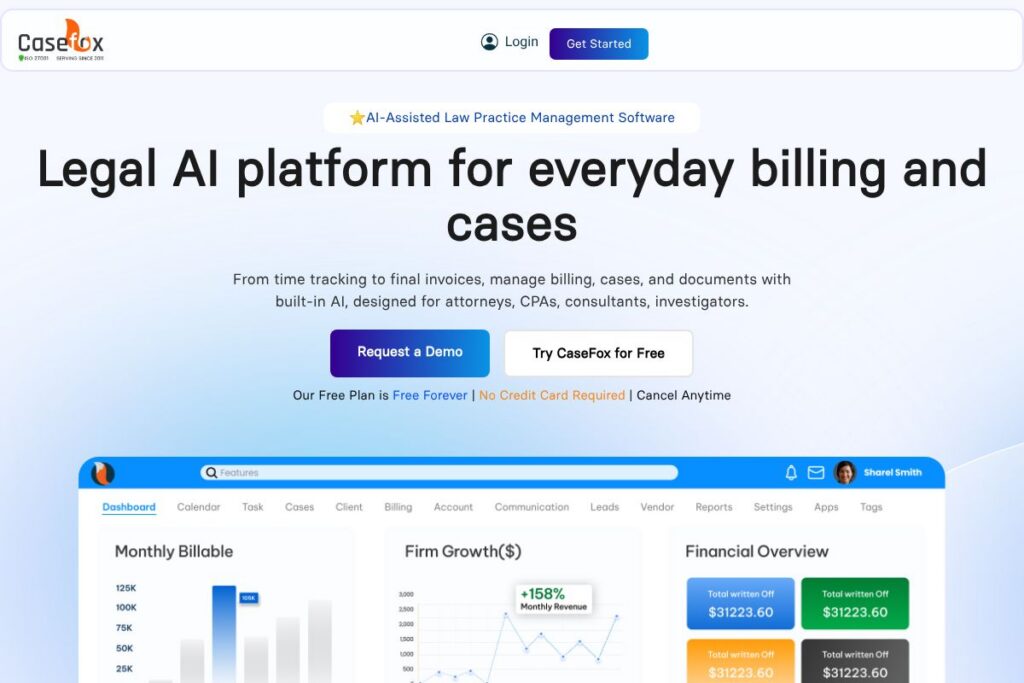
CaseFox is a cloud-based legal practice management system that focuses on timekeeping, billing, trust accounting, document generation, and client intake for solo practitioners and small to mid-size firms. It combines timers, billing rules, LEDES invoicing, and IOLTA-compliant trust accounting with AI-assisted document drafting and summarization to reduce manual steps in common legal workflows.
Compared with alternatives, CaseFox positions itself as a cost-conscious, feature-rich option. Compared to Clio, which emphasizes a large marketplace of integrations and extensive practice management modules, CaseFox is often chosen for lower-cost billing and simpler onboarding. Compared to MyCase and PracticePanther, CaseFox focuses heavily on automated billing rules, trust accounting accuracy, and AI document tools rather than broad enterprise features.
CaseFox works particularly well for solo attorneys, small firms, and consultants who need accurate billing, straightforward trust account management, and quick document generation without a long training curve. Its strengths are automated time capture, flexible billing models, and built-in IOLTA tools that help firms maintain compliance while keeping operational overhead low.
How CaseFox Works
CaseFox centralizes client and matter records, then links time entries, expenses, documents, tasks, and calendar events to those matters so every billable minute and relevant file is easy to locate. Users can run background timers or create manual time entries, apply billing rules, and generate bills individually or with one-click batch billing.
The platform integrates billing with trust accounting workflows to record retainer deposits, allocate funds, and produce compliant ledgers. Documents can be generated from templates or created with the AI document generator, and summaries of case files can be produced automatically to speed review.
For implementation, firms import existing data during migration, assign user roles and permissions, and configure billing rates and LEDES/UTBMS codes. Day-to-day workflows typically include starting timers from case records, attaching documents to matters, sending bills through the client portal, and reconciling trust transactions with QuickBooks or Xero integrations.
CaseFox features
CaseFox groups core practice management capabilities around billing accuracy, case tracking, document automation, and legal accounting. Key capabilities include automated time capture and batch invoicing, IOLTA-aware trust account tools, AI-assisted document drafting and summarization, client intake with conflict checks, and integrations with common accounting and cloud storage platforms.
Time Tracking
Timers run in the background or can be started manually from matter pages, with entries classified as billable or non-billable and tagged to specific tasks. Reports show time by user, matter, or date ranges to support realization and utilization analysis.
Billing & Invoicing
Billing supports hourly, flat-fee, contingency, and retainer models with custom rates and one-click batch invoicing, plus LEDES and UTBMS support for electronic billing. Invoices can be shared via the client portal and adjusted with discounts, write-offs, or payment applications.
Trust & Legal Accounting
Trust account tools are designed to be IOLTA-compliant, tracking deposits, disbursements, and running detailed ledgers for operating and trust accounts. CaseFox links accounting records to invoices and integrates with QuickBooks and Xero for broader financial reporting.
Document Management & AI Drafting
Documents are stored in the cloud, accessible on mobile, and can be created from templates or generated with AI-based drafting and summarization tools to speed repetitive drafting tasks. Integrations with Dropbox, Box, and Google Drive extend storage options and make document sharing straightforward.
Client Intake & Conflict Checks
The intake workflow captures client details, performs conflict checks, and allows staff to route new matters via built-in email and notifications so intake decisions are documented and auditable. The intake forms can be used to collect retainers and start new matters quickly.
Payments & Client Portal
Clients can pay retainers and invoices through a secure portal with integrations for PayPal and LawPay, enabling firms to accept card and electronic payments and reconcile them against invoices and trust accounts.
CaseFox’s biggest practical benefit is tying accurate time capture and compliant accounting together with automated billing, which reduces missed billable hours and simplifies month-end reconciliation. The AI document tools and simple onboarding further lower the operational burden for small firms.
CaseFox pricing
CaseFox uses a subscription model with a free-forever plan and paid plans tailored to different firm sizes, plus options for onboarding and migration. The vendor highlights a free plan without a credit card requirement and premium services that may be offered as part of onboarding.
For specific plan tiers, seat counts, and any advanced features or enterprise terms, view the CaseFox homepage or the vendor’s signup pages for current pricing and plan details. You can also request a demo or contact sales from the CaseFox demo and contact pages to discuss volume licensing, custom onboarding, or migration options.
What is CaseFox Used For?
CaseFox is commonly used to capture billable time, produce client invoices, and manage trust account transactions. Law firms rely on it to automate recurring billing, produce LEDES-compliant invoices for corporate clients, and reconcile operating and trust ledgers with accounting software.
Beyond billing, firms use CaseFox for matter organization, secure client communications via the portal, intake and conflict checking, and AI-assisted document generation that reduces drafting time. It is a practical choice when the primary objectives are reliable billing, clean accounting, and minimal training overhead.
Pros and Cons of CaseFox
Pros
- Accurate billing and trust accounting: The platform includes IOLTA-aware trust tools and LEDES invoicing that make it easier to maintain compliance and produce standardized electronic bills.
- AI-assisted document workflows: Built-in document generation and summarization reduce drafting effort and speed up case review without leaving the platform.
- Low learning curve and onboarding support: CaseFox emphasizes simple setup, data migration assistance, and responsive support to shorten the adoption period for small firms.
Cons
- Limited enterprise feature depth: Larger firms that require advanced matter automation or an extensive partner marketplace may find platforms like Clio or LEAP offer broader ecosystems.
- Public pricing details limited: Detailed plan and tier comparisons are not always listed in the same way as some competitors, so prospective buyers should contact sales to confirm which features are included at each level.
- Narrower third-party marketplace: While CaseFox integrates with common accounting and cloud providers, firms seeking a very large set of specialist integrations may need to evaluate integration coverage carefully.
Does CaseFox Offer a Free Trial?
CaseFox offers a free forever plan with no credit card required and a complimentary demo option. The free plan is promoted as available without payment details, and the vendor also offers online onboarding demos and the ability to try the AI document generator as part of the demo experience. Visit the CaseFox demo page to request a walkthrough.
CaseFox API and Integrations
CaseFox provides integrations with common accounting and storage tools and supports payment partners to handle client transactions. Key integrations include QuickBooks and Xero for accounting, Dropbox, Box, and Google Drive for document storage, and PayPal and LawPay for payments; these connectors simplify bookkeeping and client payments.
For developers and firms that need automation, review the CaseFox integrations and developer resources to see available endpoints and partnership options, or contact their support team for API access and custom integration advice.
10 CaseFox alternatives
Paid alternatives to CaseFox
- Clio – A widely used legal practice management suite with a large integrations marketplace and extensive practice management features.
- MyCase – Focuses on client communication, secure portals, and straightforward billing for small to mid-size firms.
- PracticePanther – Emphasizes automation and workflow rules with robust billing and calendaring capabilities.
- LEAP – A practice management and legal accounting platform that targets small firms and offers integrated document assembly.
- CosmoLex – Combines practice management with native legal accounting and trust management for US firms.
- Zola Suite – Offers built-in accounting, email management, and workflow features aimed at growing firms.
- Smokeball – Focuses on productivity and document automation for small law firms with industry-specific tools.
Open source alternatives to CaseFox
- Casebox – An open source case and document management platform that can be self-hosted and customized for legal workflows.
- OpenLaw – An open source framework for legal document automation and contract creation that can be integrated into broader systems.
- Odoo (Community Edition) – A general open source ERP with modules for project management and invoicing that can be adapted for basic legal practice needs.
Frequently asked questions about CaseFox
What is CaseFox used for?
CaseFox is used for legal practice management, including time tracking, billing, trust accounting, and document management. Firms use it to capture billable hours, manage client matters, and produce compliant invoices.
Does CaseFox integrate with QuickBooks and Xero?
Yes, CaseFox integrates with both QuickBooks and Xero for accounting synchronization. Those integrations help reconcile invoices, payments, and trust transactions with external accounting records.
Can CaseFox handle trust accounting for law firms?
Yes, CaseFox includes IOLTA-aware trust accounting tools. The platform tracks deposits, disbursements, and maintains ledgers to support compliance with trust account rules.
Is CaseFox suitable for solo practitioners?
Yes, CaseFox is well suited to solo practitioners and small firms. Its free plan, simple onboarding, and focused billing tools make it practical for firms that want accurate billing without complex setup.
Does CaseFox offer AI document generation?
Yes, CaseFox includes AI-assisted document drafting and summarization features. Those tools let users generate templates, draft documents from prompts, and summarize case materials to speed review.
Final Verdict: CaseFox
CaseFox stands out for combining accurate billing, IOLTA-compliant trust accounting, and AI-assisted document workflows in a package aimed at solo practitioners and small firms. Its free-forever plan and emphasis on easy onboarding lower the barrier to entry for firms that need reliable invoicing and trust management without a steep learning curve.
Compared with Clio, CaseFox typically offers a more affordable entry point and a focused feature set around billing and accounting, while Clio provides a larger integrations marketplace and more advanced enterprise features. For firms where clean billing, trust accounting, and quick document generation matter most, CaseFox is a practical choice; firms that require extensive third-party apps or enterprise-level automation should evaluate Clio and similar competitors in parallel.